History
Introduction
API Category
Making API Requests
Region APIs
Instance APIs
Cloud Hosting Cluster APIs
Image APIs
Instance Launch Template APIs
Placement Group APIs
Key APIs
Security Group APIs
Network APIs
Data Types
Error Codes
cos:GetObject。cos:PutObject。cos:PutObject。GET /<ObjectKey>?imageMogr2/thumbnail/<imageSizeAndOffsetGeometry> HTTP/1.1Host: <BucketName-APPID>.cos.<Region>.myqcloud.comDate: <GMT Date>Authorization: <Auth String>
PUT /<ObjectKey> HTTP/1.1Host: <BucketName-APPID>.cos.<Region>.myqcloud.comDate: GMT DateAuthorization: Auth StringPic-Operations:{"is_pic_info": 1,"rules": [{"fileid": "exampleobject","rule": "imageMogr2/thumbnail/<imageSizeAndOffsetGeometry>"}]}
POST /<ObjectKey>?image_process HTTP/1.1Host: <BucketName-APPID>.cos.<Region>.myqcloud.comDate: GMT DateContent-length: SizeAuthorization: Auth StringPic-Operations:{"is_pic_info": 1,"rules": [{"fileid": "exampleobject","rule": "imageMogr2/thumbnail/<imageSizeAndOffsetGeometry>"}]}
fileid 与 ObjectKey 相同时,处理后的图片将覆盖原图存储;不相同时将分别存储原图和处理后图片。fileid 的值需要经过 URLEncode。参数 | 含义 | 类型 | 是否必选 |
ObjectKey | 对象文件名,例如 folder/sample.jpg。 | String | 是 |
/thumbnail/!<Scale>p | 指定图片的宽高为原图的 Scale%,取值范围为1 - 1000的整数,超出则不处理。 | String | 否 |
/thumbnail/!<Scale>px | 指定图片的宽为原图的 Scale%,高度不变,取值范围为1 - 1000的整数,超出则不处理。 | String | 否 |
/thumbnail/!x<Scale>p | 指定图片的高为原图的 Scale%,宽度不变,取值范围为1 - 1000的整数,超出则不处理。 | String | 否 |
/thumbnail/<Width>x | 指定目标图片宽度为 Width,高度等比缩放,取值范围为1 - 10000的整数,超出则按10000进行处理。 | String | 否 |
/thumbnail/x<Height> | 指定目标图片高度为 Height,宽度等比缩放,取值范围为1 - 10000的整数,超出则按10000进行处理。 | String | 否 |
/thumbnail/<Width>x<Height> | 限定缩略图的宽度和高度的最大值分别为 Width 和 Height,进行等比缩放,缩放比例取宽缩放比和高缩放比的较小值,Width 和 Height 的取值范围为1 - 10000,超出则按10000进行处理。 注意: 宽缩放比:目标宽/原图宽;高缩放比:目标高/原图高。 | String | 否 |
/thumbnail/!<Width>x<Height>r | 限定缩略图的宽度和高度的最小值分别为 Width 和 Height,进行等比缩放,缩放比例取宽缩放比和高缩放比的较大值,Width 和 Height 的取值范围为1 - 10000,超出则按10000进行处理。 注意: 宽缩放比:目标宽/原图宽;高缩放比:目标高/原图高。 | String | 否 |
/thumbnail/<Width>x<Height>> | 限定缩略图的宽度和高度的最大值分别为 Width 和 Height,进行等比缩小,缩放比例取宽缩放比和高缩放比的较小值,Width 和 Height 的取值范围为1 - 10000,超出则按10000进行处理。如果目标宽(高)大于原图宽(高),则不处理。 注意: 宽缩放比:目标宽/原图宽;高缩放比:目标高/原图高。 | String | 否 |
/thumbnail/<Width>x<Height>< | 限定缩略图的宽度和高度的最大值分别为 Width 和 Height,进行等比放大,缩放比例取宽缩放比和高缩放比的较小值,Width 和 Height 的取值范围为1 - 10000,超出则按10000进行处理。如果目标宽(高)小于原图宽(高),则不处理。 注意: 宽缩放比:目标宽/原图宽;高缩放比:目标高/原图高。 | String | 否 |
/thumbnail/<Width>x<Height>! | 忽略原图宽高比例,指定图片宽度为 Width,高度为 Height,强行缩放图片,可能导致目标图片变形,Width 和 Height 的取值范围为1 - 10000,超出则按10000进行处理。 | String | 否 |
/thumbnail/<Area>@ | 等比缩放图片,缩放后的图像,总像素数量不超过 Area。 | String | 否 |
/pad/<pad> | 将原图缩放为指定 Width 和 Height 的矩形内的最大图片,之后使用 color 参数指定的颜色居中填充空白部分;<pad> 取值为0或1。 0代表不使用 pad 模式 1代表使用 pad 模式 | String | 否 |
/color/<color> | String | 否 | |
/ignore-error/1 | 当处理参数中携带此参数时,针对文件过大、参数超限等导致处理失败的场景,会直接返回原图而不报错。 | String | 否 |
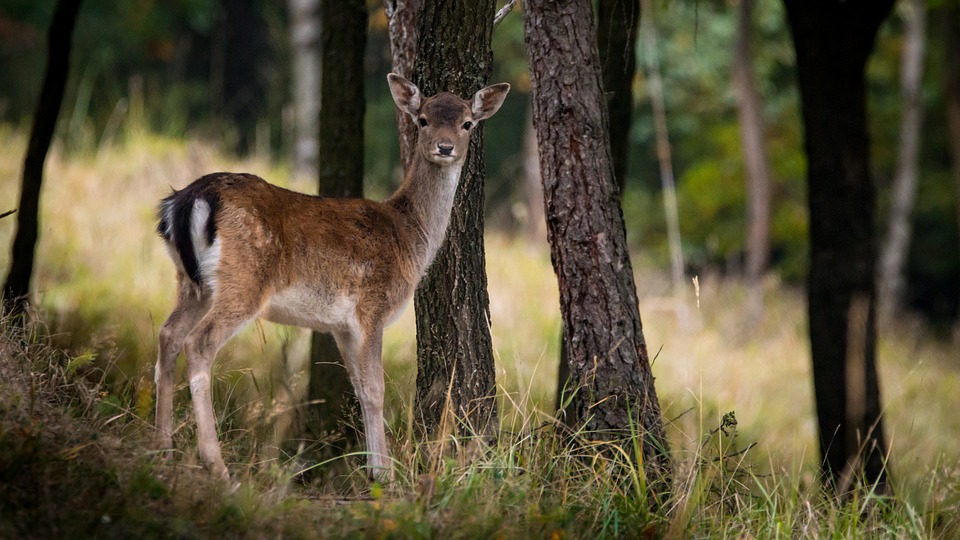
http://examples-1251000004.cos.ap-shanghai.myqcloud.com/sample.jpeg?imageMogr2/thumbnail/!50p
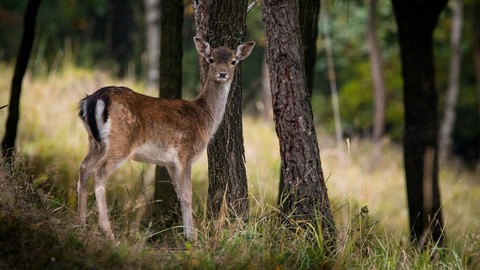
http://examples-1251000004.cos.ap-shanghai.myqcloud.com/sample.jpeg?imageMogr2/thumbnail/!50px
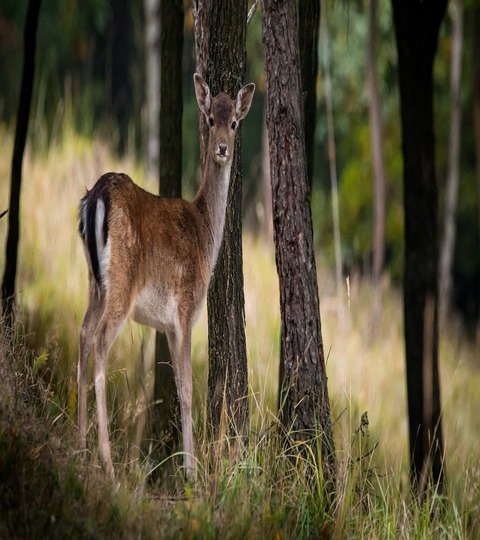
http://examples-1251000004.cos.ap-shanghai.myqcloud.com/sample.jpeg?imageMogr2/thumbnail/600x600/pad/1/color/IzNEM0QzRA
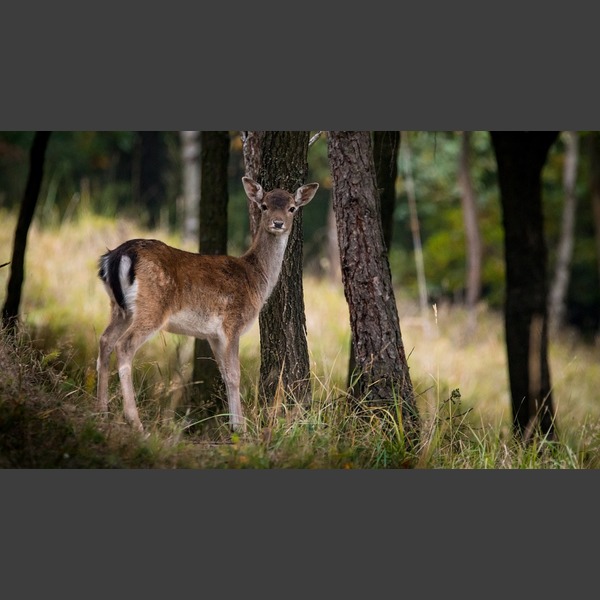
http://examples-1251000004.cos.ap-shanghai.myqcloud.com/sample.jpeg?q-sign-algorithm=<signature>&imageMogr2/thumbnail/!50px
http://examples-1251000004.cos.ap-shanghai.myqcloud.com/sample.jpeg?q-sign-algorithm=sha1&q-ak=************************************&q-sign-time=1593342360;1593342720&q-key-time=1593342360;1593342720&q-header-list=&q-url-param-list=watermark%252f1%252fimage%252fahr0cdovl2v4yw1wbgvzlteyntewmdawmdqucgljc2gubxlxy2xvdwquy29tl3nodwl5aw4uanbn%252fgravity%252fsoutheast&q-signature=****************************************&watermark/1/image/aHR0cDovL2V4YW1wbGVzLTEyNTEwMDAwMDQucGljc2gubXlxY2xvdWQuY29tL3NodWl5aW4uanBn/gravity/southeast
文档反馈