Partner Application Guidance
다운로드
포커스 모드
폰트 크기
Submit Partner Application
1.Go to the https://www.tencentcloud.com, and select [Partners] > [Become a partner].
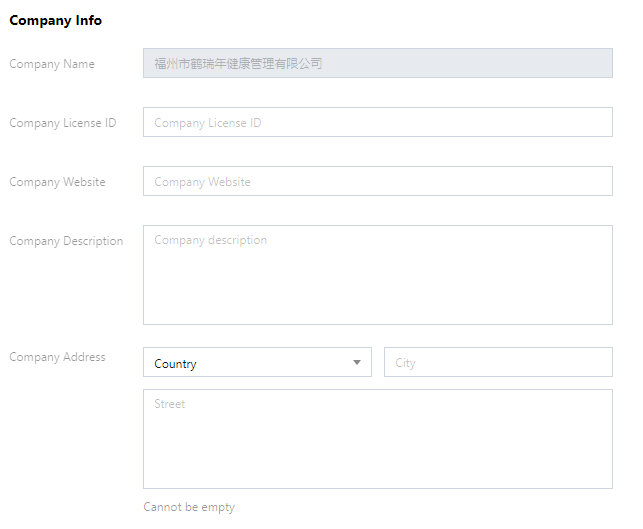
2.Go to the application page, and you will be redirected to a new page to fill in your company information.
1)Fill in the company information
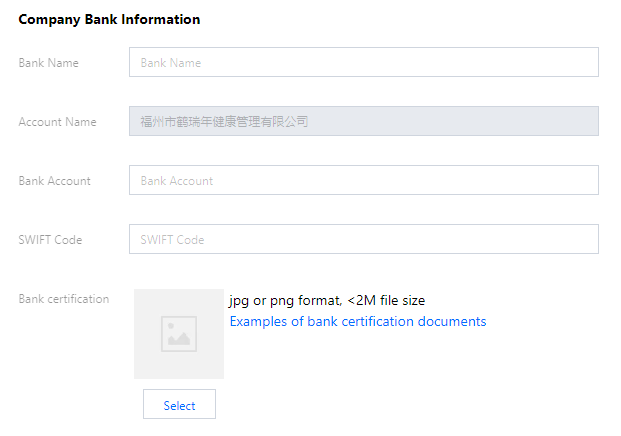
2)Fill in the company bank information
3)Fill in the contact information
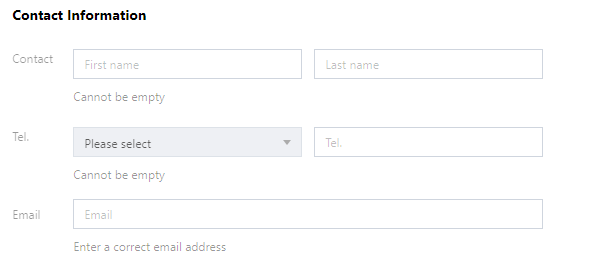
3.After completing the information, click [Submit].
Notes:
Please make sure the company name is same with that on the business license.
Please make sure the provided bank information is same with that on the bank materials.
Please make sure the company name in verification is same with that submitted in the partner application.
피드백