This document describes how to query, analyze, and browse resource collection results through the source-end resource list. This operation guide is for reference only and aims to provide users with a clear guide. Some materials originate from third-party public information. For specifics, refer to the relevant pages of the third party.
Application Scenario
The source-end resource list allows users to manage and categorize collected source-end resources by instance dimension, supporting querying, filtering, sorting, and setting tags.
Directions
Browse Data
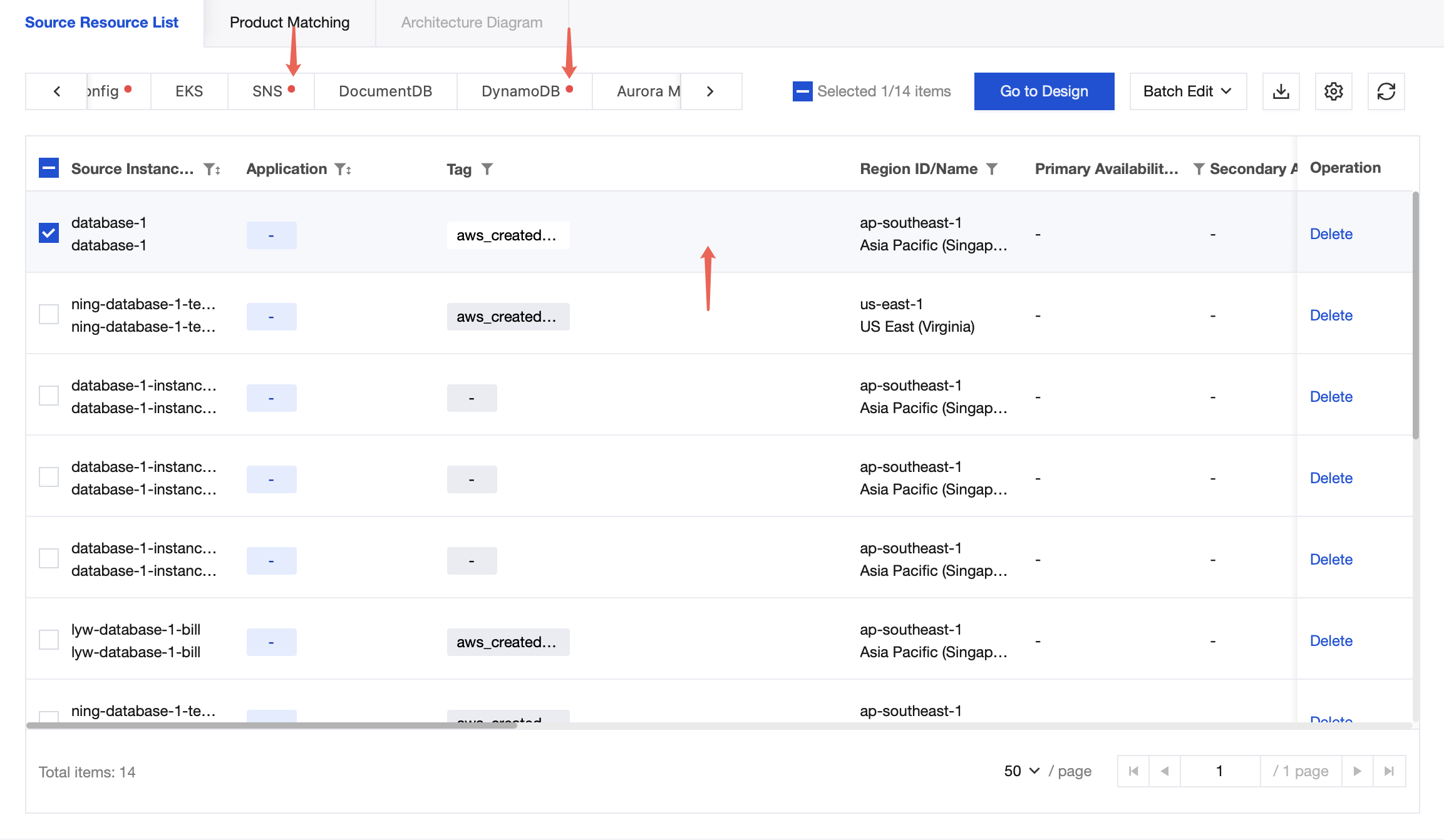
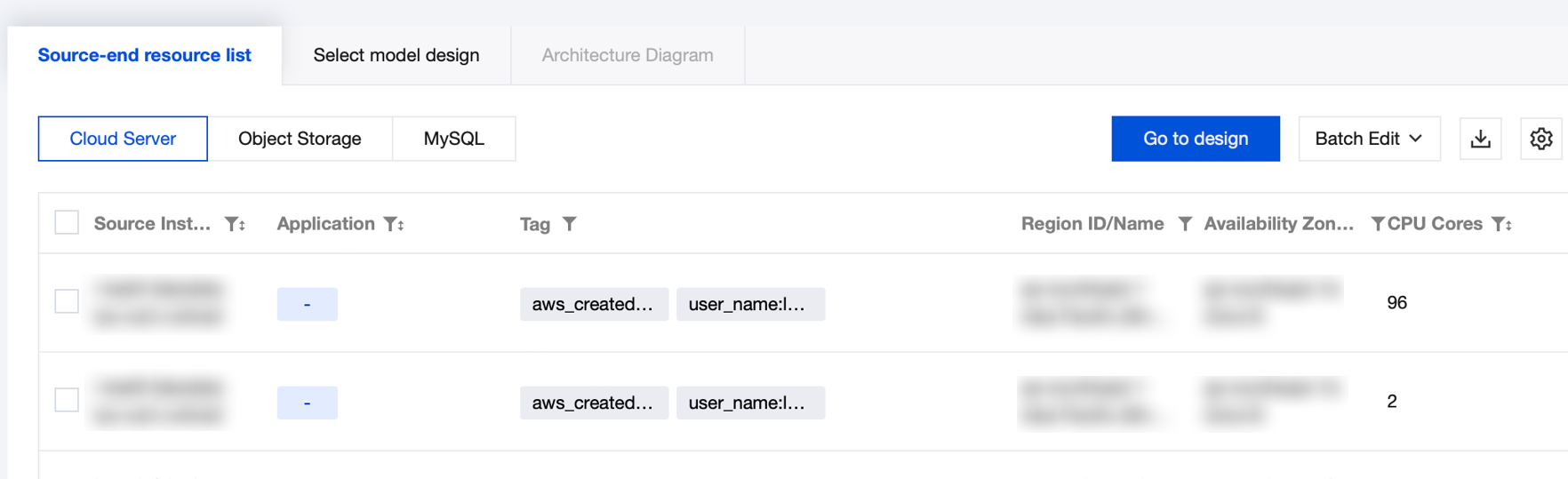
The source-end resource list presents all other cloud resource data collected by the current account at the instance dimension. Select corresponding products from the second-level tab for grouped viewing.
Group Resources
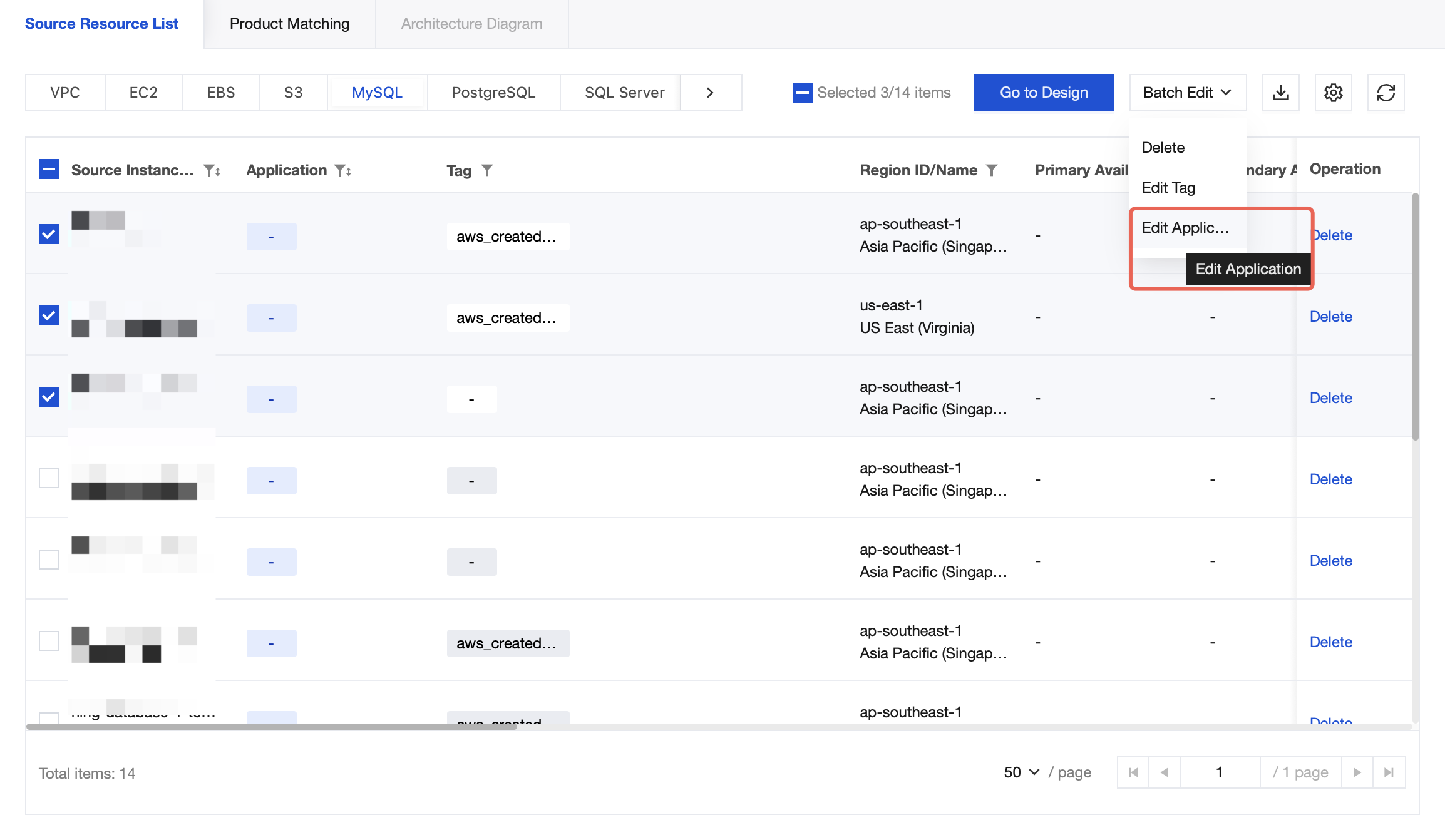
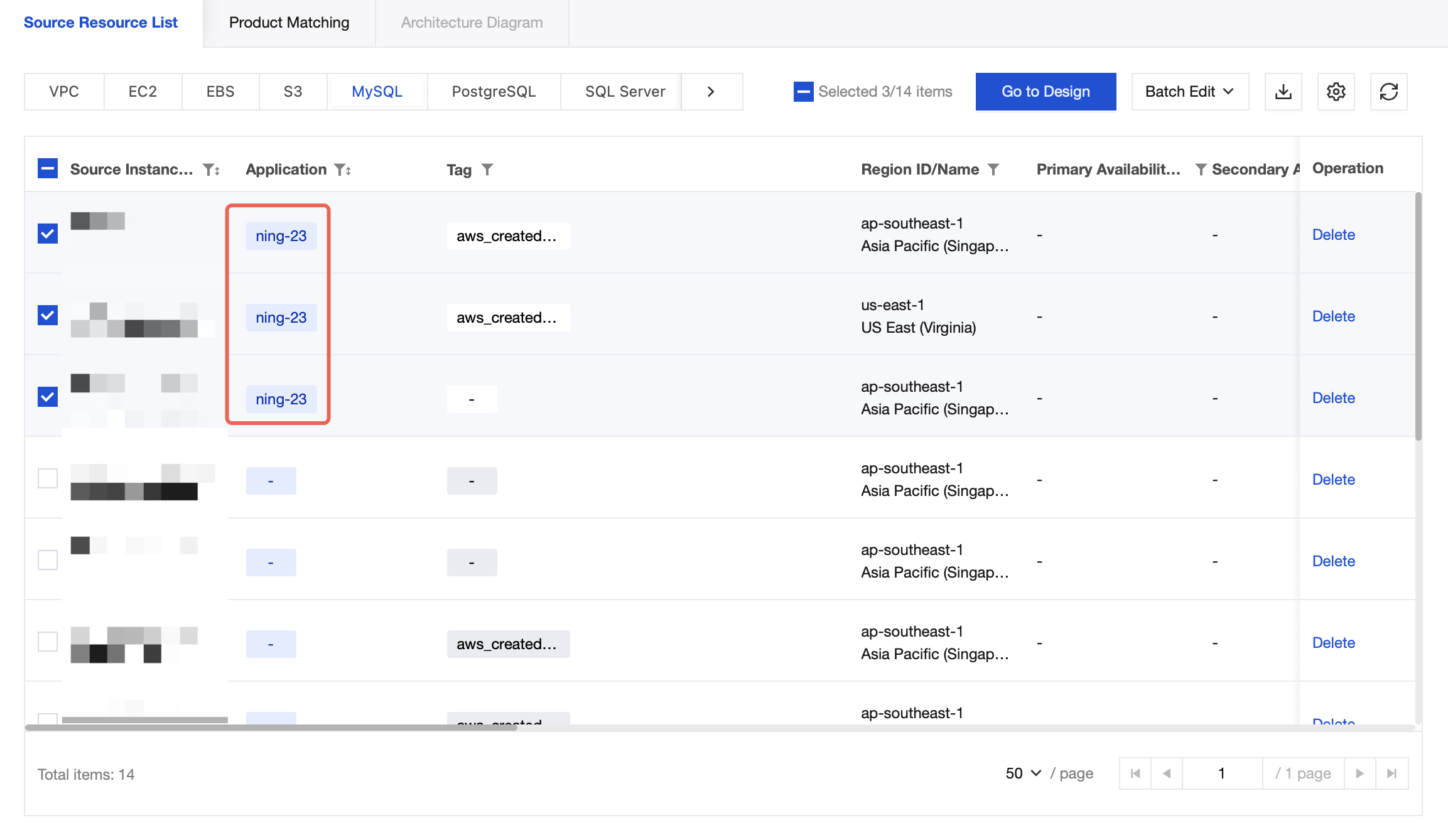
Supports grouping resources by application dimension. Select resources by checking the boxes > Batch Edit > Edit Application to set the "associated application" tag for resources.
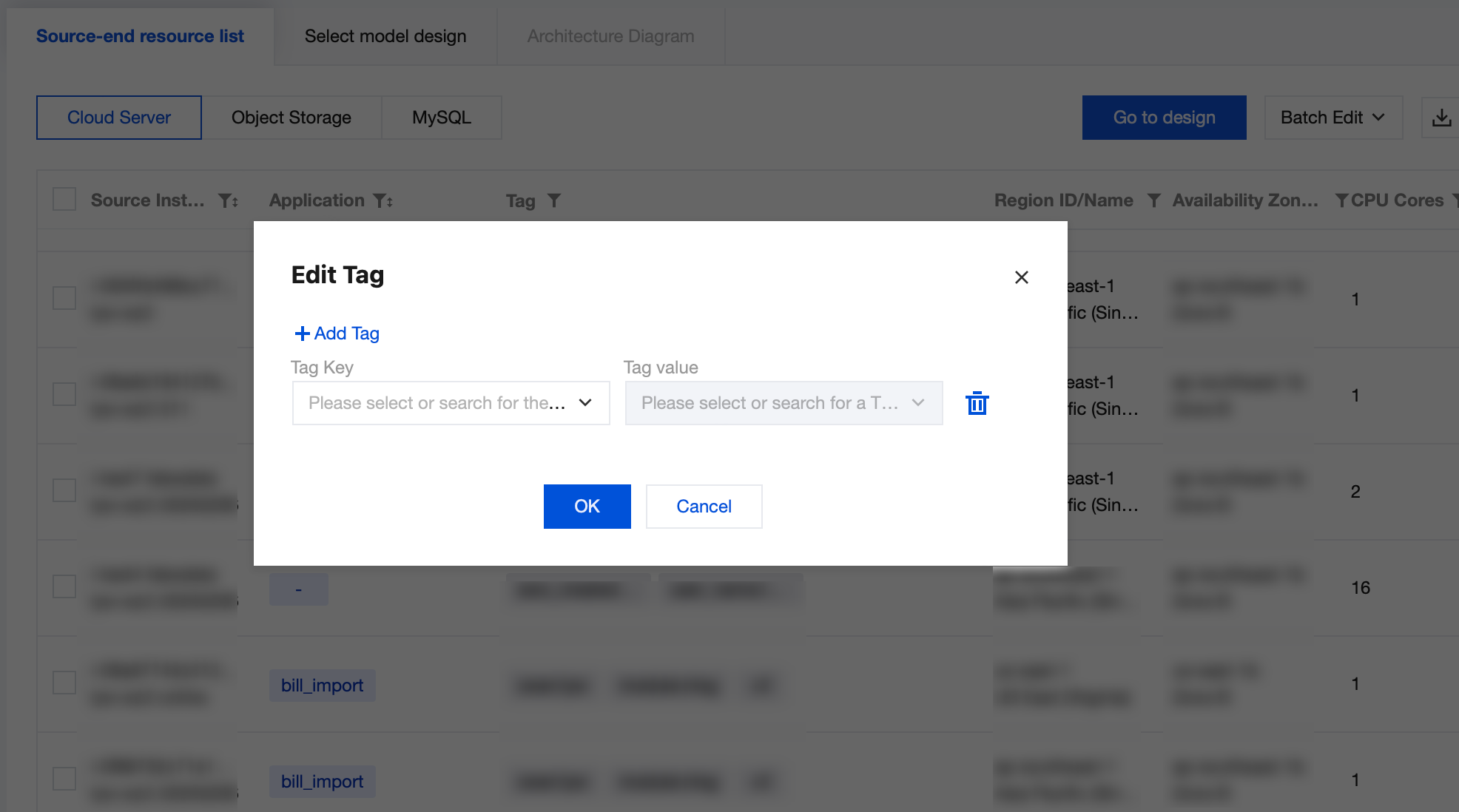
Edit Tags
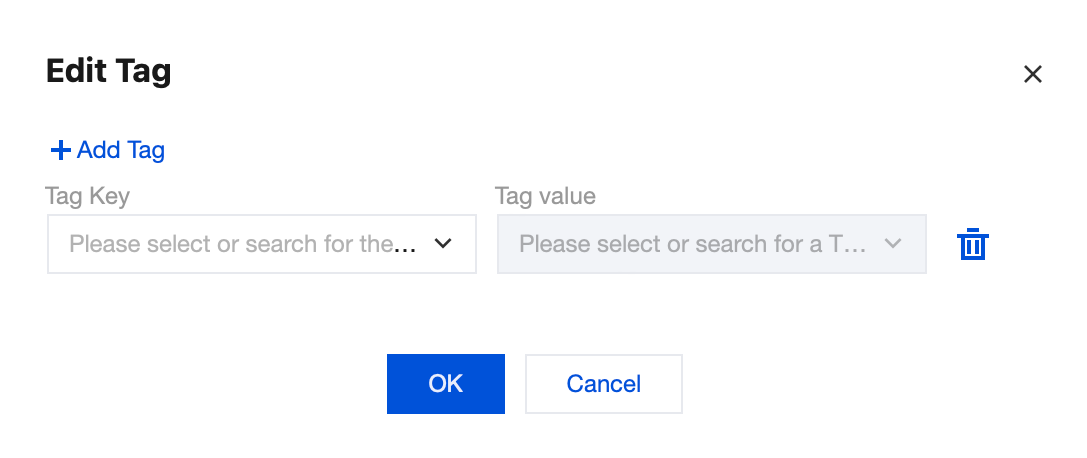
1. Click the Edit Button after clicking the tag to edit the tags of the instance.
2. Select the tag key value in the pop-up dialog box. You can choose to modify the existing tags or add new ones by clicking Add Tag.
3. In the spreadsheet, check the needed instances for batch editing tags, select Batch Edit > Edit Tags. At this point, the set tag items will be batch added to the instances.
Note:
Only a unique key is allowed under the same instance. If it duplicates an existing tag during batch addition, it will not be successfully added.
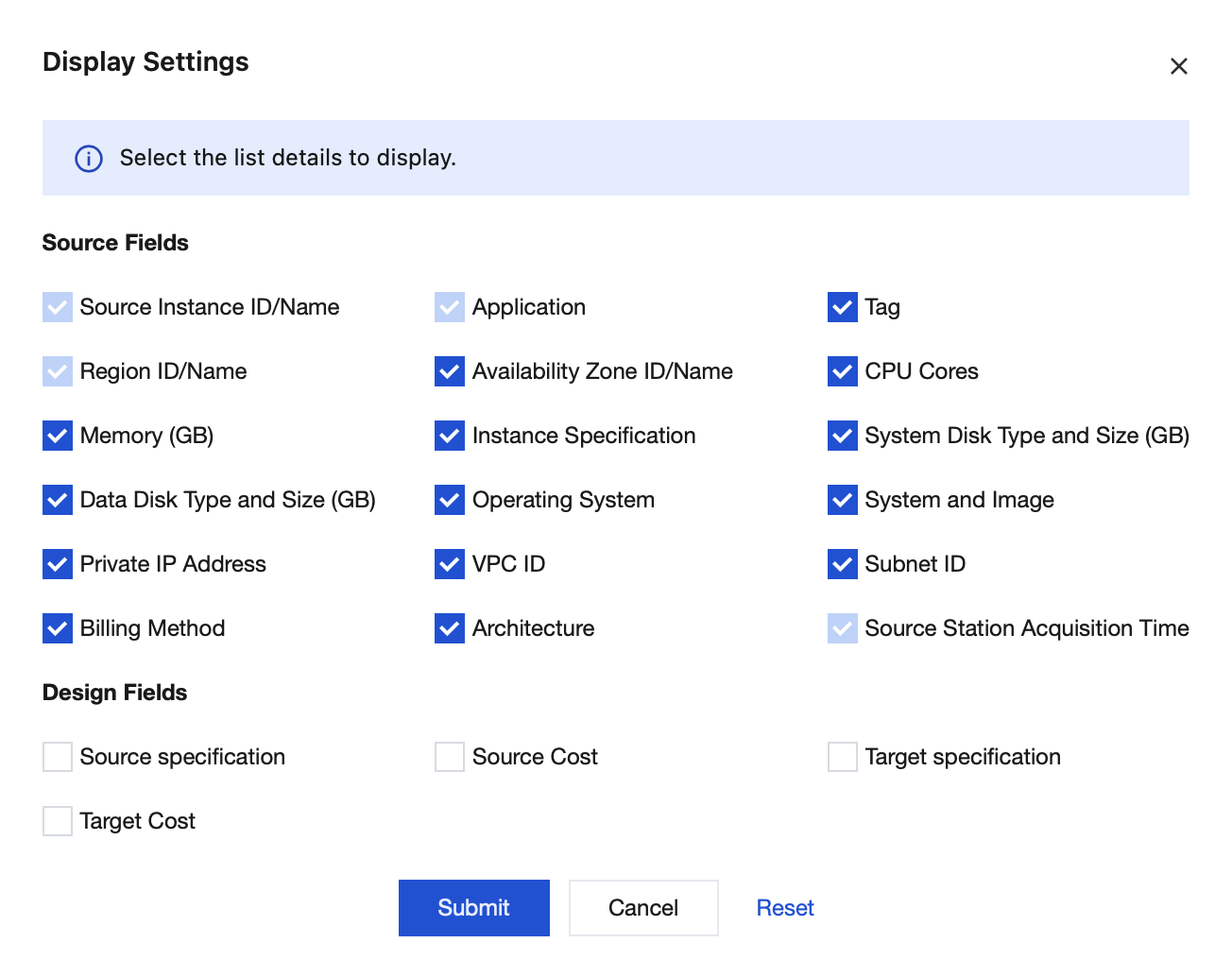
Custom Display Field
Click Display Settings to select the fields that need to be displayed in the current resource inventory. Among them, Source Instance ID/Name, Tag, Billing Mode, and Source Station Acquisition Time are required options.
Download Resource Inventory
Click the Download button to download the Excel file list of the currently selected product.
Specification Benchmarking and Quotation
1. To recommend Tencent Cloud corresponding products through source-end resource specifications and compare list prices, you can check the relevant resources in the list and click Go to Design to perform benchmarking and inquiry.
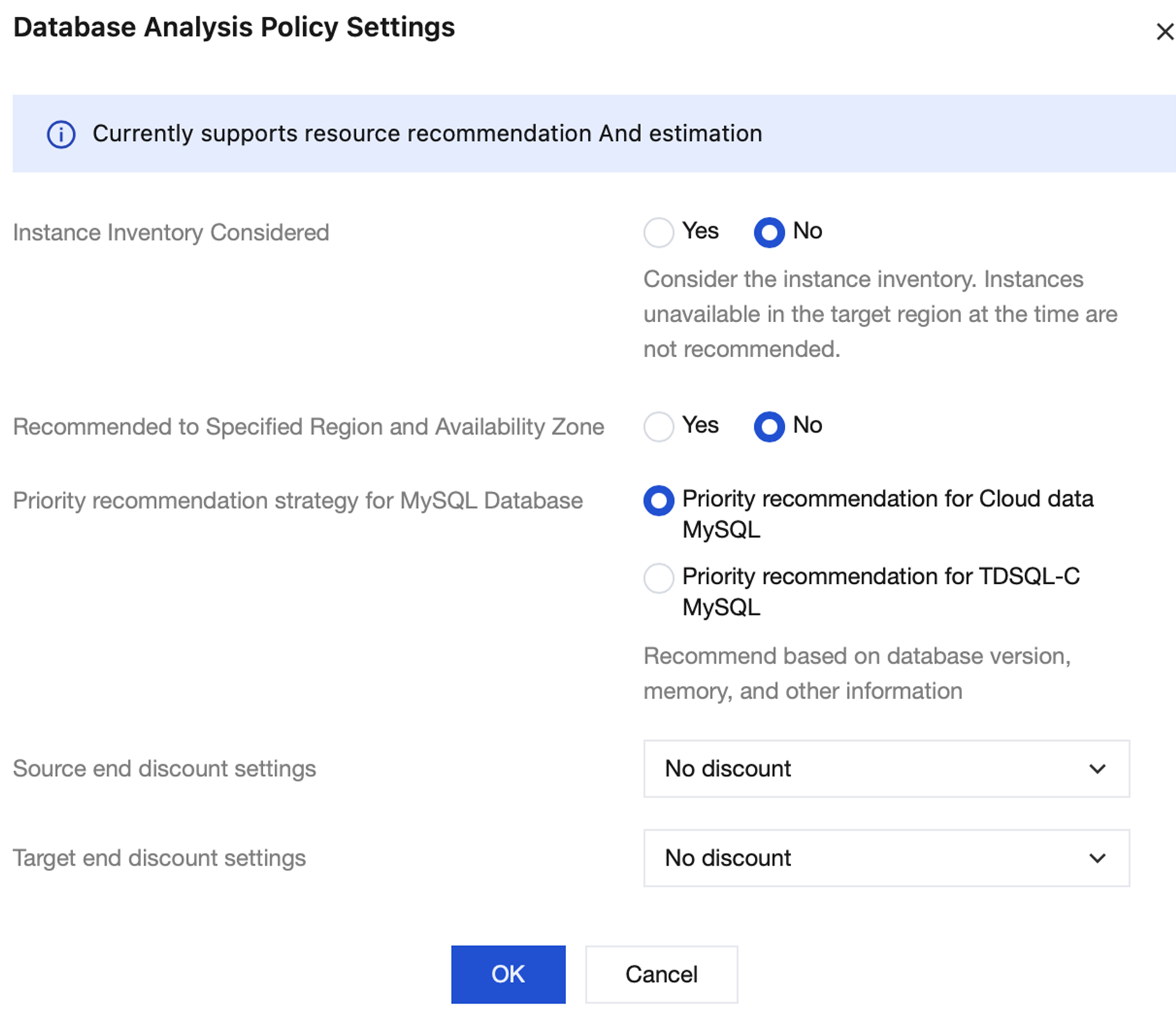
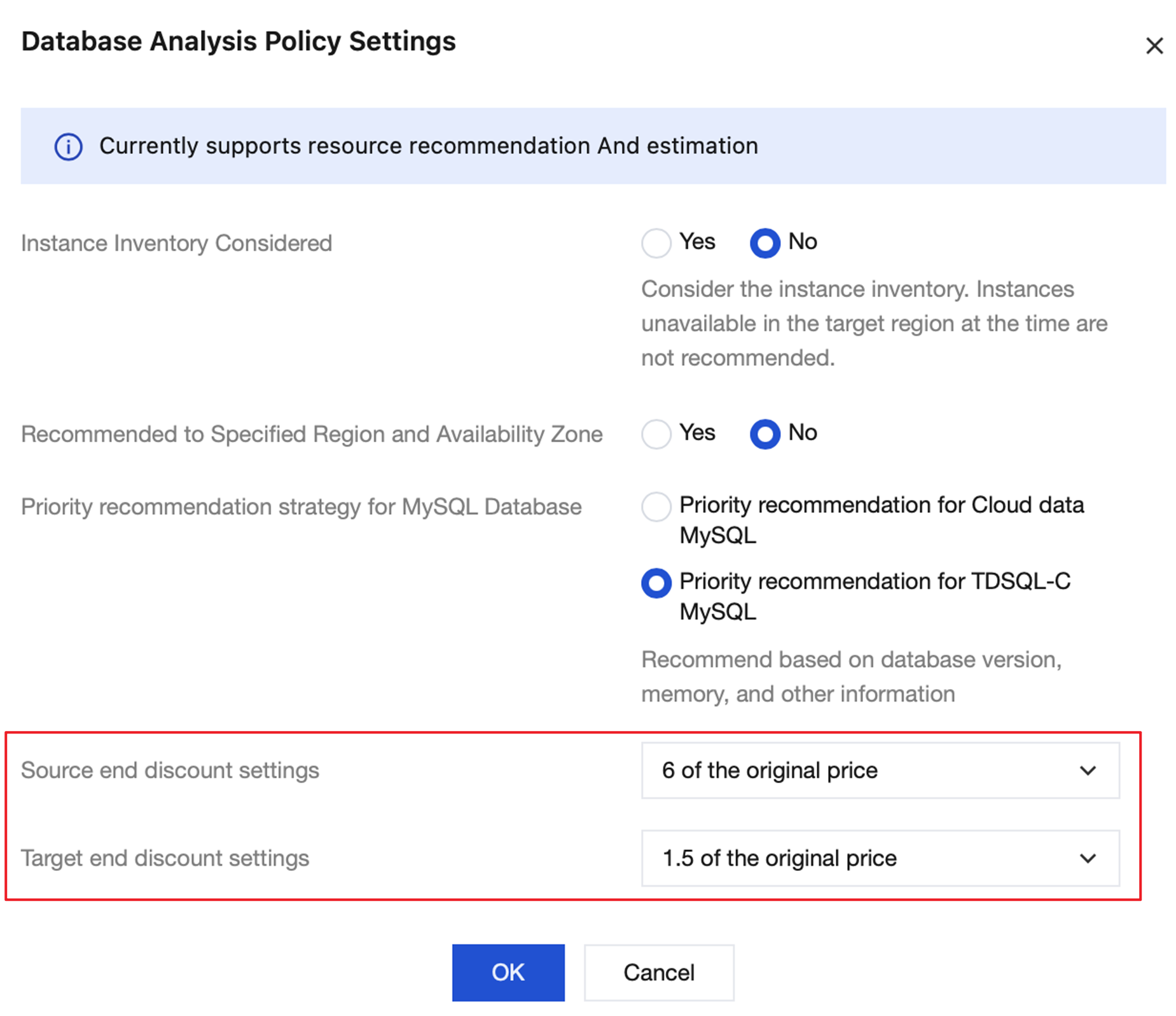
2. Different products require configuration of relevant policies for benchmarking and pricing. The following diagram shows the policy selection for database products. Currently, the platform supports settings for three policies: Instance Inventory Considered, Recommended to Specified Region and Availability Zone, and Priority recommendation strategy for MySQL Database.
3. The platform supports setting discounts for source or target resources. After setting, the set discount amount will be automatically applied to the pulled list prices in Select model design > Cost.