This document describes how to perform online research on AWS key pair resources. This method involves creating an AWS user and granting read-only permission to relevant resources, enabling quick completion of information research on multiple cloud resources using the user's key pair. This operation guide is for reference only and aims to provide users with a clear guide. Some materials originate from external public information, and specifics are subject to the relevant pages of third parties.
Note:
This research method performs read-only research on instance specifications and other attributes of other cloud resources. Users can disable the related key by the following steps after the research:
1. Log in to the AWS Console, go to IAM > Users > click the corresponding user > Security Credentials.
2. In the access key section, delete the key.
Not currently supported: Resource research for Amazon Web Services China (Beijing) region and Amazon Web Services China (Ningxia) region.
Step 1: Create an AWS User and Read-Only Permission Key
Note:
If you are logging in with an AWS sub-account, the sub-account needs to have IAMFullAccess permission.
2. Enter User in the left menu and click Create User. When setting permission, select direct attachment policy. The permission requirements are as follows:
3. After creation, click username to enter details page, create access key in security credential and download to save.
Step 2: Execute Online Research
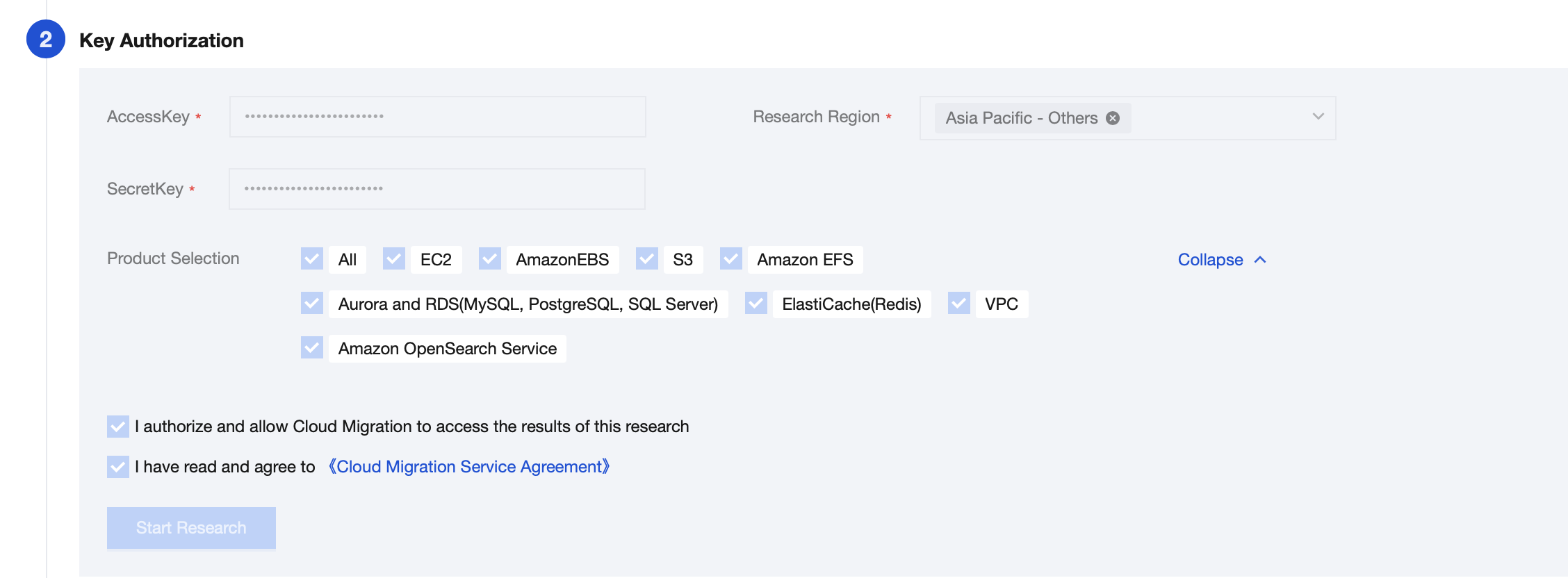
Enter the Cloud Migration console, select origin server collection > AWS > online research, input the AWS key, select the research region and product scope, then click start research.
Step 3: View Research Results
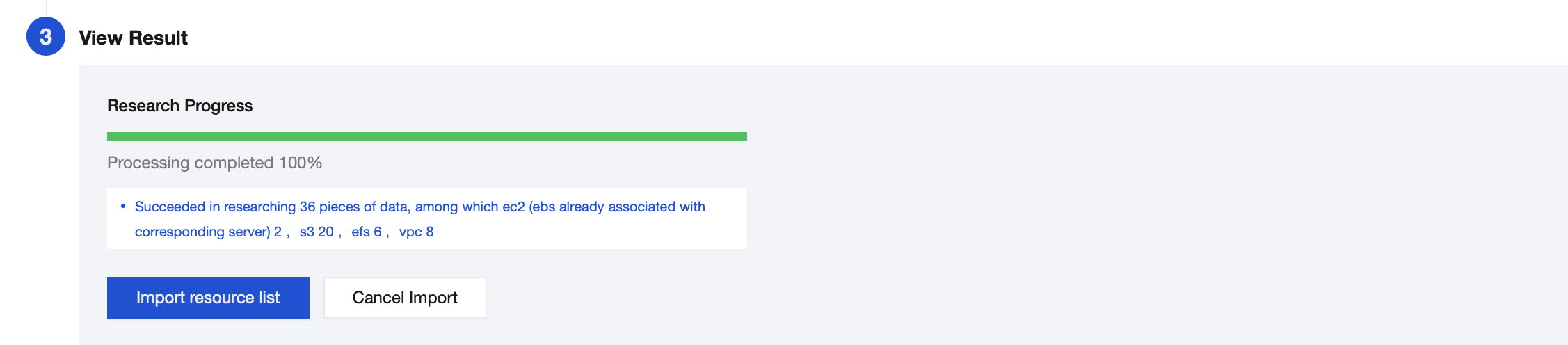
After the research is completed, click Import resource list to save the survey result, and enter Source-end resource list to view detailed resource data.
If you click Cancel Import, the survey result of this time will be cleared, and you can try again.