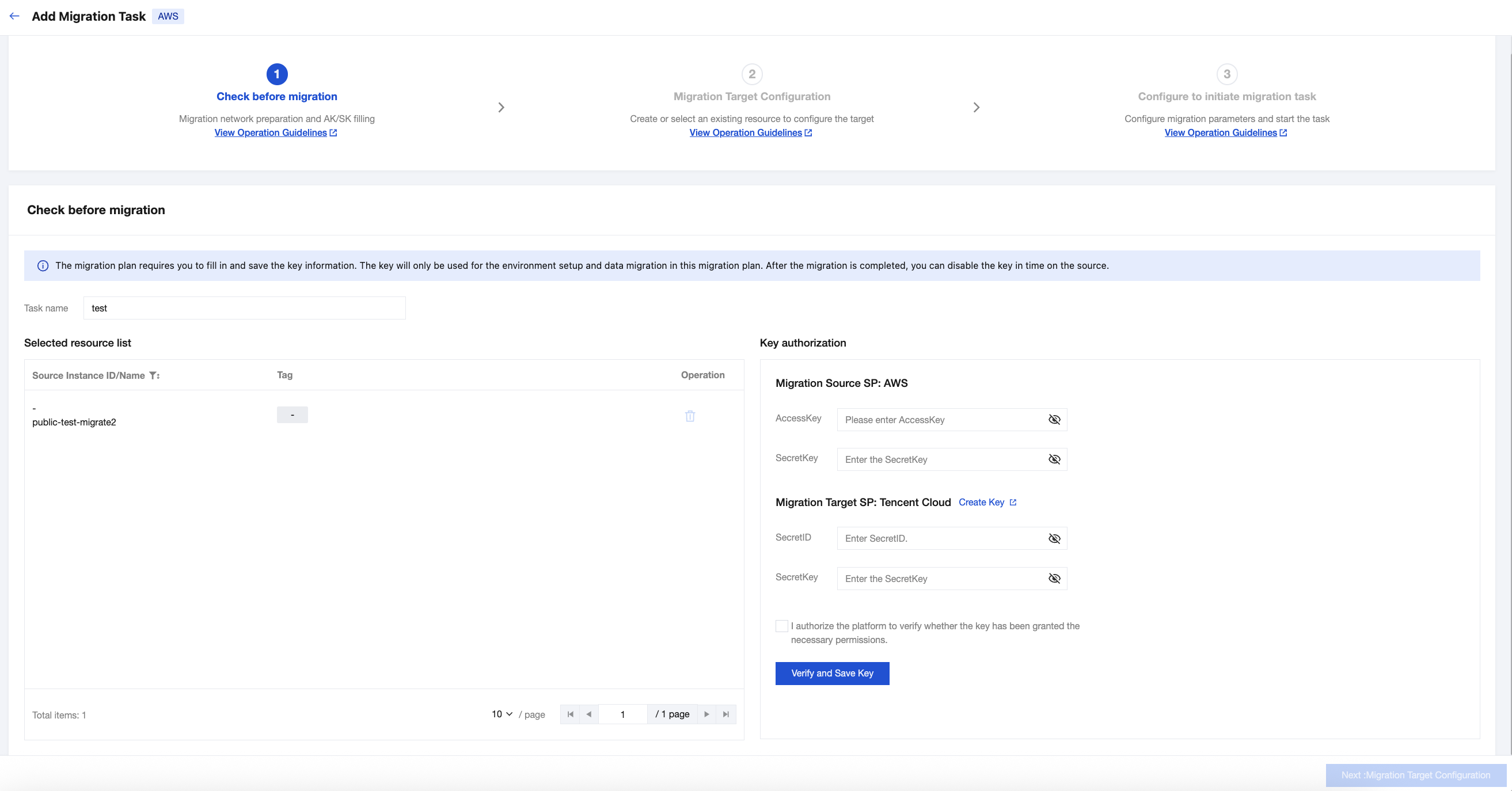
2. Step 1 is Check before migration. Input the migration Task name. Fill in the AWS and Tencent Cloud key information respectively. Then click Verify and save key.
3. After the key verification passes, click Next:Migration Target Configuration.
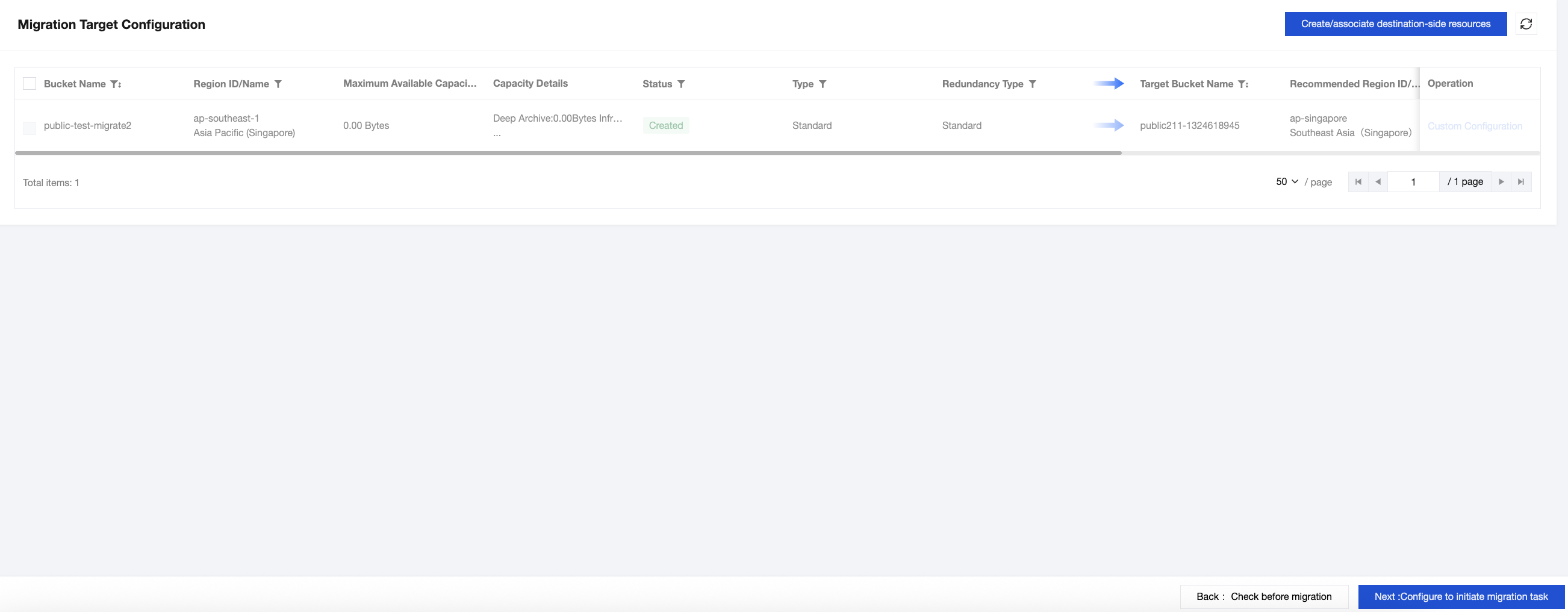
4. Click Custom Configuration in the operation column of the resources to be migrated. In the custom configuration, you can choose Created by recommended resources or select to migrate to existing resources, and then click Submit.
5. Check the resources to be migrated, click Create/associate destination-side resources, click Confirm in the pop-up to complete the association or creation of the target bucket for migration, and then click Next:Configure to initiate migration task.
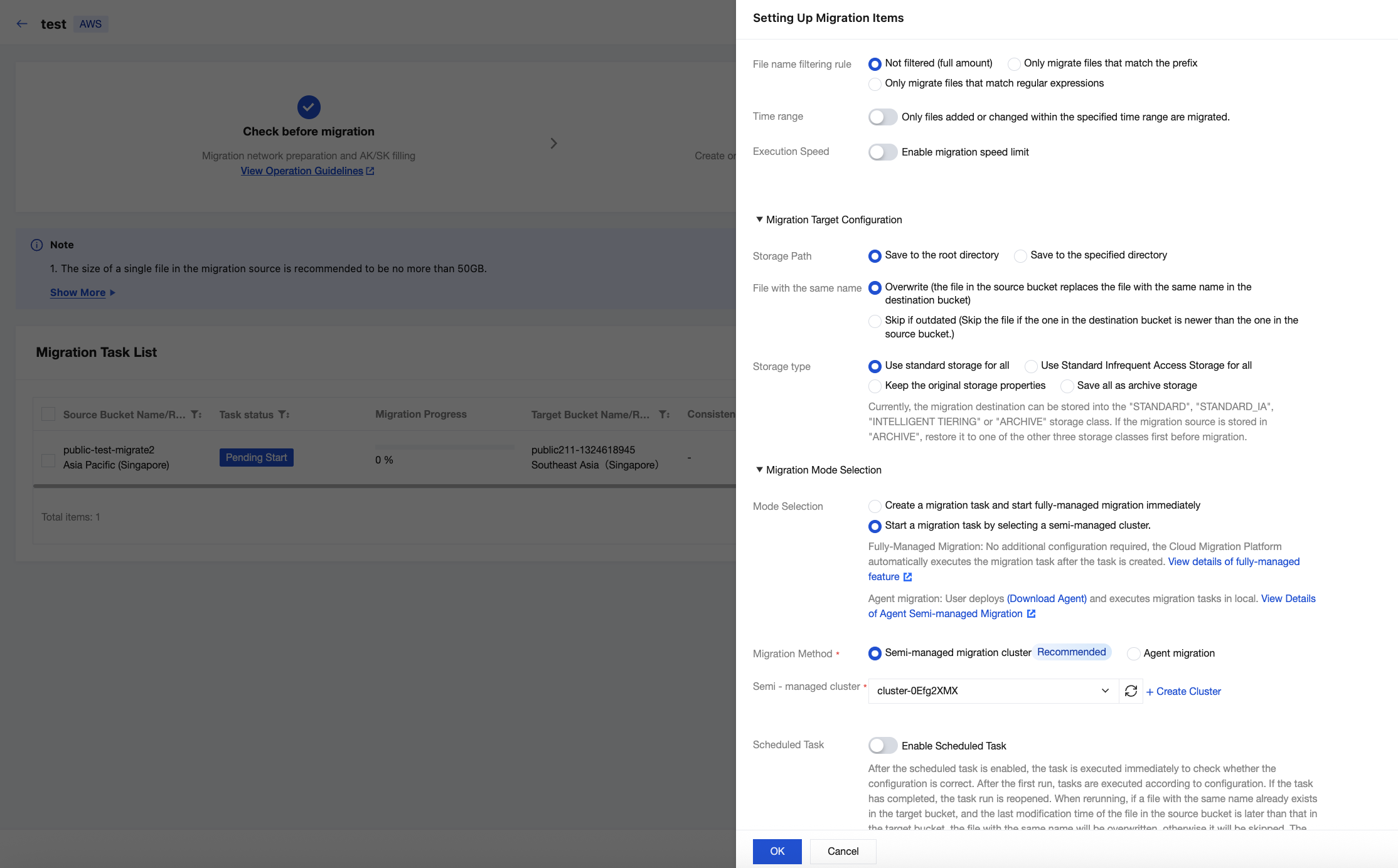
6. Check the COS bucket to be migrated and click Advanced Configuration.
6.1 If it is a public network migration, select Create a migration task and start fully-managed migration immediately in Mode Selection, keep other parameters as default, and then click OK.
6.2 If it is a private network migration, select Start a migration task by selecting a semi-managed cluster in Mode Selection, select an available migration cluster in Semi-managed migration cluster, keep other parameters as default, and then click OK.