IDC Tool Research
This document describes how to install and configure the offline tool to automatically research specification information of cluster servers in IDC.
Note:
The IDC offline research tool only performs research on the specification attributes of local servers and does not read or impact business data on local servers.
Step 1: Obtain Research Tool
Click here to get the IDC offline research tool and move it to any directory. Under the tool's directory, run the following command to decompress:
tar -xzvf agent.tar.gz
Step 2: Configure Server Info
1. Create user.config in the same directory as the tool.
vi user.config
2. Refer to the section below and configure the server information to be researched in user.config, with multiple servers info separated by line breaks.
user1:password1:host1:port1user2:password2:host2:port2
Note:
user: Server username
password: Password for the corresponding username.
host: Server hostname or IP.
port: Server port.
For example:
admin:secret123:192.168.1.10:22user:password456:192.168.1.20:22
3. After the configuration is complete, press
Esc, input :wq, and press Enter to save and exit.Step 3: Execute Research Command
Enter the following command to start research:
./agent scan
Wait for the research to complete, then download the generated research file
IDC_timestamp.csv in the same directory as the tool.Note:
Warning: Do not modify the research file. Modification may lead to data parsing failed during import.
Step 4: Upload Research File
1. Enter Cloud Migration console, go to Source Resource Collection > IDC > Tool Research, and upload the
IDC_timestamp.csv file generated by the research tool.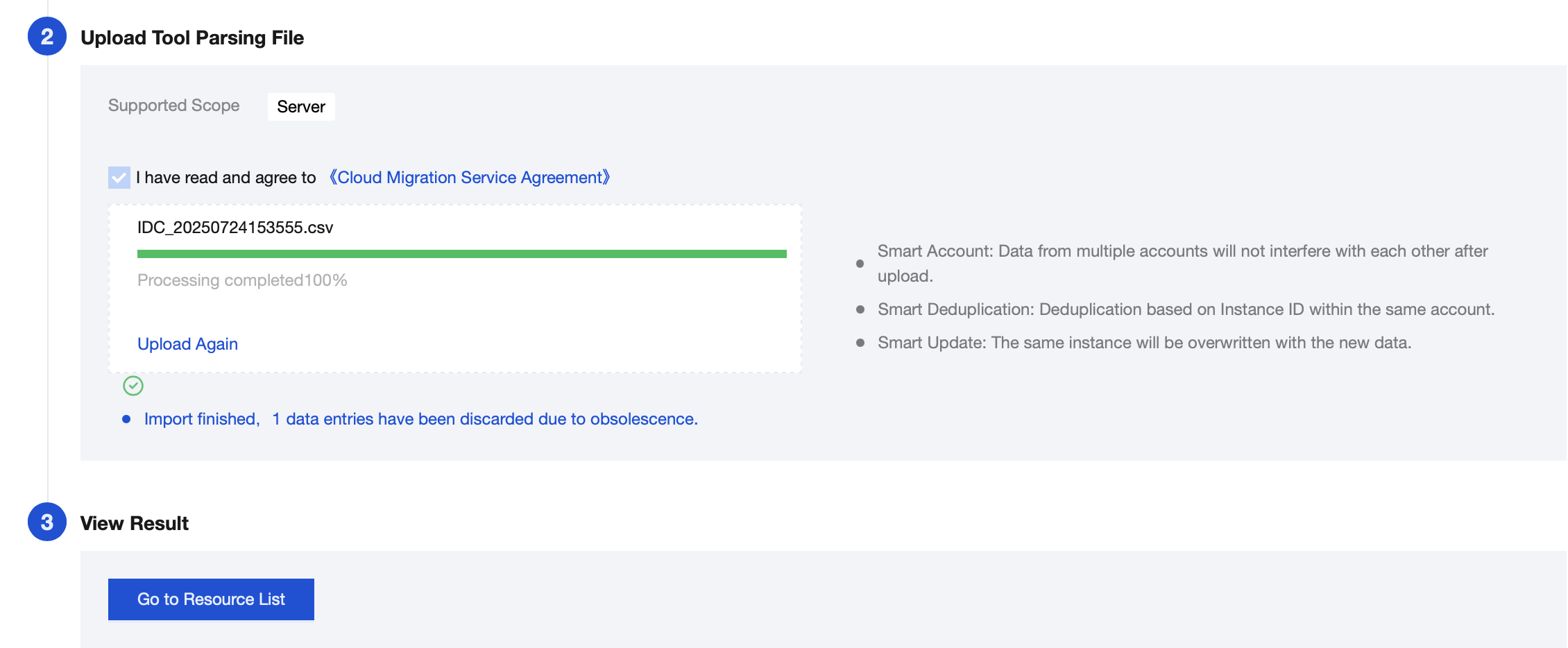
2. After parsing is completed, click Go to Resource List to view.
Note:
CMG marks the last modification time of the file with the origin server collection time for import. You can view file details to obtain the time information.
Help and Support
Was this page helpful?
You can also Contact sales or Submit a Ticket for help.
Help us improve! Rate your documentation experience in 5 mins.
Feedback