
Download Usage Statistics

Last updated: 2025-12-04 10:30:10
Overview
The Cloud Infinite usage statistics service provides you with usage data display in multiple dimensions and various ways, and currently offers usage statistics for Image Processing, Media Processing, Content Moderation, CR, Document Processing, File Processing, Intelligent Speech, Traffic.
You can download usage statistics by time dimension and bucket dimension on the service capability statistics page.
Operation Steps
1. Log in to the Cloud Infinite console, select the Usage Statistics menu, and click the usage statistics you wish to view.
2. Go to the corresponding usage statistics page, click the dropdown box in the upper left corner, select the bucket you wish to view (all buckets are selected by default), and then choose to download statistics by time dimension or bucket dimension.
Download Statistics by Time Dimension
Click the download button on the right side of the time frame to download the usage statistics spreadsheet file.

Download Statistics by Bucket Dimension
Scroll down the page to locate the Bucket data details section, click the download button in the upper right corner of the section to download the usage statistics spreadsheet file.

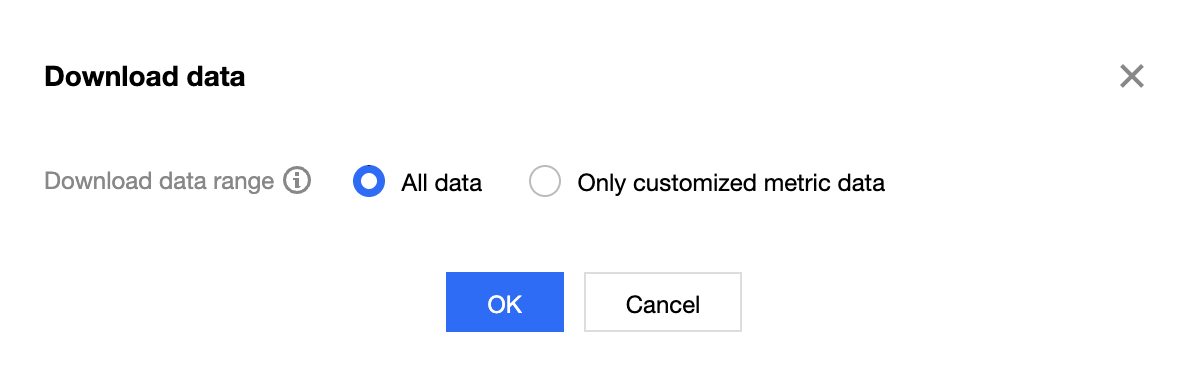
Select Download Range
When downloading data, you can choose to download all data or only the currently custom-displayed data.
Note:
The downloaded spreadsheet file is in CSV format.
Was this page helpful?
You can also Contact Sales or Submit a Ticket for help.
Yes
No
Feedback