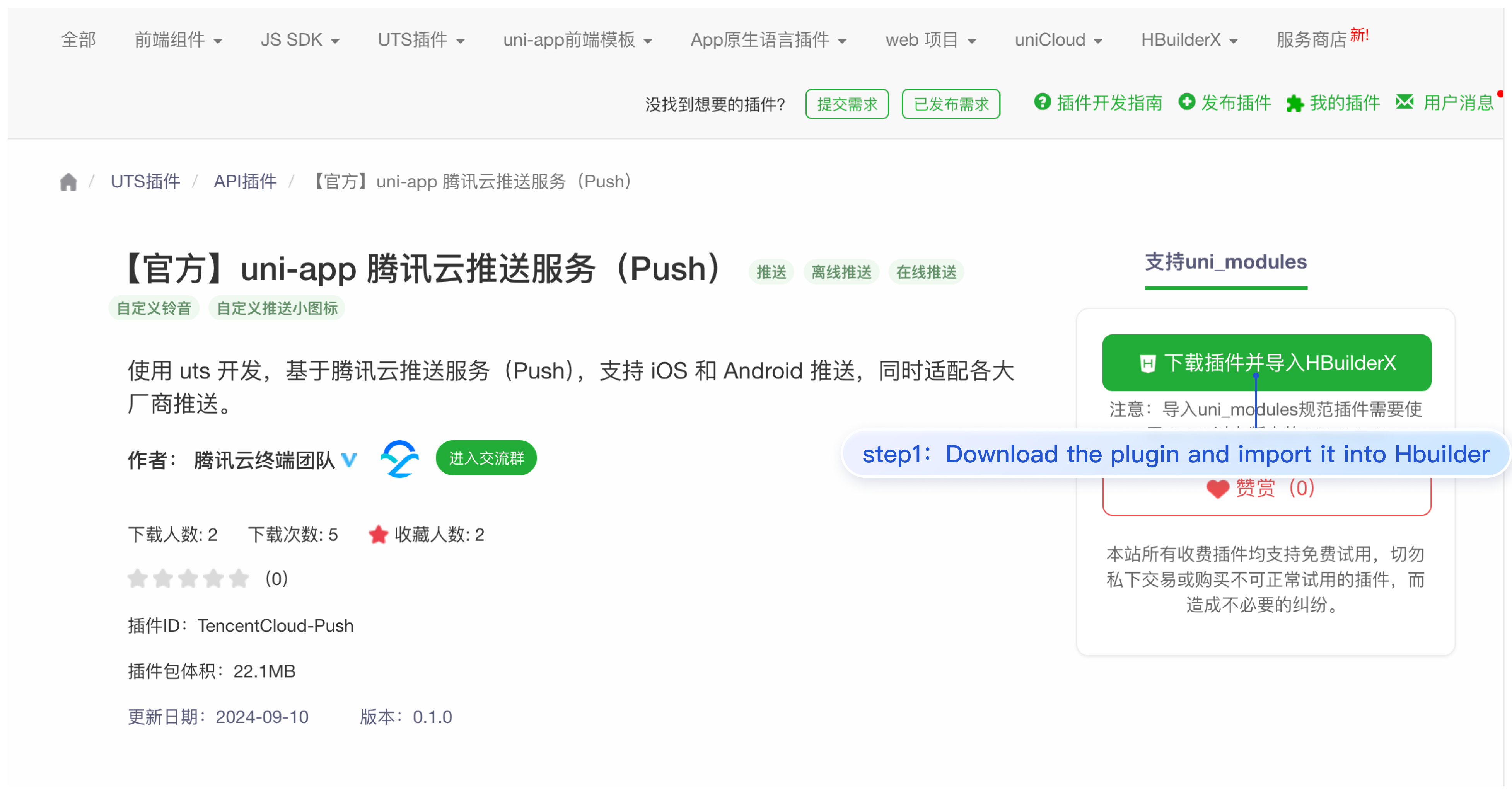
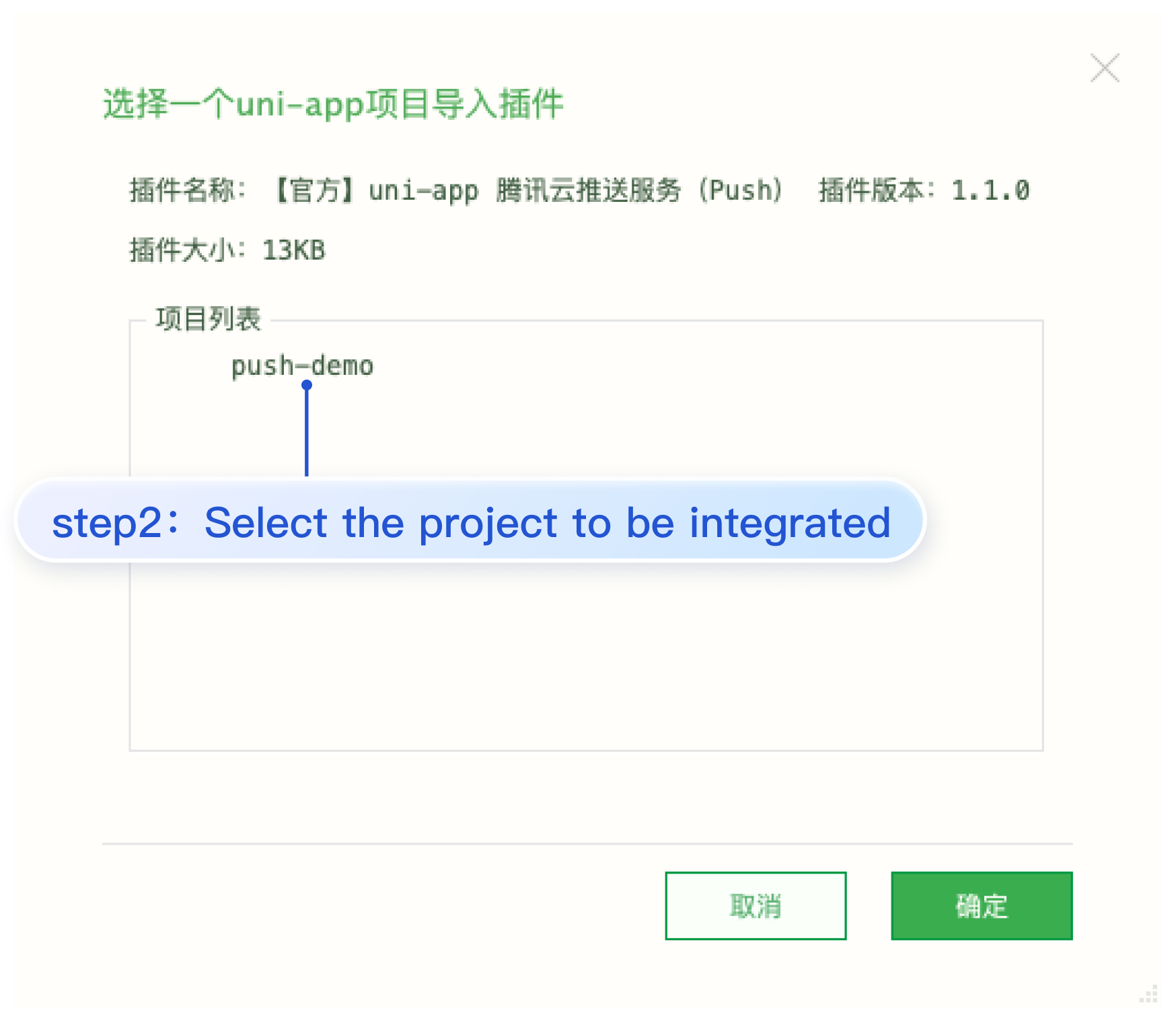
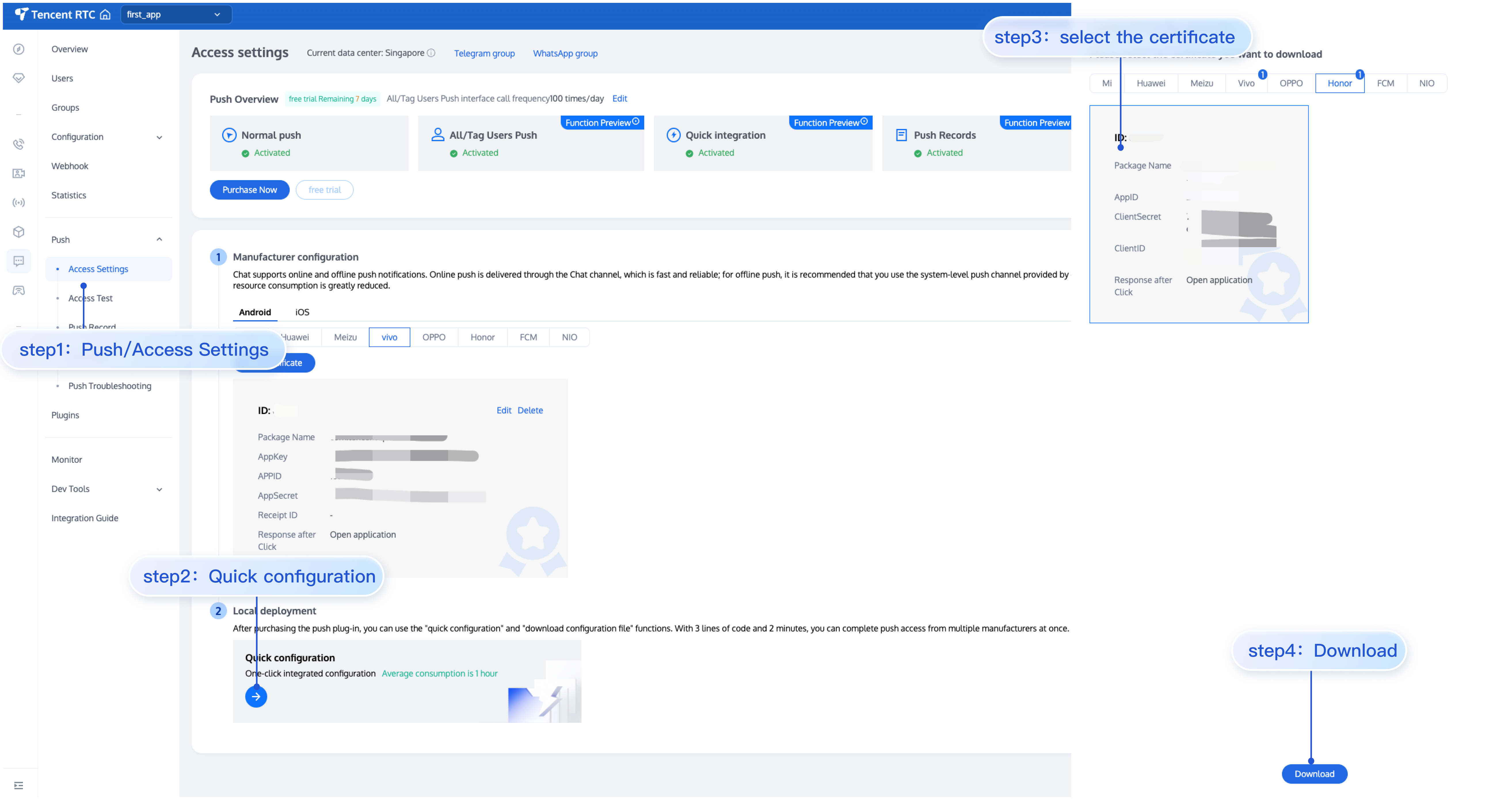
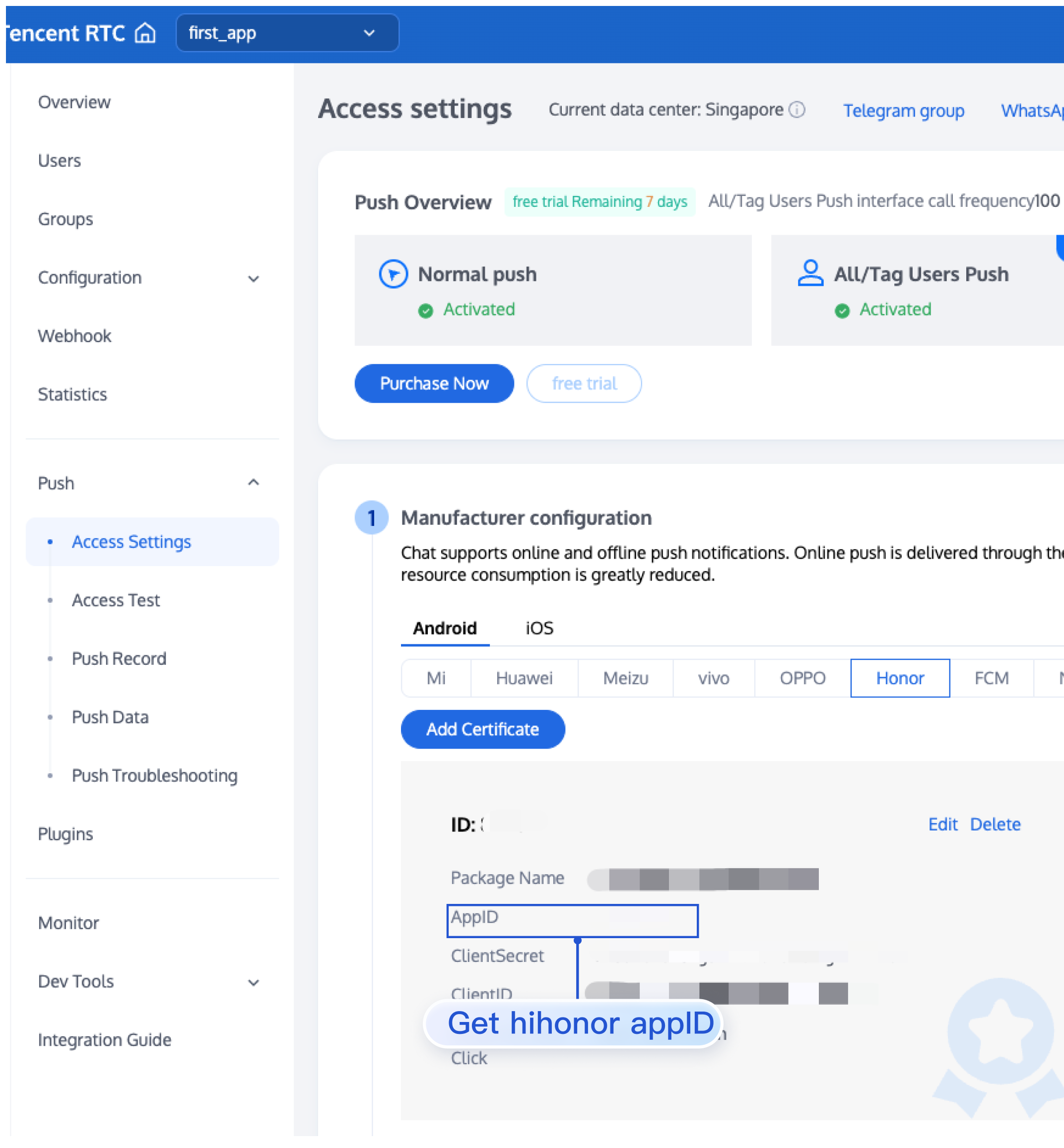
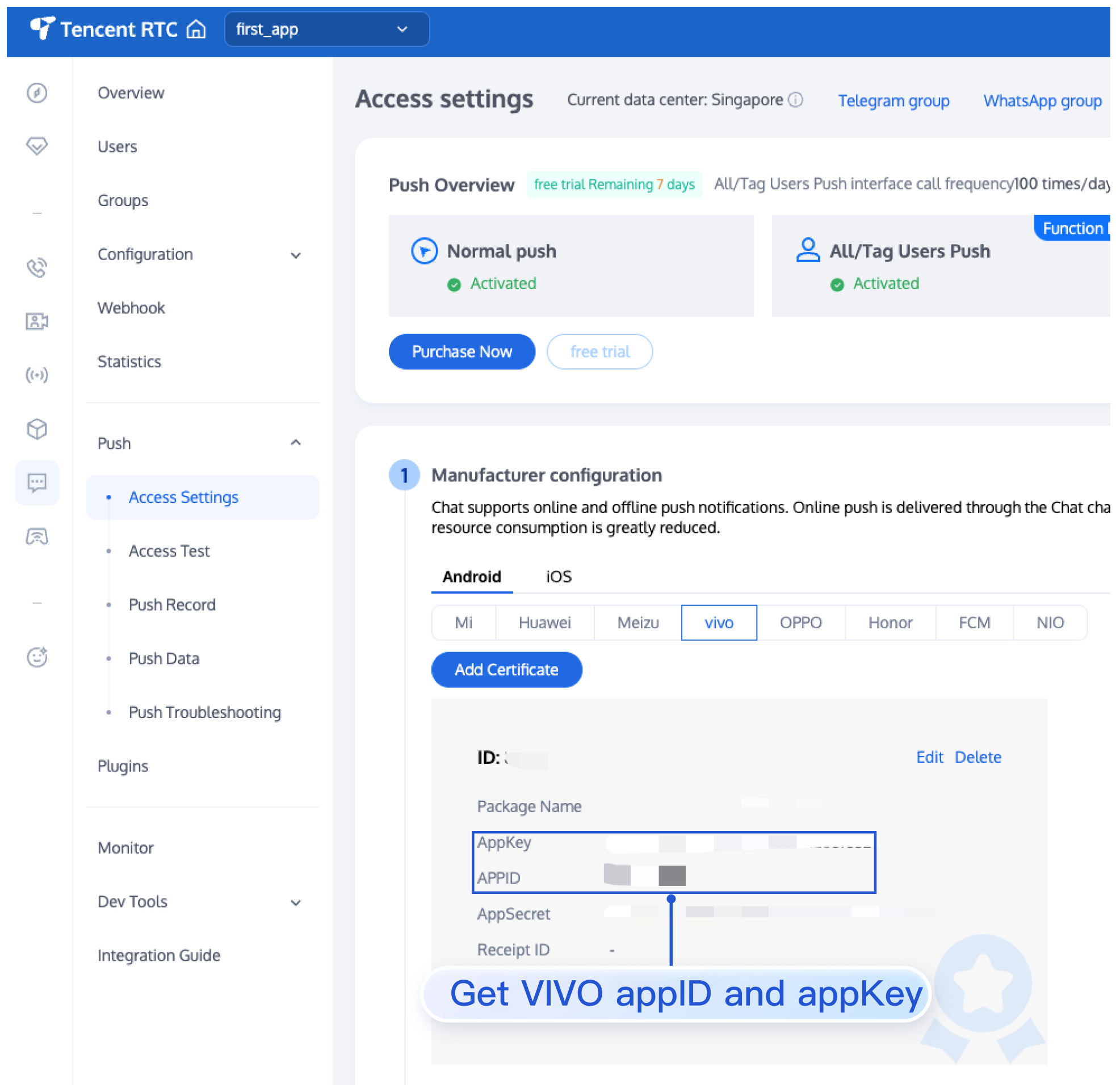
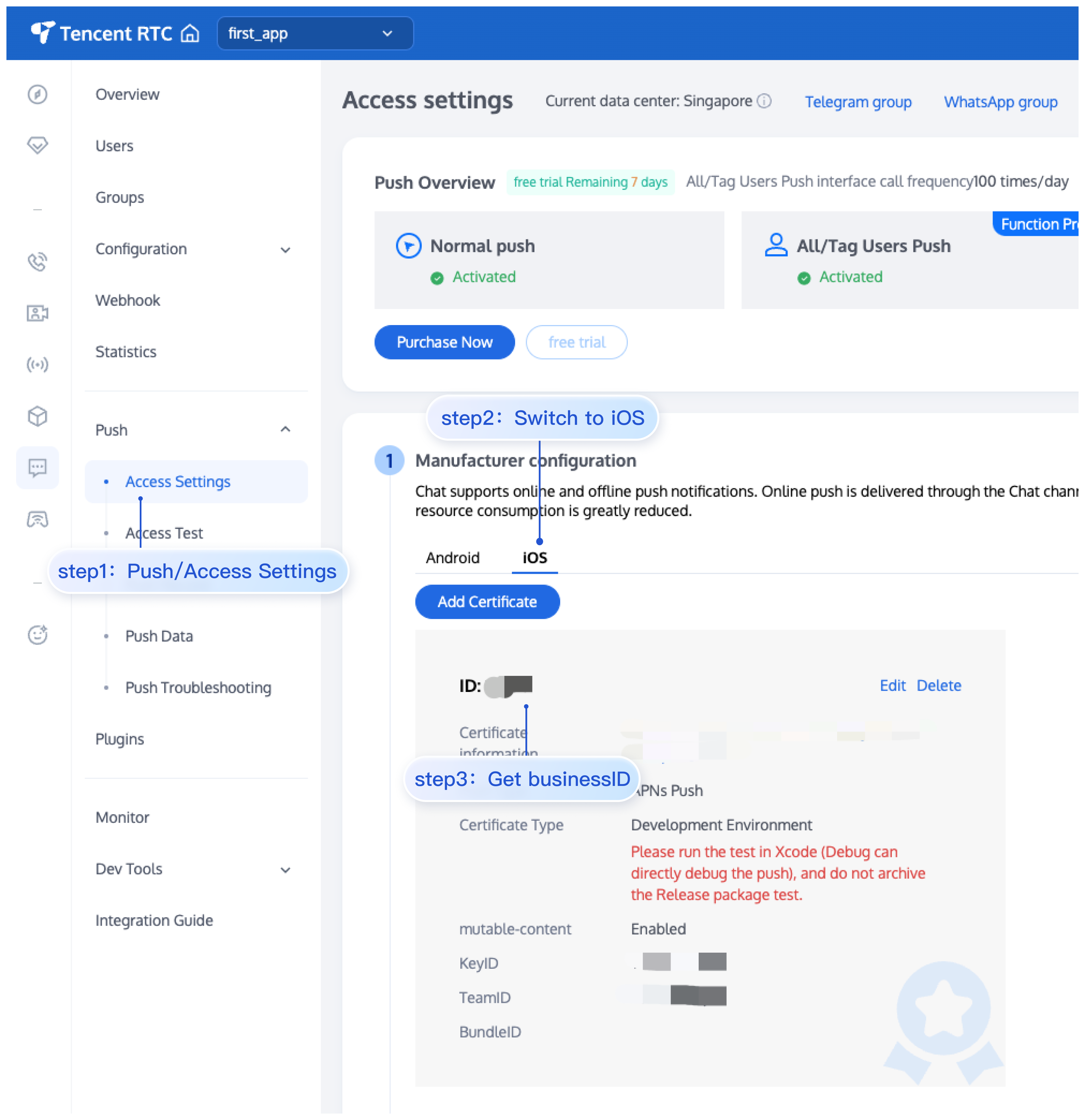
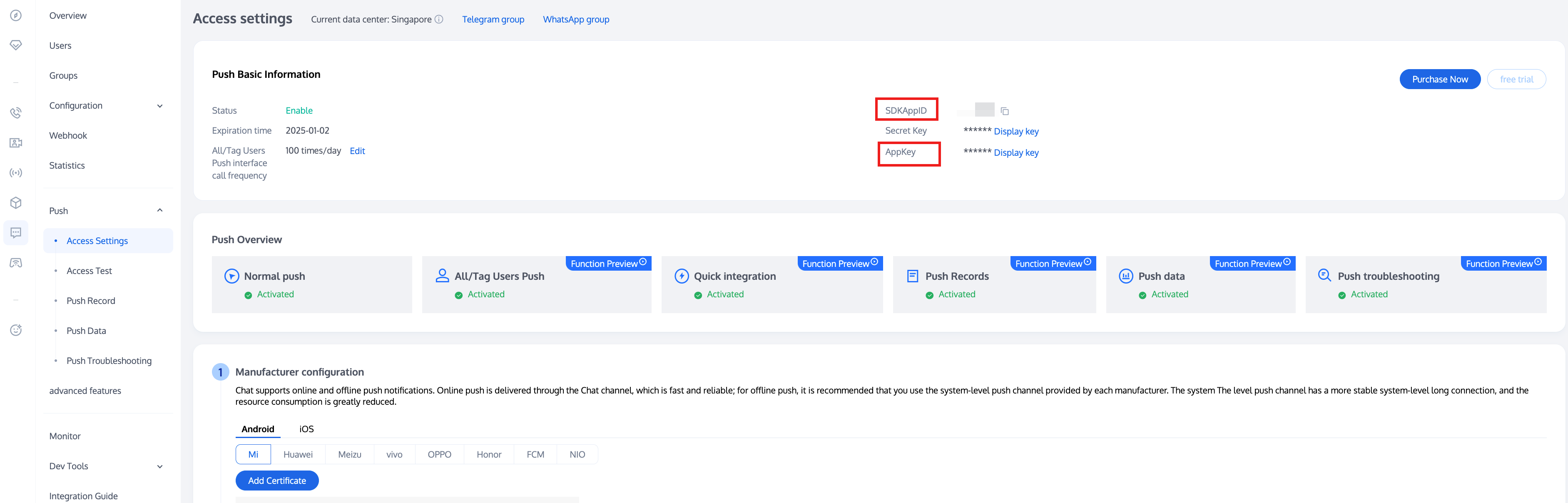
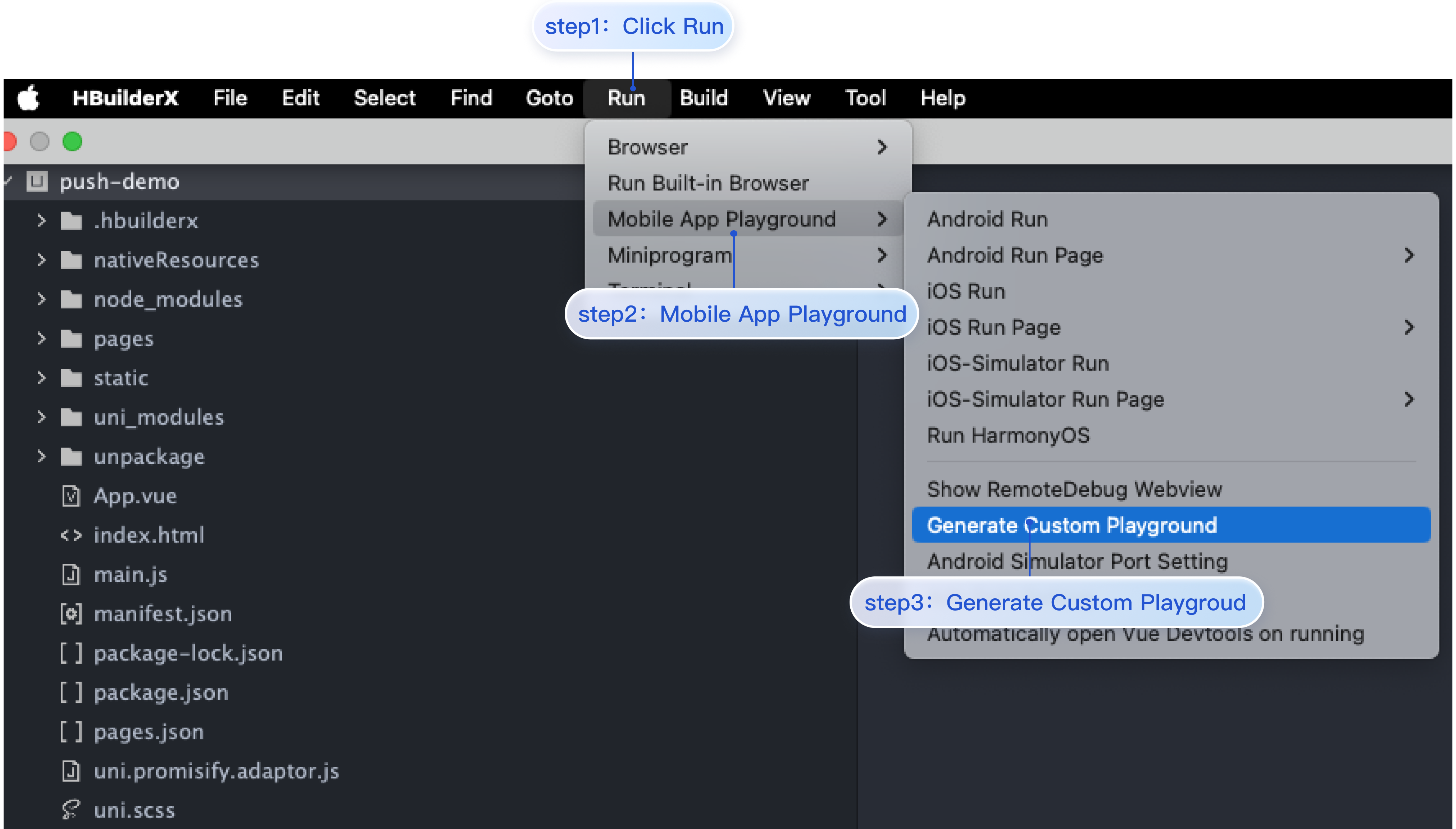
2. Select the project you want to integrate and click OK.
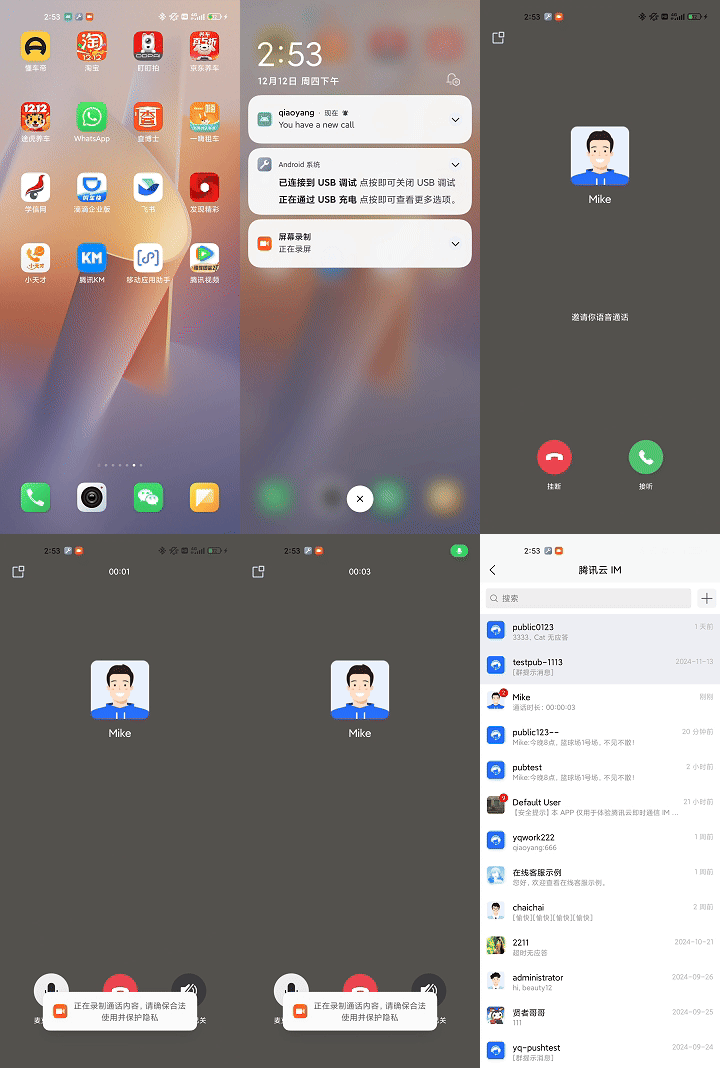
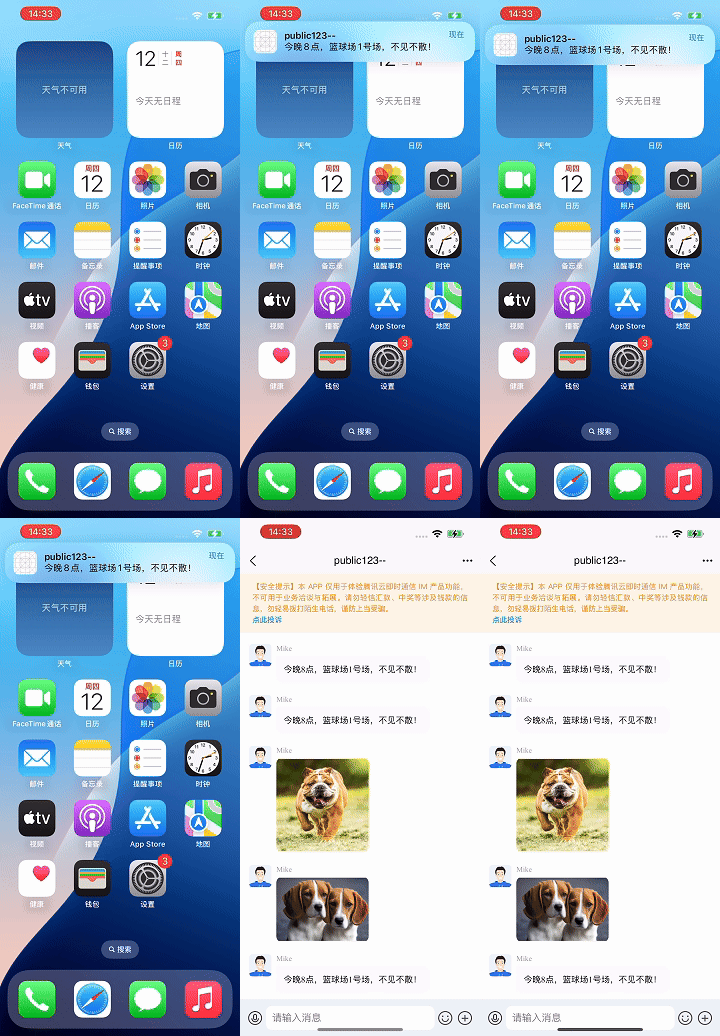
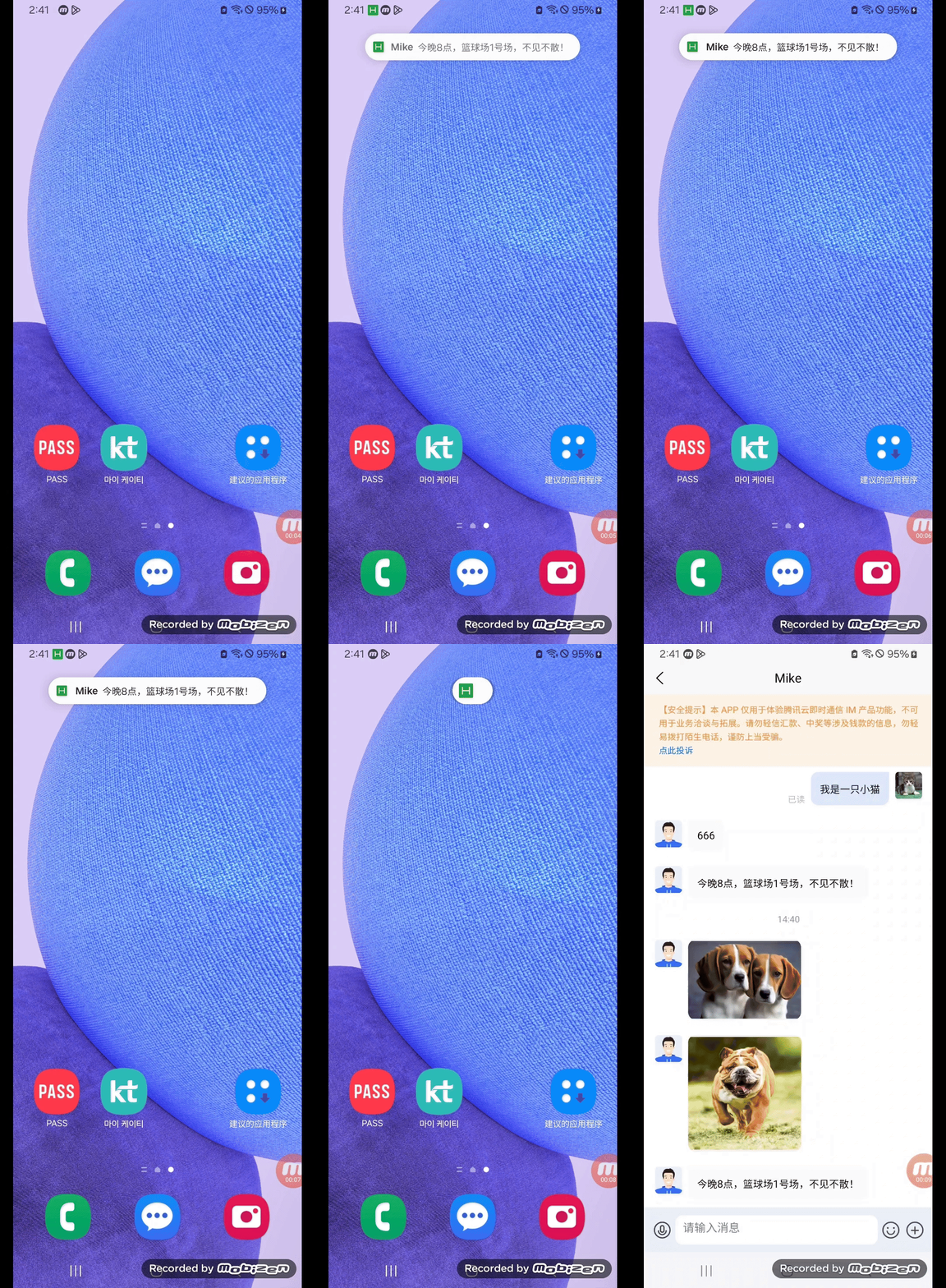
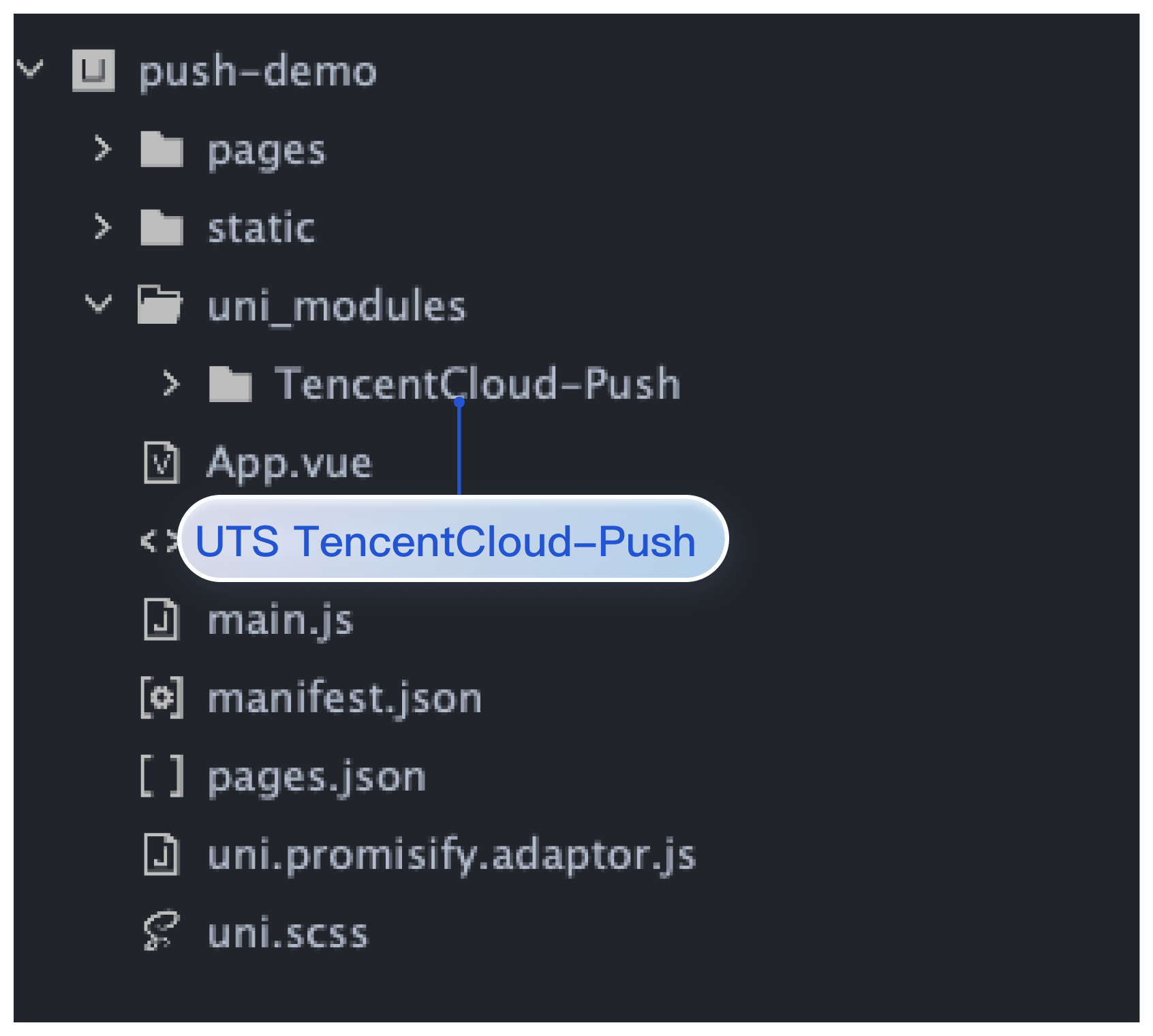
3. The effect after integration is shown below:
Step 2. Offline push configuration
Note:
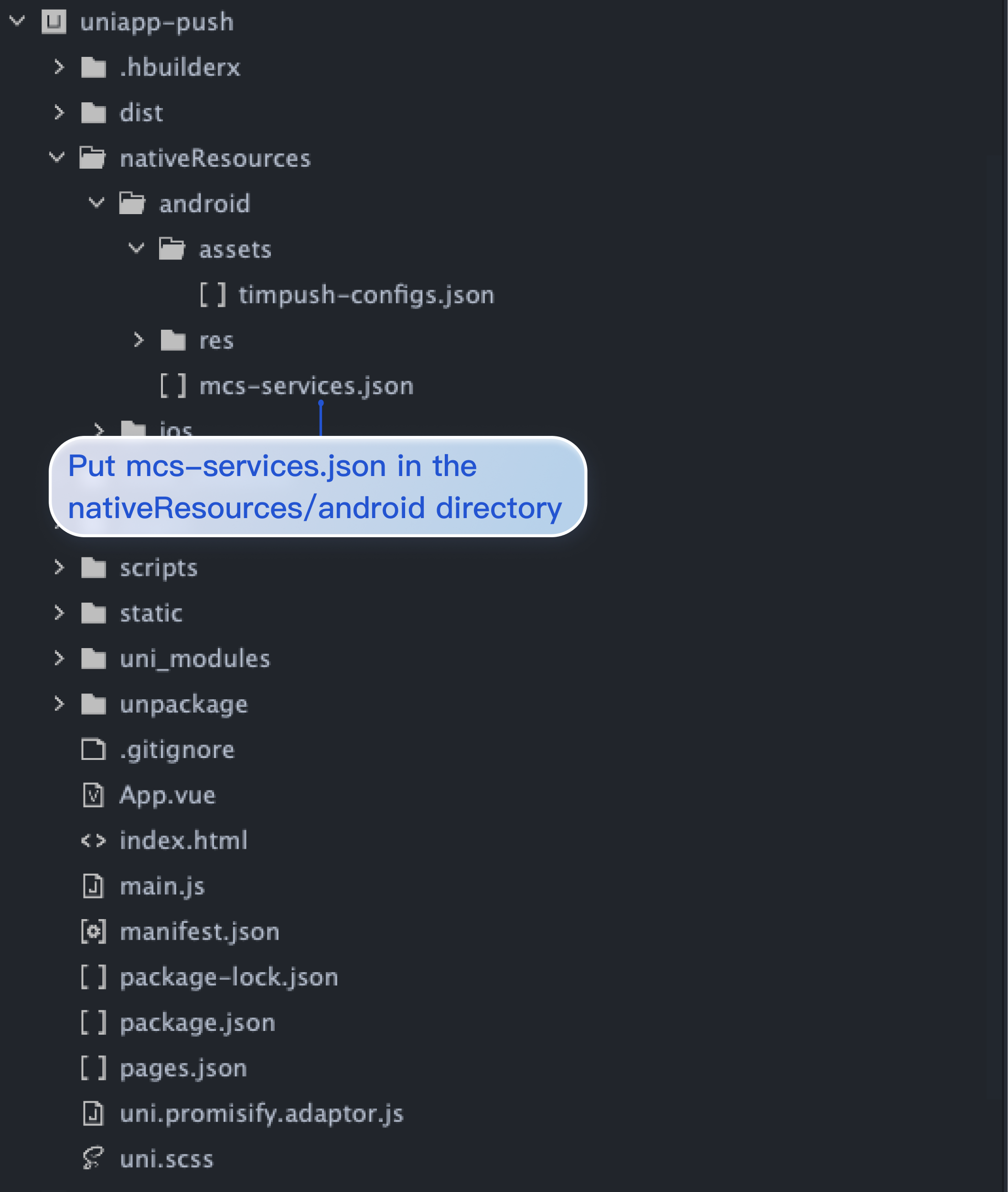
1. HBuilderX 4.36 has released non-backward compatible updates. If you are using HBuilderX 4.36 or higher and need vendor push for vivo/Honor, please upgrade the push version to 1.1.0 or higher and refer to the documentation to correctly configure manifestPlaceholders.json and mcs-services.json.
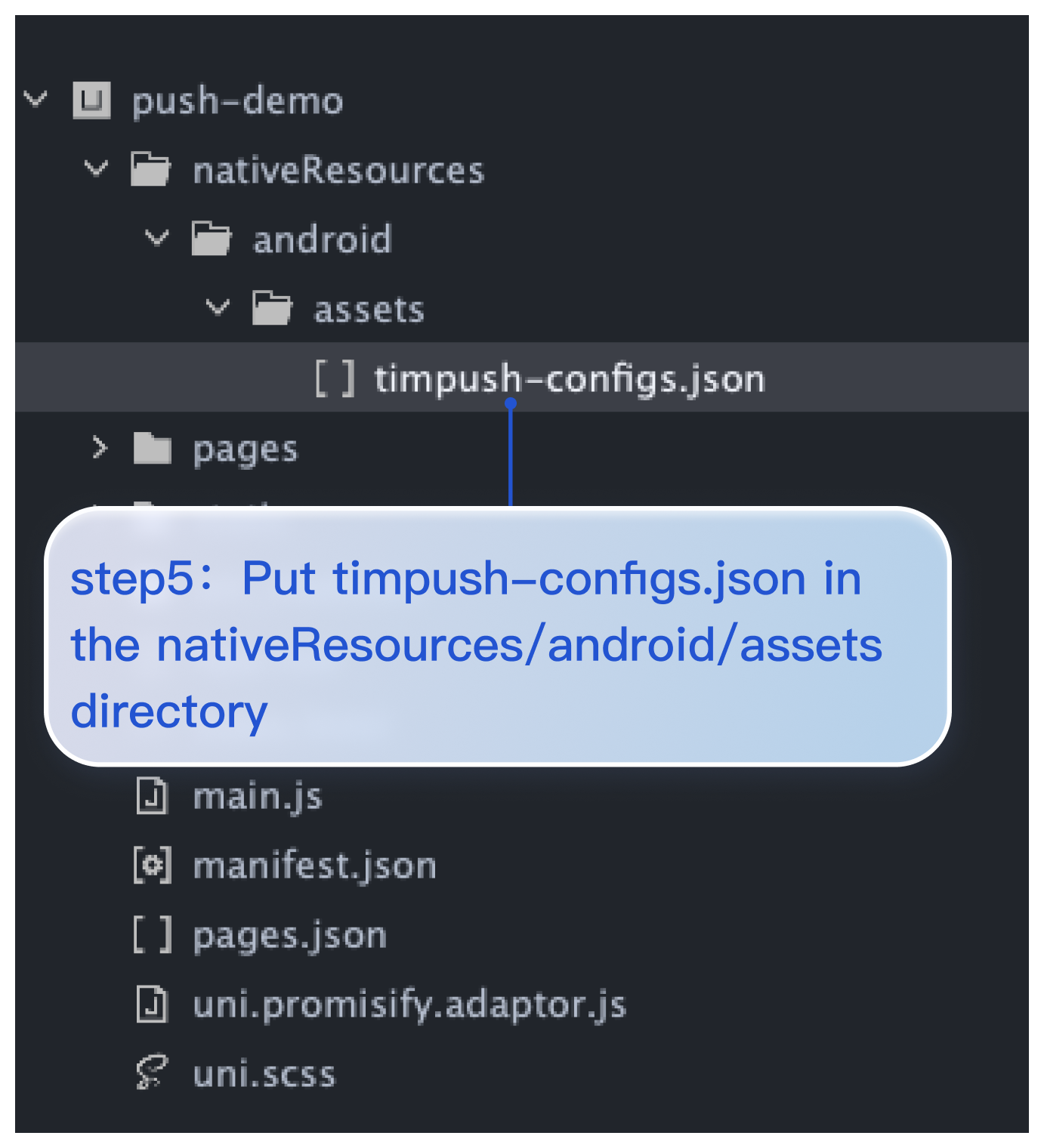
2. You need to configure push notifications in the nativeResources directory. If this folder is not yet created in the project root directory, please create a new folder named nativeResources.
3. Ensure that the nativeResources directory exists in the project opened with HBuilderX and is at the same level as the uni_modules directory.
Android
iOS
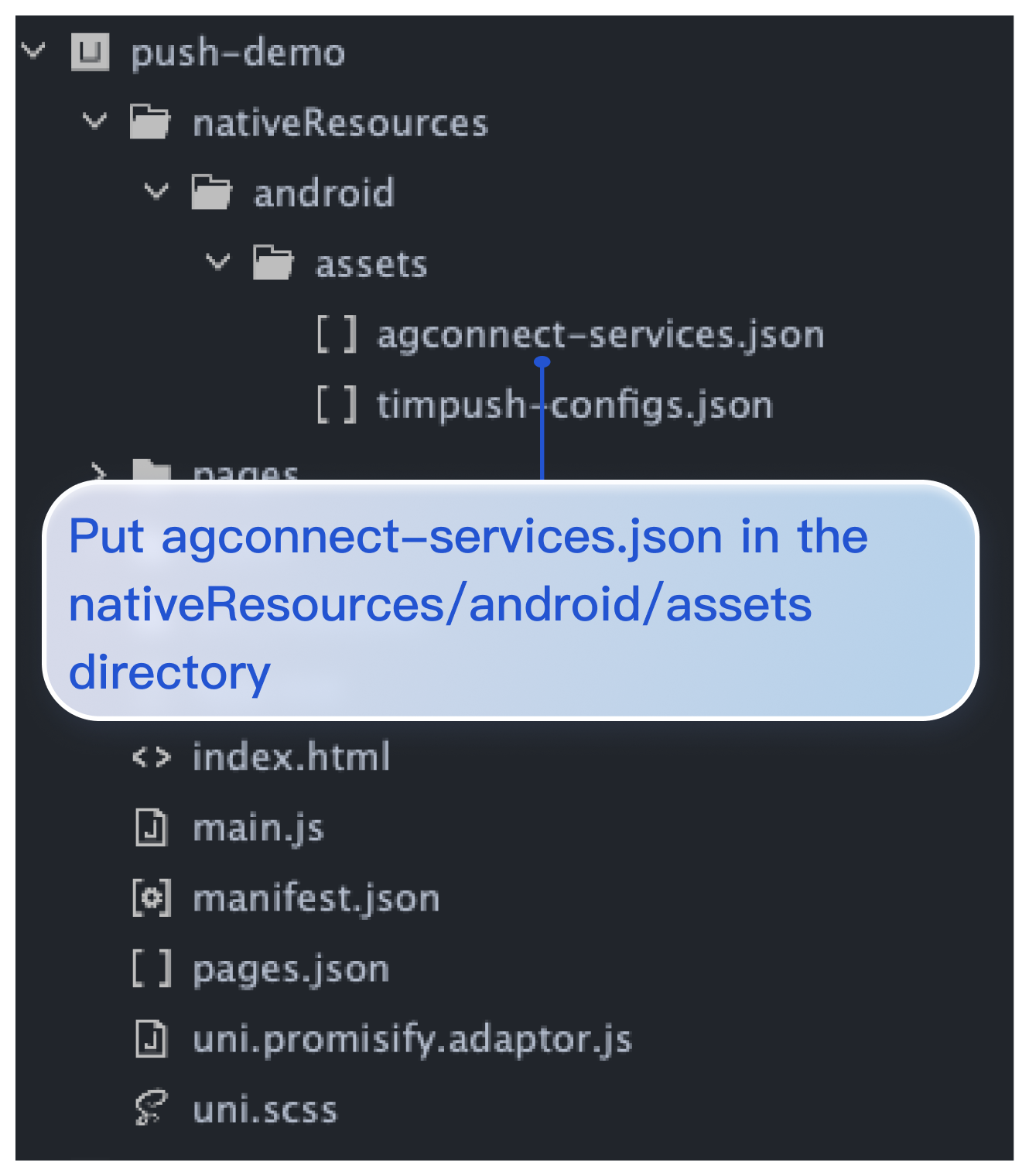
1. Create the directory nativeResources/android/assets.
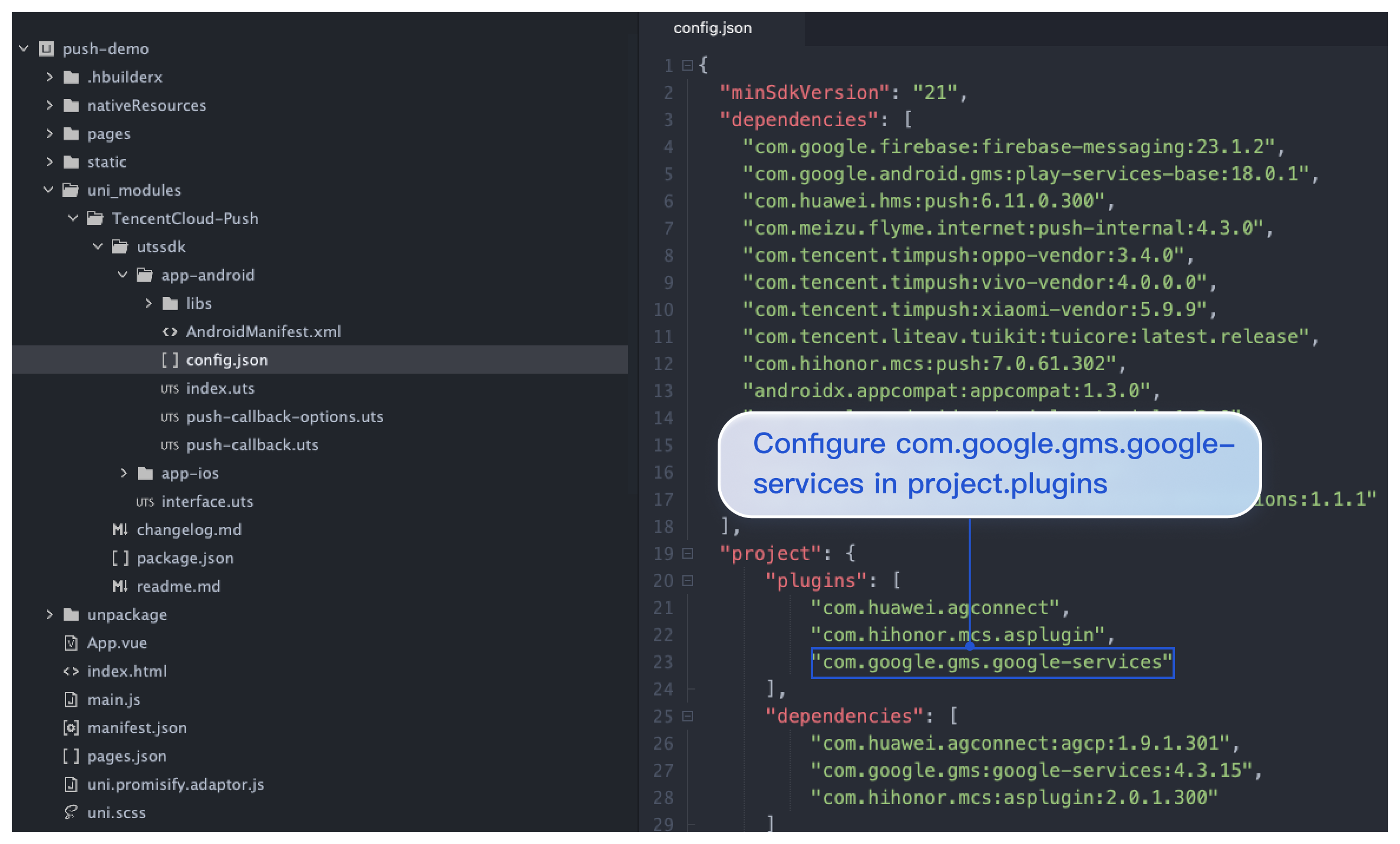
1. Configure com.google.gms.google-services to uni_modules/TencentCloud-Push/utssdk/app-android/config.json in project.plugins, as shown below:
"project":{
"plugins":[
...
"com.google.gms.google-services"
],
"dependencies":[
"com.huawei.agconnect:agcp:1.9.1.301",
"com.google.gms:google-services:4.3.15",
"com.hihonor.mcs:asplugin:2.0.1.300"
]
}
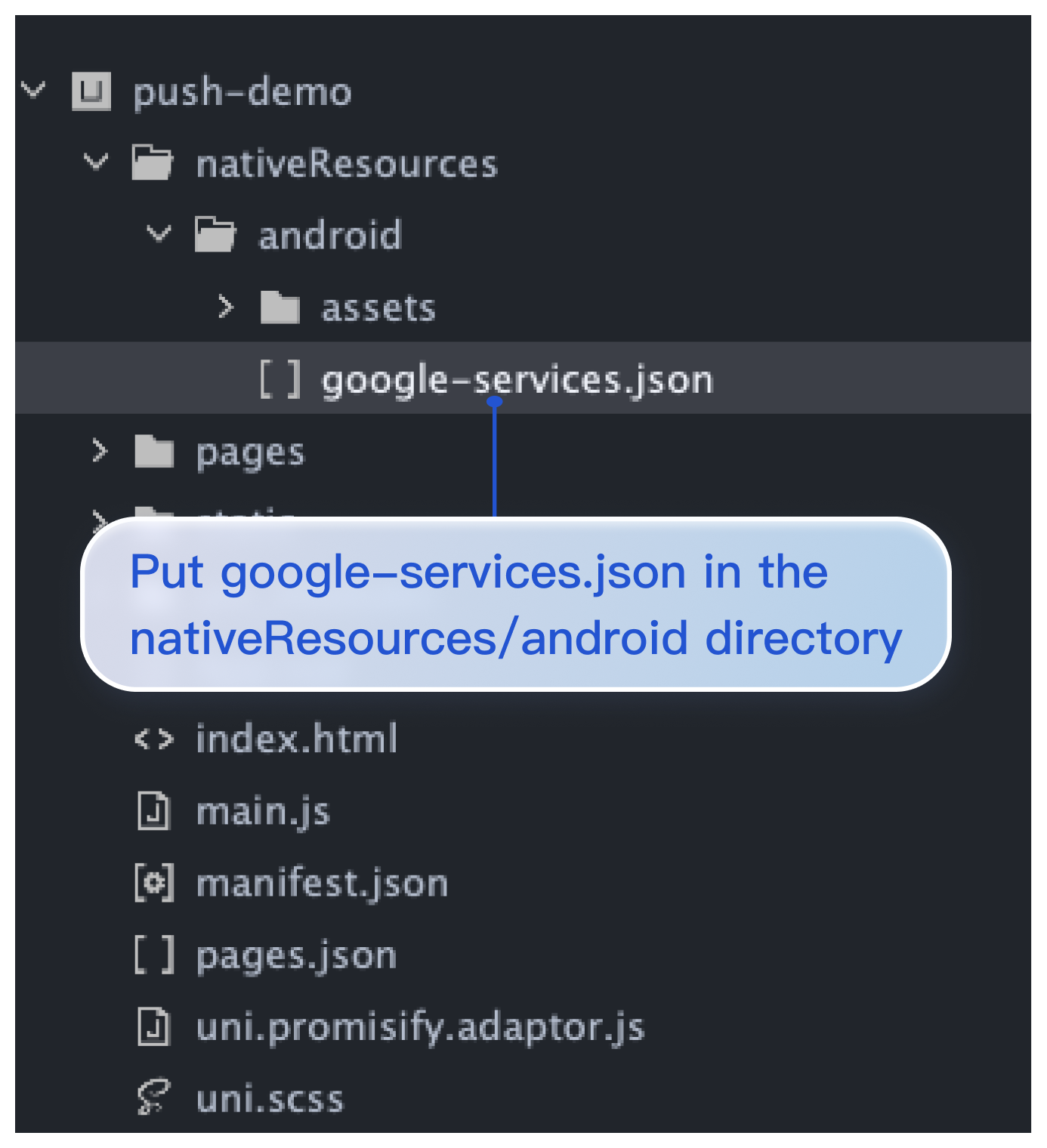
2. Configure the google-services.json file to the nativeResources/android/ directory (Note! Do not configure it to the nativeResources/android/assets directory). As shown in the figure:
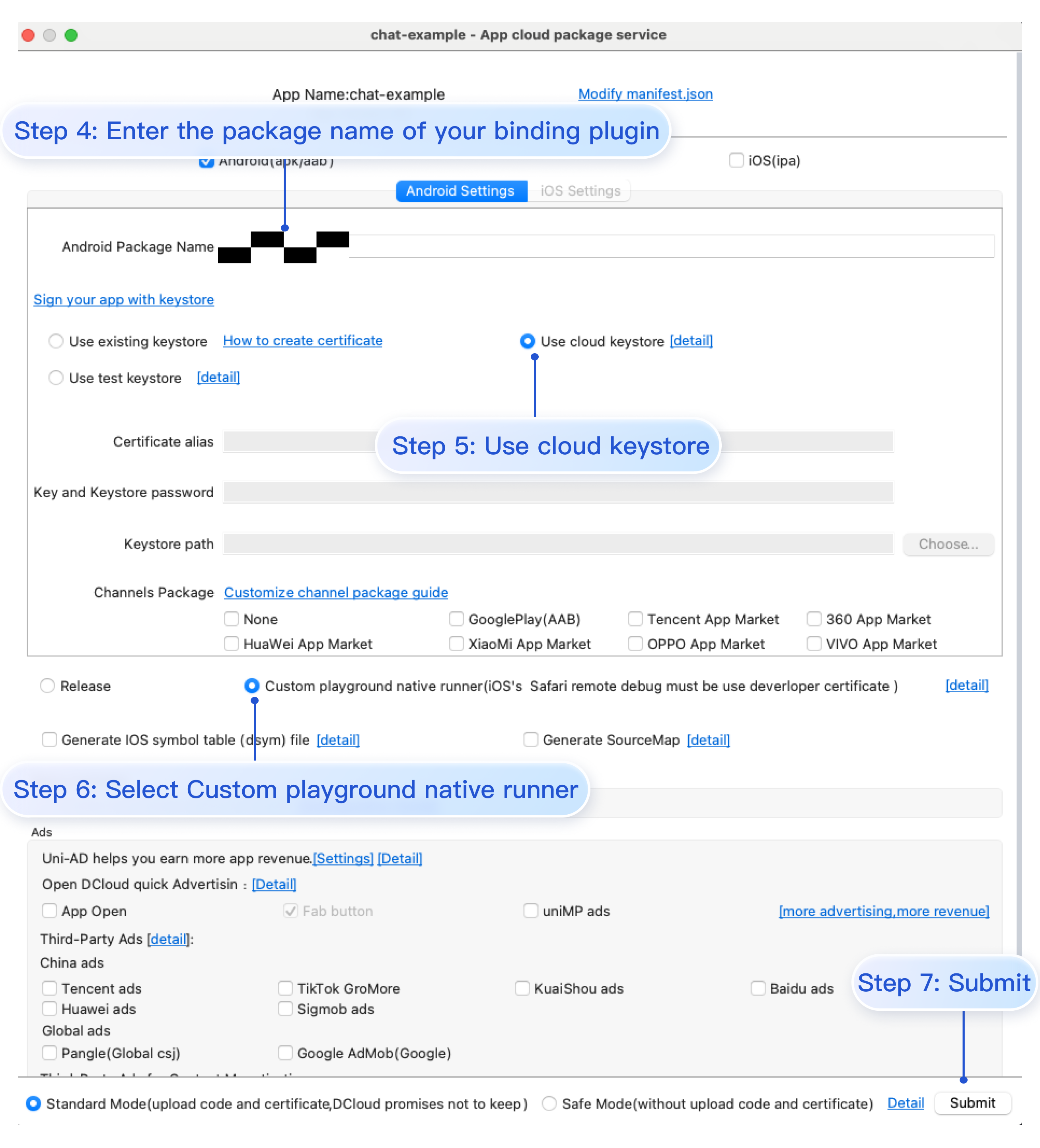
Step 4. Use cloud certificates to generate custom base
Click Run > Run to mobile device or emulator > Create custom debugging base in HBuilderX to use cloud certificates to create Android or iOS custom debugging base.
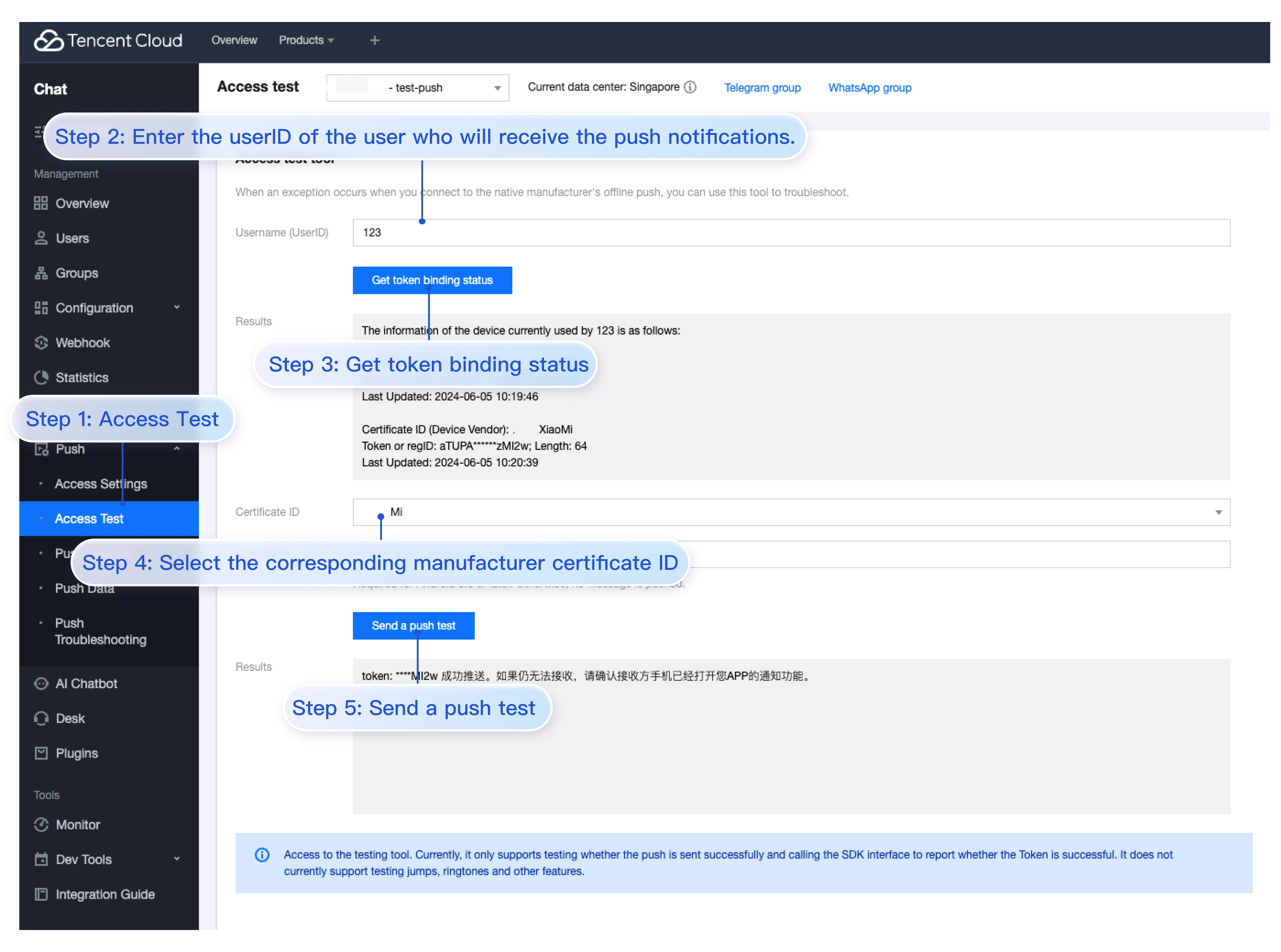
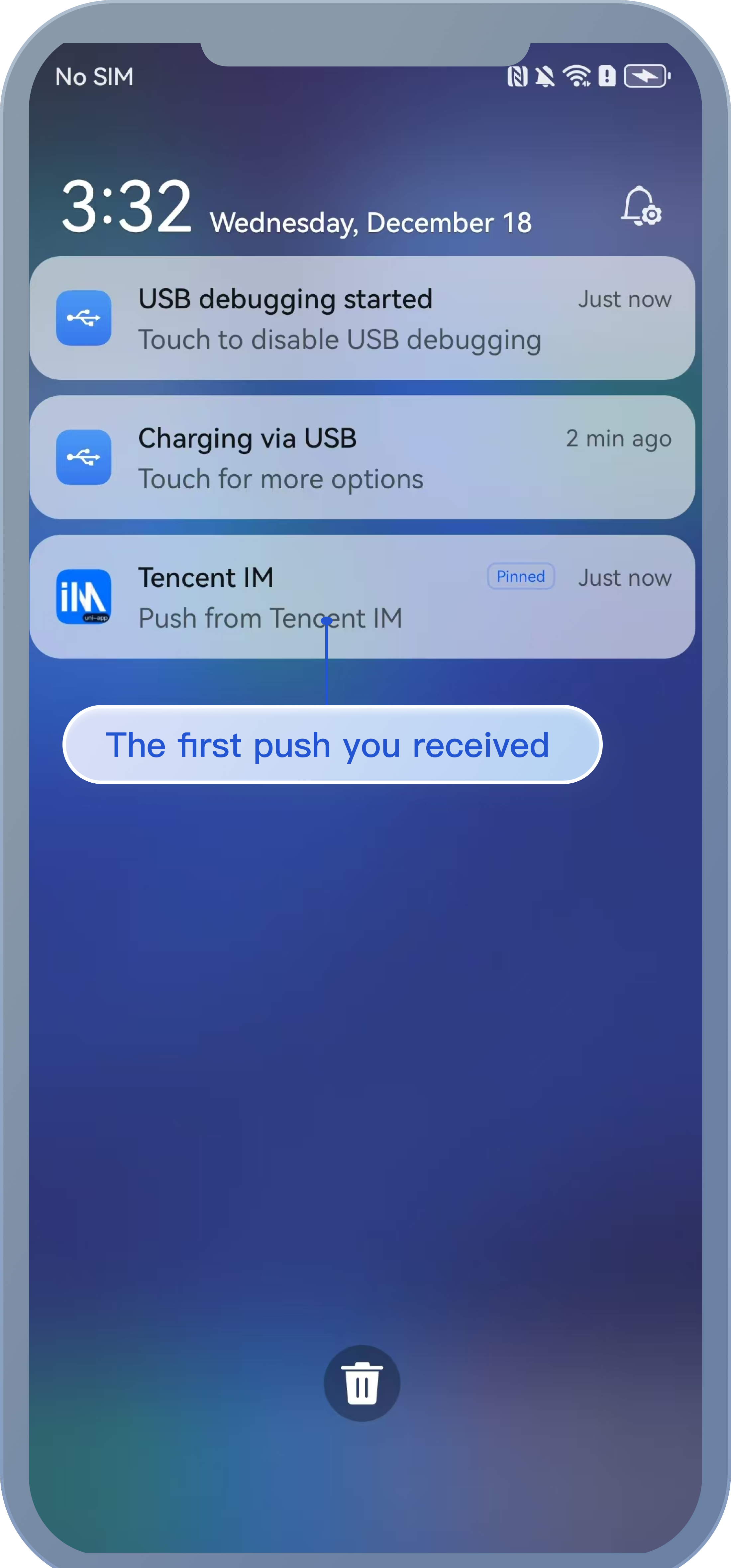
Step 5. Experience your first push
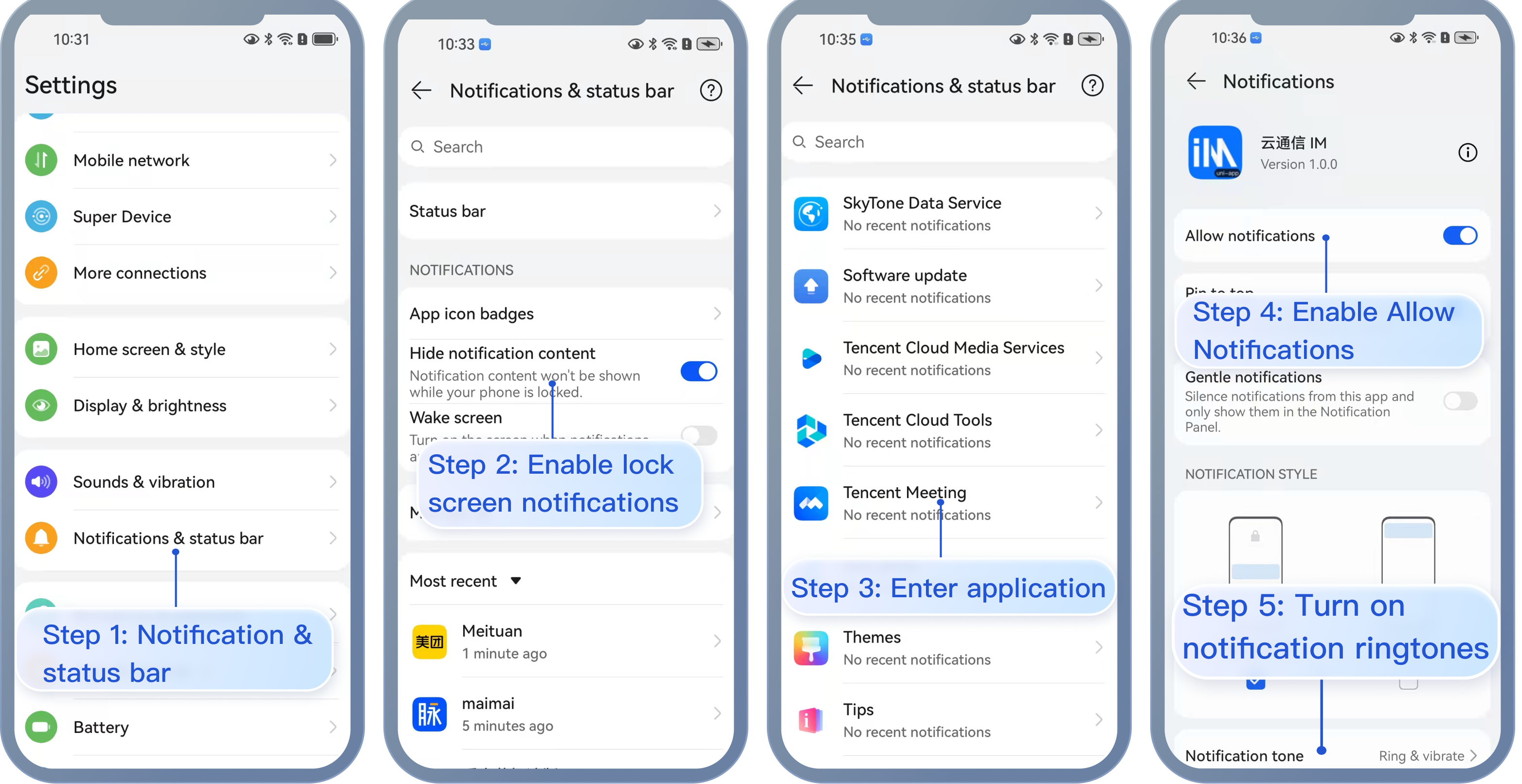
Before testing the push, please make sure to turn on notifications and the status bar. Go to Push Service Push > Access Test to send your first push.
Push Result Callback
After enabling the push service, the push results can be forwarded to the App backend by configuring basic callbacks. For details, see:
The intuitive representation of push is the notification bar reminder, so it is affected by the device notification settings just like other notifications. Taking Huawei as an example:
"Settings > Notifications > Lock screen notifications > Hide or not show notifications", will affect the display of push notifications when the screen is locked.
"Settings > Notifications > More notification settings > Show notification icons in the status bar", will affect the display of push notification icons in the status bar.
"Settings > Notifications > App notification management > Allow notifications", turning it on or off will directly affect the display of push notifications.
"Settings > Notifications > App notification management > Notification sounds" and "Settings > Notifications > App notification management > Silent notifications", will affect the sound effects of push notifications.
Vendor's push restrictions
1. All vendors in China have adopted message classification mechanisms, and different push policies are assigned for different types of messages. To make the push timely and reliable, you need to set the push message type of your app as the system message or important message with a high priority based on the vendor's rules. Otherwise, push messages are affected by the vendor's message classification and may vary from your expectations.
2. In addition, some vendors set limits on the daily volumes of app push messages. You can check such limits in the vendor's console. If push messages are not pushed timely or cannot be received occasionally, consider the following:
Huawei
vivo
OPPO
Mi
Meizu
FCM
Push messages are classified into service and communication messages and information marketing messages with different push effects and policies. In addition, the message classification is also related to the self-help message classification permission:
If there is no self-help message classification permission, the vendor will perform secondary intelligent message classification on push messages.
If you have applied for the self-help message classification permission, push messages will be classified based on the custom classification and then pushed. For more information, see Vendor Description.
Push messages are classified into system messages and operational messages with different push effects and policies. The system messages are further subject to the vendor's intelligent classification for correction. A message that cannot be intelligently identified as a system message will be automatically corrected as an operational message. If the judgment is incorrect, you can provide feedback by email. In addition, the total number of push messages is subject to a daily limit determined based on the app subscription statistics by the vendor. For more information, see Vendor Description 1 or Vendor Description 2.
Push messages are categorized into private messages and public messages, each having different effects and strategies. Private messages target users with a certain level of attention who wish to receive information promptly, and access to the private messaging channel requires an application via email. The public messaging channel has a limited push volume. For more details, see Vendor Description 1 or Vendor Description 2.
Push messages are divided into urgent messages and regular messages, with different effects and strategies. The urgent message category is limited to instant communication messages, personal attention updates, personal reminders, changes in personal order status, personal financial alerts, personal status updates, personal resource changes, and personal device alerts, which can be requested on the vendor dashboard. The regular message category has a limited push volume. For more details, see Vendor Description 1 or Vendor Description 2.
There is a limit to the number of messages that can be pushed. For more details, see Vendor Description.
There is a frequency limit for pushing upstream messages. For more details, see Vendor Description.