Web & H5 & Uniapp(Vue)
Download
Focus Mode
Font Size
Feature Description
In TUIChat sessions, you can quote previous messages to indicate a reply to a specific message. After replying, you can also click the quoted message to jump to the original message, which will highlight flashing.
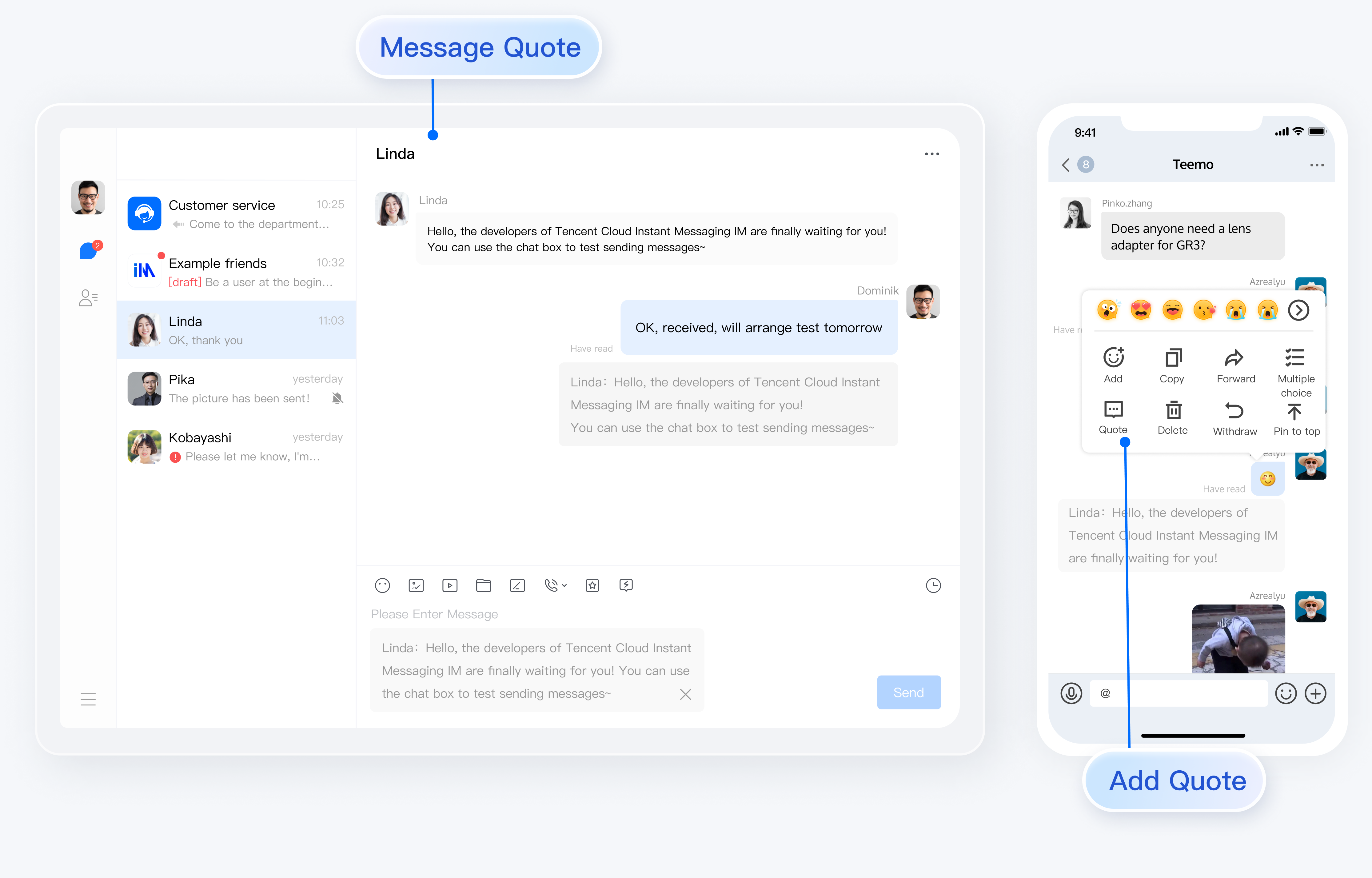
Message Quotation
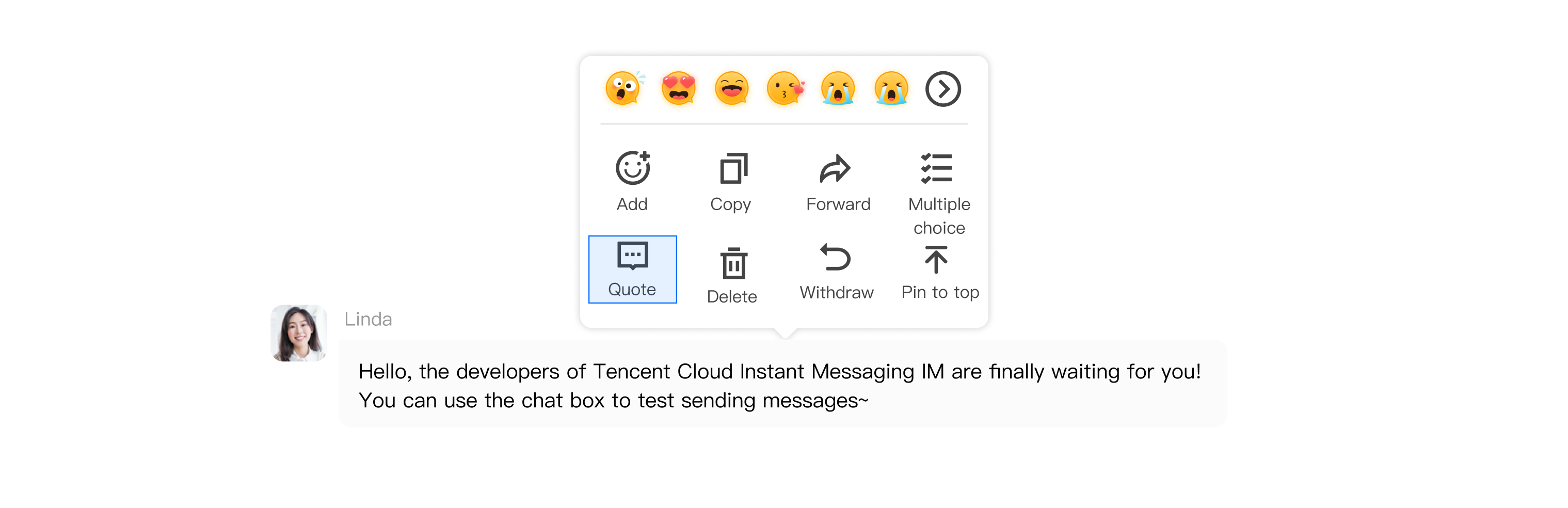
Quoting a Message
On the web version, right-click a message; on the mobile version, long press a message. A message toolbar will pop up on the message. Click the Quote button in the toolbar to quote the message.
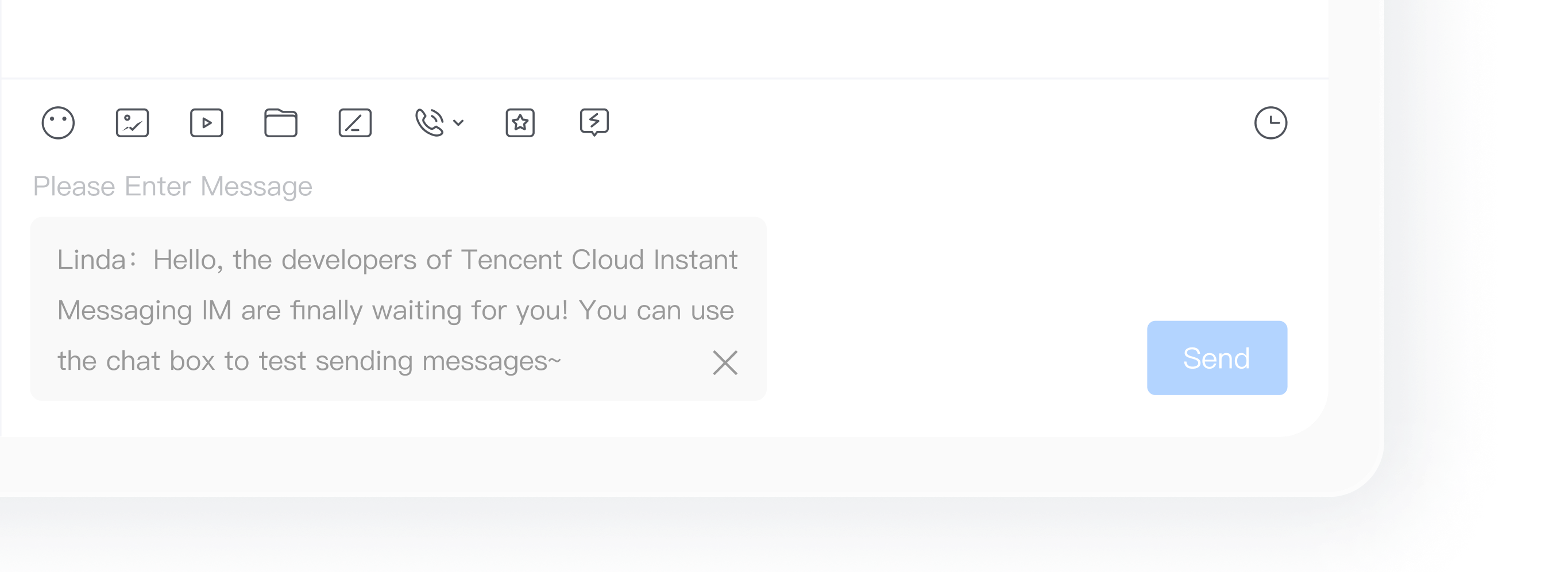
Canceling Message Quotation
When a message is quoted but not yet sent, clicking the close button after the quote allows you to cancel the message quotation.
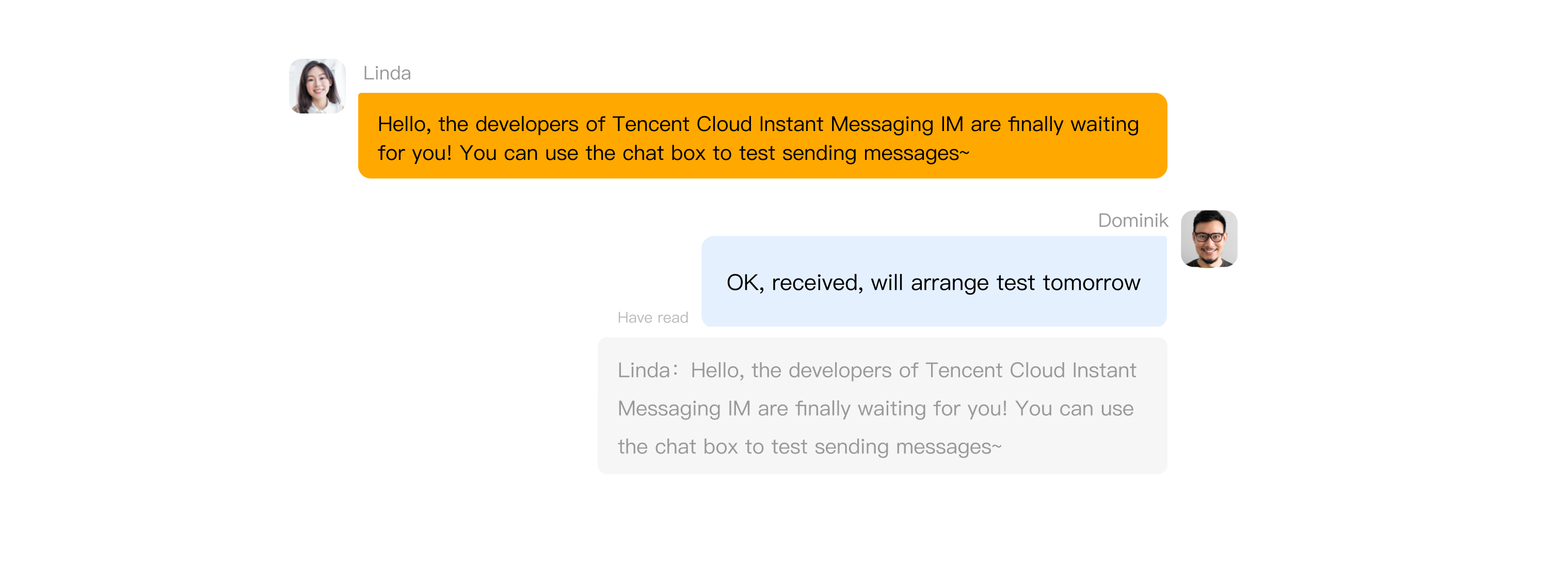
Viewing Quoted Message
Clicking the citation content of a quoted message will locate the original message, which will highlight and flash:
When the quoted message is within the screen, clicking the citation content of the quoted message will only cause it to highlight and flash.
When the quoted message is not within the screen but is in the message list, clicking the citation content will automatically scroll the message list to the original message, and it will highlight and flash.
When the quoted message is neither within the screen nor in the message list, clicking the citation content will neither jump to the original message nor cause it to highlight and flash.
Extended Reading
Note:
The following content serves as supplementary reading material only. The message quotation feature is already included in TUIKit by default and does not require manual implementation by users.
How to Implement Message Quotation
Quoting a Message
When clicking the Quote button, the
quoteMessage() method corresponding to the message will be called, and the message's quotation record will be stored in the Store.function quoteMessage(message) {message?.quoteMessage();}
Displaying Quoted Messages and Canceling Quotation
Monitor changes in the TUIStore quotation record in the input box component, and the quoted message can be obtained through the callback function.
const quoteMessage = ref<IMessageModel>();onMounted(() => {TUIStore.watch(StoreName.CHAT, {quoteMessage: (options: { message: IMessageModel, type: string }) => {if (options.message && options.type === "quote") {// Detected a new message quotation.quoteMessage.value = options.message;} else {// Detected cancellation of message quotation.quoteMessage.value = undefined;}},});});
When canceling the quotation, simply delete the quotation record from the TUIStore.
function cancelQuote() {TUIStore.update(StoreName.CHAT, "quoteMessage", { message: undefined, type: "quote" });}
FAQs
How do I disable the quotation feature?
In the file
TUIKit/components/TUIChat/message-list/message-tool/index.vue, comment out the citation part in the object array actionItems as follows:actionItems = [{...},{...},// {// text: TUITranslateService.t("TUIChat.Citation"),// iconUrl: quoteIcon,// renderCondition() {// if (!message.value) return false;// const _message = TUIStore.getMessageModel(message.value.ID);// return message.value?.status === "success" && !_message.getSignalingInfo();// },// clickEvent: quoteMessage,// }]
Exchange and Feedback
Join the Telegram technical exchange group or WhatsApp discussion group, benefit from the support of professional engineers, and solve your toughest challenges.
Help and Support
Was this page helpful?
You can also Contact sales or Submit a Ticket for help.
Help us improve! Rate your documentation experience in 5 mins.
Feedback