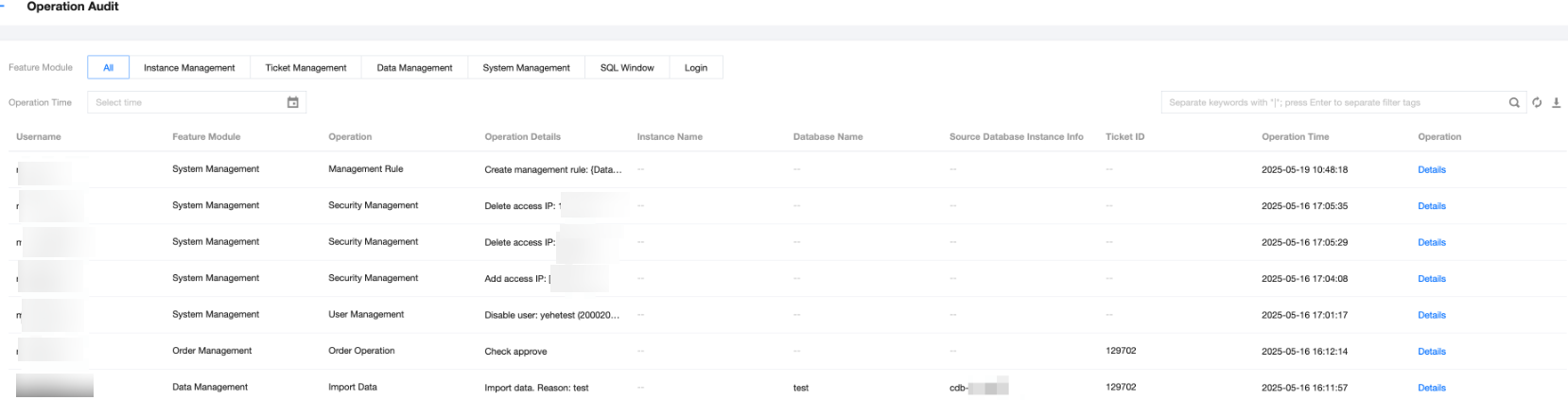
DMC supports auditing operations across various modules, including instance management, ticket management, data management, system management, SQL window, and login module. It also enables users to view operation details and download CloudAudit records, facilitating quick identification of database issues and audits.
Prerequisites
The operating user should hold the DMC administrator role.
Directions
2. In the top menu bar, select System Management > Operation Audit.
3. Use the following two methods to filter and view the CloudAudit list.
At the top of the page, select the functional module and operation time to filter.
On the right side of the page, use the search box to select database names or other resource attributes for searching.
4. View operation details and download the CloudAudit list.
View operation details: View the filtered CloudAudit records and click Details in the corresponding Operation column to view the operation details.
Download operation audit list: Click on the right side of the filtered CloudAudit list to download the CloudAudit. The system will export the current page’s CloudAudit in .csv format.