Release Notes
Tencent Effect SDK V3.5 Version Released
Tencent Effects SDK V3.0 Version Related API and Material Changes
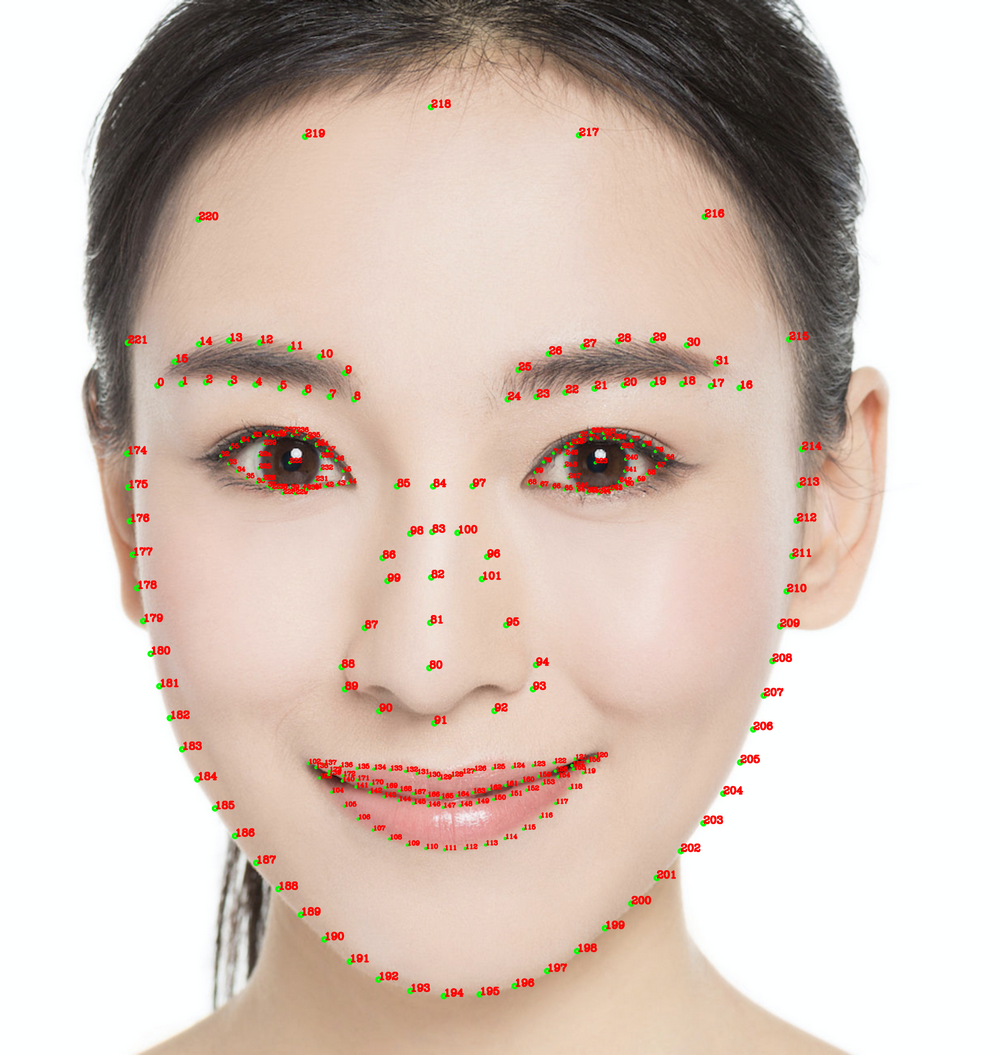
/// @brief The SDK event listener/// @param listener The listener for SDK events, including AI events, tips, and resource events.- (void)registerSDKEventListener:(id<YTSDKEventListener> _Nullable)listener;
YTSDKEventListener callback description#pragma mark - Event callback APIs/// @brief SDK event callback APIs@protocol YTSDKEventListener <NSObject>/// @brief `YTDataUpdate` event callback/// @param event: Callback in NSString* format- (void)onYTDataEvent:(id _Nonnull)event;/// @brief AI event callback/// @param event: Callback in dict format- (void)onAIEvent:(id _Nonnull)event;/// @brief Tip event callback/// @param event: Callback in dict format- (void)onTipsEvent:(id _Nonnull)event;/// @brief Resource pack event callback/// @param event: Callback in string format- (void)onAssetEvent:(id _Nonnull)event;@end
- (void)onYTDataEvent:(id _Nonnull)event;
- (void)onAIEvent:(id _Nonnull)event;//onAIEvent callback funtion can get the data.NSDictionary *eventDict = (NSDictionary *)event;if (eventDict[@"ai_info"] != nil) {NSLog(@"ai_info %@",eventDict[@"ai_info"]);}
/// @note The list of field descriptions/**| Field | Type | Value Range | Description || :---- | :---- |:---- | :---- || trace_id | int | [1,INF) | The face ID. If the faces obtained continuously from a video stream have the same face ID, they belong to the same person. || face_256_point | float | [0,screenWidth] or [0,screenHeight] | 512 values in total for 256 facial keypoints. (0,0) is the top-left corner of the screen. || face_256_visible | float | [0,1] | Visibility of the 256 facial keypoints. || out_of_screen | bool | true/false | Whether the face is outside of the screen view. || left_eye_high_vis_ratio | float | [0,1] | The percentage of keypoints with high visibility for the left eye. || right_eye_high_vis_ratio | float | [0,1] | The percentage of keypoints with high visibility for the right eye. || left_eyebrow_high_vis_ratio | float | [0,1] | The percentage of keypoints with high visibility for the left eyebrow. || right_eyebrow_high_vis_ratio | float | [0,1] | The percentage of keypoints with high visibility for the right eyebrow. || mouth_high_vis_ratio | float | [0,1] | The percentage of keypoints with high visibility for the mouth. |**/- (void)onYTDataEvent:(id _Nonnull)event;
Was this page helpful?
You can also Contact sales or Submit a Ticket for help.
Help us improve! Rate your documentation experience in 5 mins.
Feedback