Overview
Set password requirements for Ops personnel in the BH to enhance security.
Directions
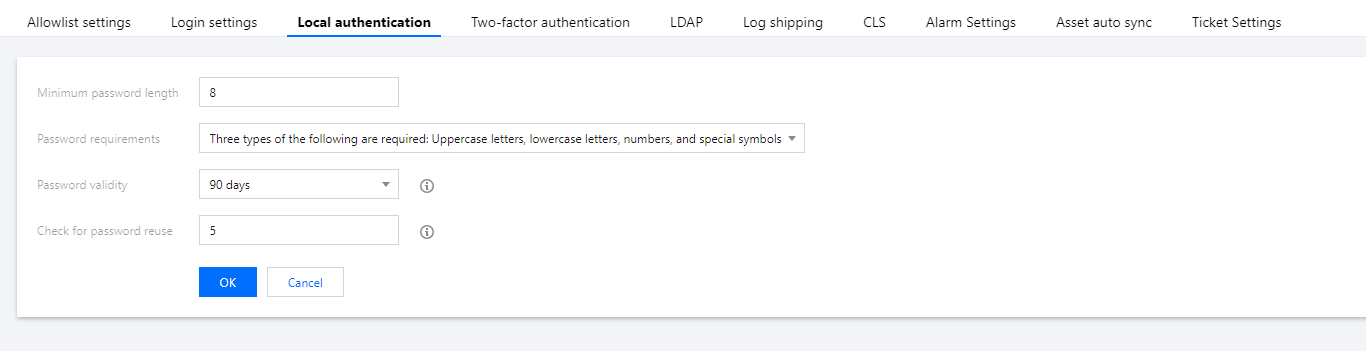
2. In the left sidebar, choose System settings > Local authentication.
3. On the Local authentication page, click Edit in the top-right corner and configure the following settings:
Parameter descriptions:
Minimum password length: Set the minimum length requirement for Ops personnel passwords.
Password requirements: Set the complexity requirements for Ops personnel passwords.
Password validity period: Set the validity period for Ops personnel passwords. Users need to reset their passwords before expiration.
Historical password reuse check: Set the historical password check requirements for Ops personnel.
4. After configuring the required settings, click OK to save the changes.