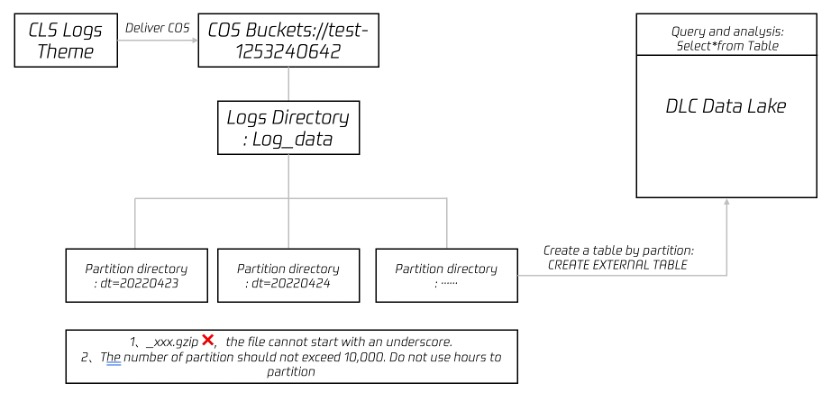
When you need to deliver logs from cloud log service CLS to Hive for OLAP computation, you can refer to this document for practice. You can use the data analysis and computing services provided by Tencent Cloud data lake calculation DLC (Data Lake Compute, DLC) to complete offline computation and analysis of logs. The diagram is as follows:
Directions
Deliver CLS Logs to COS
Creating a Delivery Task
1. Log in to the CLS console, and select Delivery Task > Ship to COS in the left sidebar.
2. On the "Ship to COS" page, click Add Delivery Configuration. In the pop-up "Ship to COS" window, configure and create a delivery task.
3. The following configuration items need to be paid attention to:
Configuration Item
Notes
COS storage bucket
Log files will be delivered to this directory in the COS storage bucket. In a data warehouse model, it generally corresponds to the address of Table Location.
COS path
Specify according to the Hive partitioned table format. For example, daily partitioning can be set as /dt=%Y%m%d/test, where dt= represents the partition field, %Y%m%d represents the year, month, and day, and test represents the log file prefix.
File naming
Delivery time naming
Shipping Interval
Can be selected within the range of 5 to 15 minutes. Recommend choosing 15 minutes, 250MB. This way, the number of files will be less and query performance will be better.
Shipping Format
JSON format.
Click next, enter advanced configuration, select JSON and the fields you need to process.
View the Delivery Task Result
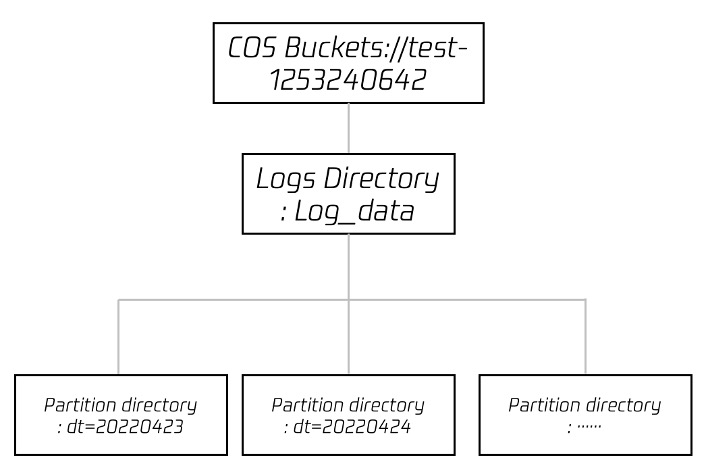
Typically, 15 minutes after starting the delivery task, you can view log data in the COS (Object Storage) console. The directory structure is similar to the figure below, with partition catalogs containing specific log files.
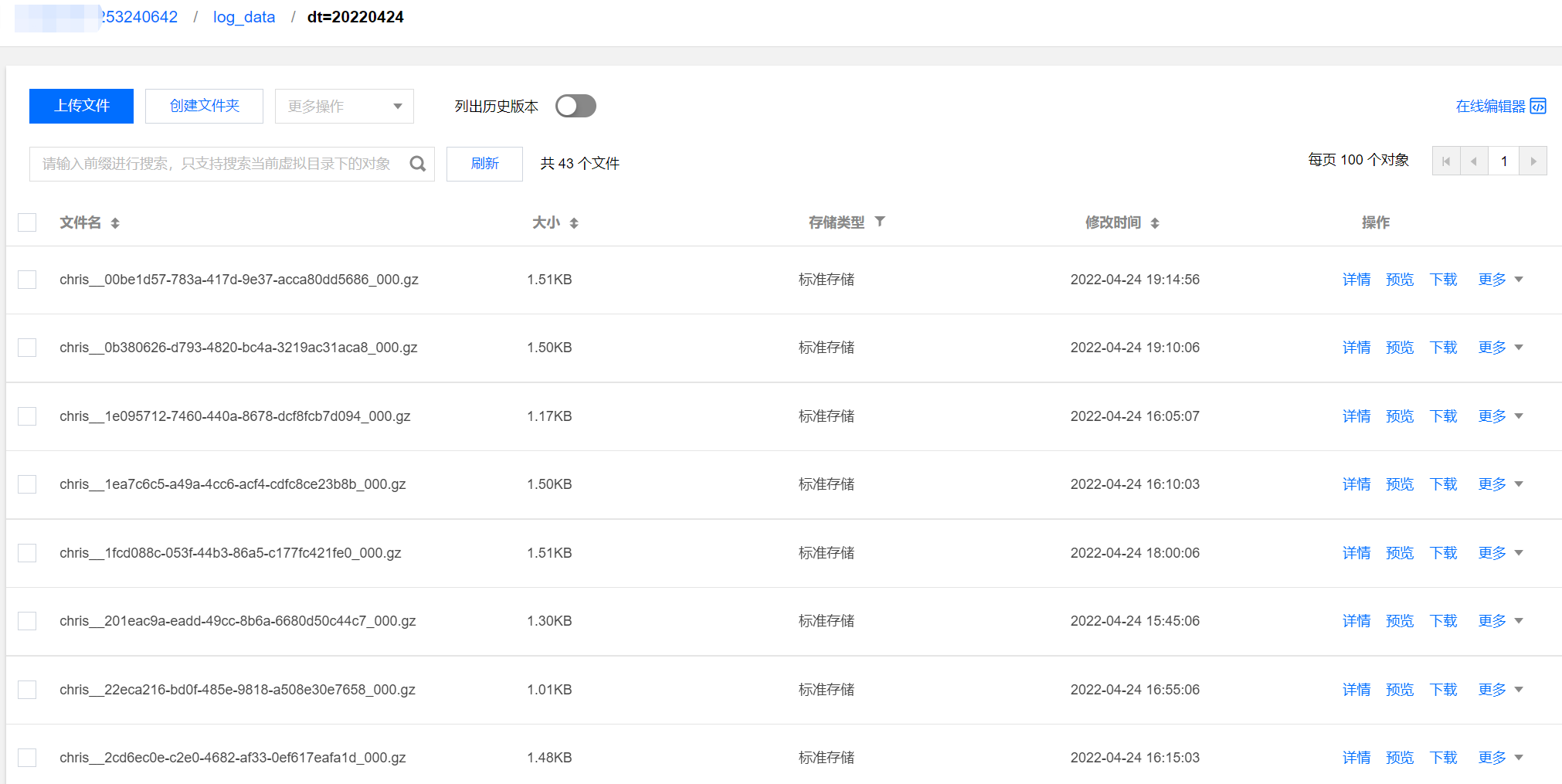
The log data in the COS console is shown in the figure below:
Analyze DLC
Creating an External Table in DLC and Mapping It to COS Log Directory
After log data is delivered to object storage, you can create an external table via the DLC console → data exploration feature. For the table creation statement, see the following SQL example. Special attention must be paid to ensuring that the partition field and Location field are consistent with the directory structure.
The DLC Create External Table Wizard provides advanced options to help you infer the table structure of data files and automatically generate SQL quickly. Since it is sampled inference, you need to further judge whether the table fields are reasonable based on the SQL. For example, in the following case, the TIMESTAMP field is inferred as int, but bigint might be more appropriate.
) PARTITIONED BY(dt string)ROW FORMAT SERDE 'org.apache.hive.hcatalog.data.JsonSerDe' STORED AS TEXTFILE LOCATION 'cosn://coreywei-1253240642/log_data/'
If it is partition delivery, Location must point to the cosn://coreywei-1253240642/log_data/ directory, rather than the cosn://coreywei-1253240642/log_data/20220423/ directory.
Use the inference feature. You need to point the directory to the subdirectory where the data file is located, i.e., the cosn://coreywei-1253240642/log_data/20220423/ directory. After inference is completed, modify the Location in SQL back to the cosn://coreywei-1253240642/log_data/ directory.
Appropriate partitioning enhances performance, but it is advisable to keep the total number of partitions no more than 10,000.
Adding Partition
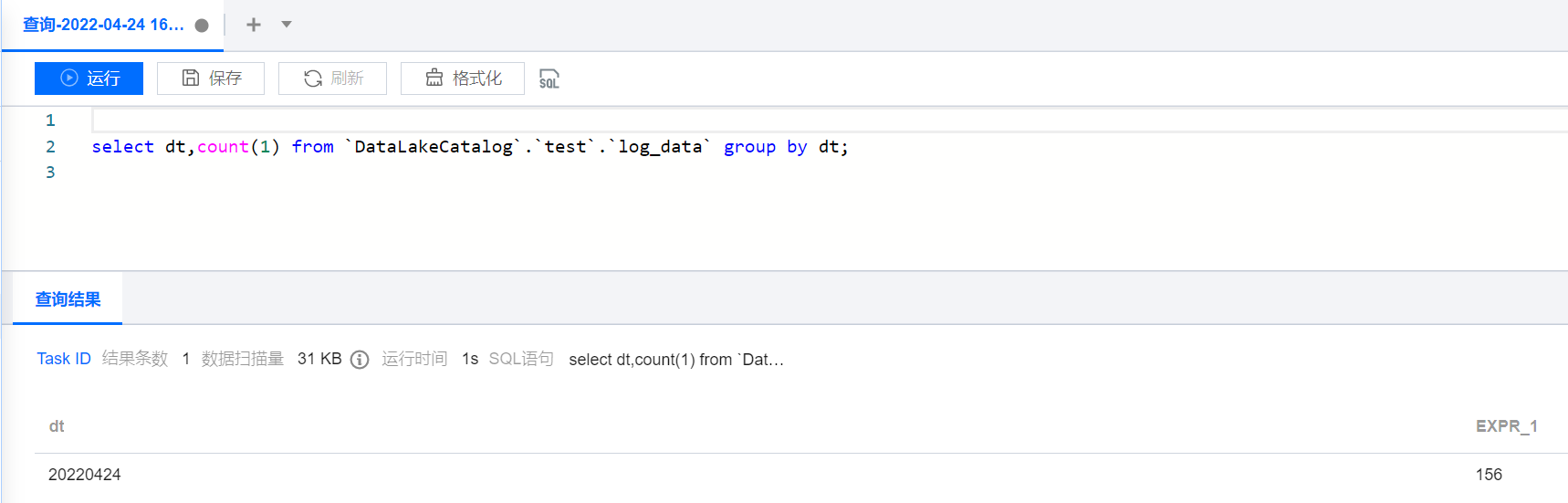
Partition tables can only be accessed through select statements after partition data is added. You can add partitions in the following two ways:
Historical Partitions Add
Incremental Partitions Add
This solution can perform a one-time load of all partition data, runs relatively slowly, and is suitable for scenarios requiring initial loading of multiple partitions.
msck repair table DataLakeCatalog.test.log_data;
After loading historical partitions, incremental partitions will be added periodically. For example, if a new partition is added daily, incremental addition can be performed through this solution.