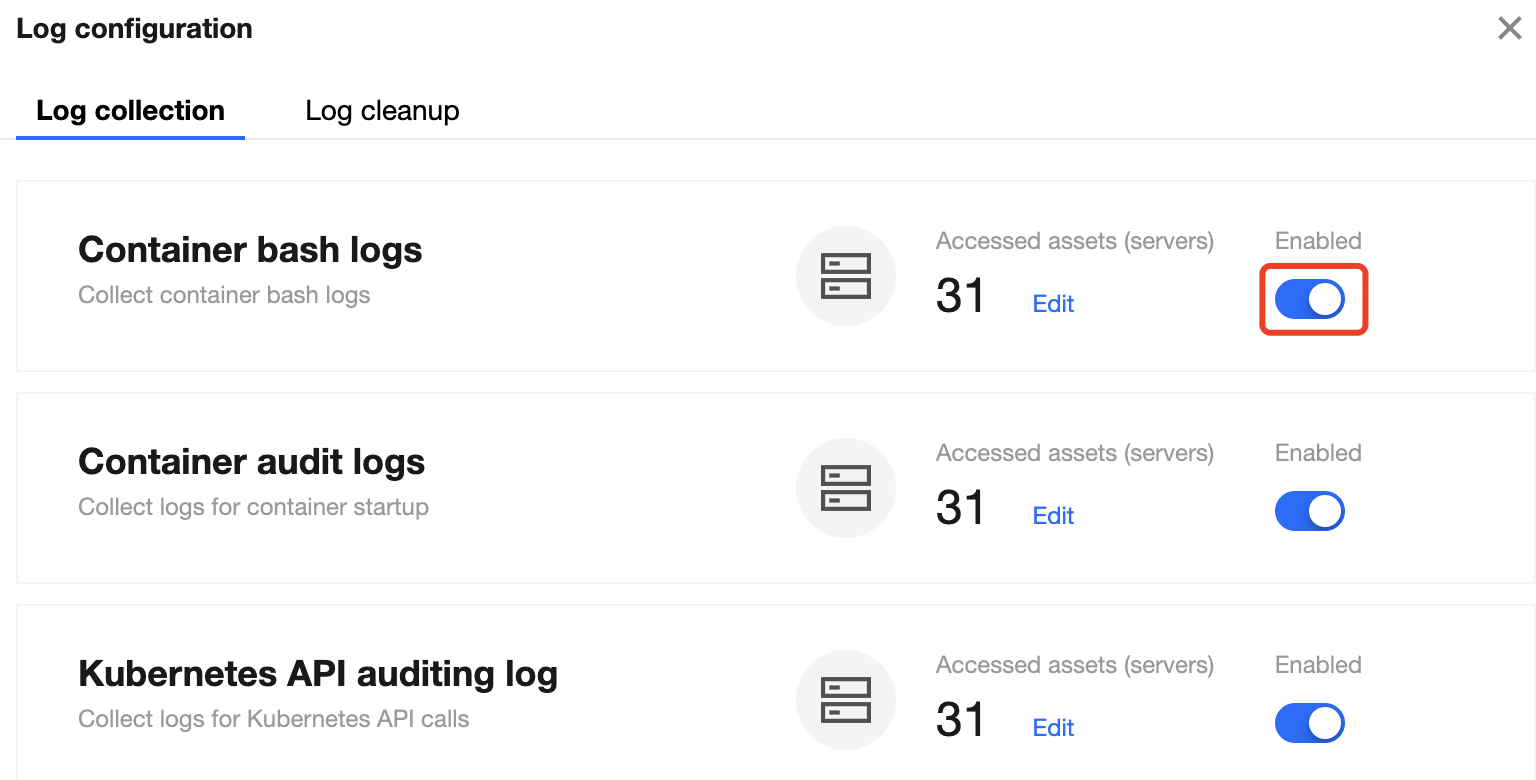
1. On the Log Analysis page, click Log configuration > Log collection at the top.
2. On the Log collection tab, toggle on or off the Enabled switch to enable or disable the collection of container bash logs, container startup audit logs, and Kubernetes API audit logs.
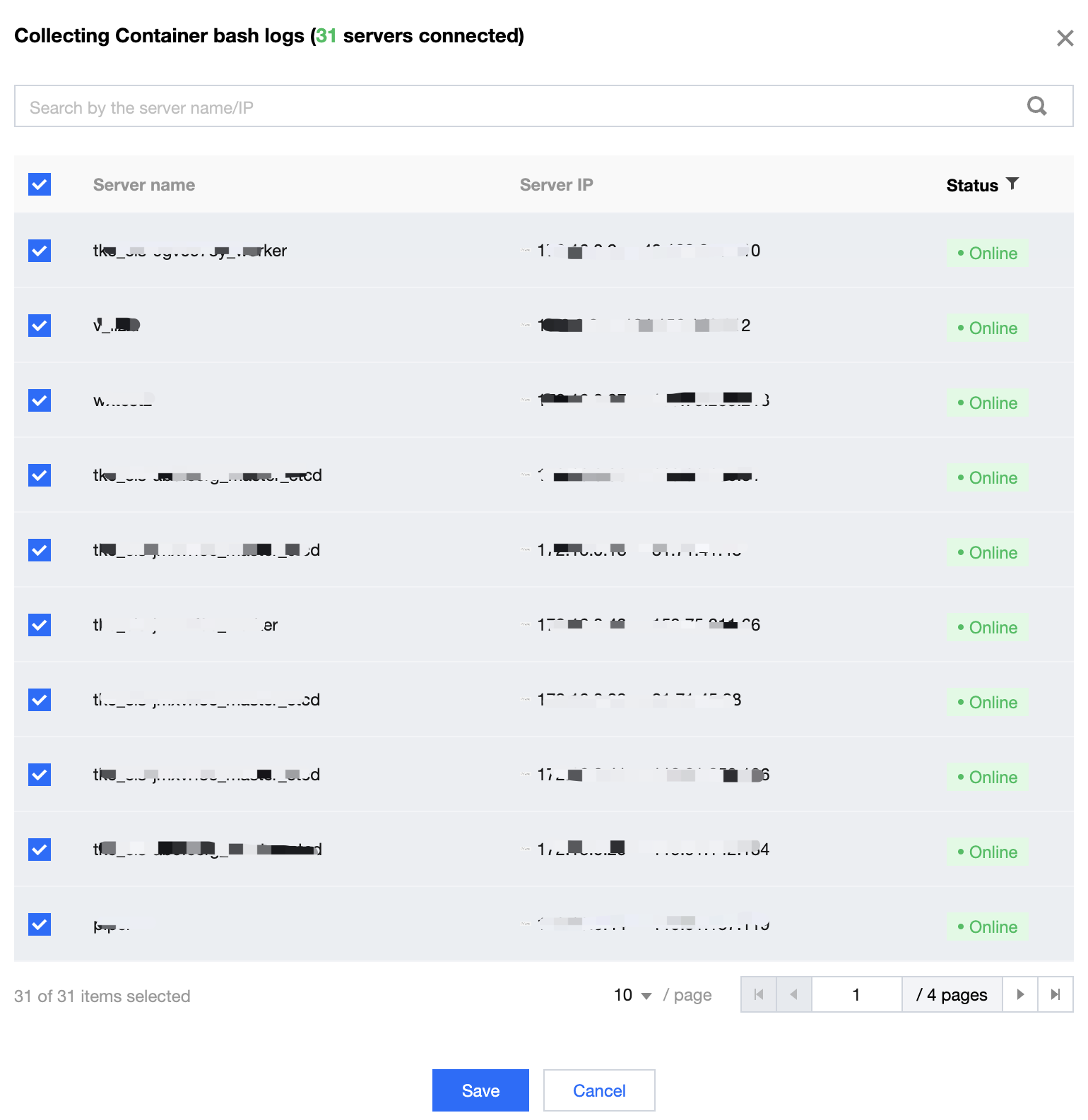
3. On the Log collection tab, click Edit in the Accessed assets column to configure the node scope for log collection. Select the servers for log collection and click Submit.
Log cleanup
1. On the Log Analysis page, select Log configuration > Log cleanup at the top.
2. On the Log cleanup tab, clear logs by percentage or storage period.
Clear logs by percentage: When the log storage volume reaches the configured percentage, historical logs are cleared until the configured percentage.
Clear logs by storage period: When the log storage period reaches the configured value, historical logs are cleared, and only those within the configured storage period are retained.
Note:
The two cleanup methods take effect at the same time, which means log cleanup starts when either of the two conditions is met.