When the system template cannot meet the needs of actual projects, users can define frequently used SQL detection statements as templates for reuse in projects.
Create Custom Templates
Support users in creating custom monitoring rule templates using SQL expressions.
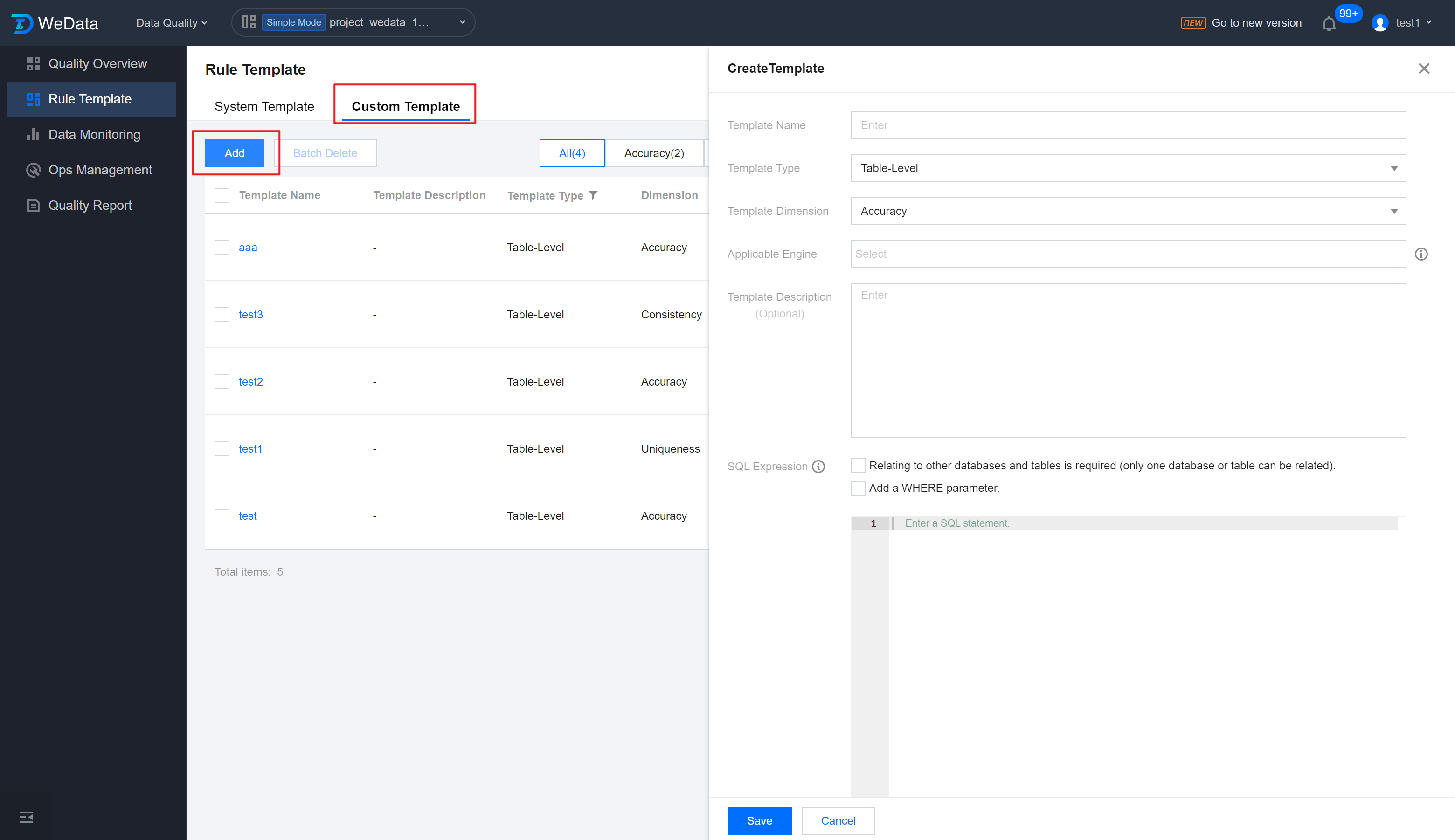
1. Go to Rule Templates > Custom Template, click the Add button, and the template creation window will pop up.
2. In the template creation interface, configure template dimension, applicable objects, template description, and SQL expression to complete the template creation.
Information
Details
Template Name
Custom Definition Rule Template Name
Template Type
Template Check Objects, Table or Field
Template Dimension
Six dimensions: Accuracy, Uniqueness, Integrity, Consistency, Timeliness, Validity
Applicable Engine
Supports Hive, Spark, DLC, TCHouse-D, and Doris.
Template Description
Applicable objects for this rule templates: Table, Field
SQL Expression
Fill in a segment of SQL statement, and you can use Predefined Parameter Variables in SQL to meet more usage scenarios.
Note:
The output must be One Row One Column, meaning the result must be a Fixed value (it can be characters or a numerical value);
If the result contains multiple rows, the system will automatically take the first row.
You can use predefined parameter variables in SQL, which can be filled in by the actual users.
1. Current detection rule associated Main Table: ${table_1};
2. Fields in the Main Table associated with the current detection rule: ${table_1.column_1}, ${table_1.column_2}...${table_1.column_n};
3. Support associating with one other table under the same data source and library: ${table_2} or ${table_3}...${table_n}, note that only one table is supported;
4. Associated with fields from other tables: ${table_2.column_1}, ${table_2.column_2}...${table_2.column_n};
5. Set where filter parameters: use ${param_1}...${param_n};
6. Use time parameters, for example: ${yyyy-MM-dd-1d}.
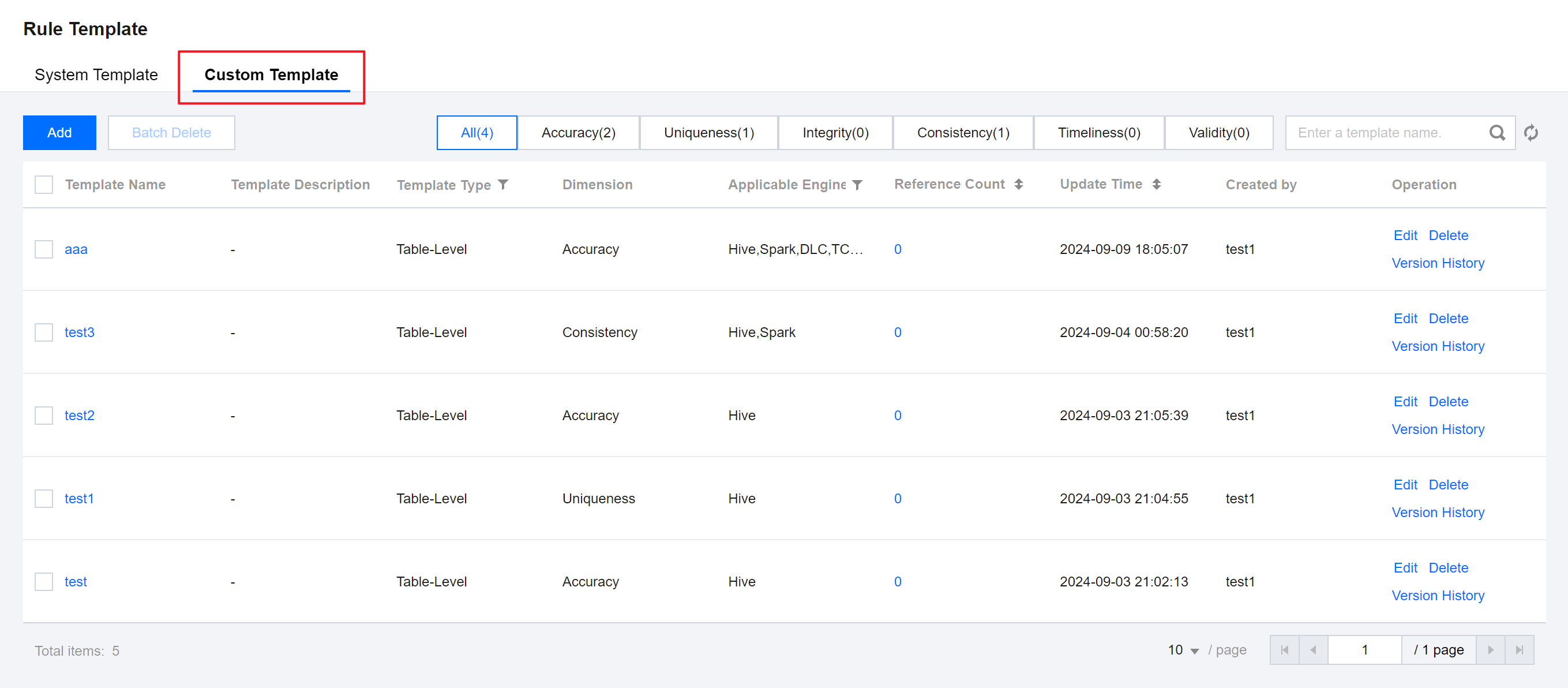
Custom Template List
Information
Details
Template Name
Six dimensions: Accuracy, Uniqueness, Integrity, Consistency, Timeliness, Validity
Template Description
Description information for this custom template
Template Type
Applicable objects for this rule templates: Table, Field
Dimension
Check Dimensions of Custom Definition Rules. Six dimensions: Accuracy, Uniqueness, Integrity, Consistency, Timeliness, Validity
Applicable Engine
Applicable engines for this rule template
Reference Count
Number of times the rule template is referenced by detection tasks
Update Time
Last update time of the rule template
Created by
Creator of the rule template
Operation
Editing
Edit rule template, available for editing the same configuration items as creating the template
Delete
Delete a single or multiple custom rule templates
Version Record
View the historical version update record of the rule template, comparison feature supported