DLC SQL
Baixar
Modo Foco
Tamanho da Fonte
Note:
Need to bind the DLC engine. Currently supports Spark SQL, Spark job, and Presto engines. For engine kernel details, see DLC Engine Kernel Version.
1. Currently, users need corresponding DLC computational resources and table privileges.
2. The corresponding database tables are already in DLC.
Feature Description
Submit a DLC SQL task execution to the WeData workflow scheduling platform. When selecting the DLC data source type, it provides "advanced setting" and supports configuration of Presto and SparkSQL parameters.
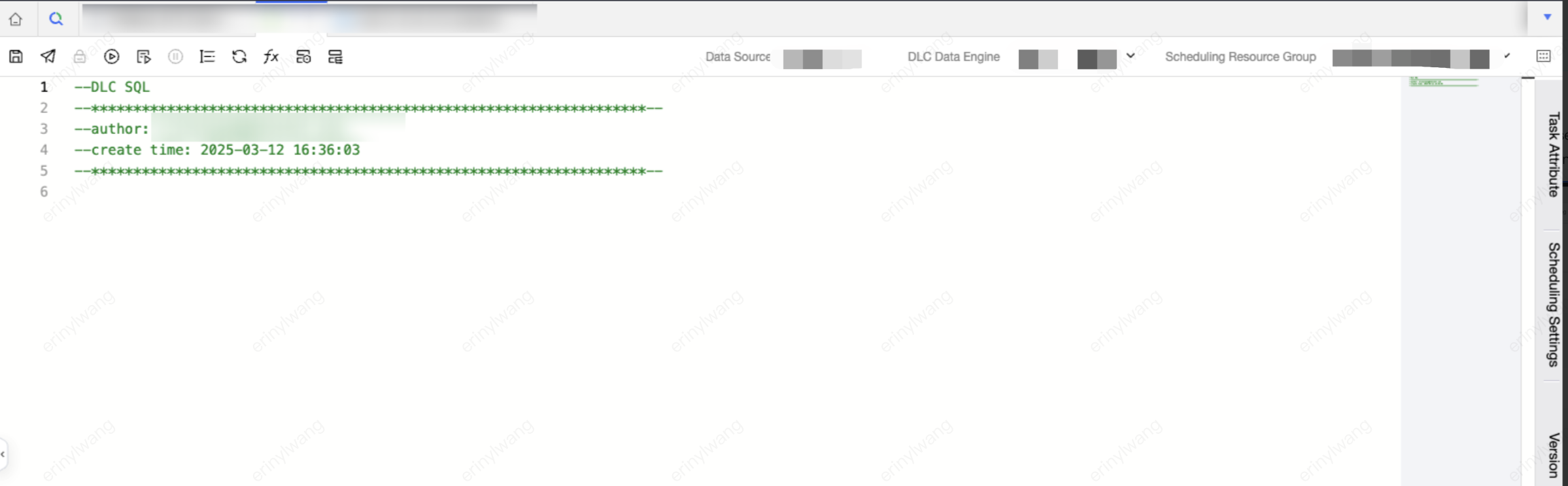
When using the Spark job engine, you can configure job resource specifications and parameters. Resource configuration must not exceed the limits of the computational resources themselves.
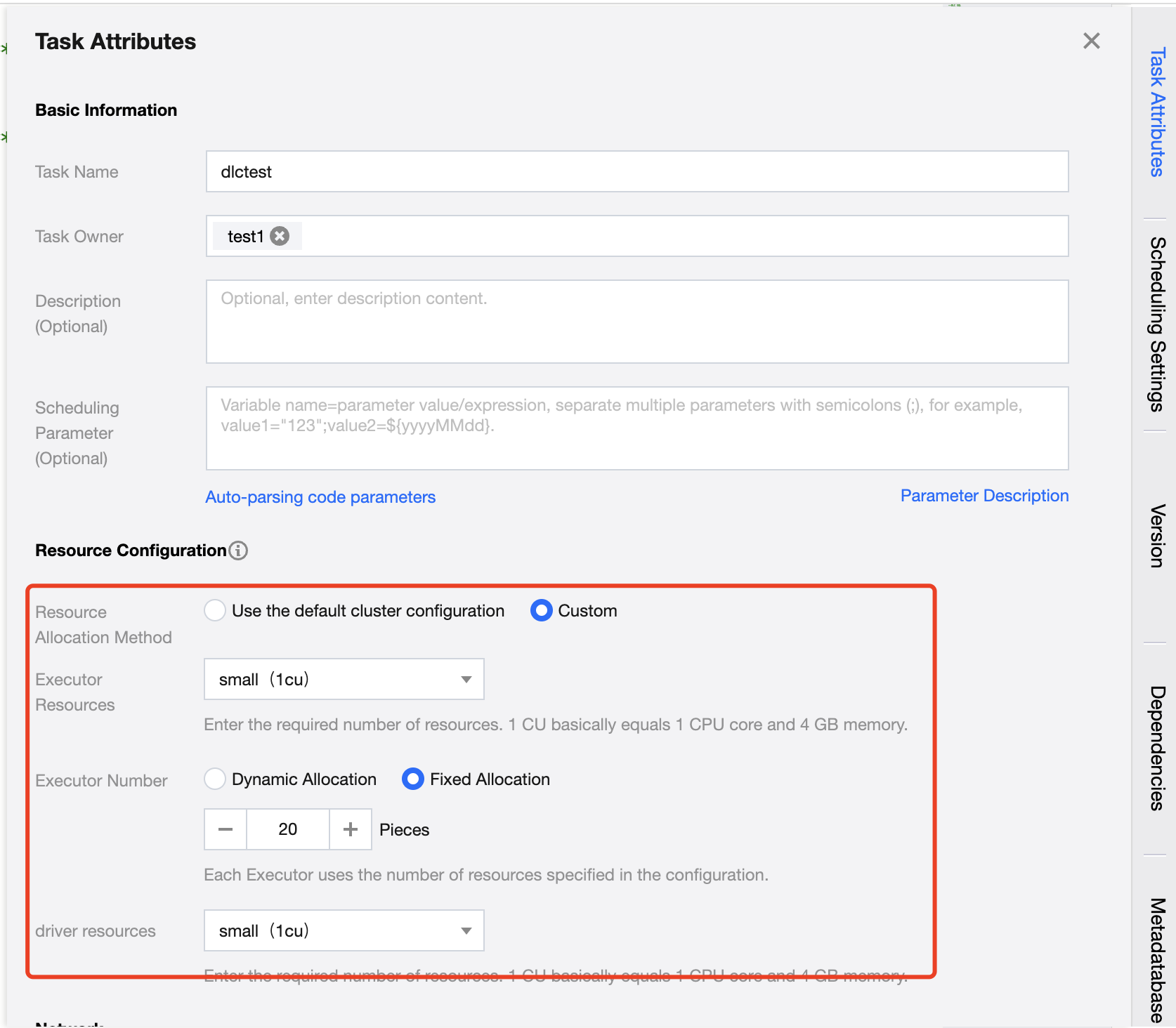
Configuration Description:
Configuration Item | Description |
Resource Configuration Method | Divided into two methods: cluster default configuration and custom configuration 1. Use cluster default configuration Use the current task computational resource cluster configuration 2. Customize User customizes Executor and Driver configurations. |
Executor resource | Enter the required resource count. 1 cu is roughly equivalent to 1 core CPU and 4 GB memory. 1. Small: A single calculation unit (1 cu) 2. Medium: Two calculation units (2 cu) 3. Large: Four calculation units (4 cu) 4. Xlarge: Eight calculation units (8 cu) |
Number of Executors | An Executor is a compute node or compute instance responsible for executing tasks and handling computing work. The resources used by each Executor are the configured number of resources. |
Driver resources | Enter the required number of Driver resources. 1 cu is roughly equivalent to 1 core CPU and 4 GB memory. 1. Small: A single calculation unit (1 cu) 2. Medium: Two calculation units (2 cu) 3. Large: Four calculation units (4 cu). 4. Xlarge: Eight calculation units (8 cu). |
Sample Code
-- Create a user information tablecreate table if not exists wedata_demo_db.user_info (user_id string COMMENT 'User ID'user_name string COMMENT 'username'user_age int COMMENT 'age'city string COMMENT 'City') COMMENT 'User information table';-- Insert data into the user information tableinsert into wedata_demo_db.user_info values ('001', 'Zhang San', 28, 'beijing');insert into wedata_demo_db.user_info values ('002', 'Li Si', 35, 'shanghai');insert into wedata_demo_db.user_info values ('003', 'Wang Wu', 22, 'shenzhen');insert into wedata_demo_db.user_info values ('004', 'Zhao Liu', 45, 'guangzhou');insert into wedata_demo_db.user_info values ('005', 'Xiao Ming', 20, 'beijing');insert into wedata_demo_db.user_info values ('006', 'Xiao Hong', 30, 'shanghai');insert into wedata_demo_db.user_info values ('007', 'Xiao Gang', 25, 'shenzhen');insert into wedata_demo_db.user_info values ('008', 'Xiao Li', 40, 'guangzhou');insert into wedata_demo_db.user_info values ('009', 'Xiao Zhang', 23, 'beijing');insert into wedata_demo_db.user_info values ('010', 'Xiao Wang', 50, 'shanghai');select * from wedata_demo_db.user_info;
Note:
When using an Iceberg external table, SQL syntax differs from that of a native Iceberg table. For details, see DLC Iceberg External Table and Native Table Statement Differences.
Presto Engine Example Code
Applicable table types: native Iceberg tables, external Iceberg tables.
CREATE TABLE `cpt_demo`.`dempts` (id bigint COMMENT 'id number',num int,eno float,dno double,cno decimal(9,3),flag boolean,data string,ts_year timestamp,date_month date,bno binary,point struct<x: double, y: double>,points array<struct<x: double, y: double>>,pointmaps map<struct<x: int>, struct<a: int>>)COMMENT 'table documentation'PARTITIONED BY (bucket(16, id), years(ts_year), months(date_month), identity(bno), bucket(3, num), truncate(10, data));
SparkSQL Engine Example Code
Applicable table types: native Iceberg tables, external Iceberg tables.
CREATE TABLE `cpt_demo`.`dempts` (id bigint COMMENT 'id number',num int,eno float,dno double,cno decimal(9,3),flag boolean,data string,ts_year timestamp,date_month date,bno binary,point struct<x: double, y: double>,points array<struct<x: double, y: double>>,pointmaps map<struct<x: int>, struct<a: int>>)COMMENT 'table documentation'PARTITIONED BY (bucket(16, id), years(ts_year), months(date_month), identity(bno), bucket(3, num), truncate(10, data));
SparkSQL Job Engine Example Code
Applicable table types: native Iceberg tables, external Iceberg tables.
CREATE TABLE `cpt_demo`.`dempts` (id bigint COMMENT 'id number',num int,eno float,dno double,cno decimal(9,3),flag boolean,data string,ts_year timestamp,date_month date,bno binary,point struct<x: double, y: double>,points array<struct<x: double, y: double>>,pointmaps map<struct<x: int>, struct<a: int>>)COMMENT 'table documentation'PARTITIONED BY (id, ts_year, date_month);
Notes:
Execution Result and View Details
Operation completed. View runtime results and logs below.
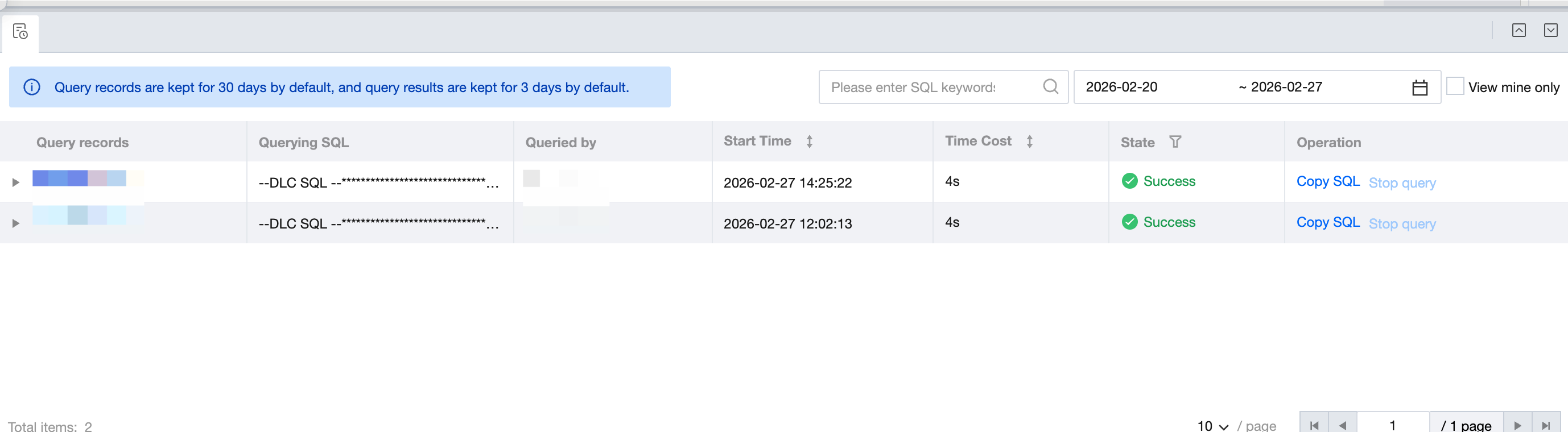
For DLC SQL, DLC Spark, and DLC PySpark tasks, support clicking to jump to DLC or Spark at the top of logs to view more logs and execution results.
Product portal:
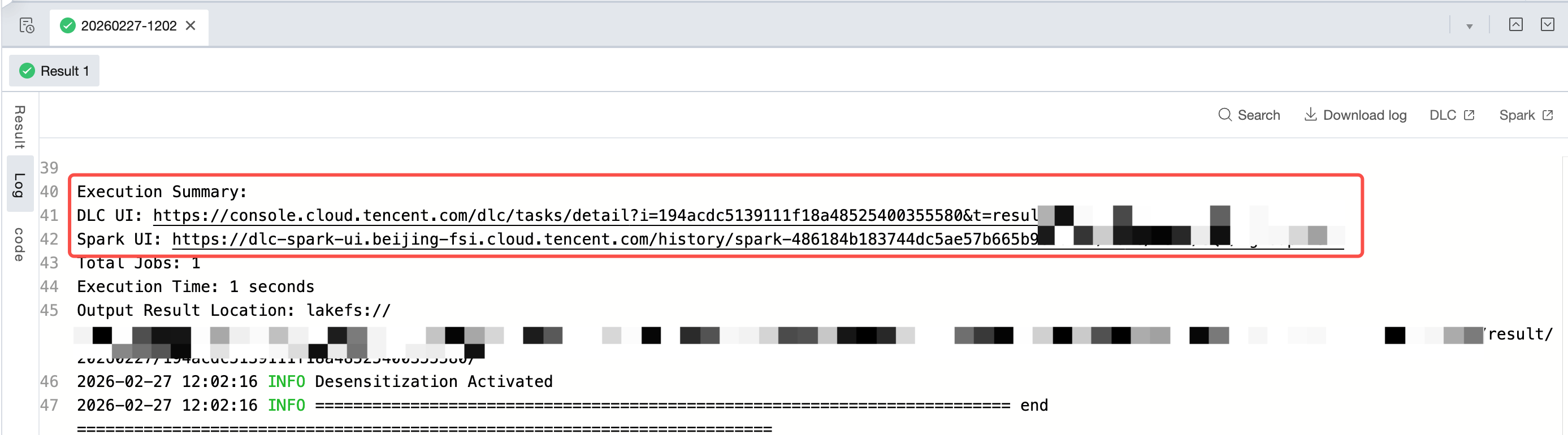
Click this run > corresponding SQL result > log > DLC: navigate to the DLC console view for more running logs, detailed information, and insights.
Click this run > corresponding SQL result > log > Spark: navigate to the corresponding execution page for more running logs and details.
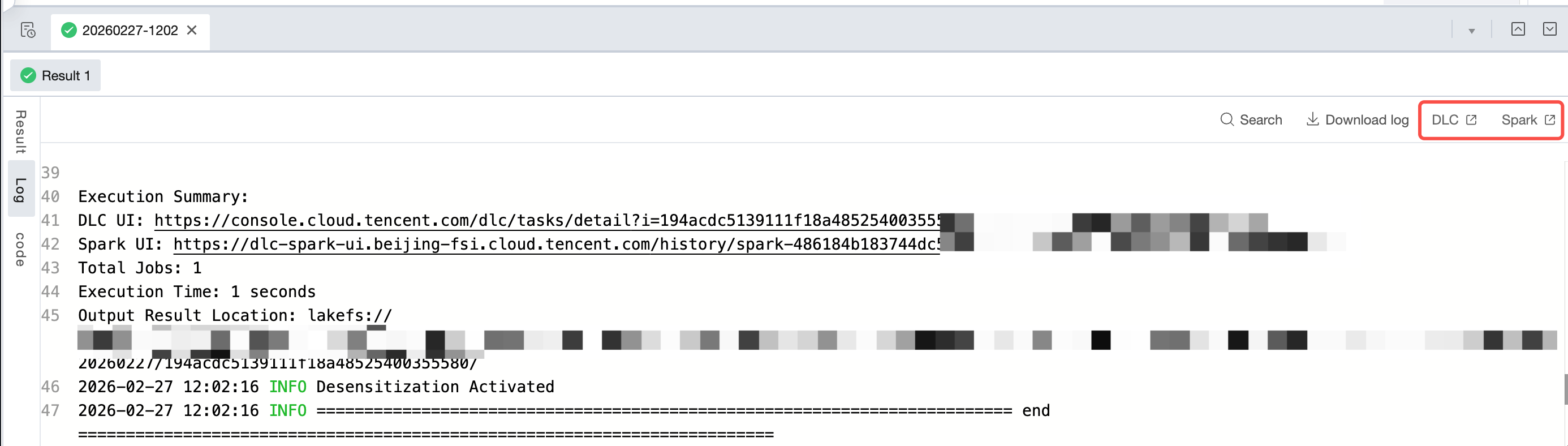
Log entry:
Search for Execution Summary in logs to locate the execution summary of this run. It shows the DLC UI and Spark UI of this run. Press and hold the command key on the keyboard and click the UI in logs to navigate to the corresponding page for more detailed log information.
Ajuda e Suporte
Esta página foi útil?
Você também pode entrar em contato com a Equipe de vendas ou Enviar um tíquete em caso de ajuda.
comentários