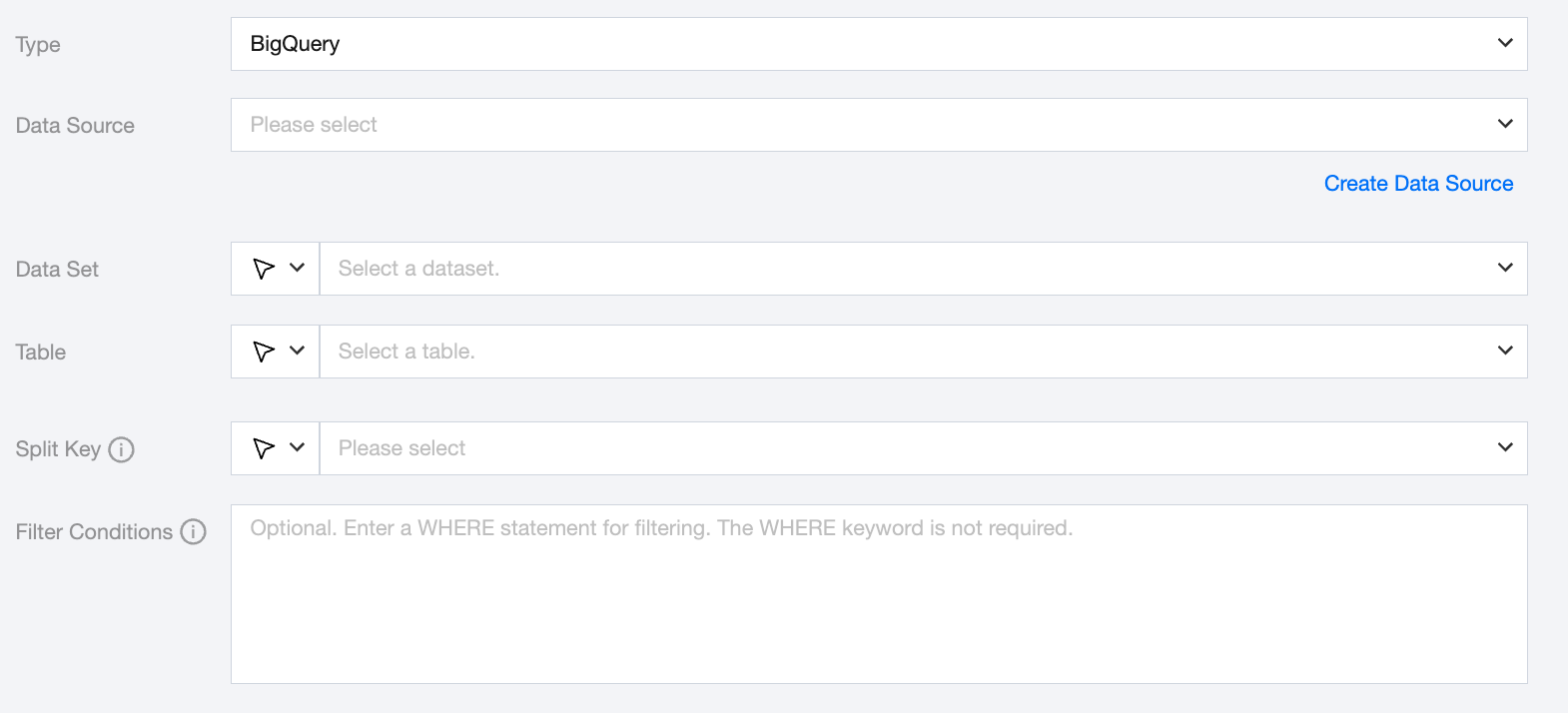
BigQuery data source is only supported in Hong Kong (China), Singapore, usa (Virginia), and germany (Frankfurt). Other regions are not supported yet.
The split key only supports INT64, FLOAT64, TIMESTAMP, BIGNUMERIC, NUMERIC, DATE, and DATETIME.
BigQuery offline single table read node configuration
Parameters
Description
Data Source
Select the configured BigQuery data source from the source end.
Dataset
Support selecting or manually entering the dataset name to be read.
The database bound to the data source is set as the default library by default, other databases require manual input of the dataset name.
When the data source network is not connected, causing database information to be unavailable for direct fetching, you can manually enter the dataset name. Data synchronization can still be performed given network connection in DataInLong.
Table
Supports selecting or manually entering the table name to be read.
If the data source network is not connected and table information cannot be fetched directly, you can manually enter the table name. Data synchronization can still be performed when the Data Integration network is connected.
Split Key
Specify the field for data sharding. After specifying, concurrent tasks will be launched for data synchronization. You can use a column in the source data table as the partition key. It is recommended to use the primary key or indexed column as the partition key.
If you configure offline tasks using script mode, you need to write the reader parameters in the task script according to the unified script format requirements.