Common issues on integration
The minimum requirements for integrating the SDK
The mini program SDK supports iOS 9 and above. Systems below iOS 9 are not supported.
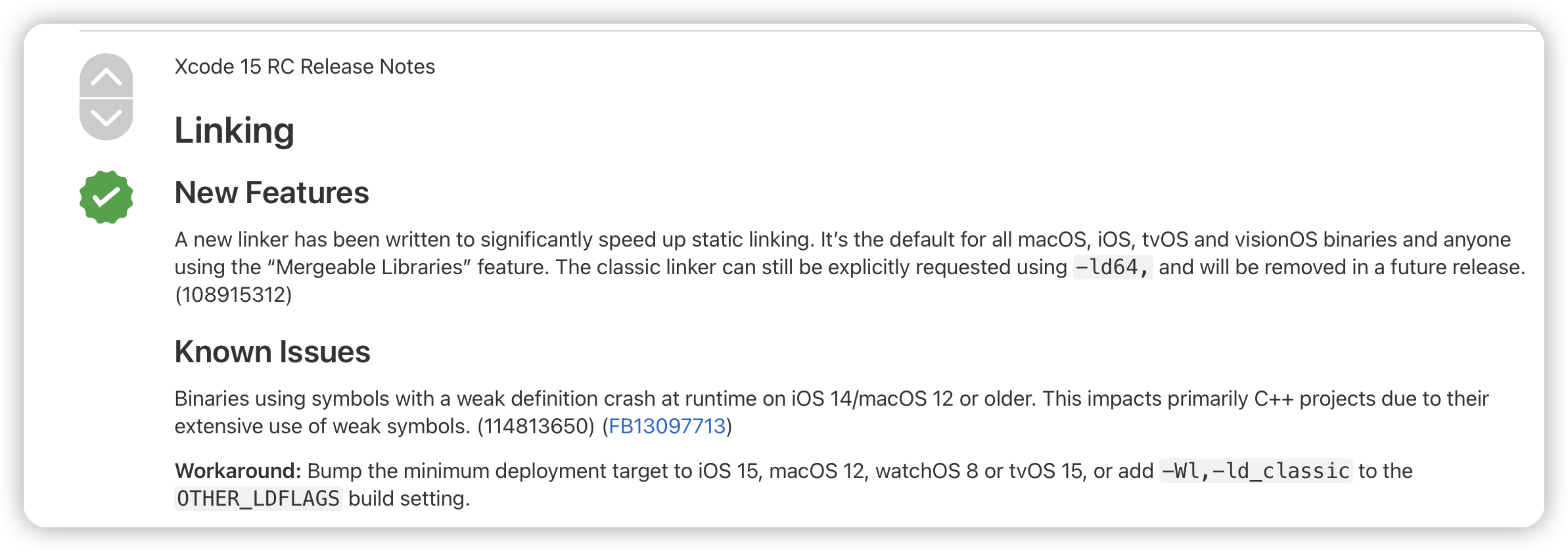
Crash issues on iOS 12 and earlier devices after compiling with Xcode 15 and later versions
Add -Wl, -ld_classic to the project compilation options.
Installation package size increases after integrating the SDK
The SDK adopts an approach with core library and extension libraries, allowing users to integrate the SDK based on their needs. When only the core library is integrated, the installation package size increases by approximately 4 MB.
Common issues on usage
Mini program fails to start
There may be several reasons for this:
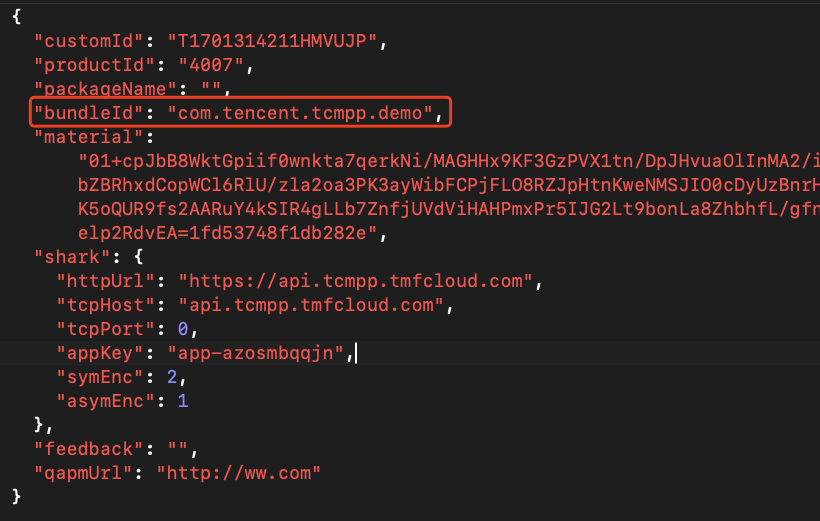
Incorrect configuration file path: If the configuration file is in a subdirectory, you need to include the directory path, for example: server/tcsas-ios-configurations.json.
Modification of configuration file: You cannot modify the contents of the mini program configuration file; otherwise, the mini program will not function properly.
Mismatch in bundleId: The bundleId in the configuration file must match the superapp's bundleId. Otherwise, the superapp will fail to run, as the bundleId is validated during initialization.
Is it possible to completely hide the navigation bar on a mini program page? If so, how can it be achieved?
Yes.
Mini programs on platforms such as WeChat, Alipay, and Baidu offer two values for navigationStyle: default and custom. The mini program SDK expands on this by adding an additional value, hide, resulting in three values: default, custom, and hide.
To hide the navigation bar on a specific page, simply set navigationStyle to hide.
How to set the conditions for canary release?
Superapp developers can set the conditions through methods provided by the SDK.
GUID
The GUID is a unique device ID provided by the SDK. It is generated after the superapp is installed and remains unchanged while the superapp exists. If the superapp is deleted and reinstalled, a new GUID will be generated. Use the following method to obtain the GUID in the superapp:
NSString *guid = [[TMFMiniAppSDKManager sharedInstance] getGuid]
Customize device ID
The SDK provides an API that allows the superapp to set the current device ID for matching canary release conditions in the console. The custom device ID is set in the superapp during the initialization of the SDK. Sample code:
TMAServerConfig *config = [[TMAServerConfig alloc] initWithFile:filePath];
config.customizedUDID = @"customizedUDID_xxxxxxxx";
[[TMFMiniAppSDKManager sharedInstance] setConfiguration:config];
Set user ID
The SDK provides an API that allows the superapp to set the currently logged-in user ID for matching canary release conditions in the console.
- (void)updateCustomizedUserID:(nullable NSString *)customizedUserID;
[[TMFMiniAppSDKManager sharedInstance] updateCustomizedUserID:@"abc123"];
Is it possible to report data to third-party services?
Does the mini program support data isolation for different logged-in users?
Yes.
The SDK supports isolated storage of mini program data based on different logged-in users, ensuring data protection and preventing business logic confusion. Developers need to implement the return of the AppUID in the proxy, and the SDK will perform data storage based on the AppUID.
- (NSString *_Nonnull)getAppUID;
How can parameters be passed when opening a mini program?
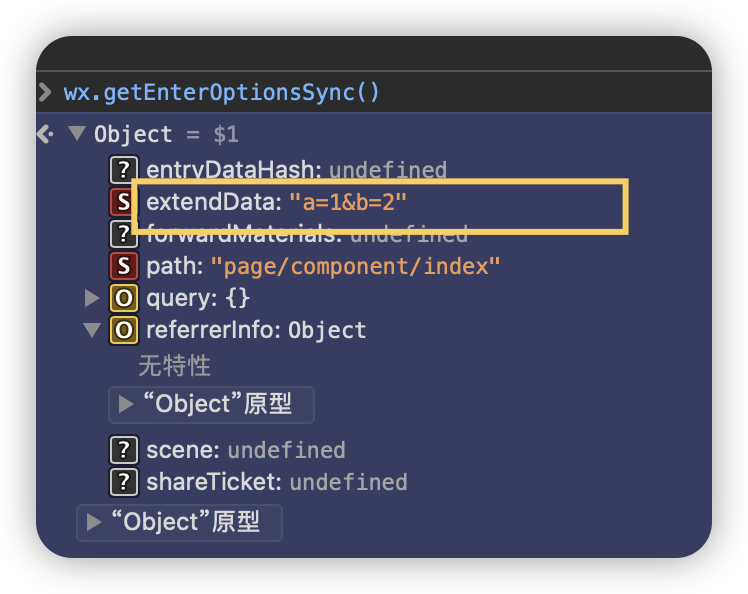
Parameters can be passed by specifying the paramsStr parameter when opening the mini program:
    [[TMFMiniAppSDKManager sharedInstance] startUpMiniAppWithAppID:@"mpbz0uqwzddj5zbt" scene:TMAEntrySceneNone firstPage:nil paramsStr:@"a=1&b=2" parentVC:self completion:^(NSError * _Nullable err) {
    }];
The parameters passed during opening the mini program can be retrieved in the extendData field of wx.getEnterOptionsSync:
Common issues on debugging
How to debug a mini program?
After integrating the mini program SDK, once the mini program is running in Xcode (superapps packaged with the develop profile can also be viewed in Safari on the computer), you can open Safari on your computer, navigate to the Develop option in the toolbar, and select the running simulator or real device. From there, you can choose the list of pages opened by the mini program. Select the currently open page to review elements, and view network calls and some logs.
Due to system restrictions, the inspectable must be enabled in iOS 16.4 and later versions to support development mode in Safari. This can be achieved by implementing the relevant API in the proxy class and returning YES.
- (BOOL)inspectableEnabled;
How to enable the vConsole?
In the development and preview versions of the mini program, you can enable the vConsole via the capsule button to view vConsole information. In the released version of the mini program, you must call wx.setEnableDebug in the mini program to enable the vConsole.
How to troubleshoot when the mini program fails to open?
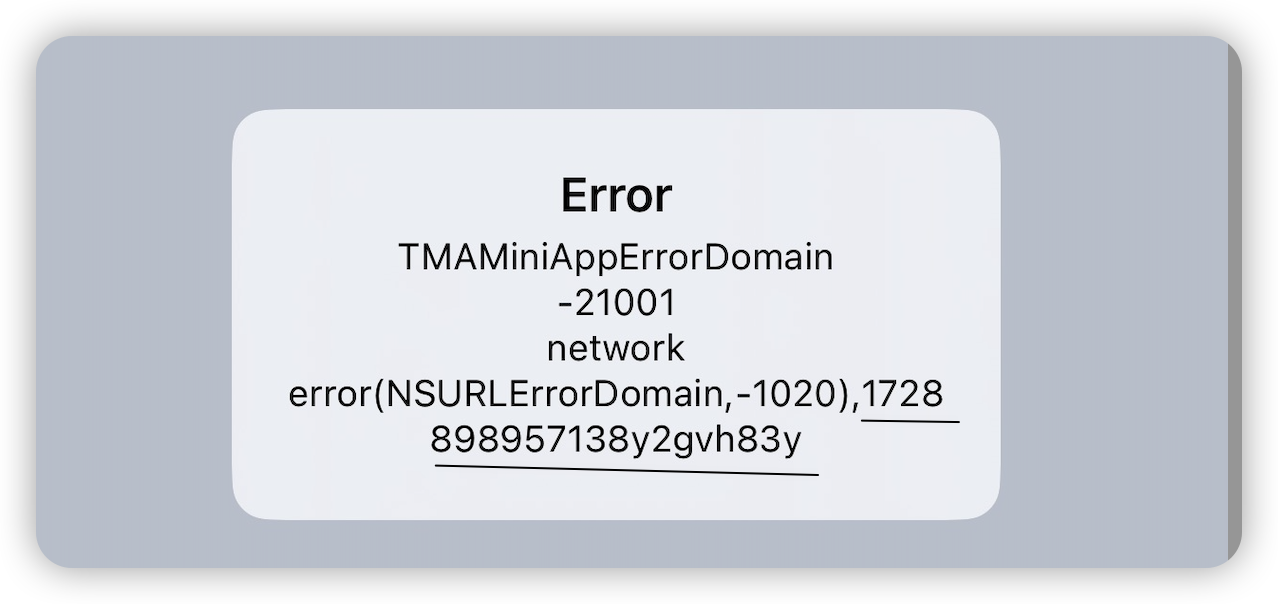
When opening the mini program, the error code and error description can be retrieved from the mini program callback API. The error description includes the traceId of the current request. Save the error description to facilitate troubleshooting.
Compatibility between SDK and base library versions
Both the SDK and base library follow a forward-compatible design during version upgrades, meaning different versions are generally compatible with each other—only newly added features may not work properly. To minimize functional differences, when the SDK fetches the base library from the backend, it by default only matches base library versions with the same first two version numbers.For example, an SDK version 2.2.x can only fetch base libraries in the 2.2.x series; an SDK version 2.3.x can only fetch 2.3.x series base libraries. Therefore, for on-premise deployment customers, if the SDK is upgraded across major versions (e.g., from 2.2.x to 2.3.x), the base library must also be upgraded accordingly in the backend (to the matching 2.3.x version). Otherwise, the SDK will fail to fetch the base library, causing the mini program to fail to start.