Perjanjian Pemrosesan dan Keamanan Data
Common Build Issues
Mode fokus
Ukuran font
When integrating the mini program SDK, you may encounter the following AAPT issue during project compilation:
AAPT: error: attribute android:requestLegacyExternalStorage not found.
Solution:
Add the following configuration under the
<application> tag in AndroidManifest.xml :<applicationandroid:theme="@style/AppTheme"tools:replace="android:icon"tools:remove="android:requestLegacyExternalStorage">/application>
If you see the following "Duplicate class android.support.v4" error during compilation:
Duplicate class android.support.v4.app.INotificationSideChannel found in modules core-1.3.1-runtime (androidx.core:core:1.3.1) and support-v4-21.0.3-runtime (com.android.support:support-v4:21.0.3)
Solution:
Add the following lines to your
gradle.properties file:android.useAndroidX=trueandroid.enableJetifier=true
If you encounter a version mismatch error like this during compilation:
Execution failed for task ':app:kaptGenerateStubsDebugKotlin'.> 'compileDebugJavaWithJavac' task (current target is 1.8) and 'kaptGenerateStubsDebugKotlin' task (current target is 17) jvm target compatibility should be set to the same Java version.Consider using JVM toolchain: https://kotl.in/gradle/jvm/toolchain
Solution:
Modify the JDK version in the compileOptions section of your build.gradle file to match:
android {compileOptions {sourceCompatibility JavaVersion.VERSION_17 // Match with kapt versiontargetCompatibility JavaVersion.VERSION_17 // Match with kapt version}}
If you see the following error related to ProxyService:
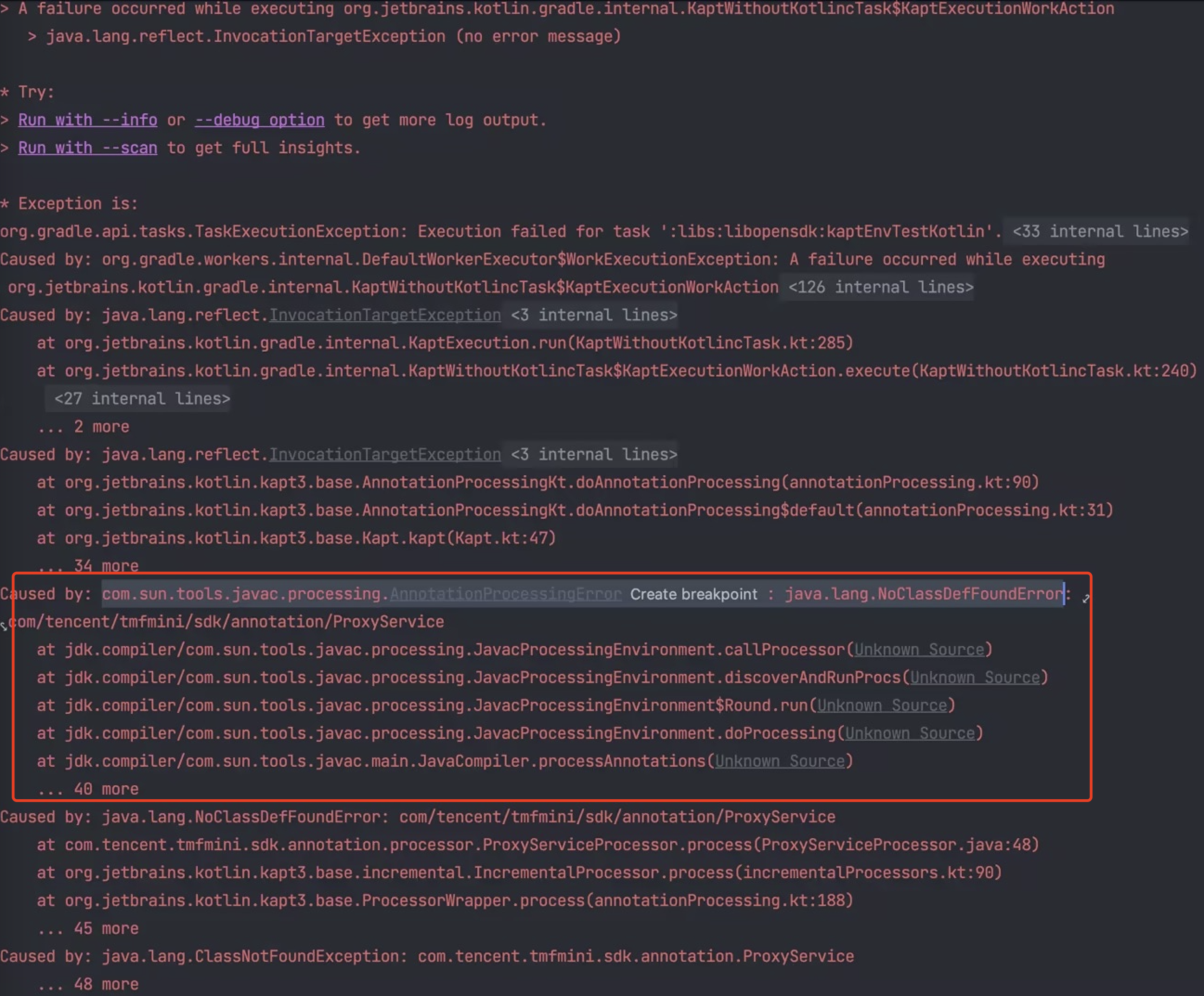
Solution:
Check if you have the following configuration in your project and remove it if it exists:
kapt.include.compile.classpath=false
Minimum Android version supported by mini program SDK
The minimum SDK version (minSdkVersion) supported is 21, which corresponds to Android 5.0.
Remove unnecessary language resources from the SDK
The SDK supports multiple languages by default, including English, French, Arabic, and Indonesian. To remove other language resources, you can specify the supported languages in the build.gradle file of your app module by adding resConfigs. This will ensure that only the languages you need are included, while others are excluded.
android {defaultConfig {// Specify the languages you want to support; other languages will be excludedresConfigs "en", "fr"}}
How to fix libc++_shared.so not meeting 16KB page alignment requirements
The TCSAS SDK has integrated libc++_shared.so with 16KB alignment, but the superapp may introduce a lower version of libc++_shared.so due to the use of a lower version of ndk or other third-party libraries, resulting in compilation warnings or runtime errors, the solution is as follows:
1. Upgrade NDK to version 24 and above.
2. The upgrade introduces the SDK for the lower version of libc++_shared.so.
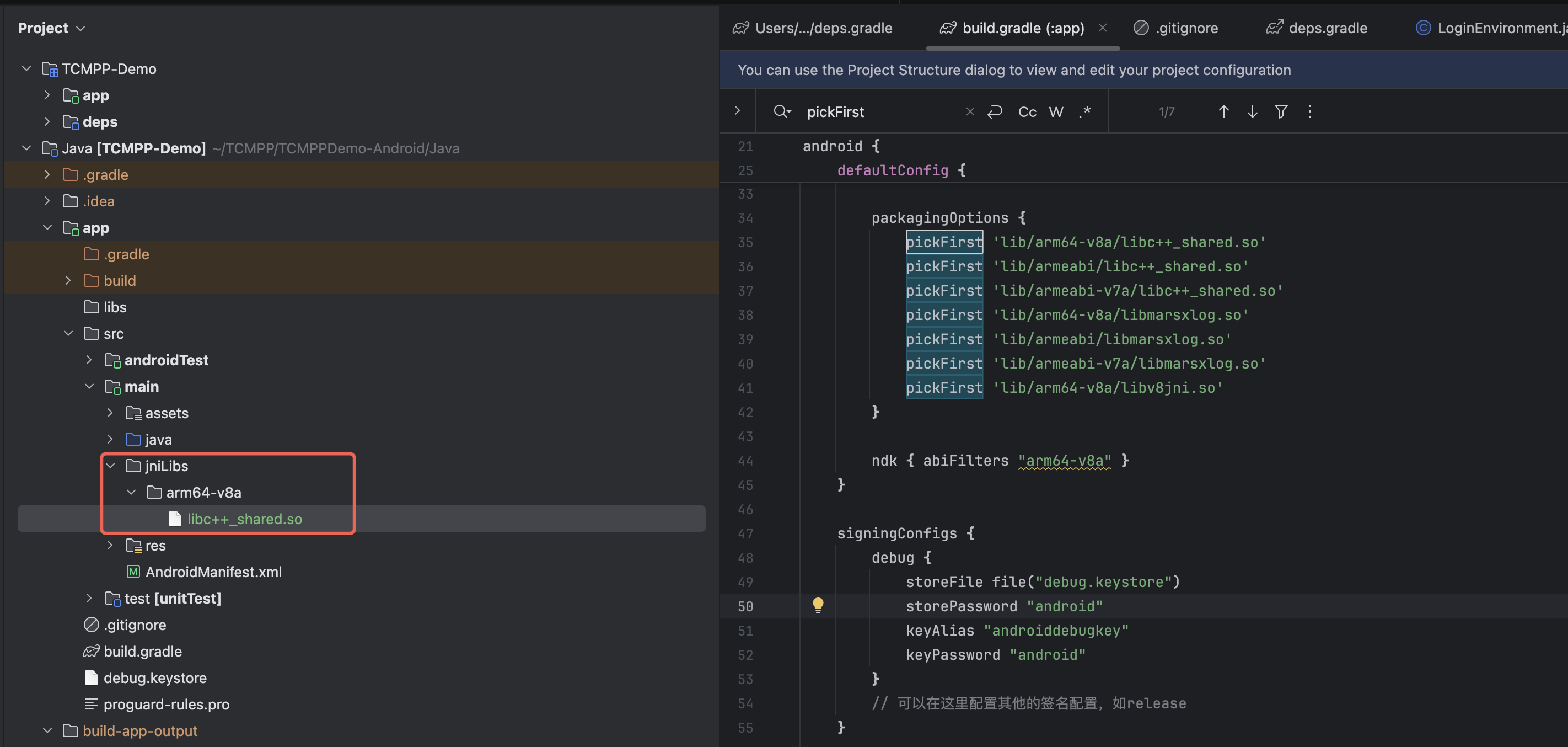
3. If the above two methods cannot solve the problem, you can also manually copy a copy of libc++_shared.so from ndk24r or later to the app module, and combine it with the packagingOptions.pickFirst rule in the build script to force the libc++_shared.so upgrade.
Bantuan dan Dukungan
Apakah halaman ini membantu?
Anda juga dapat Menghubungi Penjualan atau Mengirimkan Tiket untuk meminta bantuan.
masukan