This article introduces what specification modification is, how partners configure specification modification policies in the system, and how customers perform specification modifications for purchased products.
Applicable Scenarios
Customers need to perform upgrade or downgrade for the purchased product specifications within the validity period.
Example Note:
Software vendors offer two products: Basic Edition and Advanced Edition, where the Basic Edition only includes simple product features, and the Advanced Edition includes AI capabilities. When customers need to use AI capabilities, they can purchase the Advanced Edition to upgrade their current specification configuration to the Advanced Edition.
A customer service system can be purchased on-demand based on the number of agents required by the enterprise. For example, if an enterprise initially purchases 100 agents but finds the quantity insufficient during usage, it can modify the specification to 200 agents.
Note:
Specification modification is only supported on products that customers have purchased.
Specification modification will not change the usable lifecycle of the product, only adjusts the available specifications within the remaining period.
Specification modification will generate a modification order, but does not issue a new License, only adjusting the specification information of the original License.
Specification modification includes upgrade and downgrade. Upgrade: The payable fees will be calculated based on the old and new specifications payable fees; Downgrade: The refundable fees will be calculated based on the old and new specifications refundable fees.
When the product type is Marketplace, only upgrades are supported and downgrades are not allowed. For other product types, upgrades and downgrades are without restrictions.
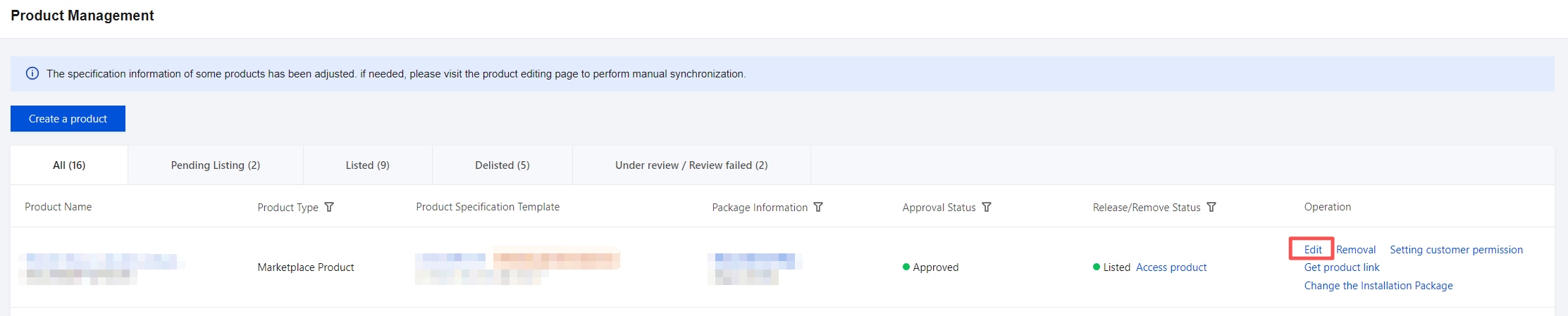
Partner Configured Product Specification Modification Scenarios
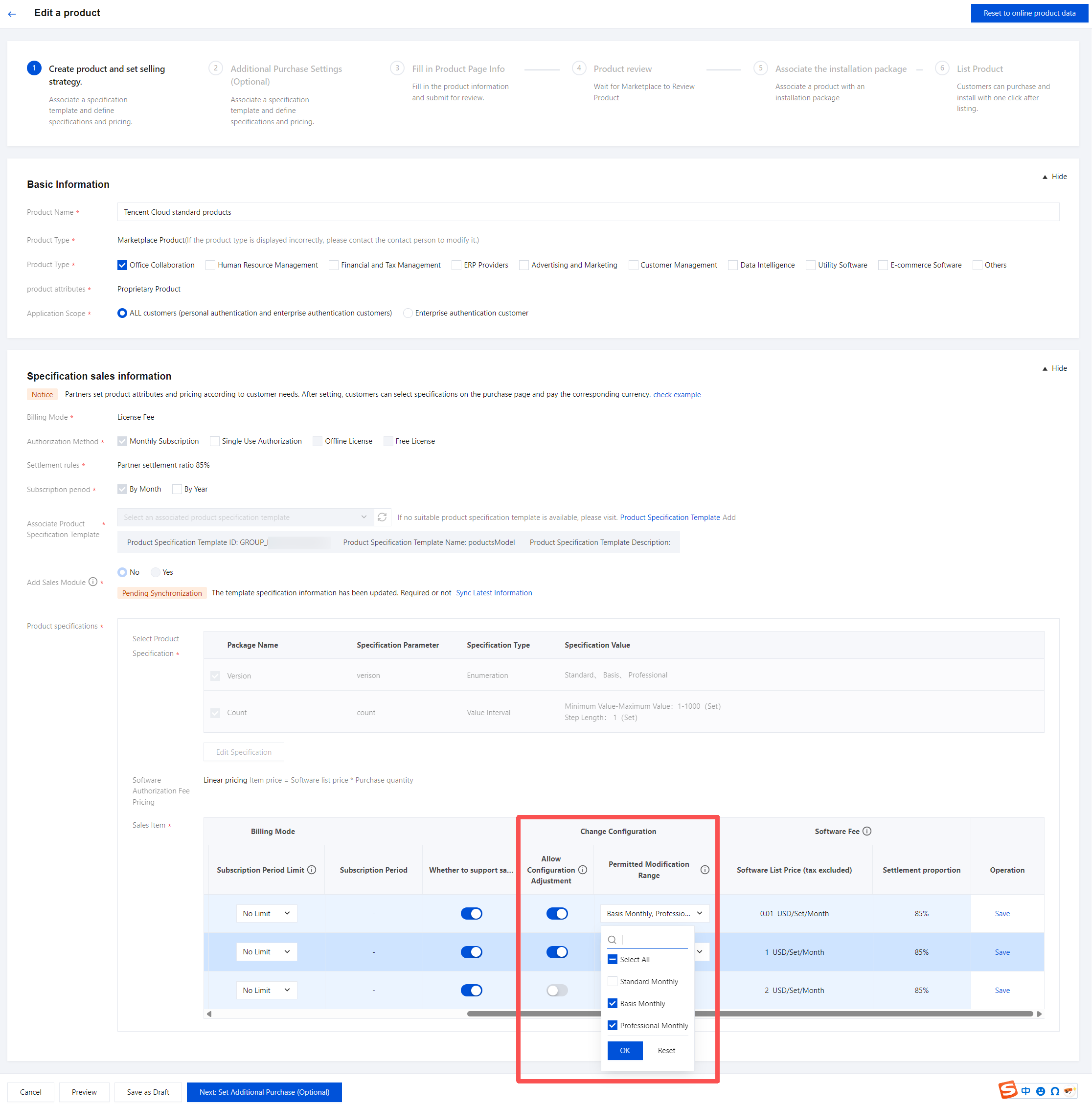
2. In the sale items, select the scope that allows specification modification. Multiple selections are supported. If no selection is made, it indicates that modification is not allowed for the specification.
Note:
For linear-priced products, modifiable specifications will be selected by default.
3. After saving, submit for review. The specification modification will take effect after Marketplace audit.
Partner Operations For Specification Modification (For Offline Billing Products)
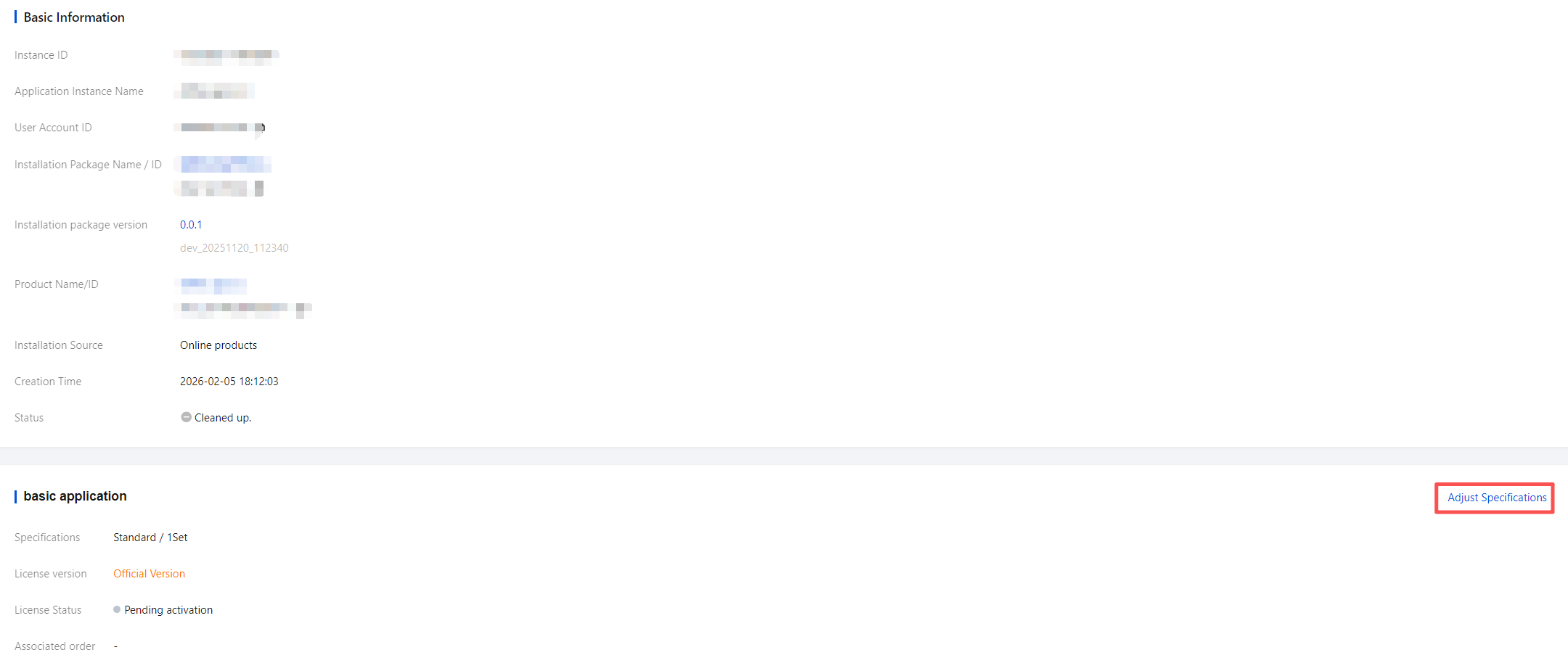
2. Click Adjust Specifications under Basic Application/Add-on.
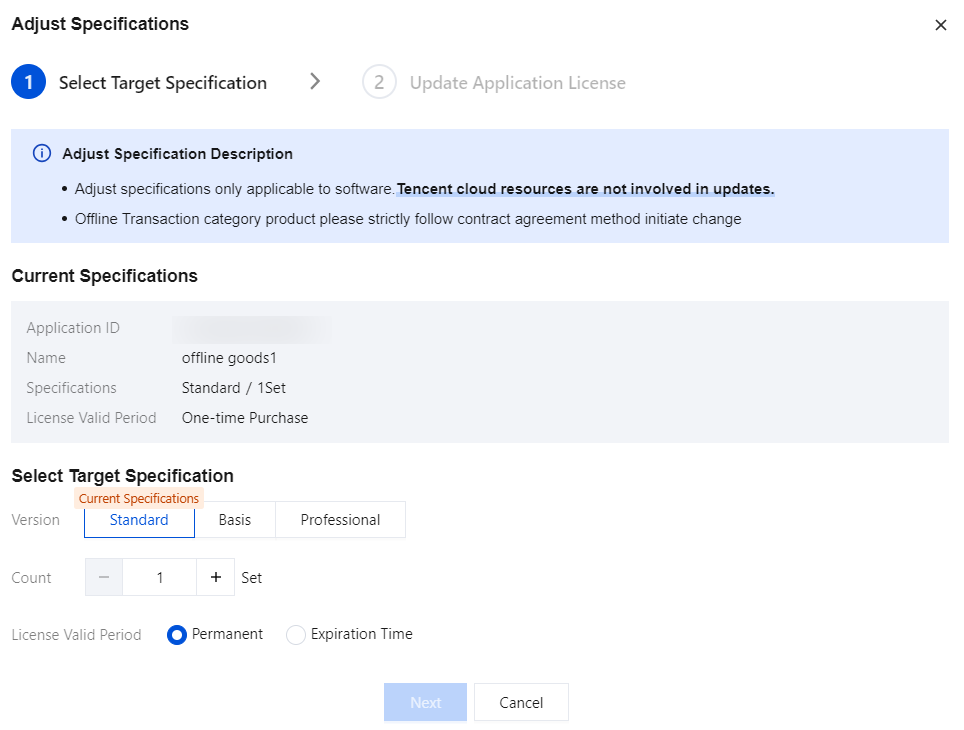
3. Supports modification of product specifications and License expiration time.
3.1 Select the target specification/License validity period.
The system will display the specifications you have currently selected, and you can choose the target specification that requires configuration change.
Offline billing products have a default permanent License validity period, which can be adjusted based on the contract terms.
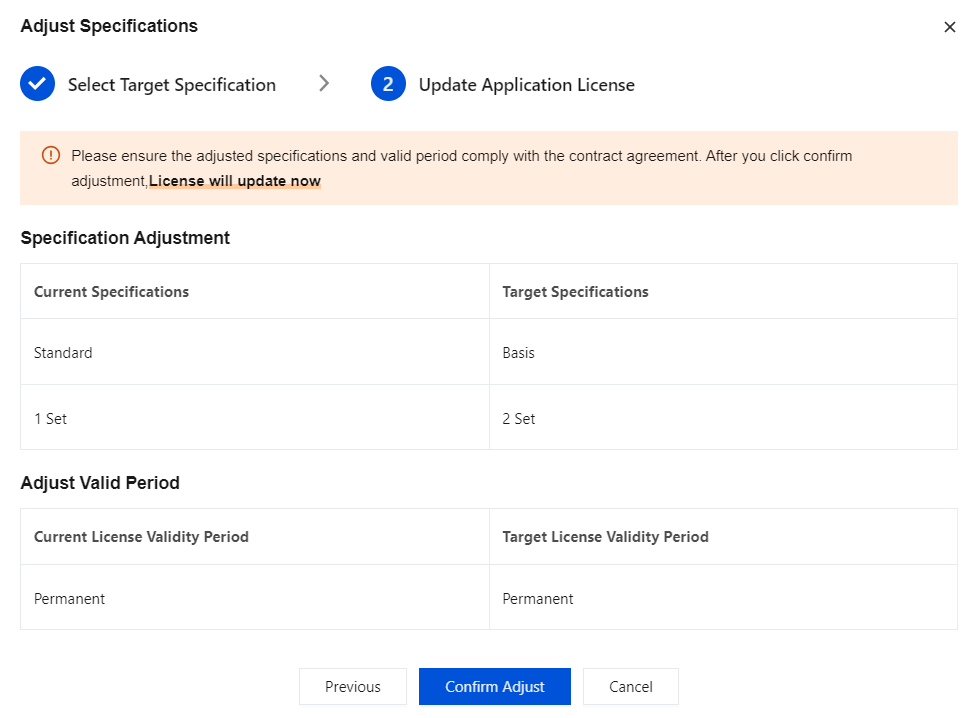
3.2 Update application License.
After confirming the target specifications, click Confirm Adjust, and the system will update the configuration in real time.
Partners can integrate with the License center to obtain the latest specification configurations of the software.