Speeding up Dropdown Filter Loading
When the dropdown filter list is sourced from a data table, the results need to be queried and aggregated from the table before being loaded into the filter. This process can lead to delays in loading or even cause failures, as shown in the figure below.
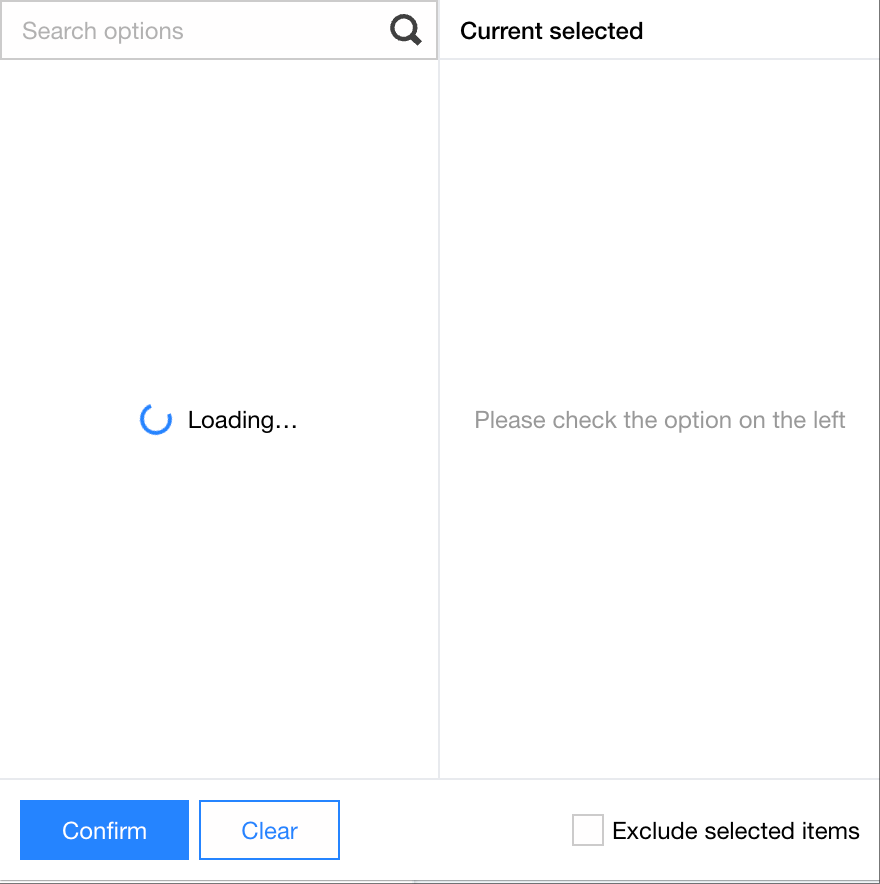
The following conditions may cause slow filter loading.
Excessive query data: For example, if the base table contains 1 million order records and you need to filter by province, the system will first need to query all 1 million records and then aggregate the records to extract information for over 30 provinces.
Excessive result data: For example, if the base table contains 1 million order records and you need to filter by salesperson, each database query might return 50,000 salesperson records, resulting in a long data transfer time to the BI service.
Therefore, the optimization approaches are based on the following aspects:
Reduce service queries: Avoid requesting the list unless necessary, suitable for fields with relatively fixed values, for example, selecting fields including month, province, and city.
Reduce database queries: Avoid querying the database unless necessary, suitable for fields with low real-time requirements. For example, selecting a department list does not require a fresh query each time.
Reduce data volume queries: Avoid querying detailed data unless necessary, suitable for fields with a large number of values but low real-time requirements. For example, selecting a vendor list does not require querying millions of data each time.
Select one or more approaches listed above to optimize performance according to the actual requirements.
Reducing Service Queries: Manually Entering Static Values
Applicable scenarios: The list contains a relatively small number of fixed values, for example, province selection.
Advantages and disadvantages:
Advantages: No need for queries. Data is loaded immediately when the chart loading is complete.
Disadvantages: Not dynamic. For example, new values require manual maintenance.
Operation Guide:
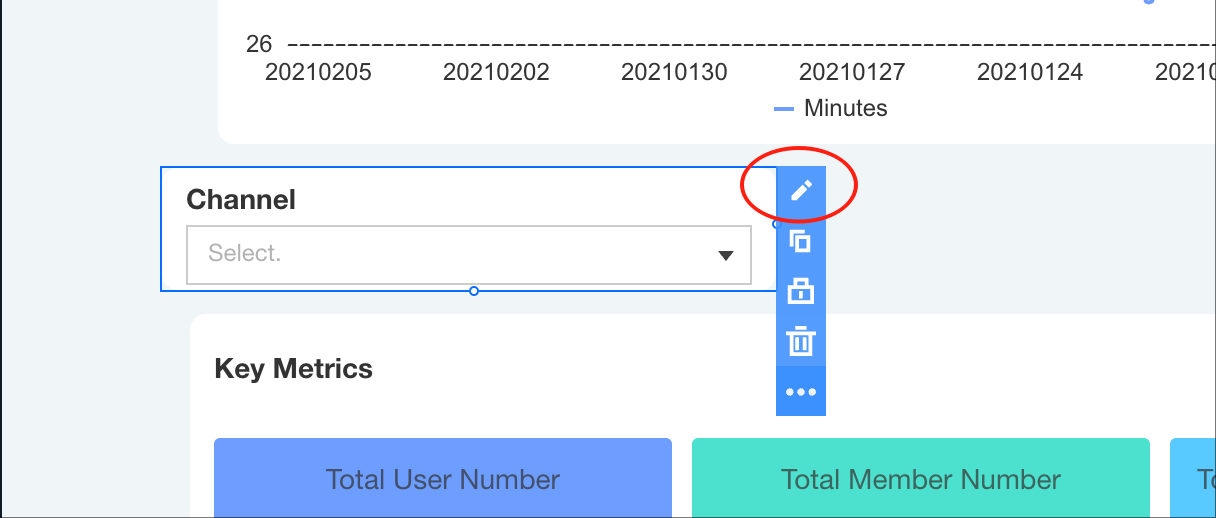
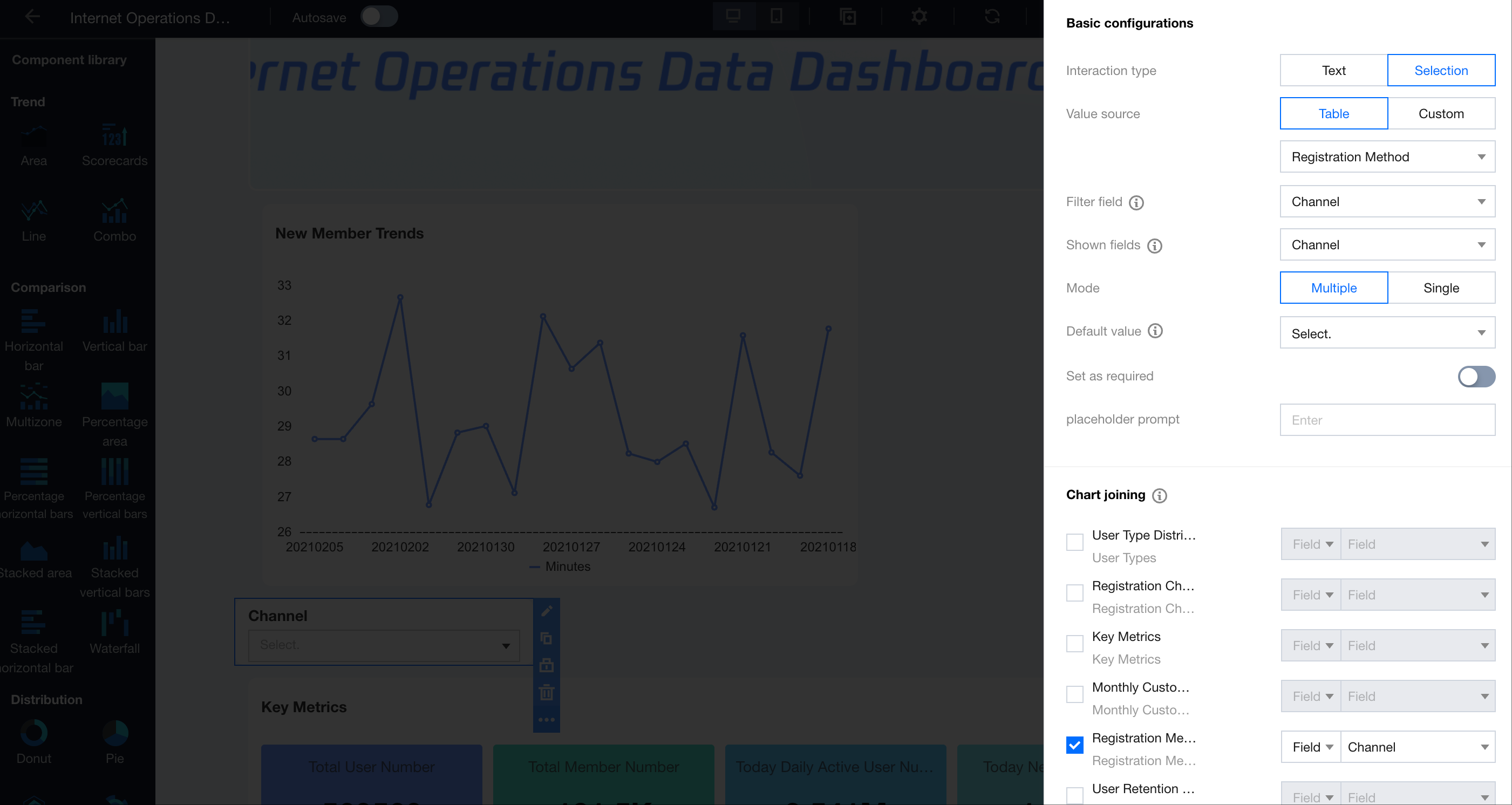
1. Go to the filter editor.
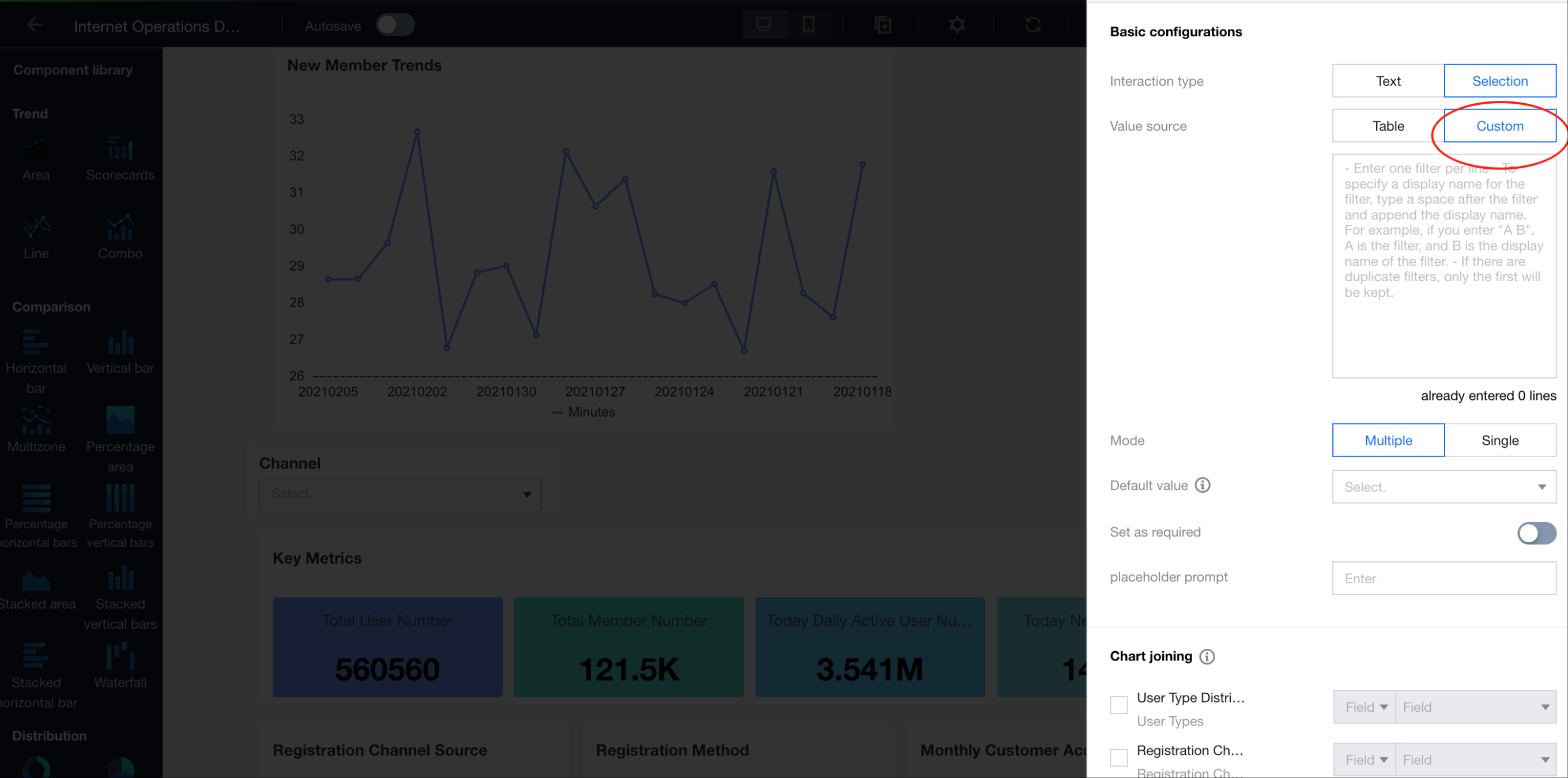
2. Set the data source to "Custom".
3. Set the dropdown option values.
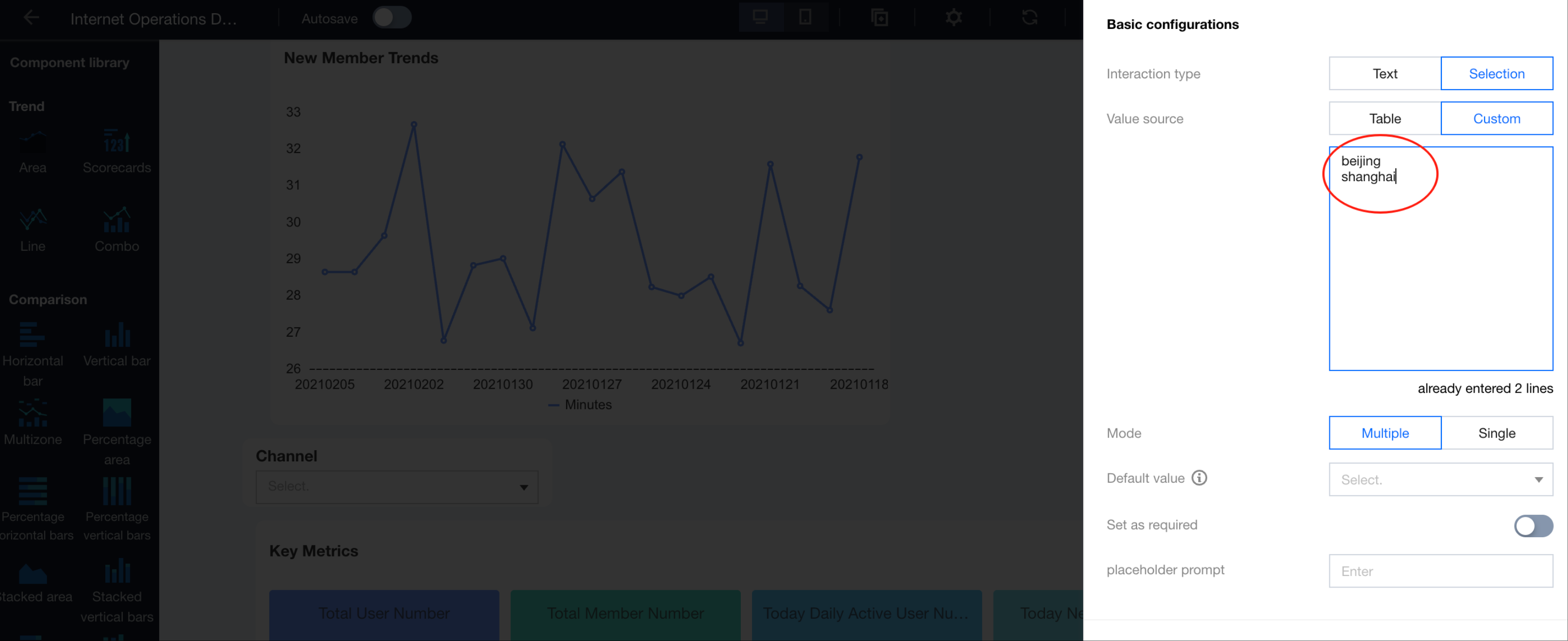
4. Save to apply.
Reducing Database Queries: Using Filter Cache
Applicable scenarios: The list values do not require real-time data and can be updated periodically, for example, vendor selection.
Advantages and disadvantages:
Advantages: Faster than querying directly for the same query conditions.
Disadvantages: Initial loading may still be slow. Changes in query conditions may require cache rebuilding, which can also be slow.
Operation Guide:
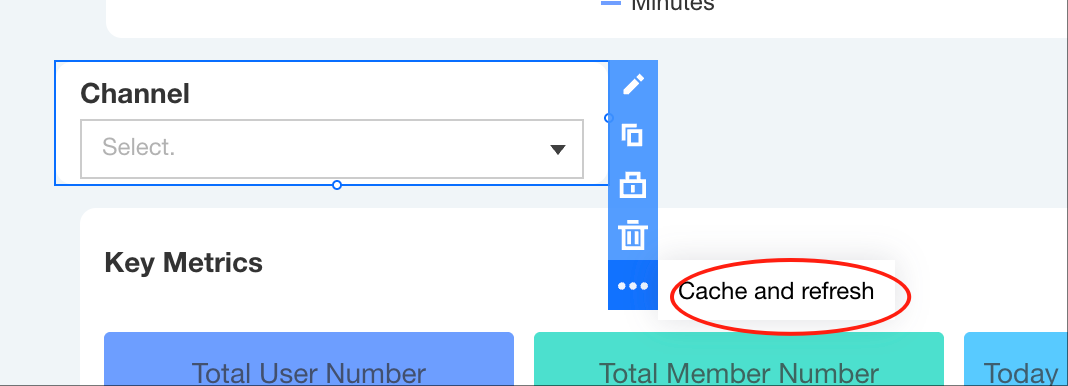
1. Go to the filter editor, and select "Cache and Refresh" in the menubar.
2. Enable caching and set the cache refresh frequency to daily at 08:00 (no need to trigger queries before 8 AM the next day).
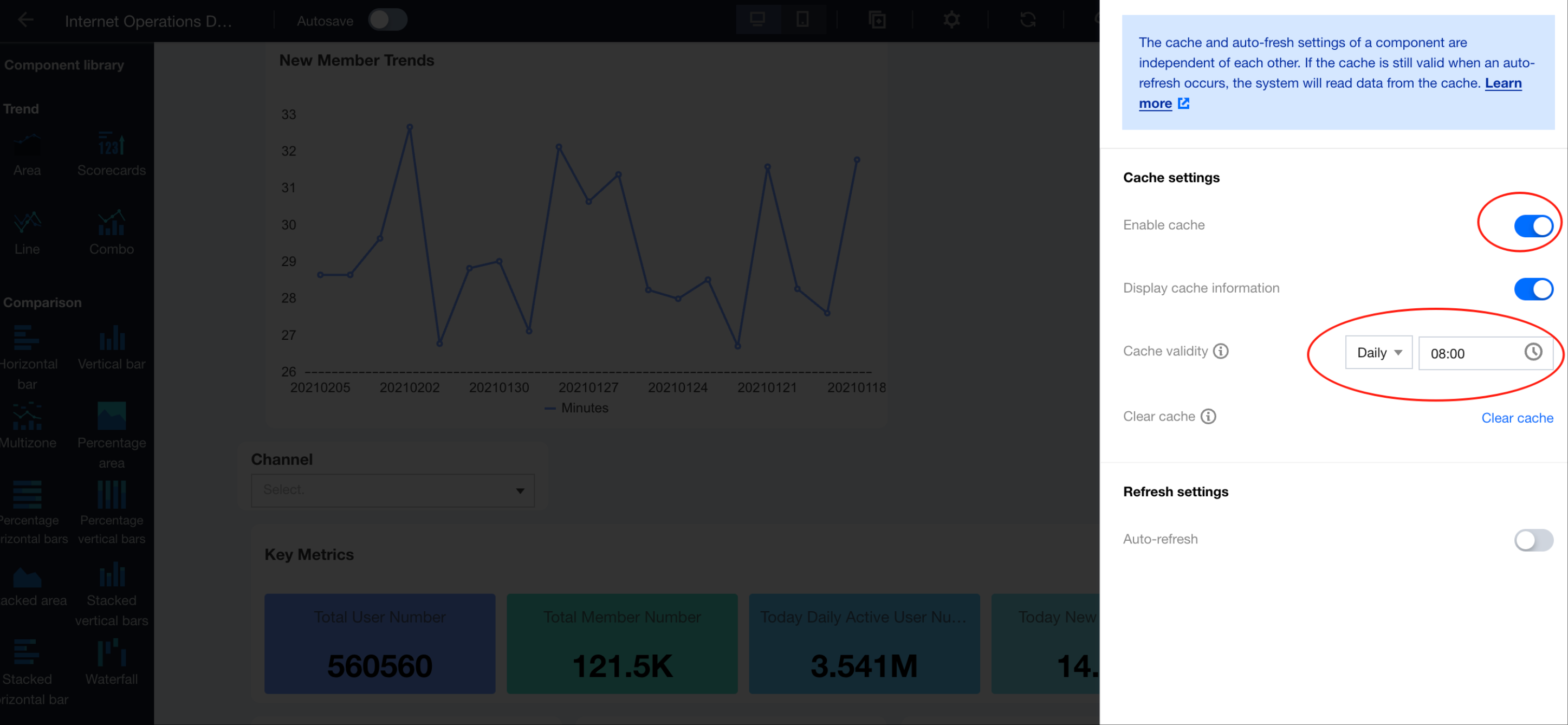
3. Save to apply.
Reducing Data Volume Queries: Maintaining Dimension Tables Regularly
Applicable scenarios: List values do not require real-time data and can be updated periodically, for example, product selection.
Advantages and disadvantages:
Advantages: Reduce the database load and decrease the query time for detailed data.
Disadvantages: Require data engineers to operate.
Operation Guide:
1. Create an entity table in the database. The following example code generates a MySQL table:
-- Create a product dimension table.CREATE TABLE dim_list (id INT AUTO_INCREMENT PRIMARY KEY,product_name VARCHAR(255) NOT NULL COMMENT 'Product Name',create_time TIMESTAMP DEFAULT CURRENT_TIMESTAMP COMMENT 'Creation Time',update_time TIMESTAMP DEFAULT CURRENT_TIMESTAMP ON UPDATE CURRENT_TIMESTAMP COMMENT 'Update Time',UNIQUE KEY (product_name) -- Ensure product name uniqueness.) ENGINE=InnoDB DEFAULT CHARSET=utf8mb4 COMMENT='Product Dimension Table';-- Initialize the data.INSERT INTO dim_list (product_name)SELECT DISTINCT Product NameFROM order_tabWHERE Product Name IS NOT NULLON DUPLICATE KEY UPDATE product_name = VALUES(product_name);
* The above code retrieves the "Product Name" field from the order details table order_tab and generates a dimension table dim_list based on the product names.
2. Create a scheduled task to update the data regularly:
-- Create a stored procedure.DELIMITER //CREATE PROCEDURE update_dim_list()BEGININSERT INTO dim_list (product_name)SELECT DISTINCT Product NameFROM order_tabWHERE Product Name IS NOT NULLAND Product Name NOT IN (SELECT product_name FROM dim_list)ON DUPLICATE KEY UPDATE product_name = VALUES(product_name);END //DELIMITER ;-- Set a scheduled task (execute at 8:00 daily).CREATE EVENT IF NOT EXISTS daily_dim_list_updateON SCHEDULE EVERY 1 DAY STARTS '2025-05-17 08:00:00'DO CALL update_dim_list();
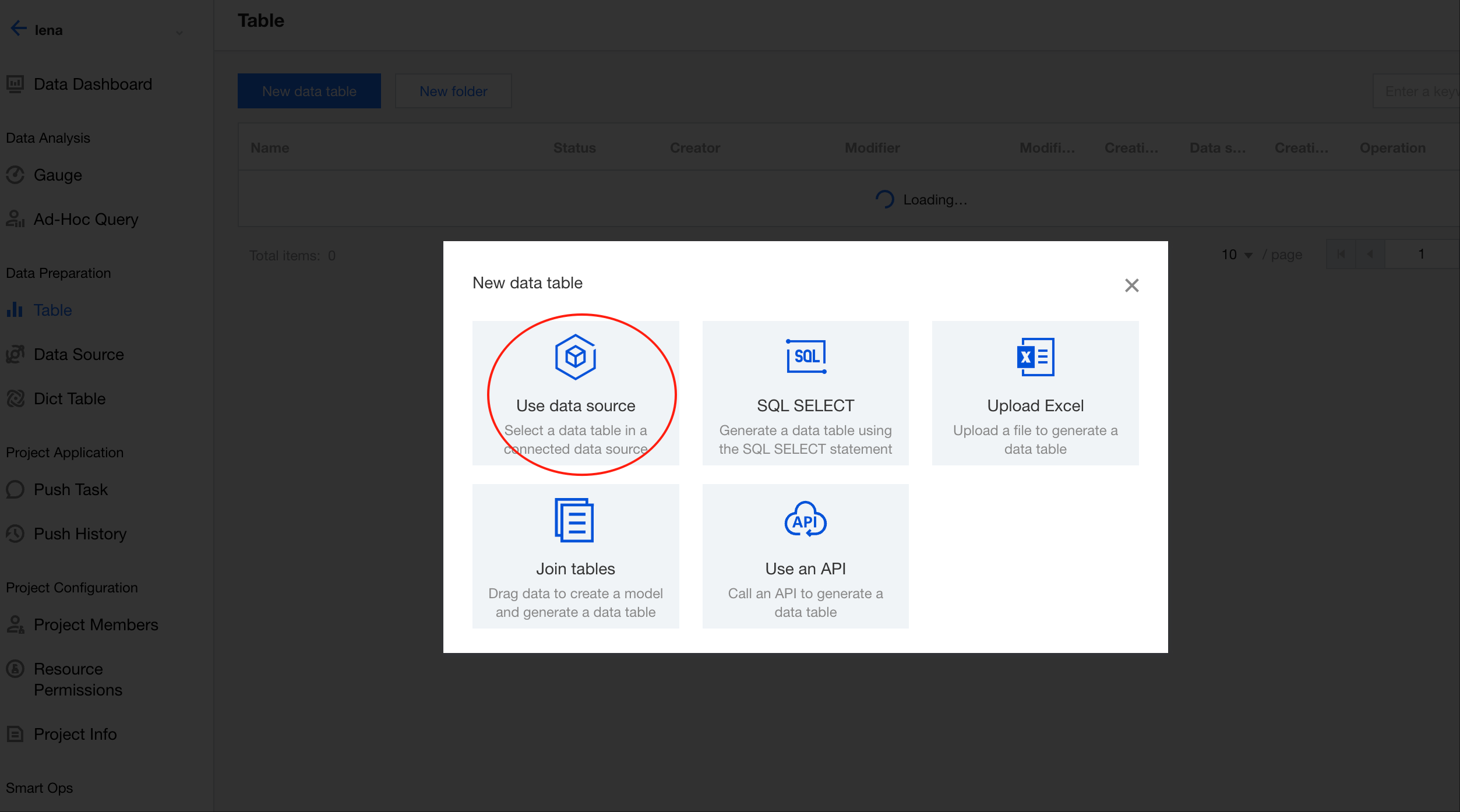
3. In BI, create a data source and data table that are connected to the previously created dim_list table (illustrated below using a data table as an example).
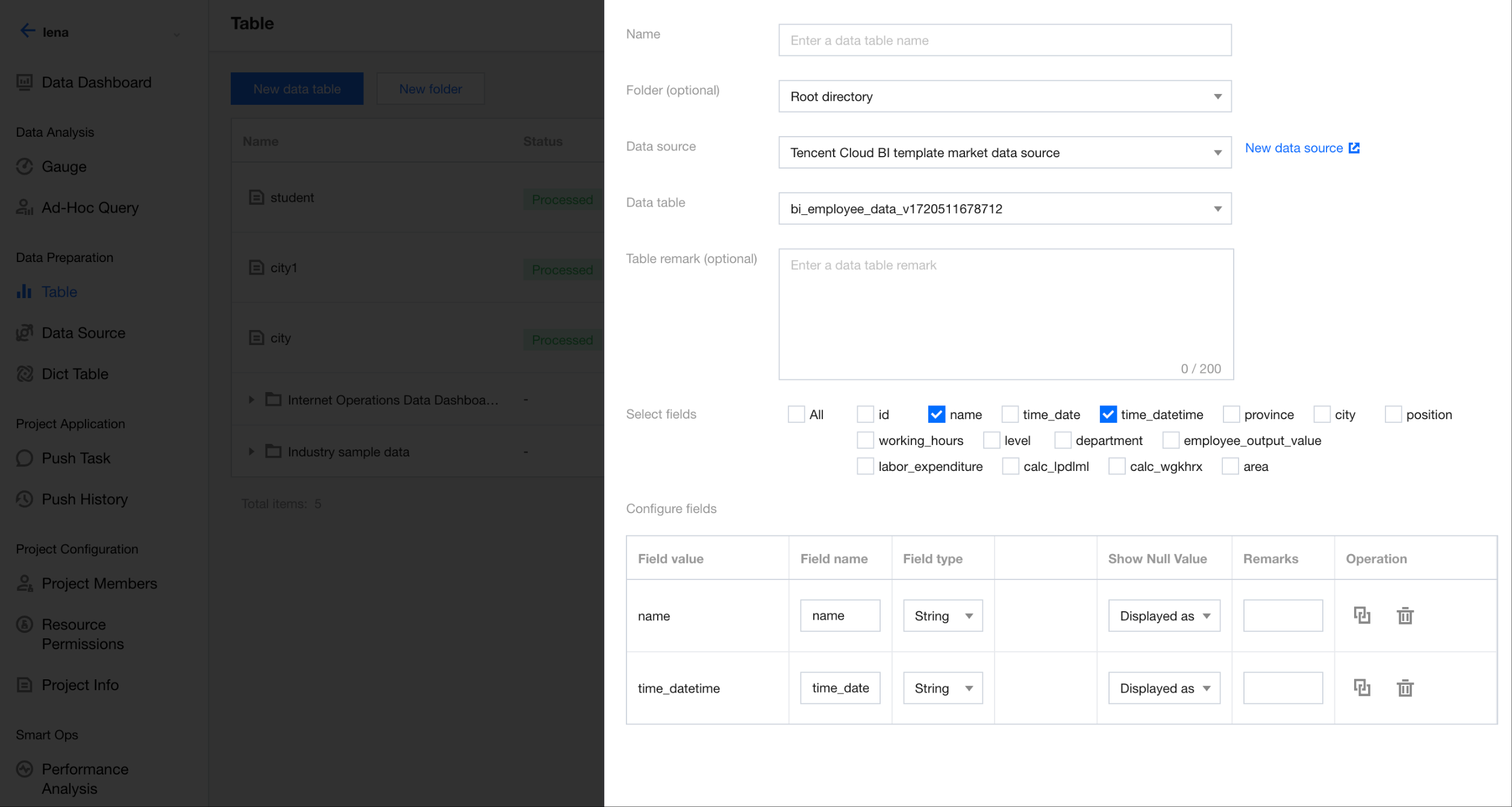
4. Associate the filter with the product name field in the data table.
Help and Support
Was this page helpful?
You can also Contact sales or Submit a Ticket for help.
Help us improve! Rate your documentation experience in 5 mins.
Feedback