If your data is stored in an Excel file, you can upload the Excel data source in the following ways for further analysis.
Selecting Excel for Table Creation
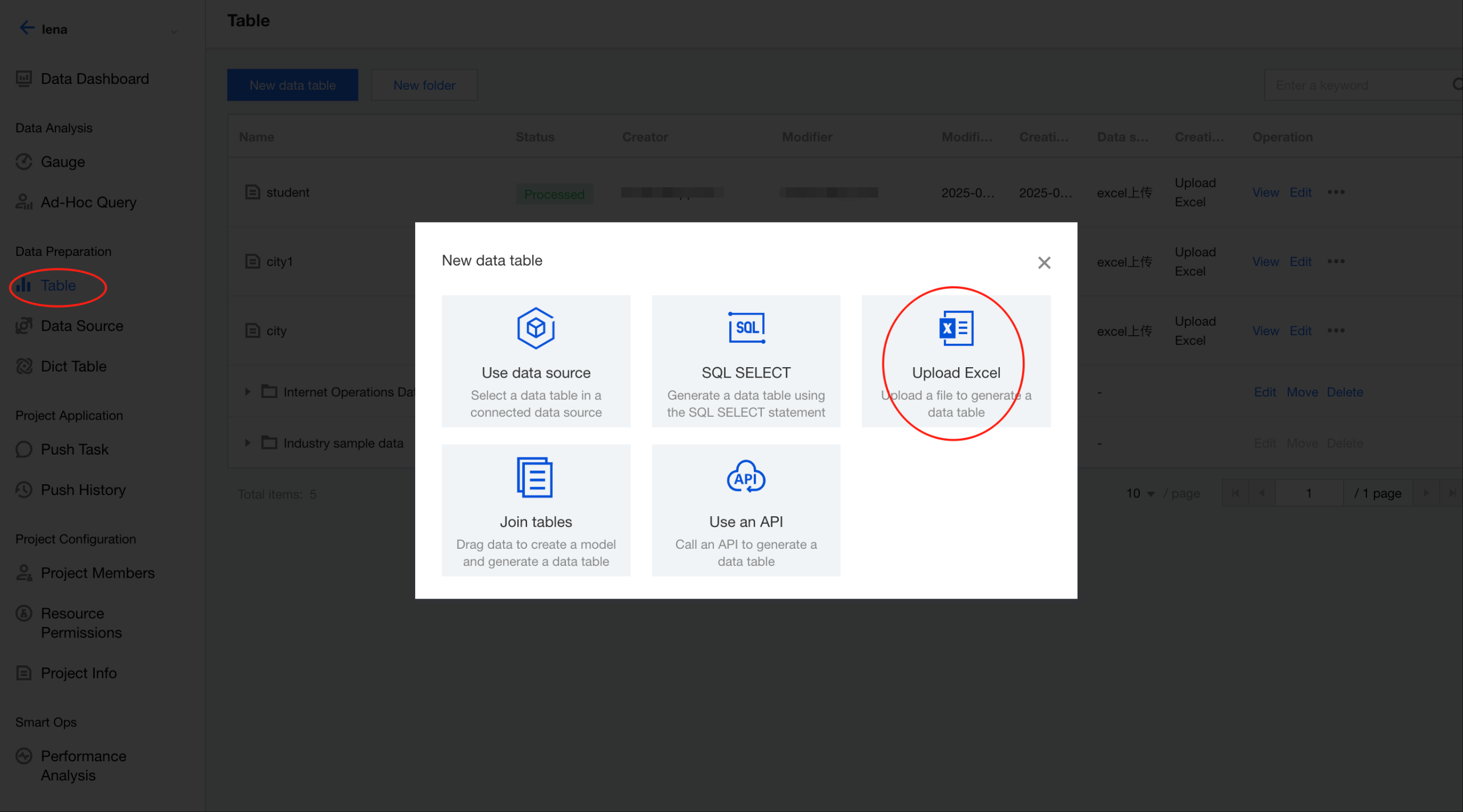
Go to the project, then select Data > Data Table > Create Data Table > Excel Table Creation.
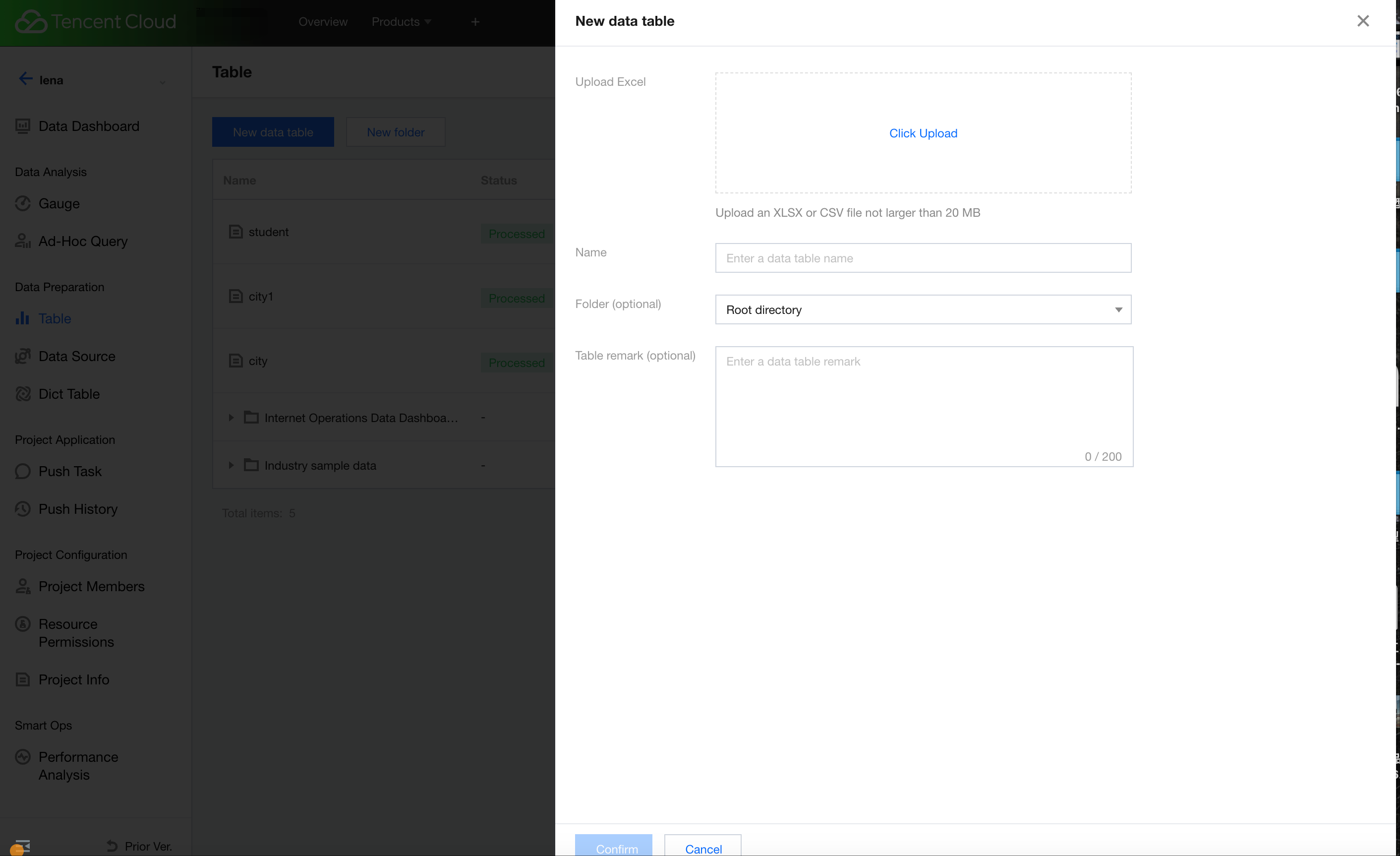
Uploading Files
Select the Excel file to upload, and enter the display name, associated folder, and other basic information.
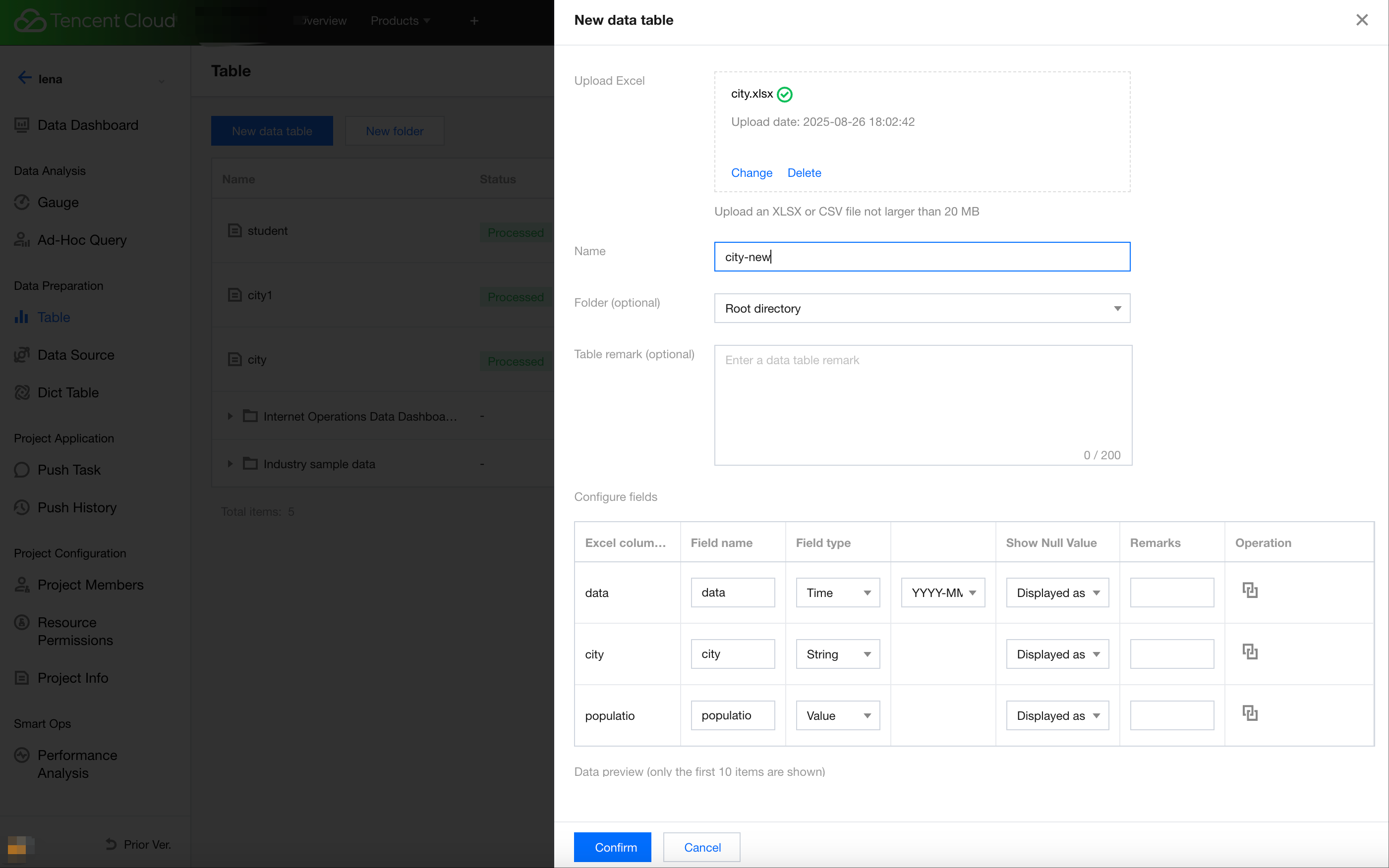
Once the upload is completed, the fields in the file will be parsed. Configure the display name, format, and other related properties of each field based on actual requirements, and preview the uploaded content (first 10 entries).
Uploading Completed
Click Confirm to complete the creation. A new data table will appear in the data table list page.