
Activate and Use

Last updated:2025-08-07 15:47:32
To meet the needs of different customer groups, Cloud Native Build (CNB) offers both Community Edition and Enterprise Edition delivery modes for customers to select as needed.
The two versions have largely identical product capabilities, with the main difference being deployment form:
Community Edition is a SaaS service, ready to use with WeChat scan.
Enterprise Edition requires self-deployment, making it easy for businesses to flexibly manage network policy and data storage.
Community Edition
Visit https://cnb.build, just sign up and complete login with your Tencent Cloud account to enable efficient development experience.
Note:
Note: To help users read operation instructions more smoothly and conveniently when using the product, you can access help documentation when using cnb.build to get more detailed usage guides and technical documentation.
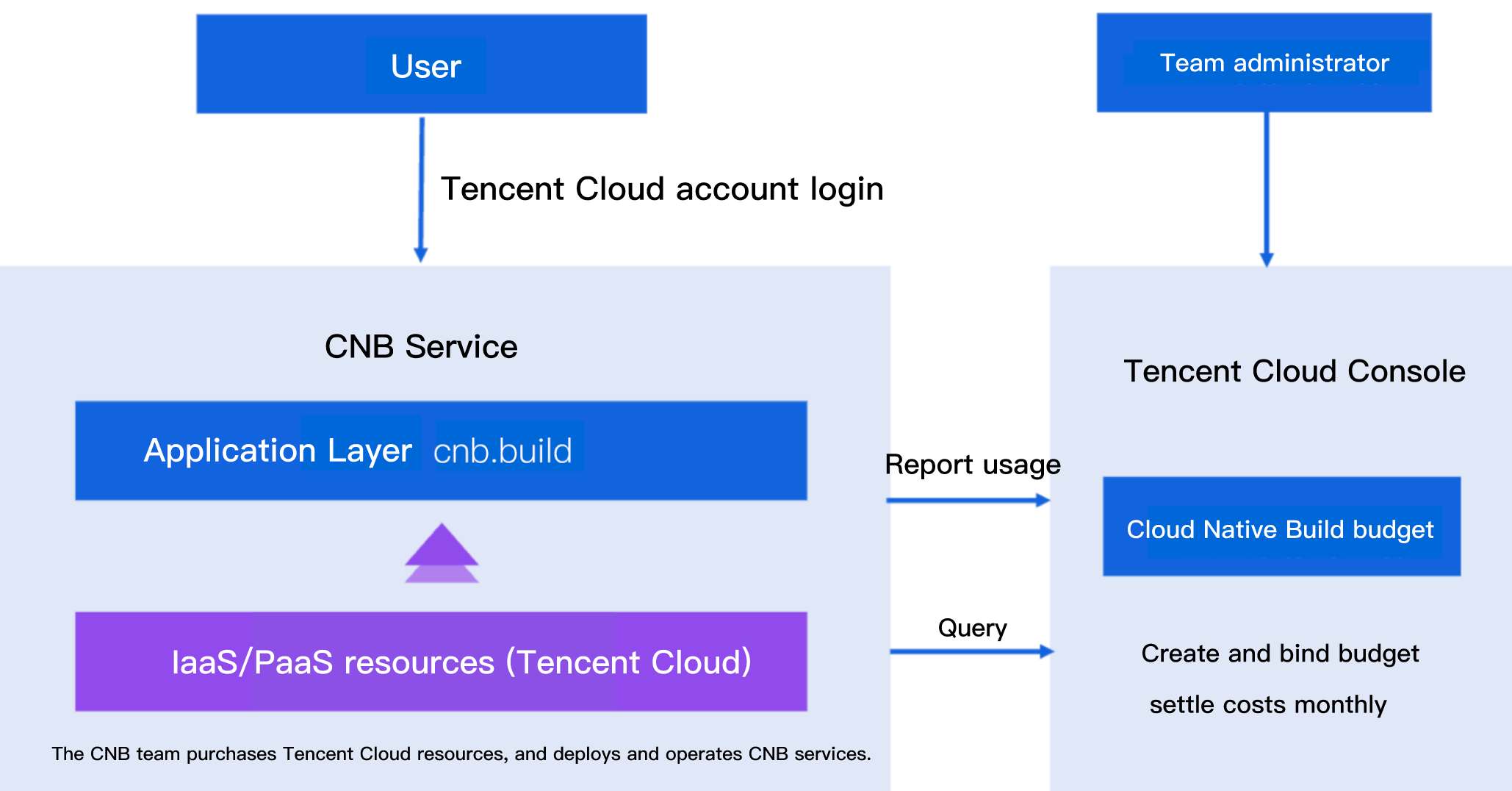
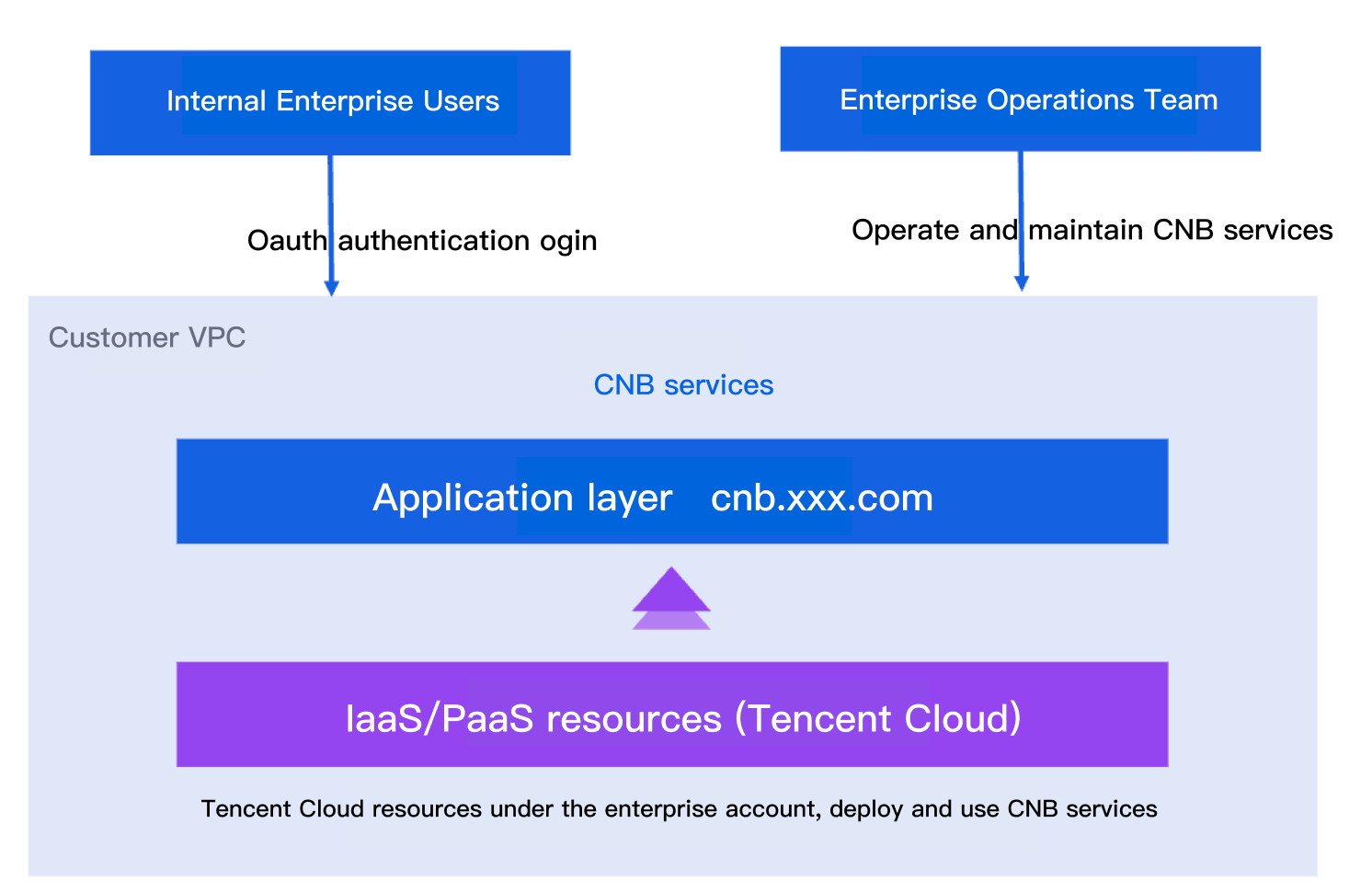
Enterprise Edition
Deploy the service in Tencent Cloud's VPC with self-management of network policy, store data in your own resources, and flexibly connect accounts via standard OAuth.
Click to enter the product introduction interface to install, follow the page guide for visual operation, and complete the application installation in about half an hour. For detailed installation instructions, see the Enterprise Edition installation and use guide.
Note:
Note: To help users read operation instructions more smoothly and conveniently when using the product, after the enterprise edition is deployed, you can access its help documentation address (where xxx in the domain name is the custom domain name part during installation): docs.cnb.xxx.com to learn more about how to use it.
Was this page helpful?
You can also Contact Sales or Submit a Ticket for help.
Yes
No
Feedback