Code Repository
Creating Repository
Step 1: Create Code Repository
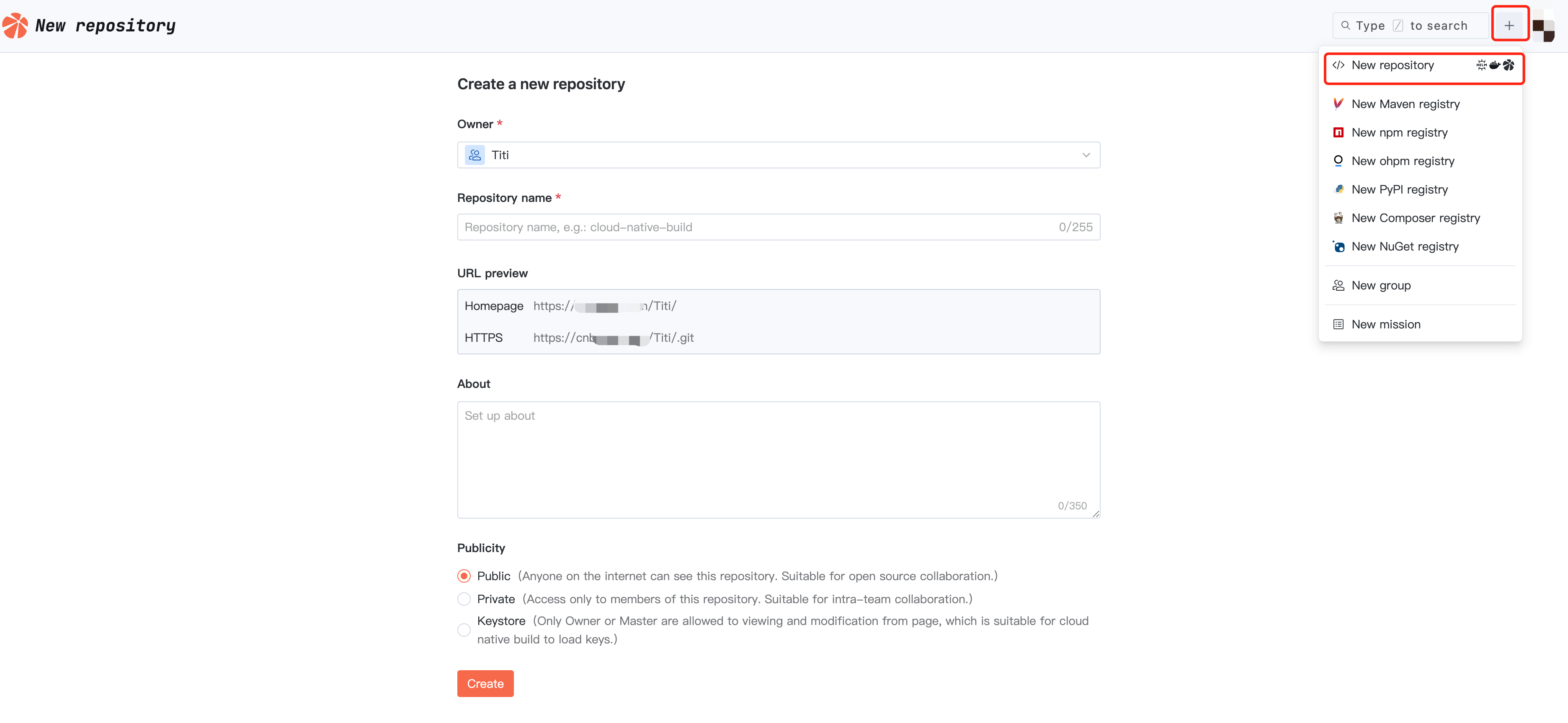
Enter CNB, click "+" in the upper right corner, select New Repository, choose the repository's affiliation, fill in the repository name, select its visibility as needed, then click Create to complete repository creation.
Step Two: Initialize Repository
You can choose any method below to initialize the repository.
Cloud-Based Quick Initialization (Recommended)
You can execute related commands in native development to migrate an existing repository or directly create a new file to initialize the repository.

Local Initialization
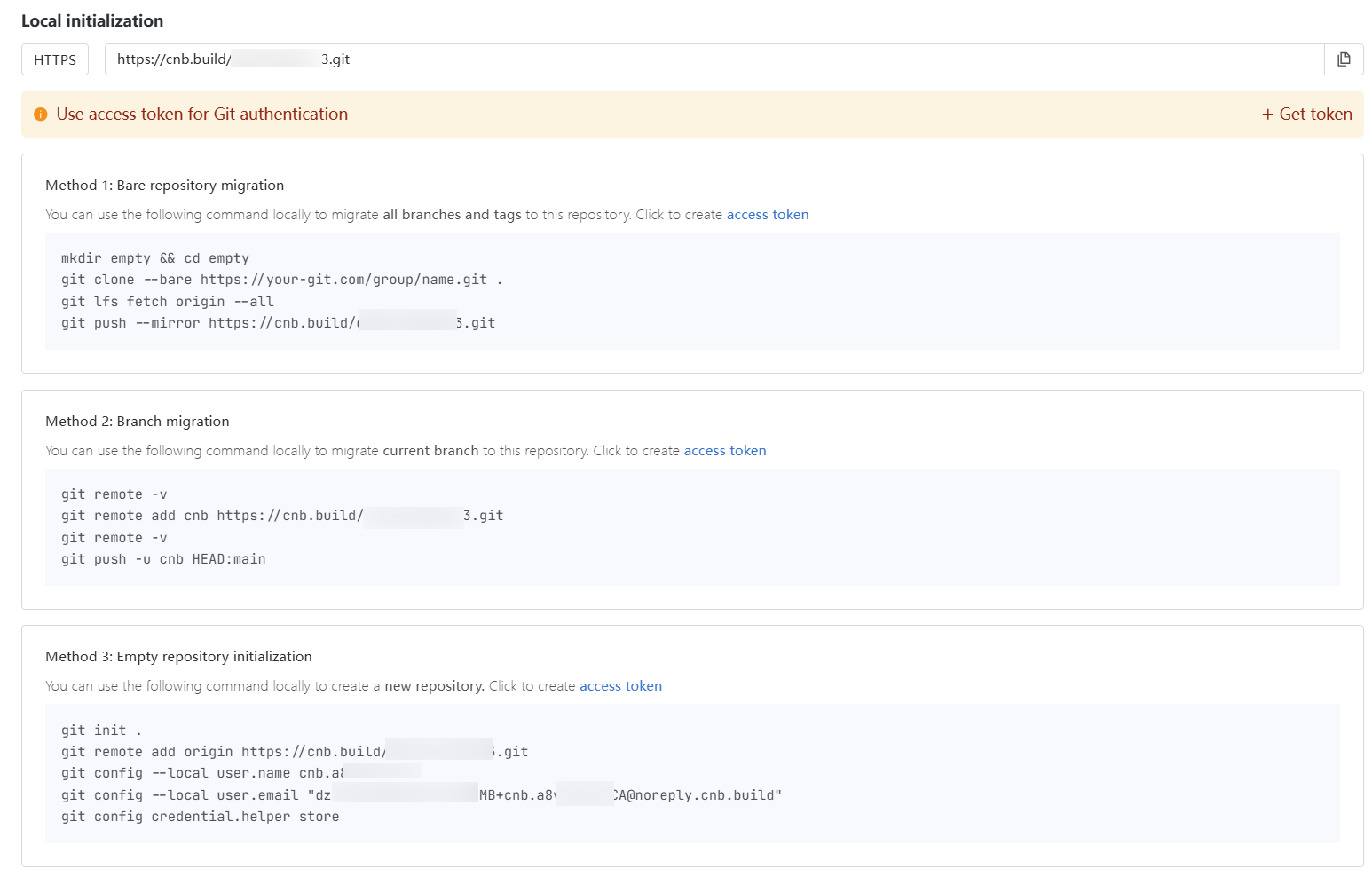
Initialization can be completed through bare repository migration, branch migration, or empty repository initialization. The specific command can be viewed in the target repository, with the interface as follows:
Step Three: Configure Cloud Native Build (Pipeline)
Cloning a Repository
Getting the Repository Clone URL
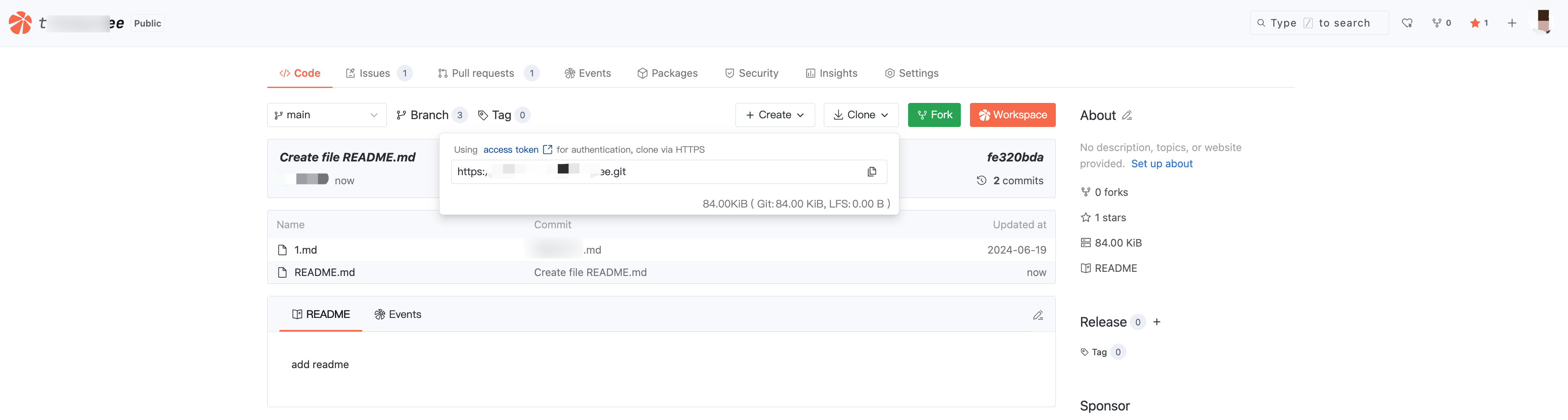
Enter the target repository, click Clone, and you can obtain the repository clone URL.
Configuring Pull Credentials
After new user registration, you can view public or joined code repositories on your own.
To pull the repository to your local system, public code repositories require no authentication, while joined private repositories need Git account password authentication, where username = cnb and password can be obtained by referring to personal token.
Merge Request
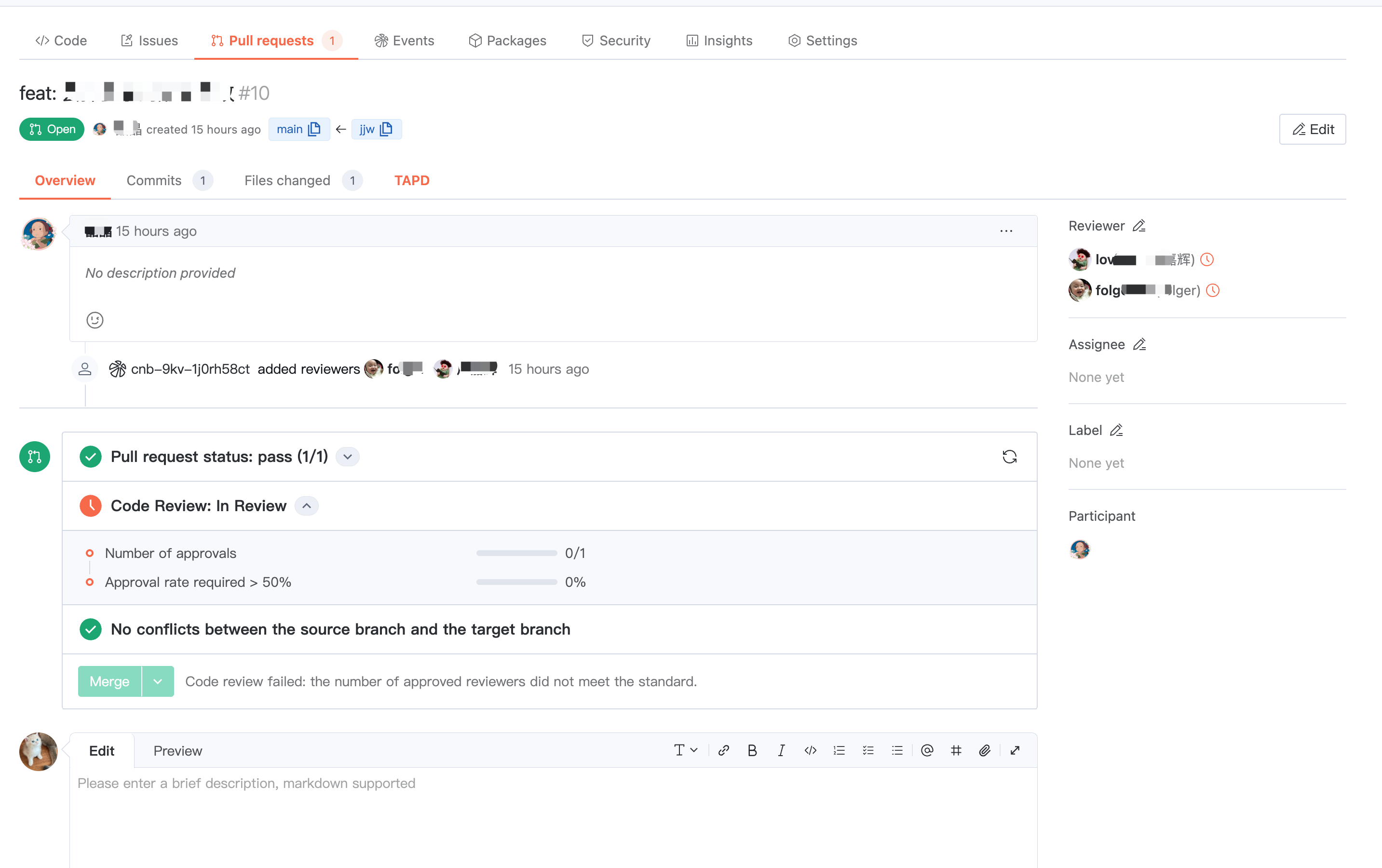
Merge Request can help enterprises control the code quality of important branches to ensure business stability.
The team can verify change content through pipeline automation based on merge requests, and the initiator and reviewer can collaborate and discuss these changes together in the merge request.
Repository Settings
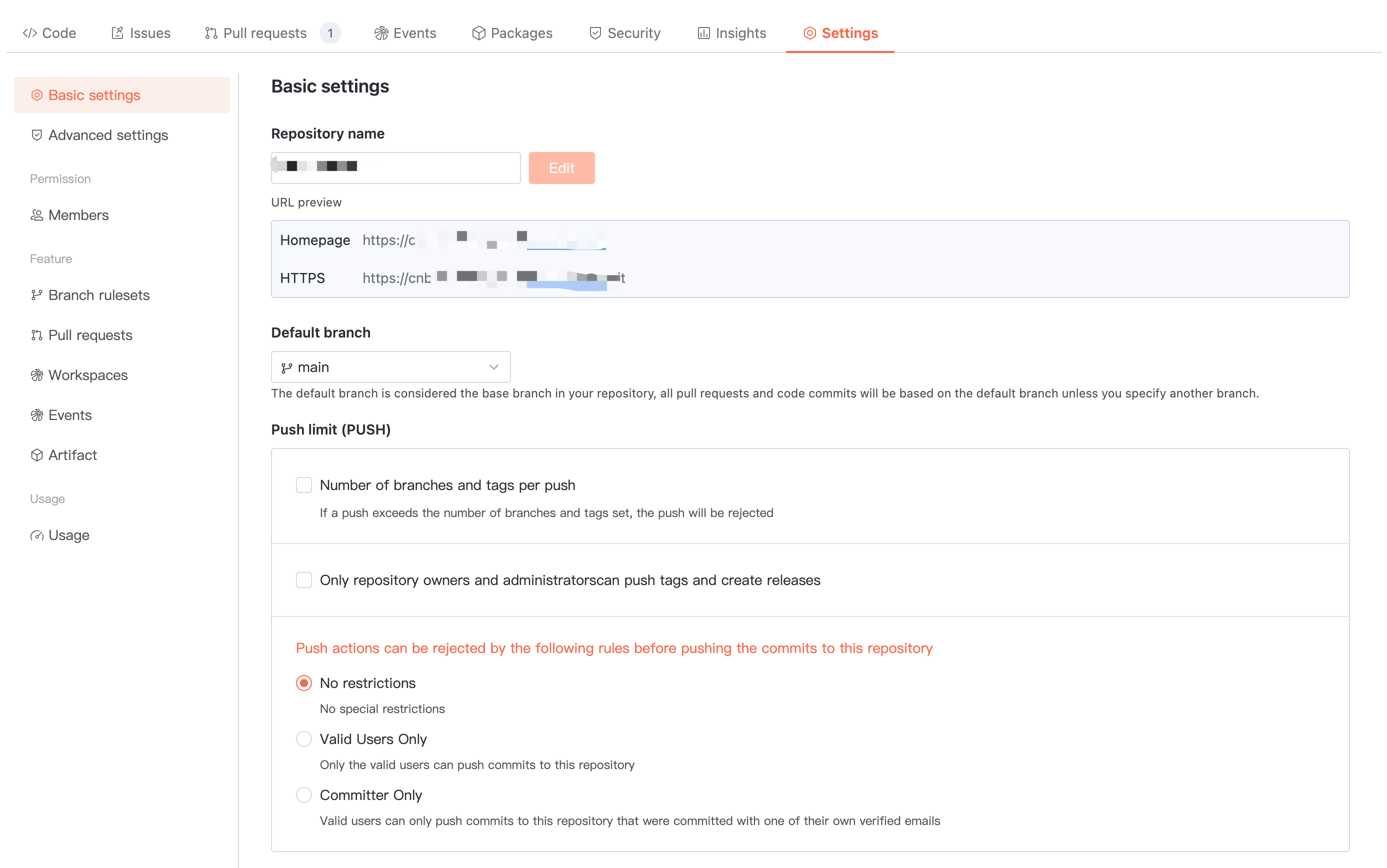
Basic Settings
Configure the basic information of the repository and set global push restrictions.
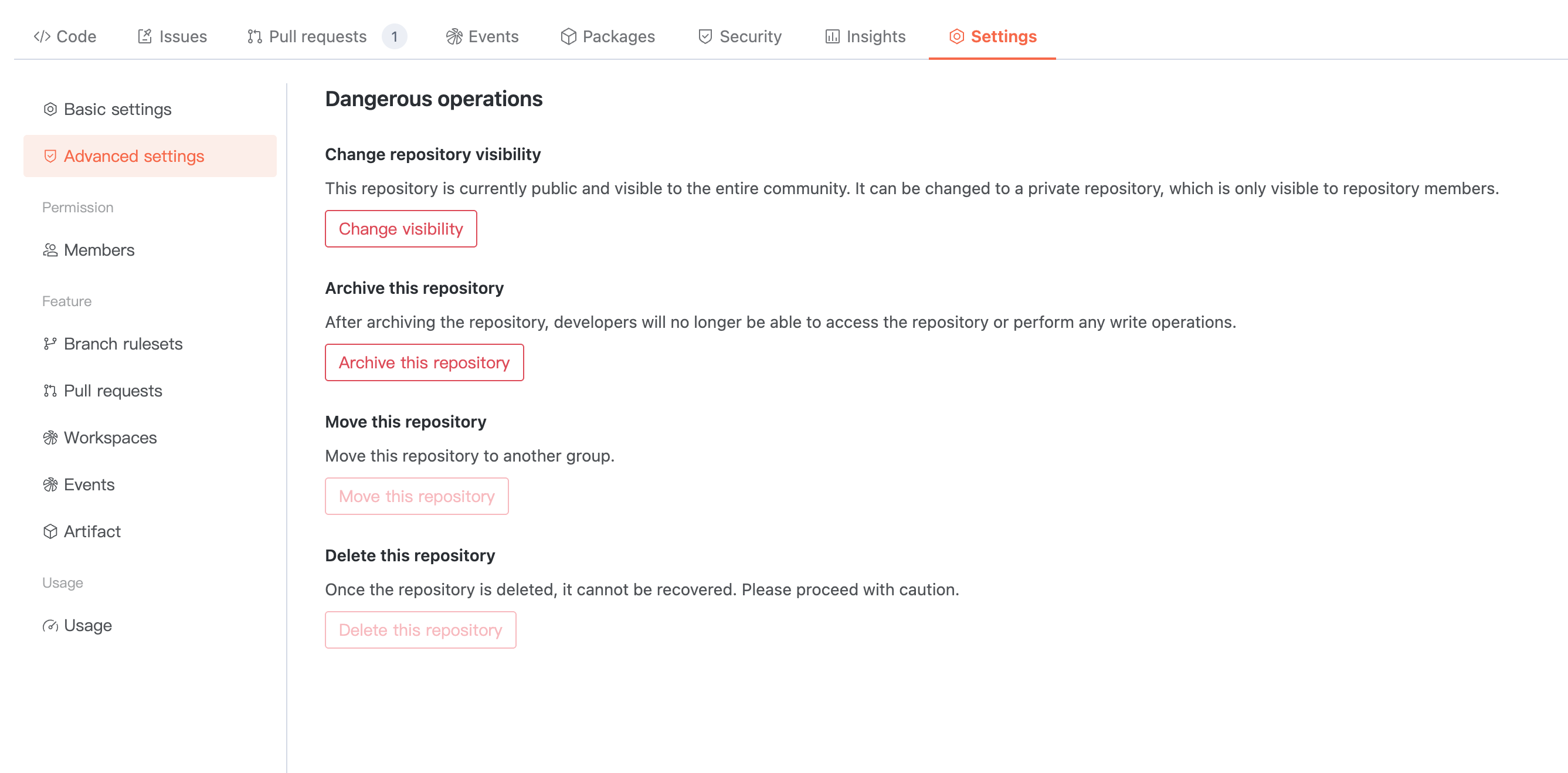
Advanced Settings
Dangerous operations in manage warehouse, please configure carefully.
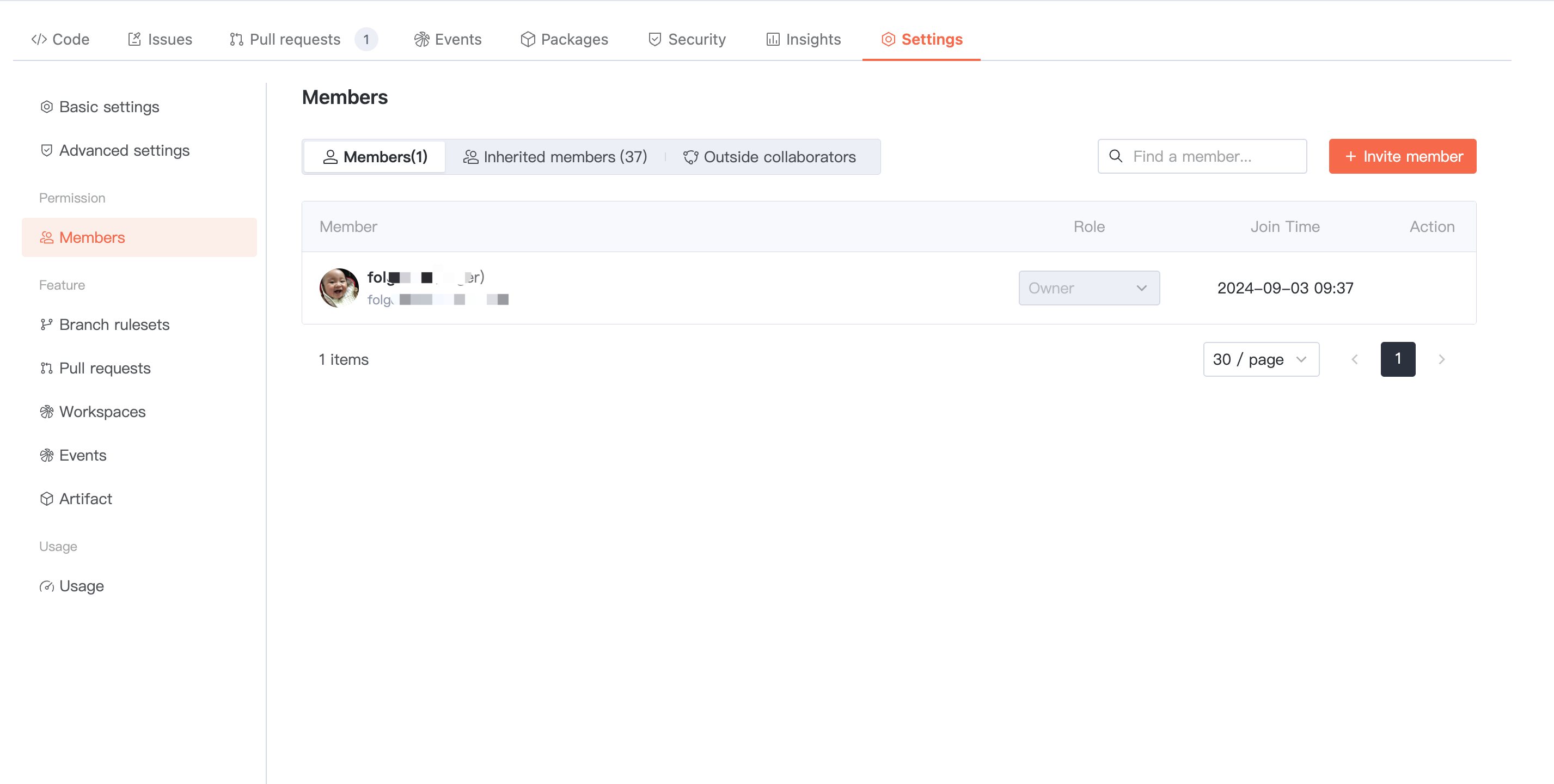
Repository Members
The repository inherits ALL member permissions from the parent organization by default. In addition, you can invite members directly to join the current repository as "Repository Members" or "external Collaborators". Among them, external Collaborators are suitable for some users who temporarily collaborate.
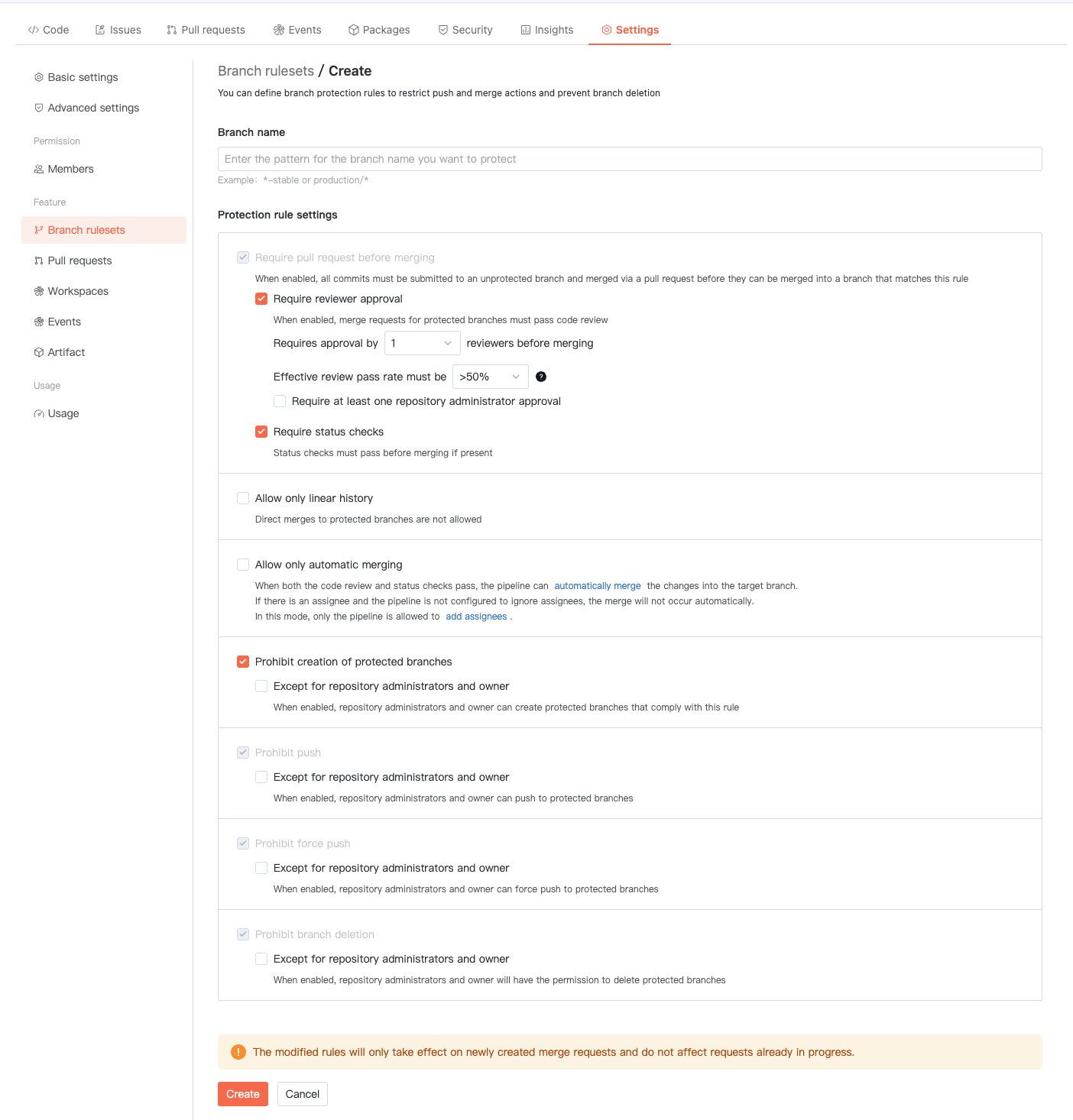
Branch Protection
Click Create New Protection Rule. By setting branch protection rules, you can configure push and merge policies for specified branches to prevent unreported code from being changed.
Note:
Note: If an organization enables branch protection, all repositories under the organization will limit branch operations according to the organizational branch protection settings, and repository-level branch protection settings will be invalidated.
Merge Request
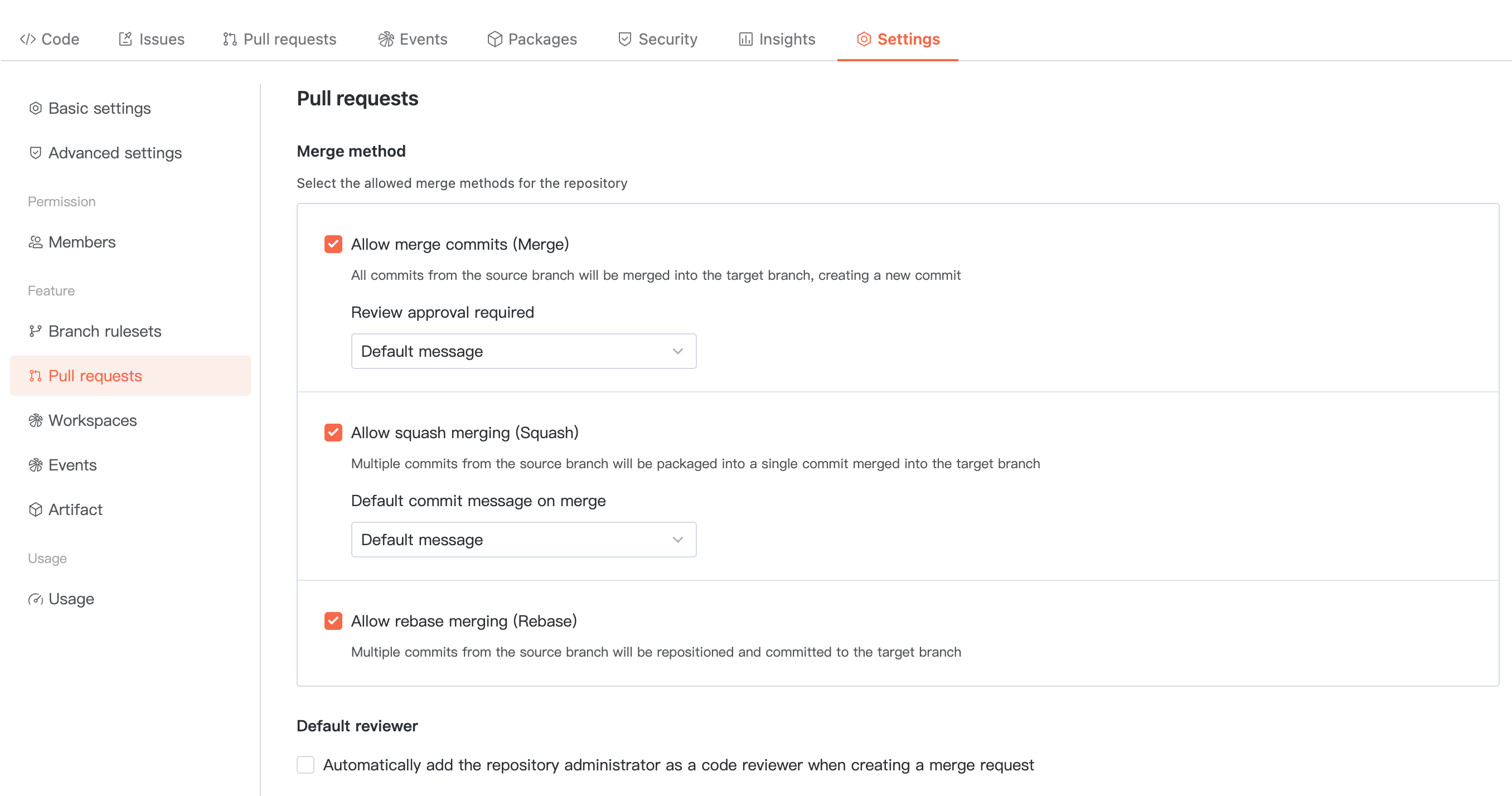
Configure the global merge request policy for the repository, including merge method and default reviewer.
Merge method includes:
Allow direct submission (Merge): All commits from the source branch will be merged into the target branch and generate a new commit.
Allow Squash merge: Multiple commits from the source branch will be compressed into one and submitted to the target branch.
Allow Rebase merge: Multiple commits from the source branch will be reset to and submitted to the target branch.
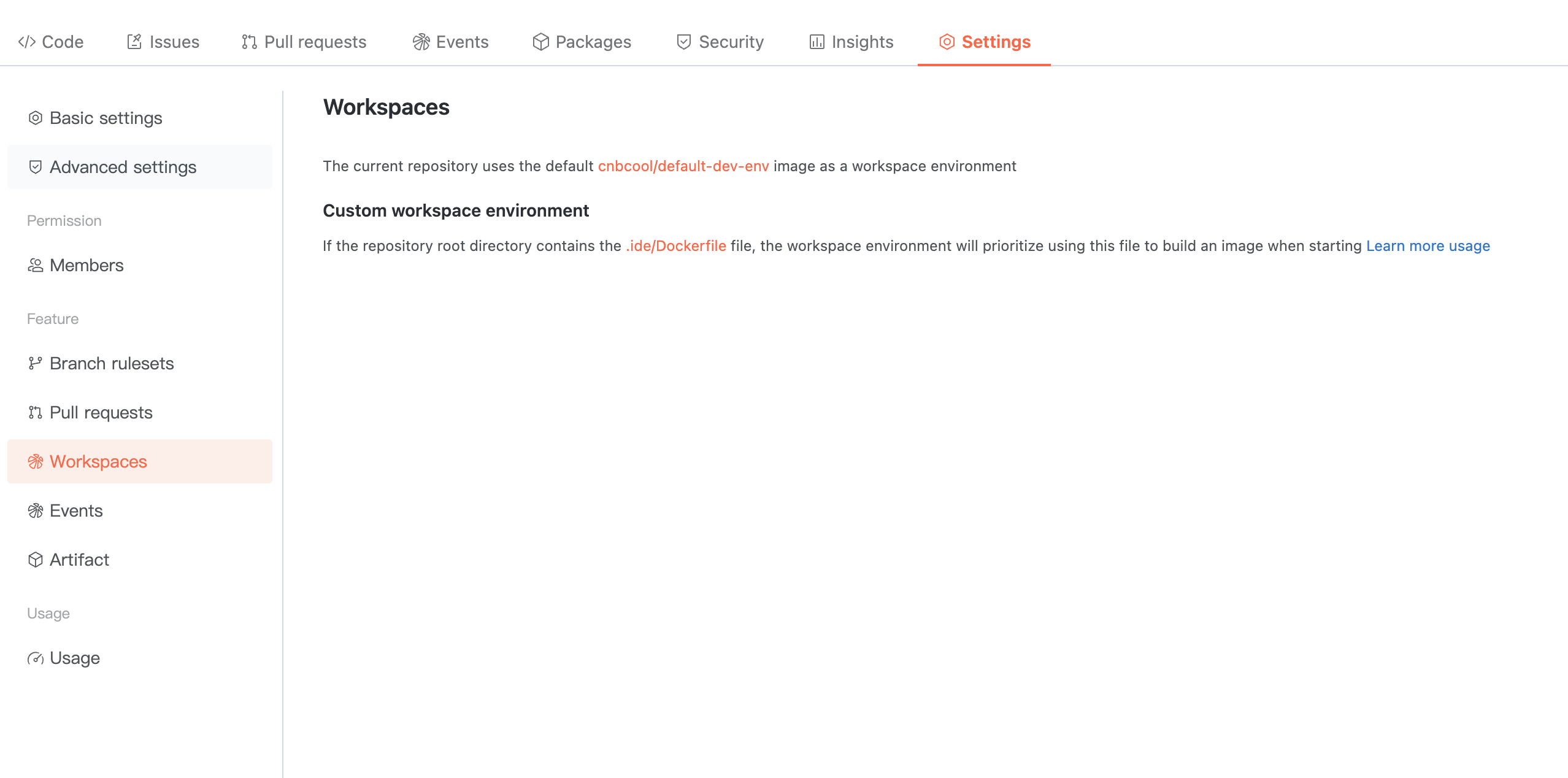
Cloud Native Development
Learn how to configure the cloud development space for the current repository.
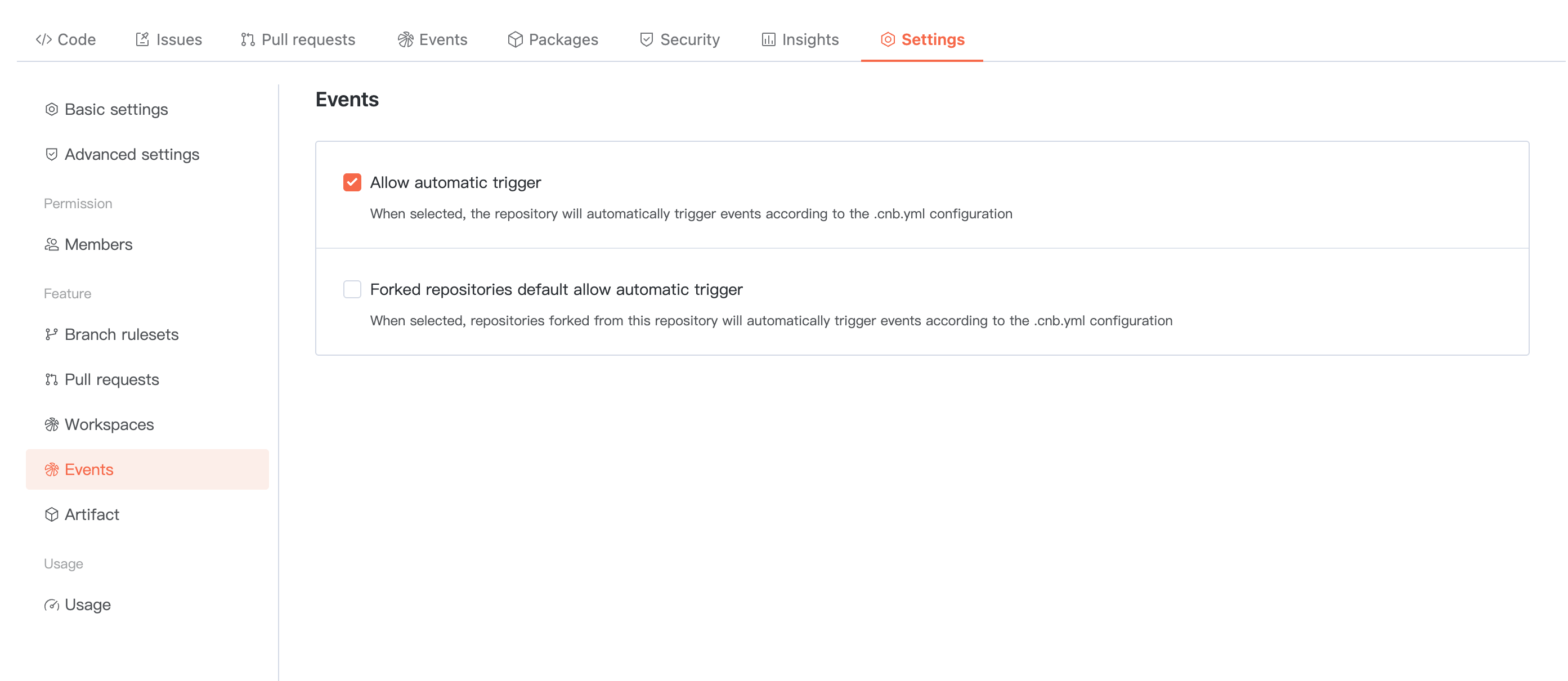
Cloud Native Build
Configure global trigger control for the repository.
Allow automatic triggering: once selected, the repository will trigger Cloud Native Build based on the .cnb.yml configuration.
Forked repositories allow automatic triggering by default: once selected, repositories forked from this one will trigger Cloud Native Build based on the .cnb.yml configuration.
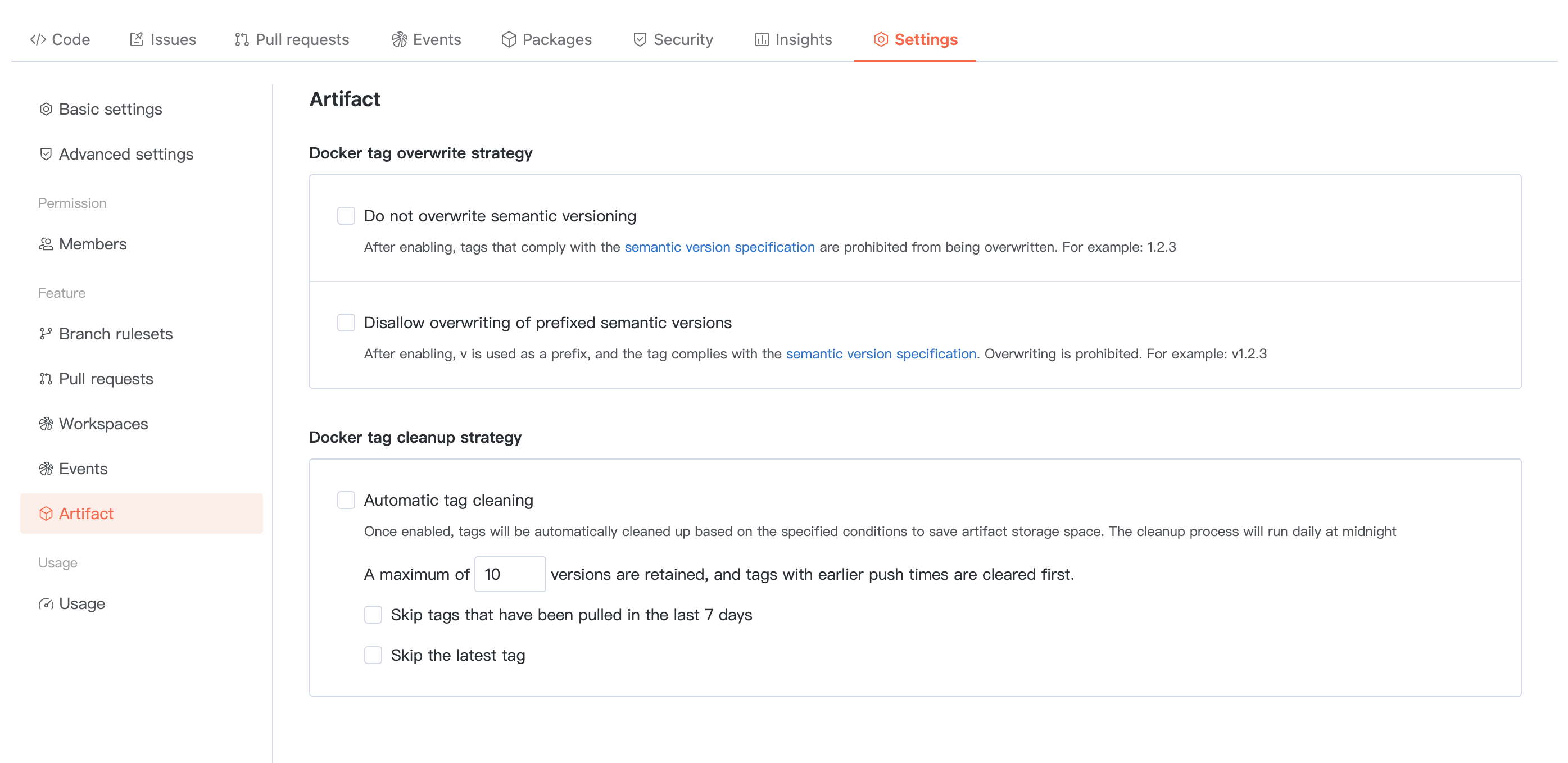
Product
Customizable Docker Tag overwrite/cleanup policy.
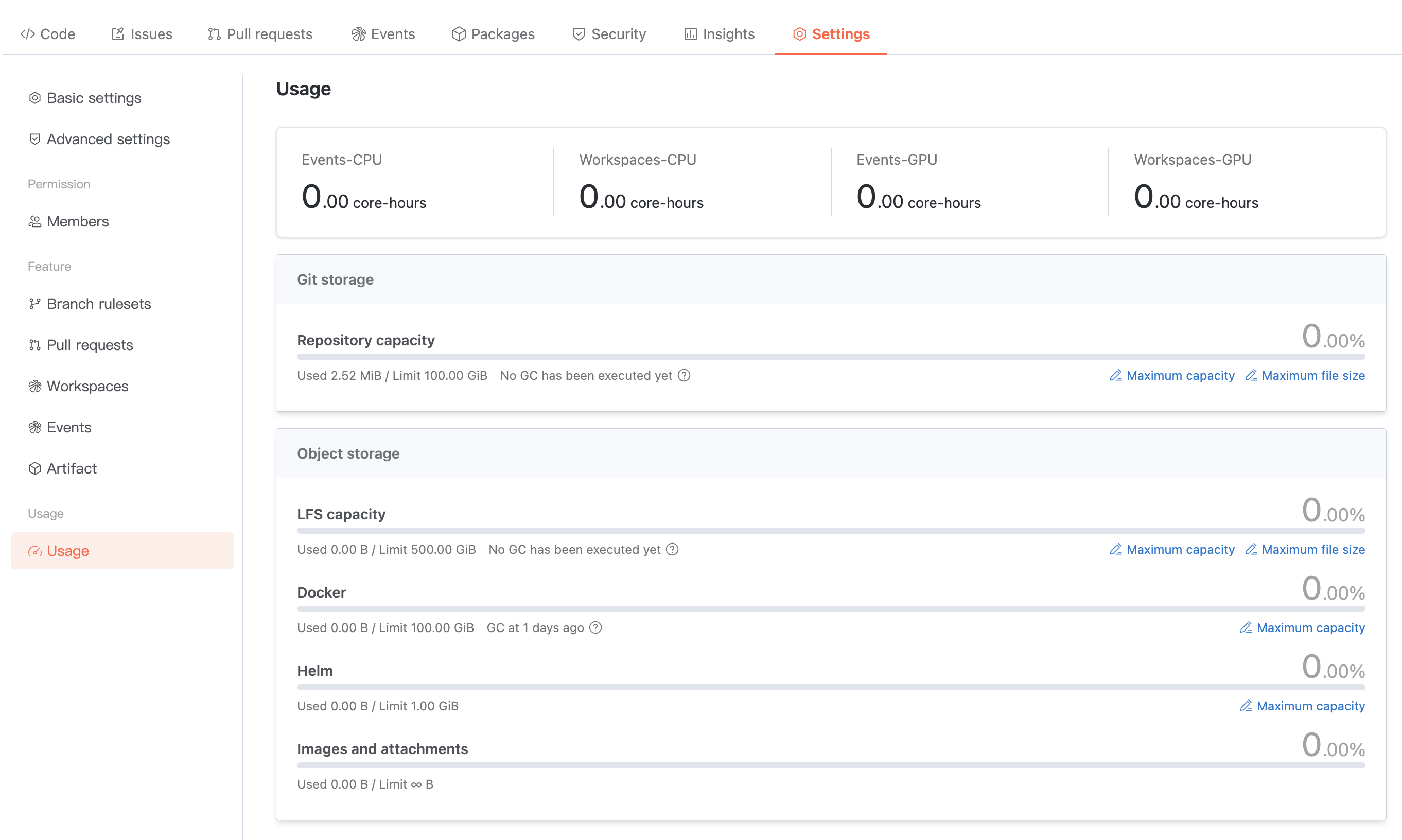
Usage statistics
Check the current repository usage statistics. Supports modifying the usage limit of related resources.
Help and Support
Was this page helpful?
You can also Contact sales or Submit a Ticket for help.
Help us improve! Rate your documentation experience in 5 mins.
Feedback