Receiving Messages by Email
Scenarios
Tencent Cloud supports receiving subscription messages via email. With simple operations, you can use email to receive messages. The specific operation steps are as follows:
Operation Steps
Link Email
Create a New User and Bind an Email
1. Log in to Tencent Cloud CAM console, and click Users > User List in the left sidebar.
2. On the User List page, click Create User.
3. On the Create User page, select Custom.
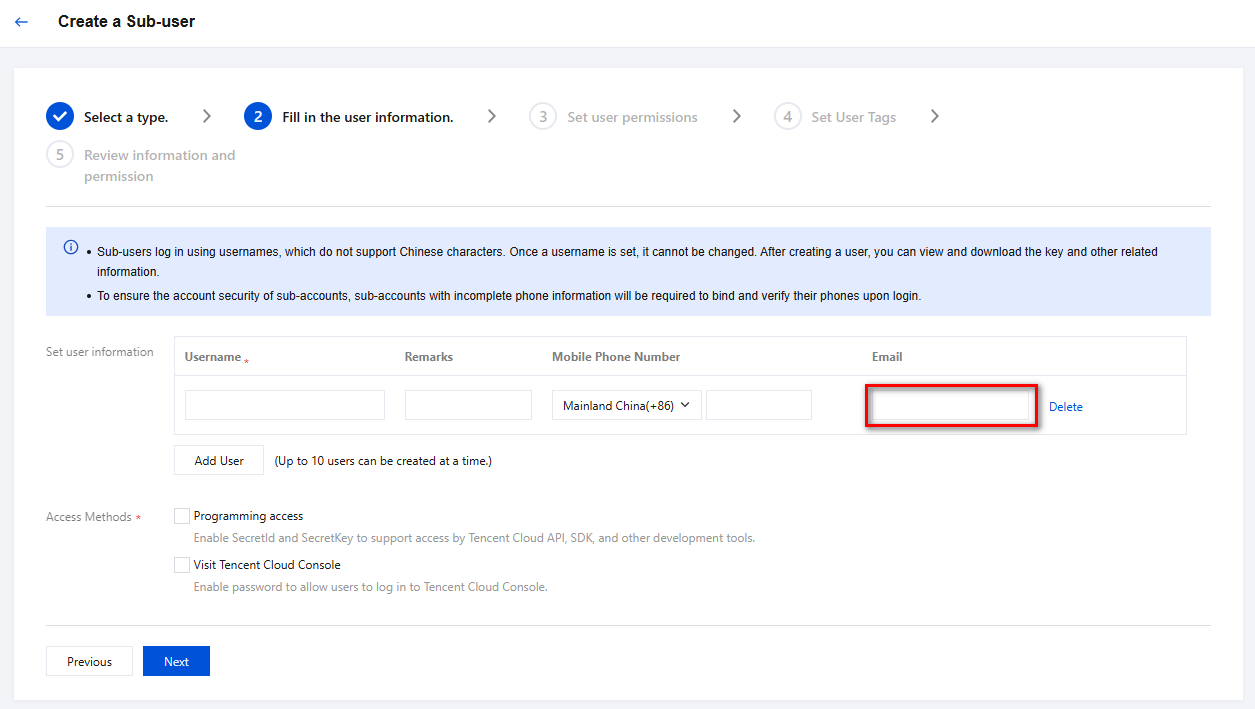
4. On the Select a type page, select the desired user type to be created as needed, then proceed to the Fill in User Information page. For filling in user information and subsequent steps, please refer to Creating Sub-user.
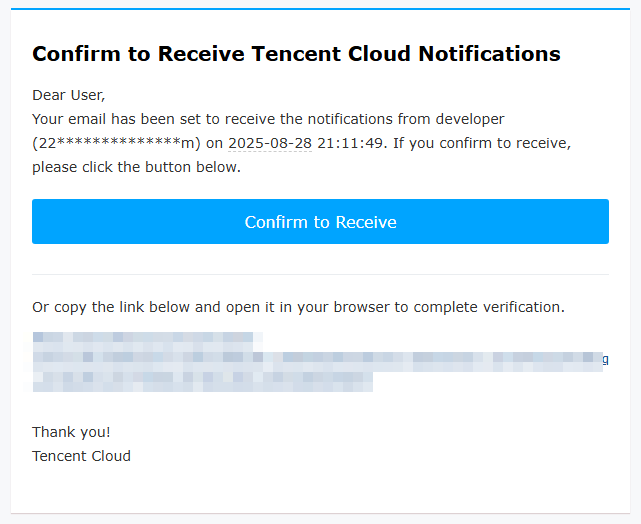
Accessible resources and message reception: After entering the email address allowed to receive messages in the email field, you will receive a verification email for message reception. Click Confirm to Receive.
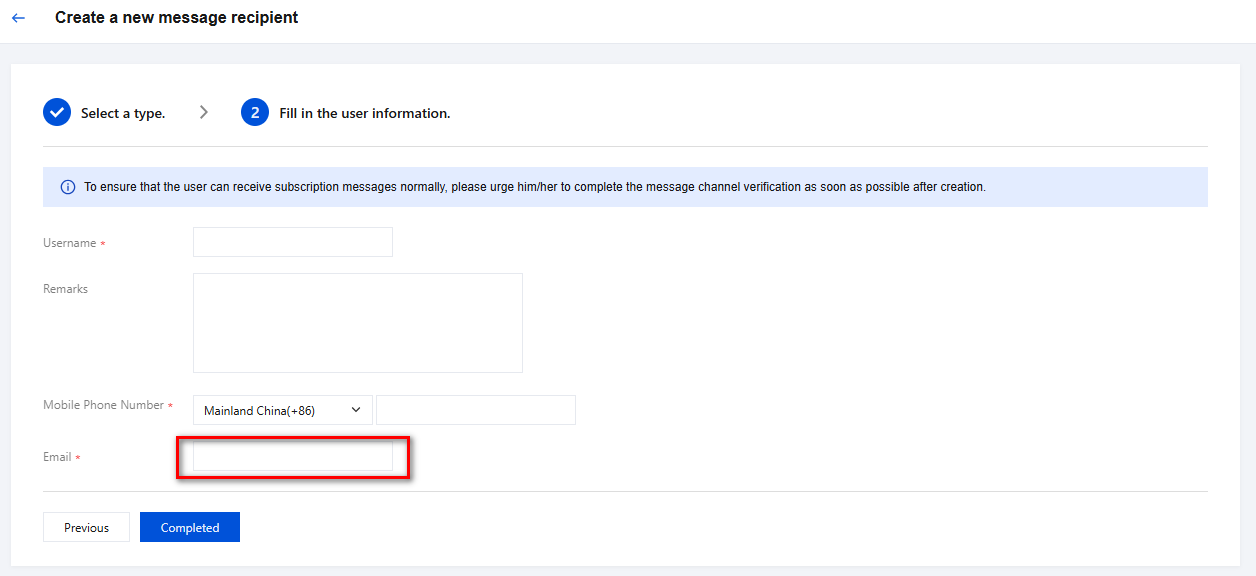
Only for Message Reception: After entering the email address allowed to receive messages in the email field, you will receive a verification email for message reception. Click Confirm to Receive.
Bind/Modify Email for Existing Users
1. Log in to the Tencent Cloud CAM console, and click Users > User List in the left sidebar navigation.
2. On the User List page, select the user requiring email binding, click Username, and access the User Details page.

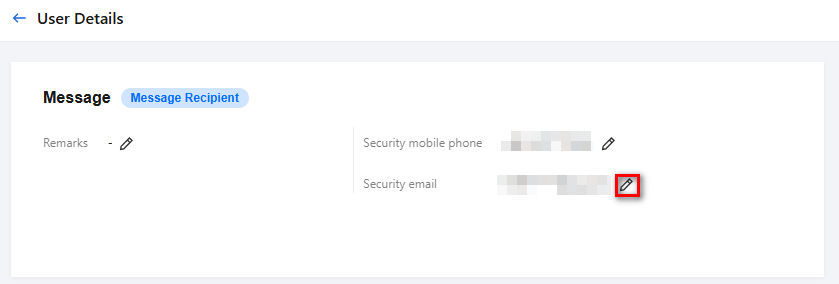
3. On the User Details page, click the edit icon next to Security Email.
Note:
This page can also be used to modify the email. Click the edit icon next to Security Email and follow the on-screen instructions.
4. Fill in the email address in the pop-up window.
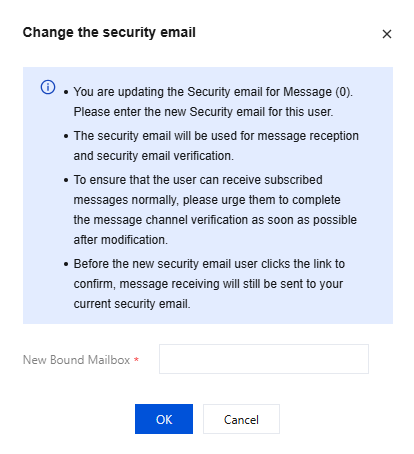
5. Go to your email inbox to check for the message verification email and click Confirm to Receive.
Set Email as Message Channel
1. On the Message Center > Message Subscription page, locate the message types you need to receive via email and check the corresponding message types.
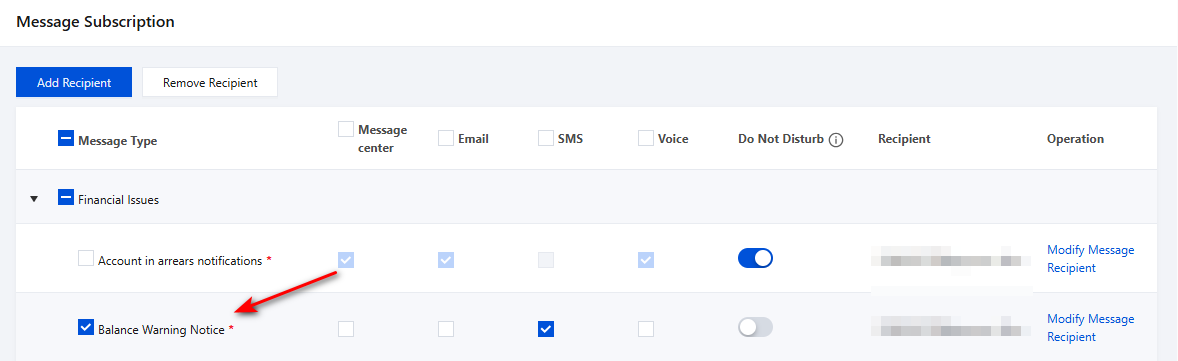
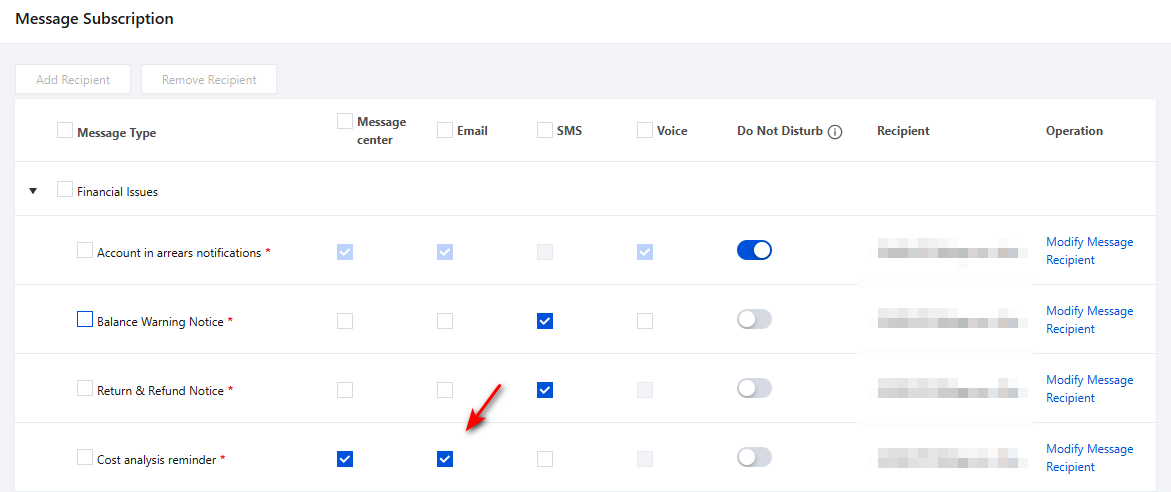
2. Then check the Email channel to complete.
Note:
On the Message Subscription page, message types marked with * must select at least one message channel from email or SMS; otherwise, subscription is not possible
For the added message recipients, if they have selected the email or SMS message channel, it is necessary to ensure that the email address and mobile phone number have been verified to receive messages. As shown below:
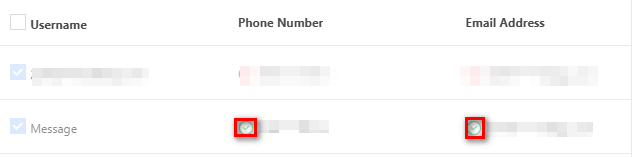
Only recipients who have successfully bound their email can receive Tencent Cloud email notifications
Help and Support
Was this page helpful?
You can also Contact sales or Submit a Ticket for help.
Help us improve! Rate your documentation experience in 5 mins.
Feedback