This article will introduce how to modify the storage type of files in the Professional Version.
Prerequisites
The file has been uploaded. For details, see Upload File. Operation Steps
1. Log in to the VOD console, click Application Management on the left sidebar to enter the application list page. 2. Select the Professional Edition application you need to operate, enter the target bucket, and find the file whose storage type needs to be modified.
3. You can modify the Cloud File Storage type according to your needs:
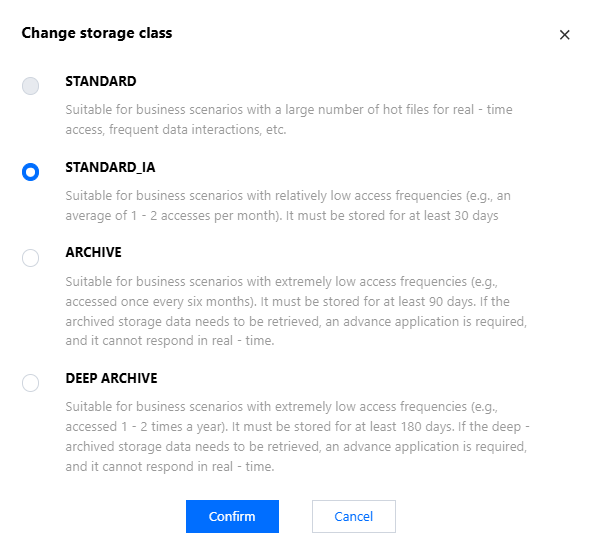
Cooldown for files: If you need to change the file from STANDARD or STANDARD_IA storage to ARCHIVE or DEEP_ARCHIVE storage classes, you can click More > Change storage class in turn, select the target storage type in the modification pop-up, and click Confirm to complete the operation.
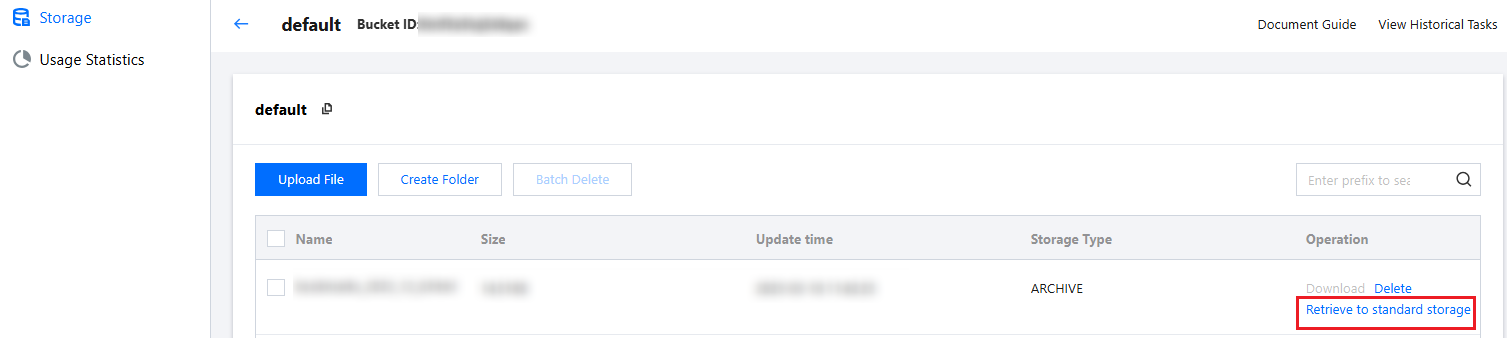
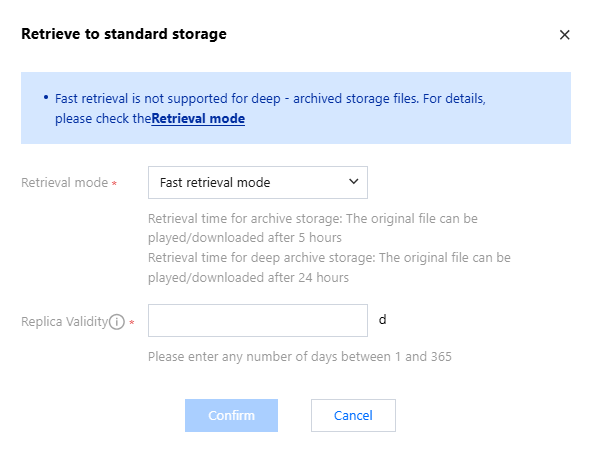
Temporary retrieval of files: If you need to temporarily retrieve ARCHIVE or DEEP_ARCHIVE storage, you can click Retrieve to Standard Storage, and select the valid period and mode of retrieval in the retrieval pop-up.
Permanent retrieval of files: If you need to permanently retrieve files from ARCHIVE or DEEP_ARCHIVE storage , you need to first retrieve to standard storage, and then click More > Change storage class in sequence, select STANDARD or STANDARD_IA storage, and then the files from ARCHIVE or DEEP_ARCHIVE storage can be permanently retrieved to STANDARD or STANDARD_IA storage.
Capacity To Retrieve Data
You can directly change the files of ARCHIVE or DEEP_ARCHIVE storage type to STANDARD storage through the data retrieval capability. There are multiple modes for changing the storage type and retrieval operation of ARCHIVE or DEEP_ARCHIVE storage files. The final effect of different modes is the same, and the difference lies in speed and fees (i.e. retrieval fees. For details on fees, see Pay-as-you-go - Data Retrieval). |
5 minutes | Not supported. |
5 hours | 24 hours |
12 hours | 48 hours |
Note:
As the time point when a media asset is marked as unretrieved will be after the actual retrieval time point, the available duration of the retrieved copy of the media asset will be shorter than the expected period. To ensure that the copy has a sufficient available duration, we recommend you add one more day to the validity period when retrieving a media asset from DEEP_ARCHIVE.