RTMP supports AV1 encoding streaming and playback
Download
Mode fokus
Ukuran font
The traditional RTMP protocol, defined by Adobe in 1996, offers limited support for video encoding, natively accommodating formats such as H.264 (AVC), VP6, and Sorenson Spark, but excluding encapsulation specifications for AV1. To enable support for next-generation codecs like AV1, Enhanced-RTMP proposed by the VSO organization with participation from Adobe, Google, and others—extends the RTMP protocol by introducing AV1 video transmission specifications, including the definition of AV1 sequence header formats.
Tencent Cloud Streaming Service are pioneering the adoption of Enhanced-RTMP across the entire live streaming chain, enabling the reception and distribution of AV1 streams.
Notes
Streaming Source: OBS Studio version 29.1 or later (available for download via OBS Archived Versions). With the code contributed by VSO, AV1 streaming via RTMP is supported.
Performance Requirements: AV1 encoding offers high compression efficiency but imposes significant demands on hardware and network bandwidth. It is essential to ensure that the streaming end possesses adequate encoding capabilities.
Playback: The latest versions of FFmpeg and VLC can both support parsing AV1 streams.
Compatibility Risks: Enhanced-RTMP is an entirely new protocol, and certain outdated devices or players may be unable to decode AV1 streams. It is recommended to test the target environment for compatibility.
Live Streaming Push
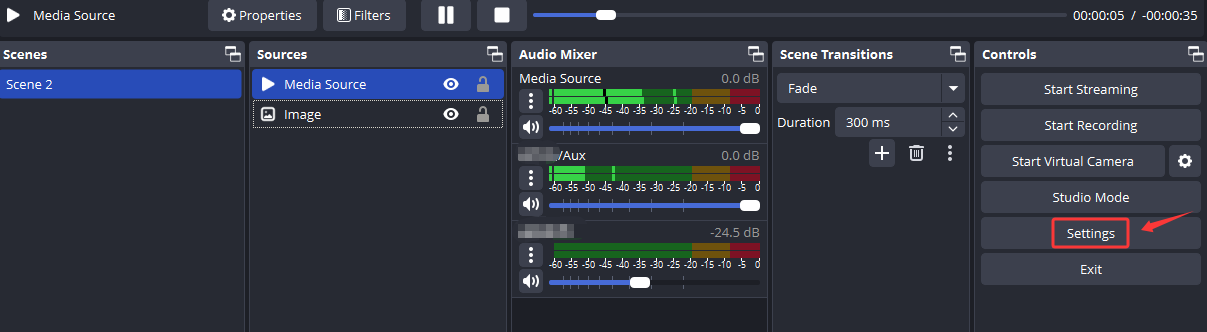
1. Open OBS, and navigate to the settings interface via Controls > Settings in the toolbar.
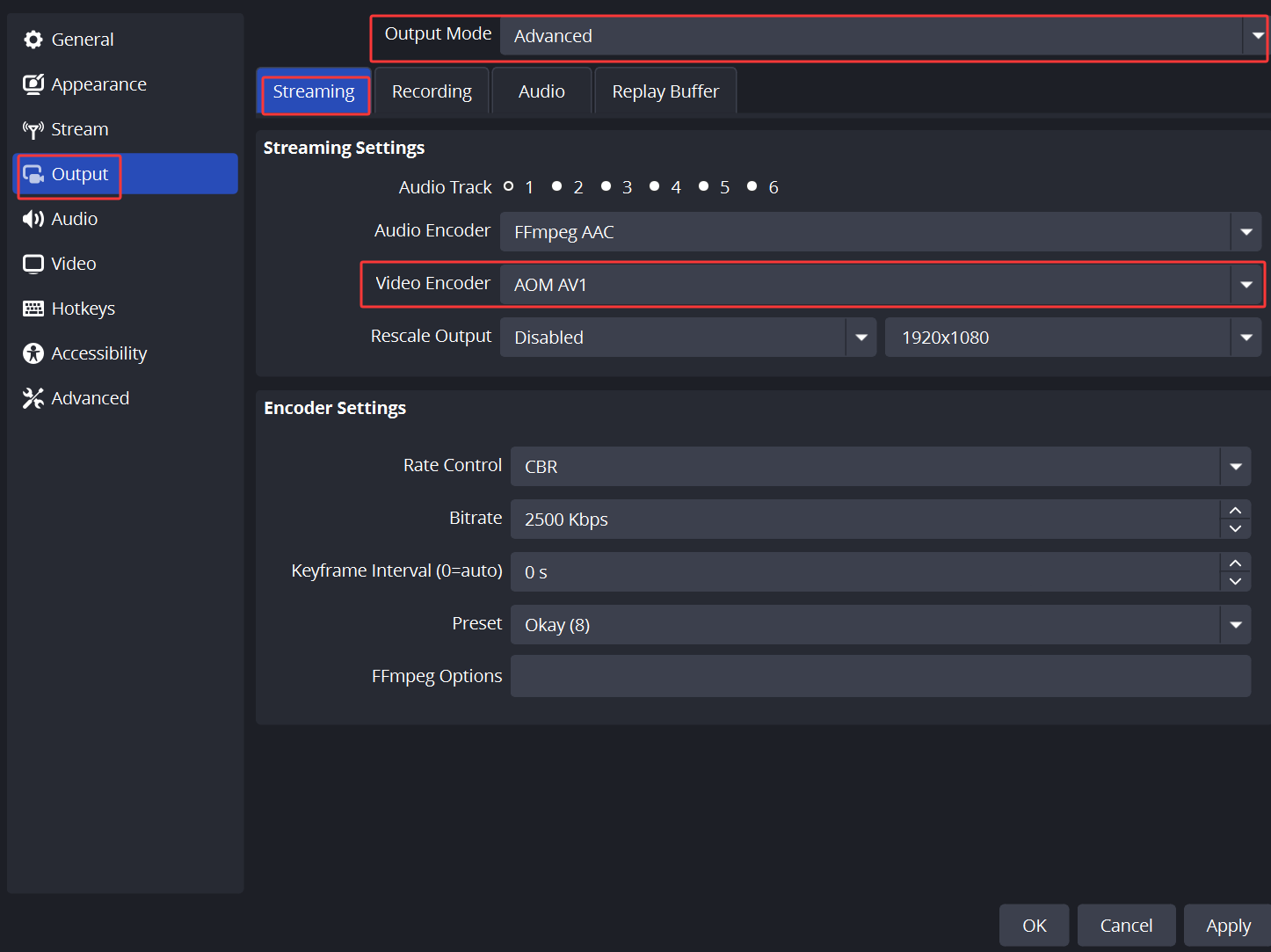
2. In OBS Settings > Output, select Advanced for Output Mode and AOM AV1 for Video Encoder.
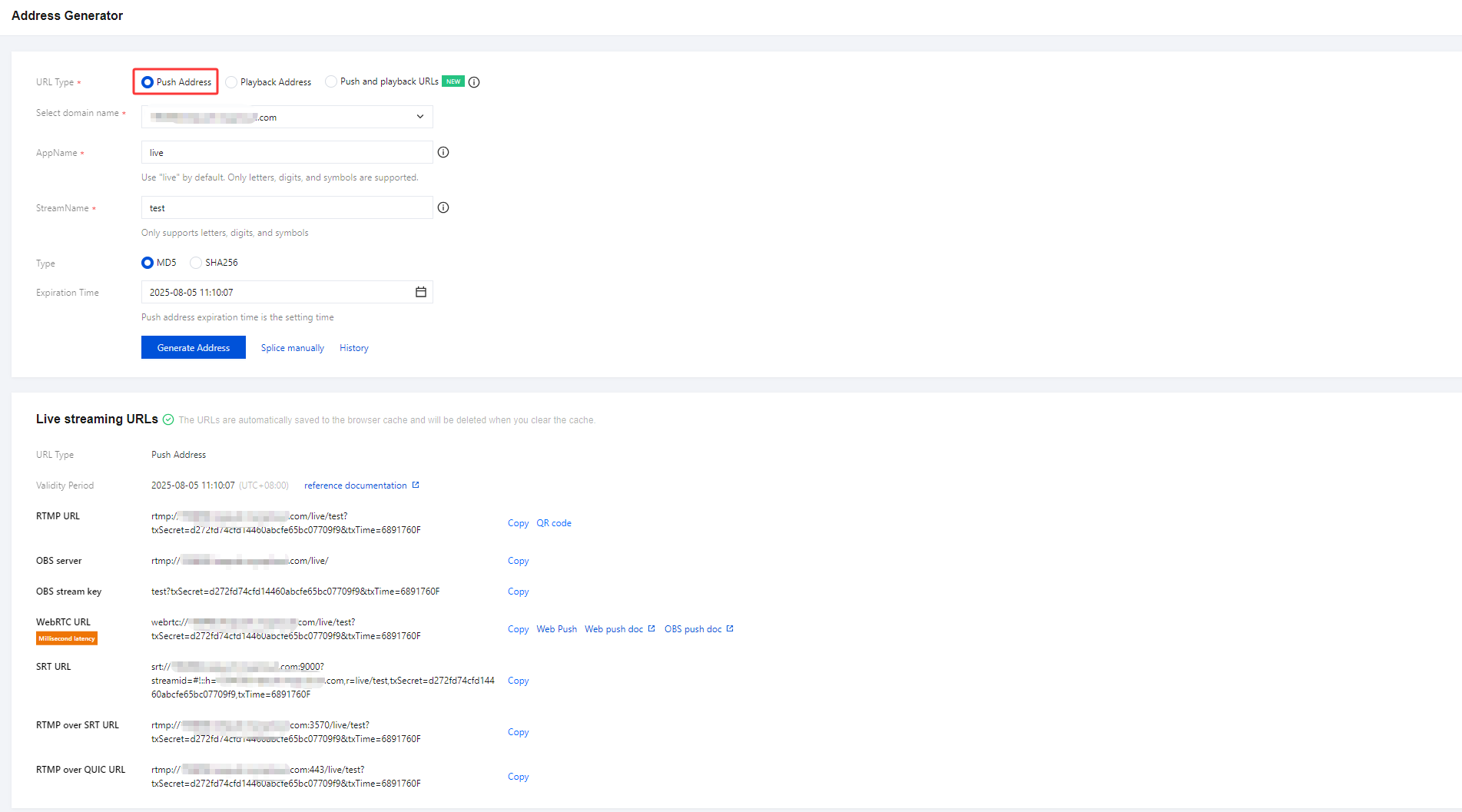
3. There are two ways to generate a Push Address:
Self-stitching through splicing rules, please refer to the document for detailed operations.
In the CSS console, navigate to Tools > Address Generator, select Push Address as the address type, and optionally select Push Domain. For detailed instructions, see the Address Generator documentation.
4. Enter the generated RTMP streaming address into OBS for streaming. For detailed instructions, please refer to the documentation.

Bantuan dan Dukungan
Apakah halaman ini membantu?
Anda juga dapat Menghubungi Penjualan atau Mengirimkan Tiket untuk meminta bantuan.
masukan