You can use the System.out.println() and java.util.logging.Logger() statements in the program to output a log:
For example, you can query the output in the function log by running the following code.
System.out.println("Hello world!");
Logger logger =Logger.getLogger("AnyLoggerName");
logger.setLevel(Level.INFO);
logger.info("logging message here!");
Log Query
Currently, the function logs can be uploaded to Tencent Cloud SCF. You can complete the configuration as instructed in Log Delivery Configuration.
You can search function execution logs on the log query page of the SCF or CLS console. For more information on how to query logs, see Log Search Guide.
Note:
Function logs uploaded to logset and log topic can be both queried with a function configured.
Custom Log Fields
Currently, the content output by simple log print statements in the function code will be recorded in the SCF_Message field when it is delivered to CLS. For descriptions of CLS fields, see Log Delivery Configuration.
Currently, SCF supports adding custom fields to logs that are uploaded to CLS. The custom fields allow you to output business fields and relevant data to logs, and track them using the log search feature of CLS.
Note:
If you need to query the key value of a custom field such as SCF_CustomKey: SCF, add a key-value index to the log topic for SCF log delivery as instructed in Configuring Indexes.
To avoid function log query failures caused by misuse of the index configuration, the default destination topic for SCF log delivery (prefixed with SCF_LogTopic_) does not support modifying the index configuration. You need to set the destination topic to custom delivery first and then update the log topic's index configuration.
After the index configuration is modified for a log topic, it will take effect only for newly written data.
Output
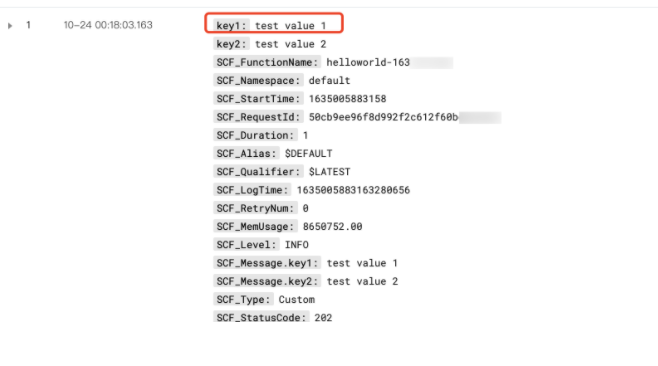
If a function outputs a single-line log in JSON, the log will be parsed and uploaded to CLS in the field:value format. Only top-level field:value pairs where the value is numeric or a string are parsed; other types are ignored.
Run the following codes and check results:
packageexample;
publicclassHello{
publicStringmainHandler(KeyValueClass kv){
System.out.println("{\\"key1\\": \\"test value 1\\",\\"key2\\": \\"test value 2\\"}");
returnString.format("hello world");
}
}
Search
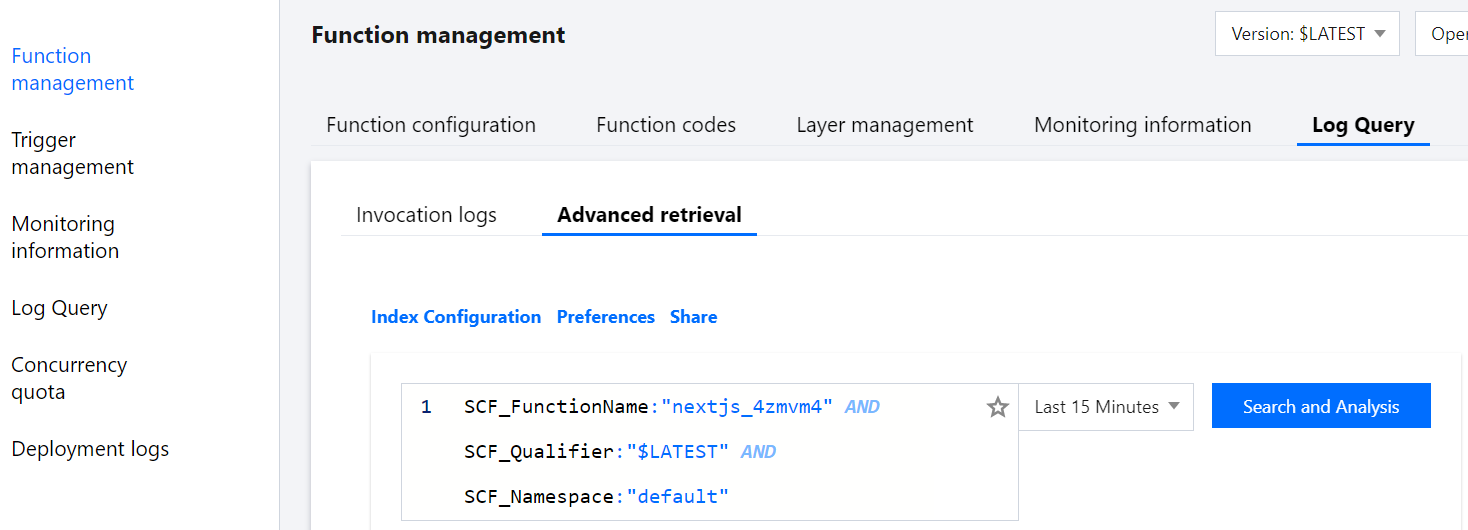
After using the above code to perform a test, you can run the following statement to search in Function Service > Log Query > Advanced Search: