tencent cloud

Global Application Acceleration Platform

Release Notes
Product Introduction
Overview
Instance Type Comparison
Product Features
Application Scenarios
Product Specification Limit
Purchase Guide
Billing Overview
Payment Overdue
Quick Start
Getting Started with Global Accelerator
Getting Started with Global Accelerator 2.0
Operation Guide
GAAP
Global Accelerator 2.0
Quota Description
GAAP
Global Accelerator 2.0
API Documentation
History
Introduction
API Category
Rule APIs
Connection Group APIs
Making API Requests
Origin Server APIs
Listener APIs
Connection APIs
Certificate APIs
Other APIs
Data Types
Error Codes
Agreement
GAAP Service Level Agreement
Data Processing And Security Agreement
Privacy Policy
FAQs
Contact Us
Glossary

Step 1: Create TCP Listener and Enable TOA

PDF
Focus Mode
Font Size
Last updated: 2024-10-14 16:54:48
Note:
If there are problems with backend adaptation, please submit a ticket for assistance.
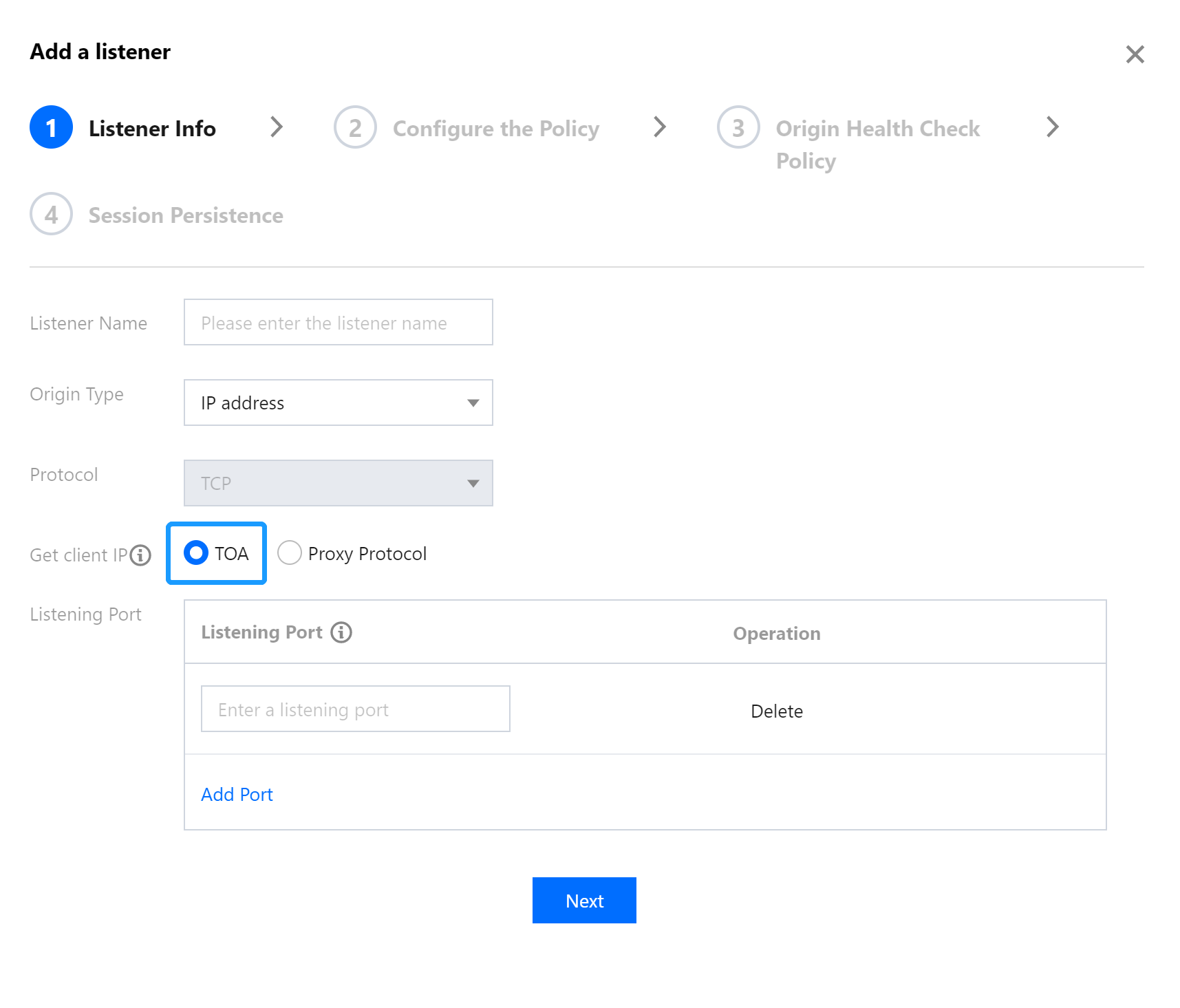
Only layer-4 TCP allows TOA to obtain the real client IP. Please enable TOA in the acceleration connection as follows:
Log in to the GAAP console. Select Access Management > TCP/UDP Listener Management. Click Create to add a TCP listener and select TOA, and then complete configurations required to create the listener and connection.


Help and Support

Was this page helpful?

Help us improve! Rate your documentation experience in 5 mins.

Feedback