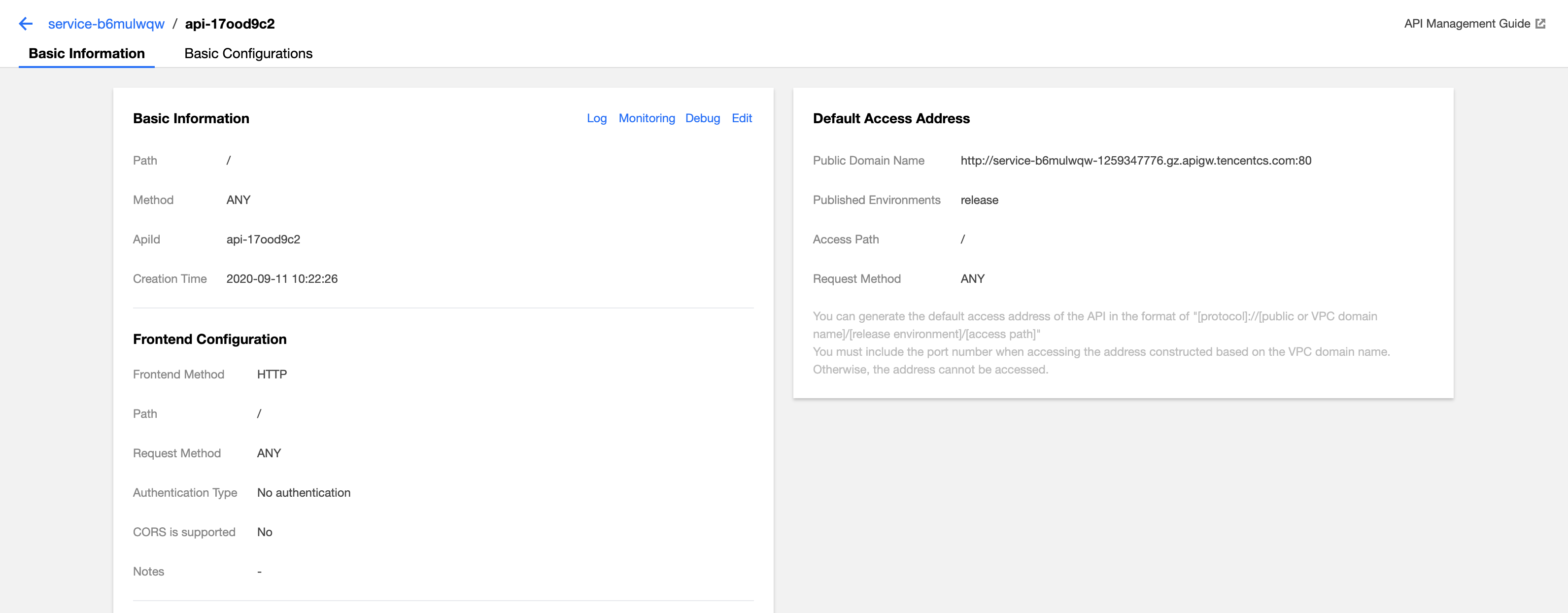
Before calling the API, you must obtain information including the API’s request path, request method, and request parameters, which can be found in the Default Access Address section of the API’s details page.
Preparing tools
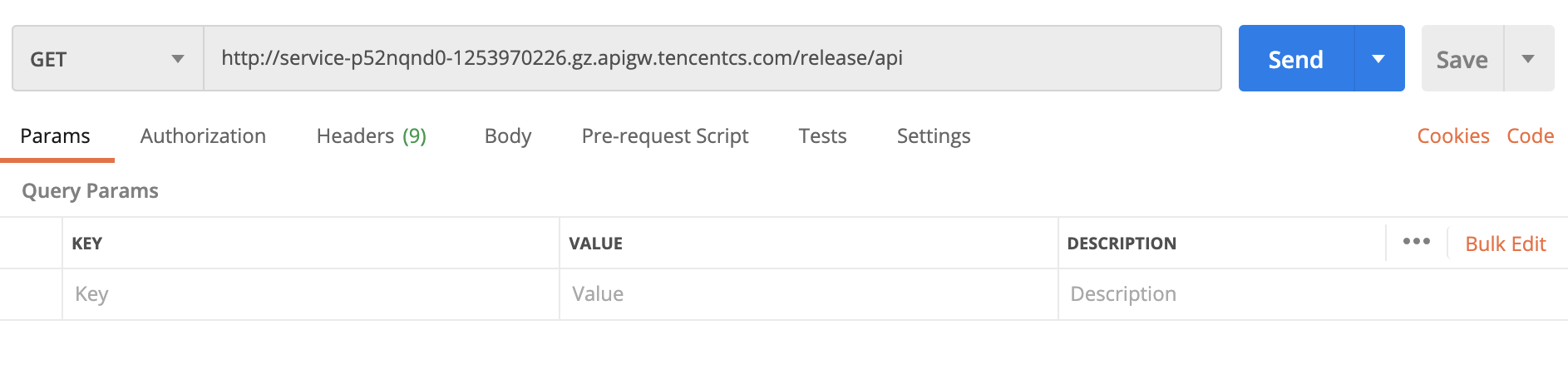
You can initiate requests from sources including browsers, browser plugins, Postman, and clients. Postman is recommended for simple validation.
Directions
1. Below is the basic information of an API.
Public domain name: http://service-p52nqnd0-1253970226.gz.apigw.tencentcs.com
Published environment: release
Access path: /api
Request method: GET
The default access address of an API is in the format of “public domain name or VPC domain name/published environment/access path”, so the default access address of the above API is: http://service-p52nqnd0-1253970226.gz.apigw.tencentcs.com/release/api.
2. Enter the access address in Postman, select GET as the request method, set the request parameters, and click Send to call the API.