Originally developed by eBay and then contributed to the open source community, Apache Kylin™ is an open-source and distributed analytical data warehouse designed to provide SQL interface and multi-dimensional analysis (OLAP) for Hadoop and Spark. It supports extremely large-scale datasets and can query huge tables in sub-seconds.
Overview of Kylin Framework
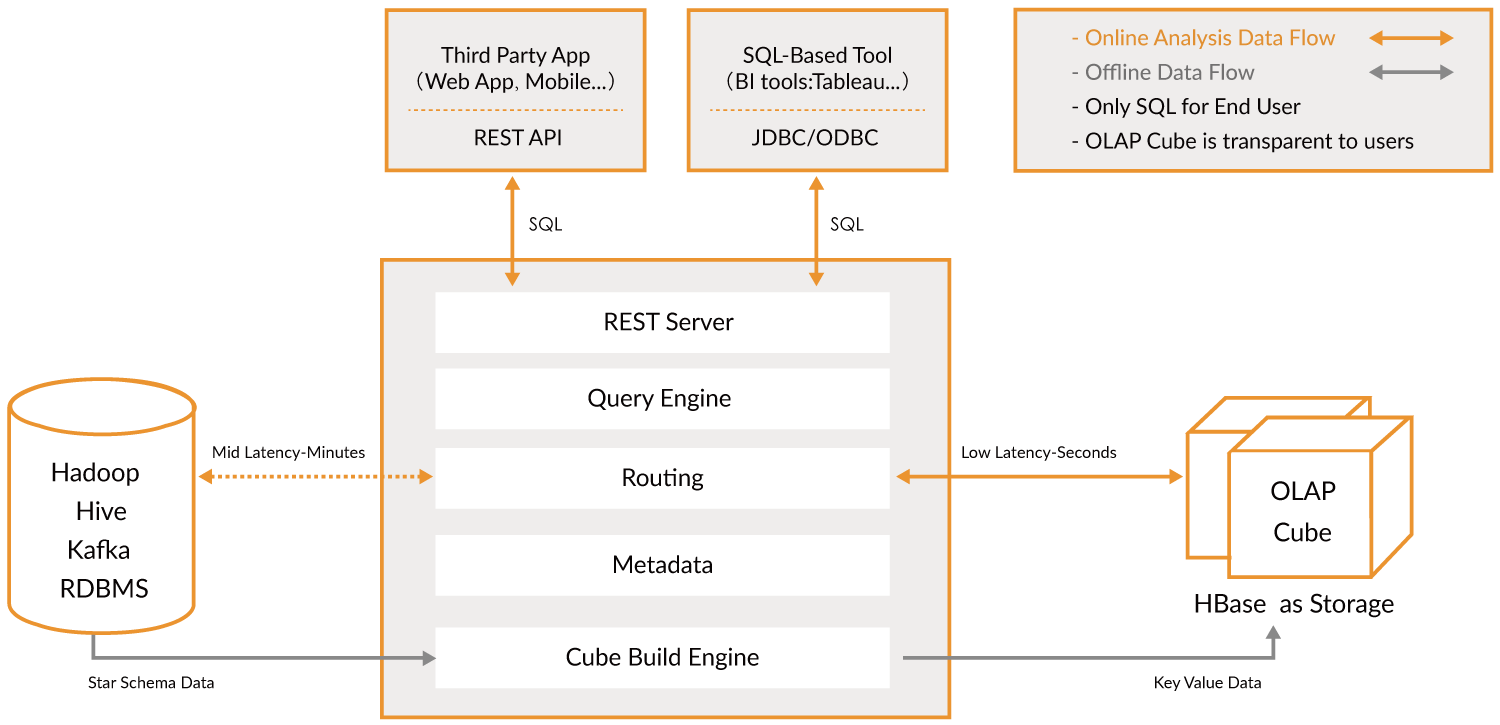
The key that enables Kylin to provide a sub-second latency is pre-calculation, which involves pre-calculating the measures of a data cube with a star topology in a combination of dimensions, saving the results in HBase, and then providing query APIs such as JDBC, ODBC, and RESTful APIs to implement real-time queries.
Core concepts of Kylin
Table: it is defined in Hive and is the data source of a data cube which must be synced into Kylin before a cube is built.
Model: it describes a star schema data structure and defines the connection and filtering relationship between a fact table and a number of lookup tables.
Cube descriptor: it describes the definition and configuration of a cube instance, including which data model to use, what dimensions and measures to have, how to partition data, how to handle auto-merge, etc.
Cube Instance: it is built from a cube descriptor and consists of one or more cube segments.
Partition: you can use a DATE/STRING column in a cube descriptor to separate a cube into several segments by date.
Cube segment: it is the carrier of cube data. A segment maps to a table in HBase. After a cube instance is built, a new segment will be created. In case of any changes in the raw data of a built cube, you simply need to refresh the associated segments.
Aggregation group: each aggregation group is a subset of dimensions and builds cuboid with combinations inside.
Job: after a request to build a cube instance is initiated, a job will be generated, which records information about each step in building the cube instance. The status of the job reflects the result of cube instance creation. For example, RUNNING indicates that the cube instance is being built; FINISHED indicates that the cube instance has been successfully built; and ERROR indicates that cube instance creation failed.
Dimension and measure types
Mandatory: this is a dimension that all cuboids must have.
Hierarchy: there is a hierarchical relationship between dimensions. Only hierarchical cuboids need to be retained.
Derived: in lookup tables, some dimensions can be derived from their primary key, so they will not be involved in cuboid creation.
Count Distinct(HyperLogLog): immediate COUNT DISTINCT is hard to calculate, so an approximate algorithm (HyperLogLog) is introduced to keep error rate at a lower level.
Count Distinct(Precise): precise COUNT DISTINCT will be pre-calculated based on RoaringBitmap. Currently, only int and bigint are supported.
Cube action types
BUILD: this action builds a new cube segment at the time interval specified by a partition.
REFRESH: this action rebuilds a cube segment over some intervals.
MERGE: this action merges multiple cube segments. It can be set to be automated when building a cube.
PURGE: this action clears segments under a cube instance. However, it will not delete tables from HBase.
Job status
NEW: this indicates that the job has been created.
PENDING: this indicates that the job has been submitted by the job scheduler and is waiting for execution resources.
RUNNING: this indicates that the job is running.
FINISHED: this indicates that the job has been successfully finished.
ERROR: this indicates that the job has exited due to an error.
DISCARDED: this indicates that the job has been canceled by the user.
Job execution
RESUME: this action will continue to execute a failed job from the last successful checkpoint.
DISCARD: regardless of the status of the job, the user can end it and release the resources.
Getting Started with Cubes
Run the script to restart the Kylin server to purge the cache.
/usr/local/service/kylin/bin/sample.sh
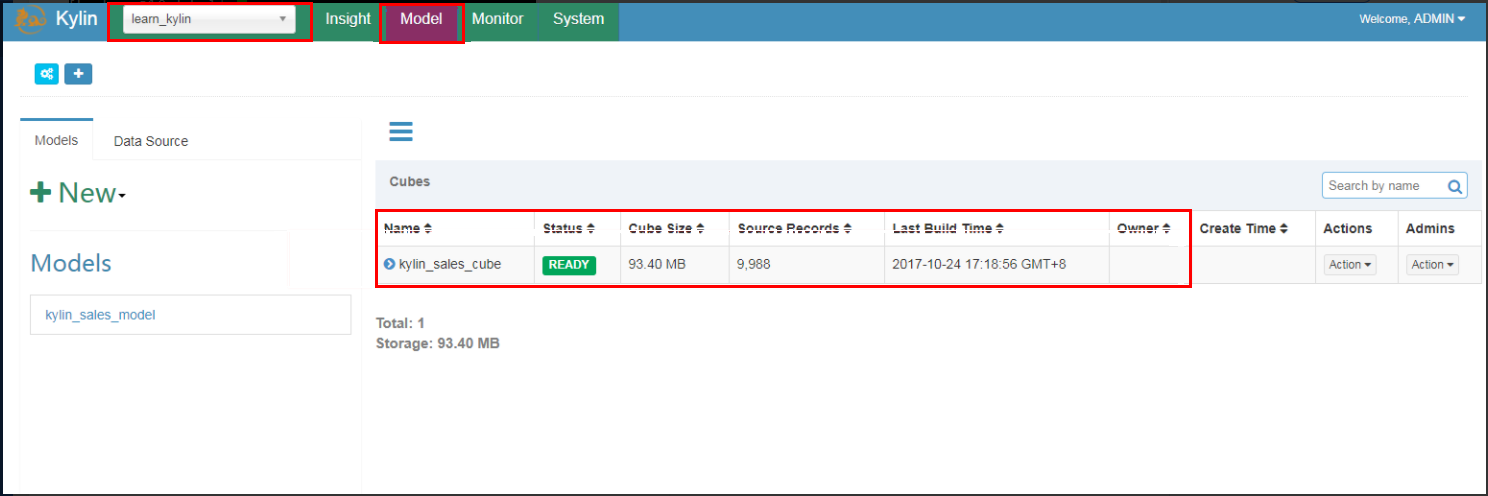
Log in at the Kylin website with the default username and password (ADMIN/KYLIN), select the learn_kylin project from the project drop-down list in the top-left corner, select the sample cube named kylin_sales_cube, click Actions > Build, and select a date after January 1, 2014 (overwriting all 10000 sample records).
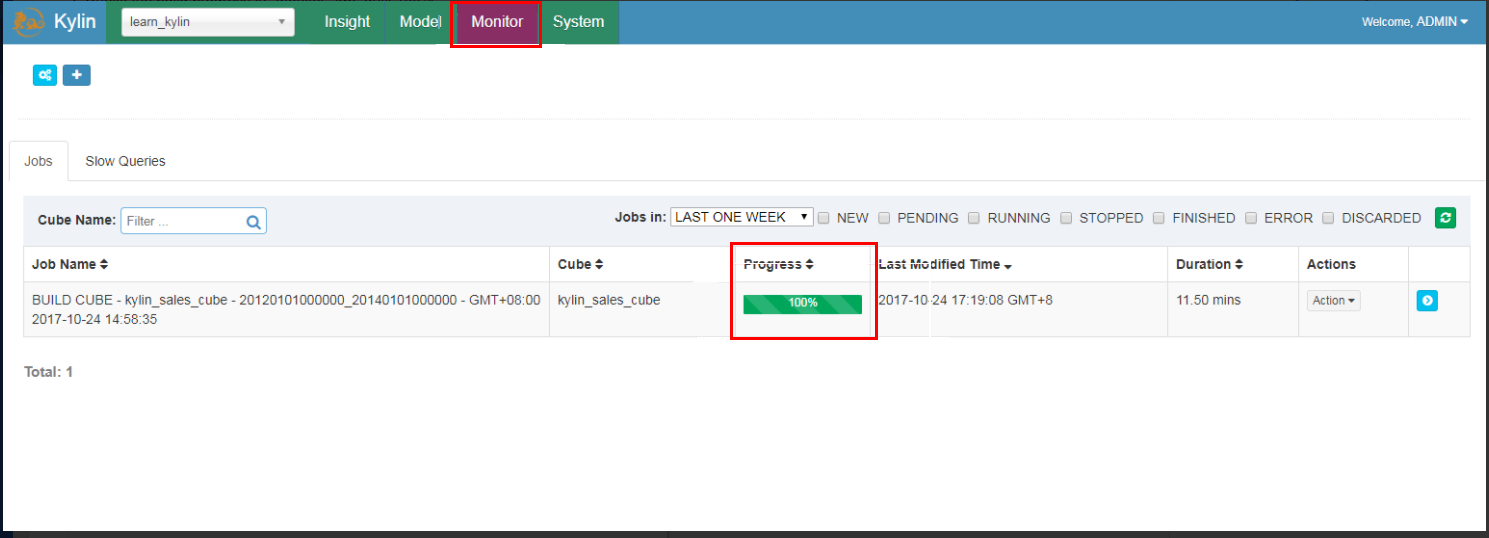
Click the Monitor to view the building progress until 100%.
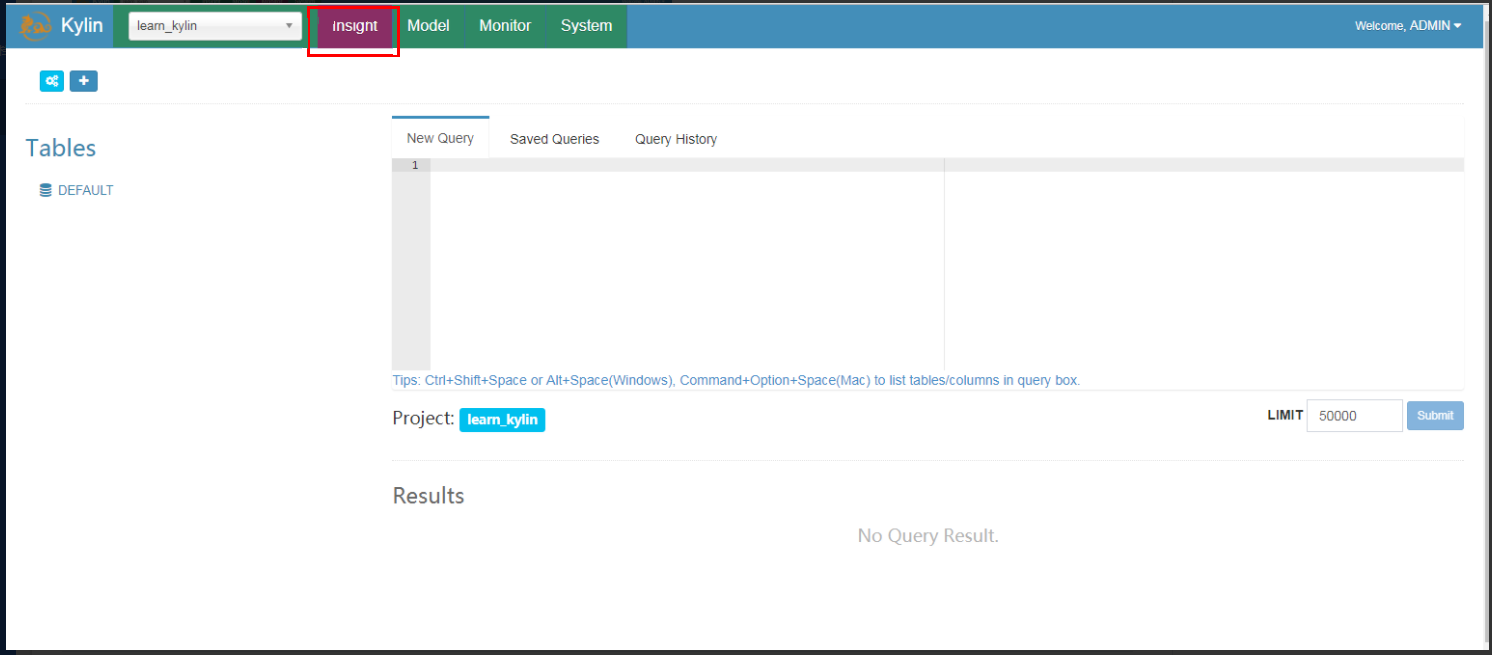
Click the Insight to execute SQLs; for example:
select part_dt, sum(price) as total_sold, count(distinct seller_id) as sellers from kylin_sales group by part_dt order by part_dt
Building Cube with Spark
1. Set the kylin.env.hadoop-conf-dir property in kylin.properties.
2. Check the Spark configuration.
Kylin embeds a Spark binary (v2.1.2) in $KYLIN_HOME/spark, and all Spark properties prefixed with kylin.engine.spark-conf. can be managed in $KYLIN_HOME/conf/kylin.properties. These properties will be extracted and applied when a submitted Spark job is executed; for example, if you configure kylin.engine.spark-conf.spark.executor.memory=4G, Kylin will use –conf spark.executor.memory=4G as a parameter when executing spark-submit.
Before you run Spark cubing, you are recommended to take a look at these configurations and customize them based on your cluster. Below is the recommended configuration with Spark dynamic resource allocation enabled:
For running on the Hortonworks platform, you need to specify hdp.version as the Java option for Yarn container; therefore, you should uncomment the last three lines in kylin.properties.
Besides, in order to avoid repeatedly uploading Spark jars to Yarn, you can manually upload them once and then configure the jar's HDFS path. The HDFS path must be a full path name.
jar cv0f spark-libs.jar -C $KYLIN_HOME/spark/jars/ .
All the kylin.engine.spark-conf.* parameters can be overwritten at the cube or project level, which gives you more flexibility.
3. Create and modify a sample cube.
Run sample.sh to create a sample cube and then start the Kylin server:
/usr/local/service/kylin/bin/sample.sh
/usr/local/service/kylin/bin/kylin.sh start
After Kylin is started, access the Kylin website and edit the kylin_sales cube on the "Advanced Setting" page by changing Cube Engine from MapReduce to Spark (Beta):
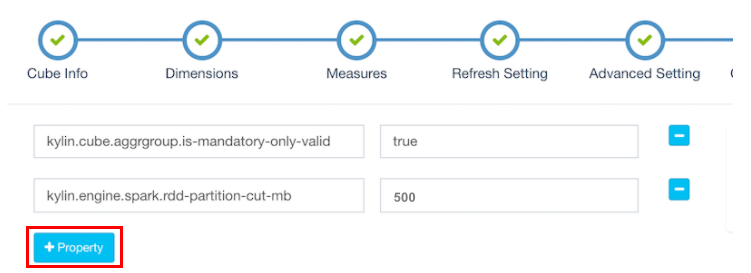
Click Next to enter the "Configuration Overwrites" page, and click +Property to add the kylin.engine.spark.rdd-partition-cut-mb property with a value of 500.
The sample cube has two memory hungry measures: COUNT DISTINCT and TOPN(100). When the source data is small, their estimated size will be much larger than their actual size, thus causing more RDD partitions to be split and slowing down the building process. 500 is a reasonable number. Click Next and Save to save the cube.
For cubes without COUNT DISTINCT and TOPN, please keep the default configuration.
3. Build a cube with Spark.
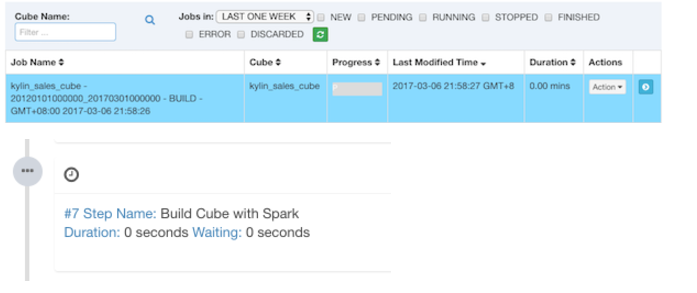
Click Build and select the current date as the end date. Kylin will generate a building job on the "Monitor" page, in which the 7th step is Spark cubing. The job engine will start to execute the steps in sequence.
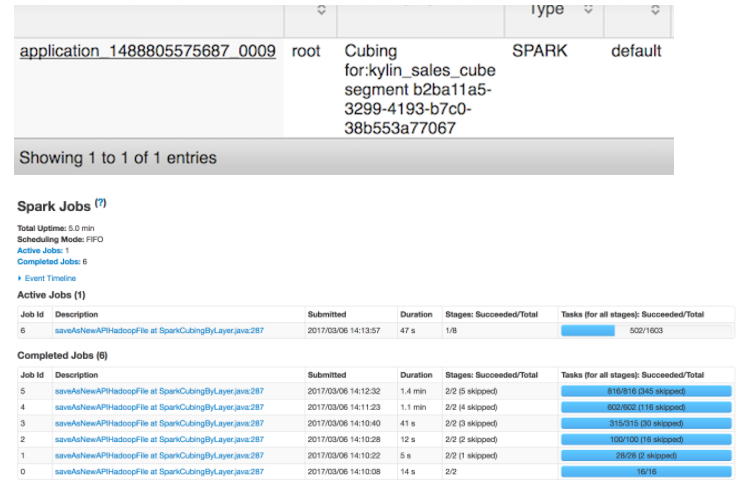
When Kylin executes this step, you can monitor the status in the Yarn resource manager. Click the "Application Master" link to open the web UI of Spark, which will display the progress and details of each stage.
After all the steps are successfully performed, the cube will become "Ready", and you can perform queries.