tencent cloud
Penawaran terbaru
Produk
Solutions
Harga
Mitra
Marketplace
Pelajari lebih lanjut
Prev
Next
Tencent Cloud Organization
Product Introduction
Overview
Concepts
Purchase Guide
Operation Guide
Console Overview
Organization Settings
Department Management
Member Account Management
Member Finance Management
Member Access Management
Resource Management
Member Audit
Identity Center Management
API Documentation
History
Introduction
API Category
Making API Requests
Organization Settings APIs
Department and Member Management APIs
ListOrganizationIdentity
Unified Member Login APIs
Organization Service Management APIs
Organization Management Policy APIs
Resource Sharing APIs
Identity Center Management APIs
Identity Center User Management APIs
Identity Center User Group Management APIs
Identity Center Management SCIM Synchronization APIs
Identity Center Single Sign-On Management APIs
Identity Center Permission Configuration Management APIs
Identity Center Multi-Account Authorization Management APIs
Identity Center Sub-User Synchronization Management APIs
Data Types
Error Codes
TCO API 2018-12-25
Related Agreement
Statement of Tencent Cloud Customers’ Tencent Cloud Organization
FAQs
Concept
Basic
Operation
Glossary
文档
Tencent Cloud Organization
Operation Guide
Department Management
Deleting Department
Deleting Department
Download
聚焦模式
字号
最后更新时间: 2024-03-06 18:43:08
You can delete an organization in the TCO console when you no longer need it.
Directions
1.
Log in to the TCO console and select
Organization structure
on the left sidebar.
2.
On the
Organization structure
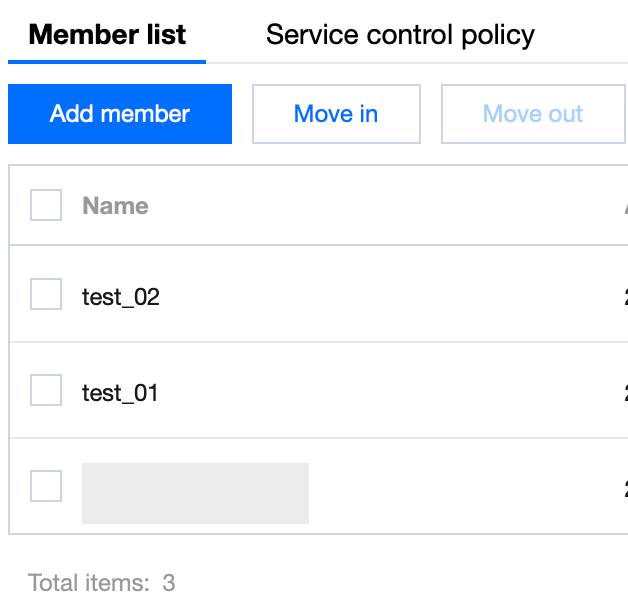
page, select the target department and click
Delete department
above.
3.
In the
Delete department
pop-up window, click
Delete
.
上一篇: Modifying Department Information
下一篇: Moving Member
帮助和支持
本页内容是否解决了您的问题?
是
否
您也可以
联系销售
或
提交工单
以寻求帮助。
填写满意度调查问卷,共创更好文档体验。
点击前往
文档反馈