tencent cloud

Mobile Live Video Broadcasting

Release Notes and Announcements
TUILiveKit Release Notes
Live SDK Release Notes
User Guide
Product Introduction
Overview
Strengths
Performance Statistics
Concepts
Purchase Guide
TRTC Live Billing Overview
Billing of Video Live Component
Activating the Service (TUILiveKit)
Free Demo
Demo
Run Demo(TUILiveKit)
Integration Guide
Video Live Streaming
Preparation
Host Live Streaming
Audience Viewing
Live Stream List Live Stream List
Voice Chat Room
Preparation
Host Live Streaming
Audience Viewing
Live Stream List
Live Streaming Kit
Live Streaming Kit(Electron Desktop Application)
Live Streaming Kit(Web Desktop Browser)
Live Broadcast Monitoring
Monitoring Webpage (Web Desktop Browser React)
Monitoring Webpage (Web Desktop Browser Vue)
UI Customization
Live Stream Video Component
Video Source Editing Canvas
Audience List Component
Barrage Component
Media Source Configuration Panel
Link Management Panel
Live Gift Component
No UI Integration
Video Live Streaming
Voice Chat Room
Feature Guide
Follow Anchors (TUILiveKit)
Ultimate Image Quality (TUILiveKit)
Push Media Stream Into Room (TUILiveKit)
Gift System (TUILiveKit)
Client APIs
Android
iOS
Web
Server APIs (TUILiveKit)
Account System
REST API
Third-Party Webhooks
Error Codes (TUILiveKit)
FAQs
Platform Compilation
User Authentication
Live SDK
Product Introduction
Purchase Guide
Free Demo
Free Trial License
SDK Download
Licenses
Advanced Features
Client API
FAQs
Integration (No UI)
API Documentation
OSS information
OSS Attribution Notice

Default Gift Config

PDF
Mode fokus
Ukuran font
Terakhir diperbarui: 2026-03-11 13:29:55

Gift System Overview

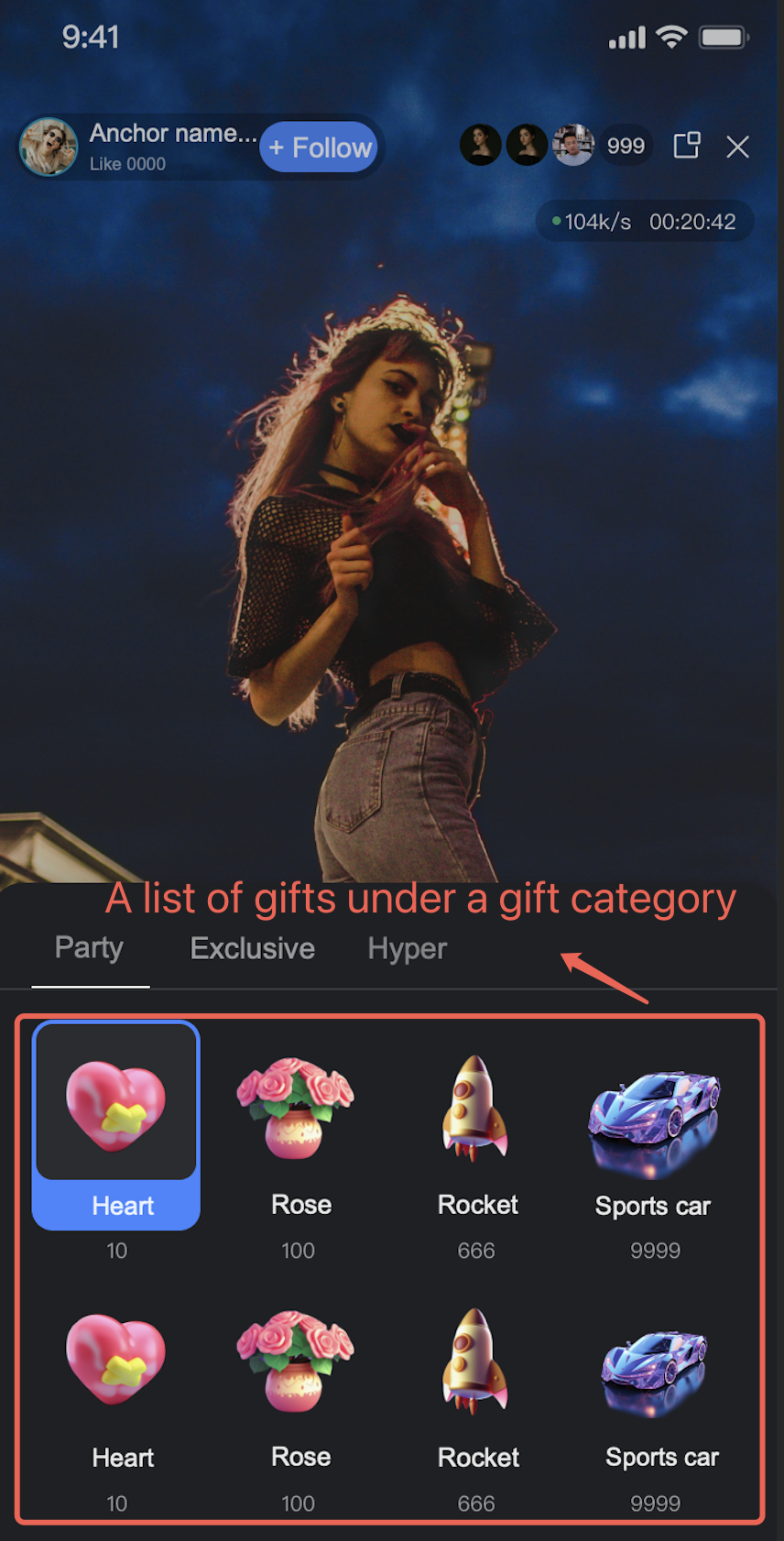
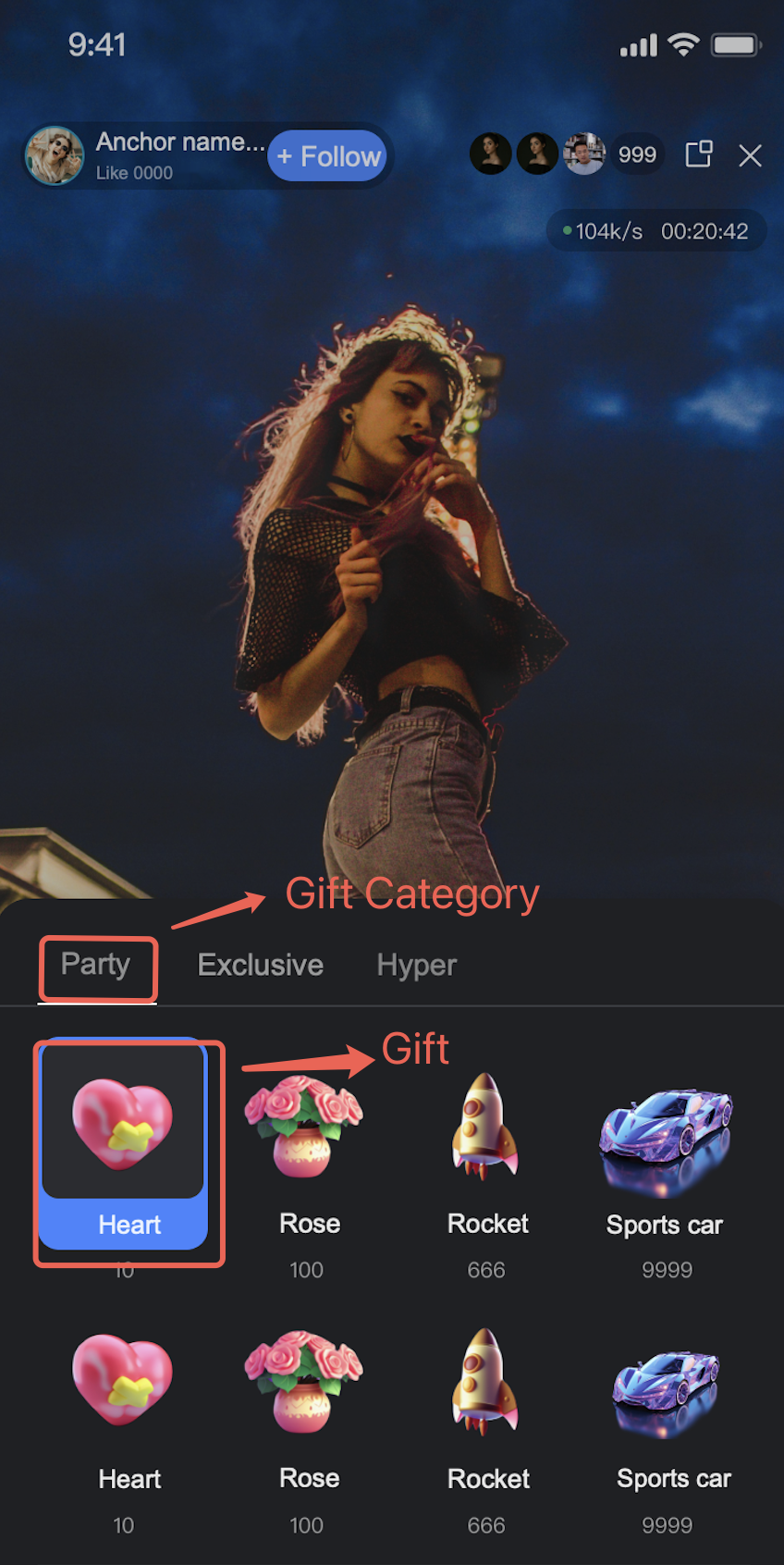
Gift-related information consists of gift, gift categorization, gift-category relationship, and language information. The information follows:
Gift: includes GiftId, default name, default description, severity, virtual currency price, icon, and custom extension information. Among them, GiftId is the unique identifier of the gift in the system and the object for subsequent operations. The virtual currency price of the gift is used for the "pricing" in gift display. The correspondence between virtual currency and actual payment amount requires additional self-definition by the business.
Gift categorization: including CategoryId, default name, default description, and custom extension information. Same as GiftId, CategoryId is the unique identifier of gift categorization in the system and the object of subsequent operations.

Note:
Gift classification information does not include the gift-category relationship. It only includes the gift category ID, category name, category description, and extended information. See Add Gift Category for detail
Gift category relationship: for description of which gifts are under a category

Language information: The names and descriptions of gifts and gift categories support internationalization. Language information is used to record translations of gift descriptions in different languages.
Note:
Note: When using SDK to get the gift list, if the gift or gift category does not have a name and description in the specified language, return the default gift name and description set when creating the gift.

Gift System Configuration Process

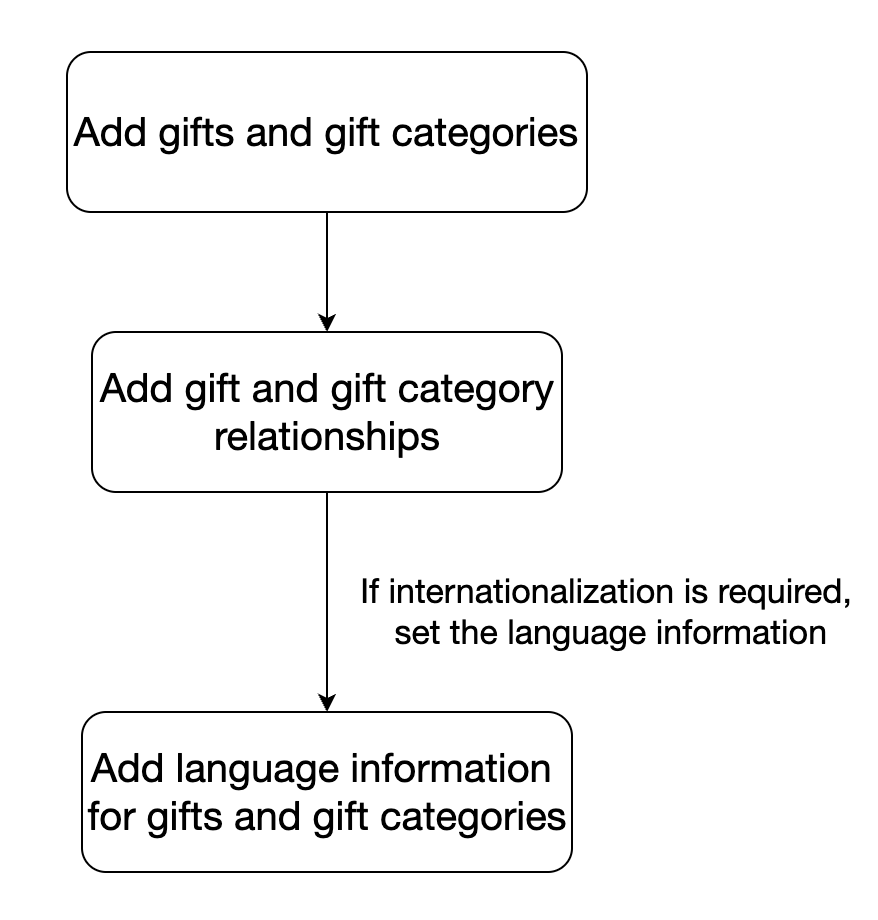
The gift function in the component requires the corresponding application (SDKAppID) to be TUILiveKit trial version or large-scale live stream version to be usable. After activation, add gift-related information in an ordered manner. Below are the gift configuration order:
1. Add gifts and gift categories
First add gifts and gift categories. After addition, you will get several GiftIDs and CategoryIds. Use these Ids to continue subsequent operations. For the add method, see Add Gift and Add Gift Category.
2. Add gift categories and gift relationships
Use the GiftId and CategoryId obtained in the previous step to set the corresponding relationship. For instructions, see Add Gift Category Relationships.
3. Add language info for gifts and gift categories
This step is not required. If there is a need for internationalization, you can configure it. For instructions, see Add Gift Language Information and Add Gift Category Language Infomation.
The configuration order is as follows:

Bantuan dan Dukungan

Apakah halaman ini membantu?

masukan