Logging in with a Sub-Account to Partner Center
Download
Mode fokus
Ukuran font
This document describes how personnel sub-accounts log in to the partner center. If you encounter login access failure, contact the root account administrator.
Applicable Objects
This article is suitable for resellers,distributors and second-level resellers to read. The copywriting uses "reseller" for description.
Prerequisites
Reseller identity already available.
Operation Steps
1. Enter the Tencent Cloud website.
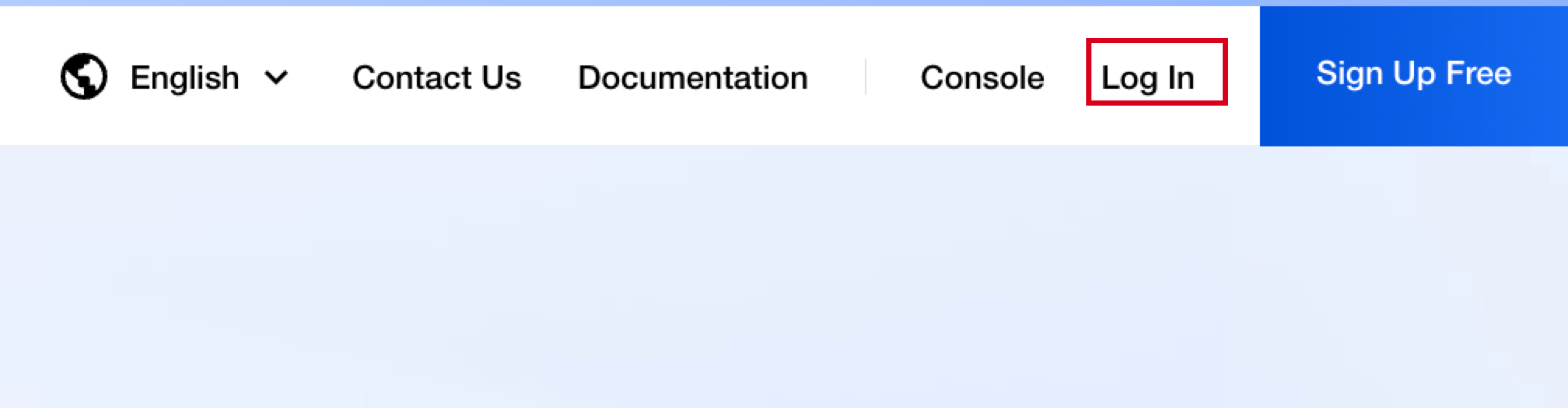
2. Click Log In to enter the login page.
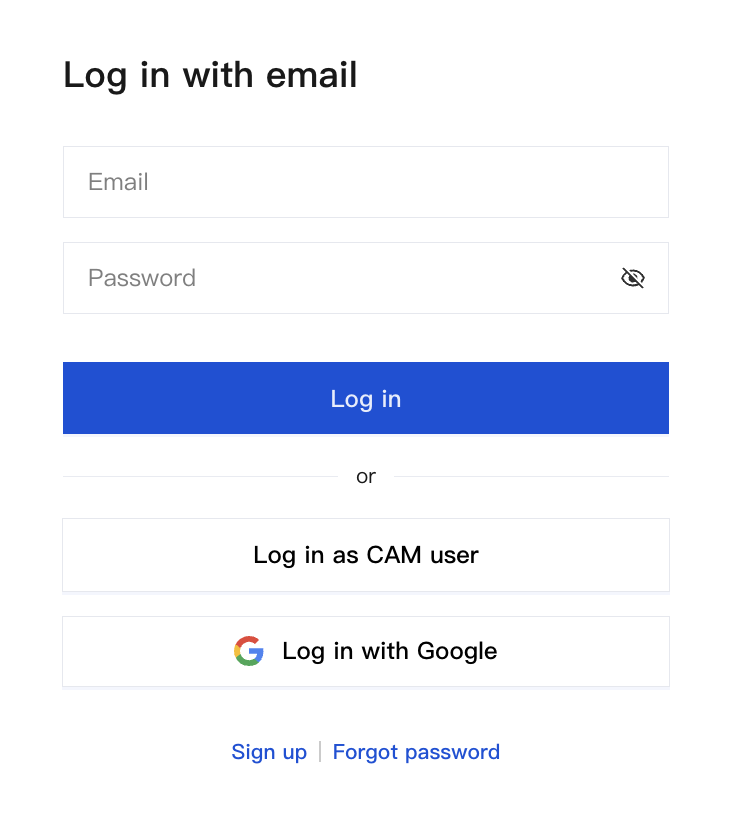
3. Click Log in as CAM uesr on the login page.
4. Enter log-in information, then click Log In.
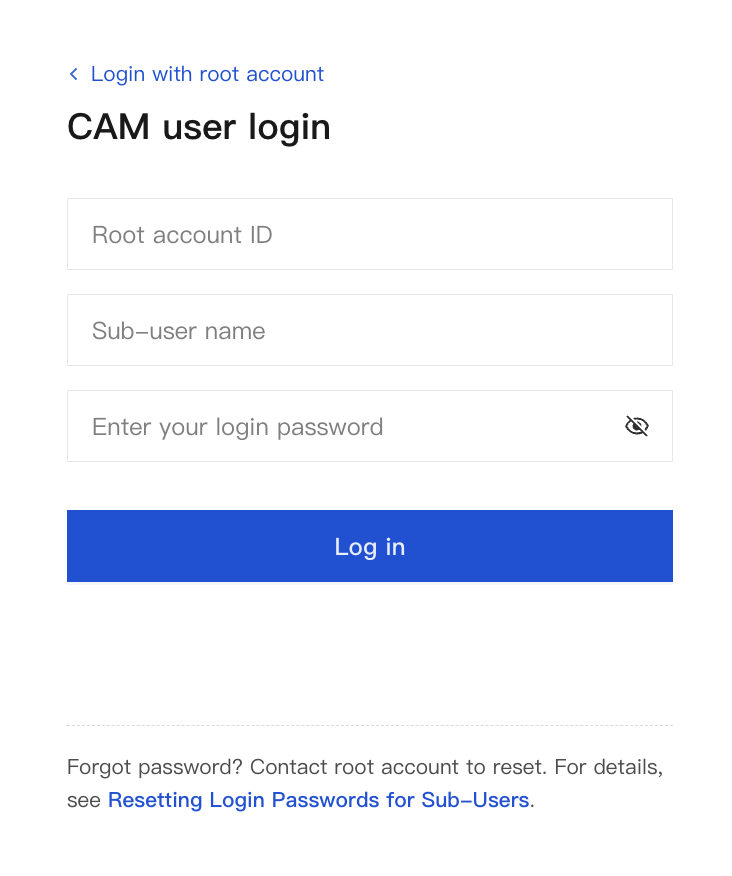
Login Information | Description |
root account ID | Enter the partner’s root account ID. When you copy and open the login URL provided by the reseller, the root account ID will be automatically filled in on the login page. |
sub-user name | Enter the employee account name. It is provided by the reseller root account admin. |
login password | Enter the employee’s initial login password. |
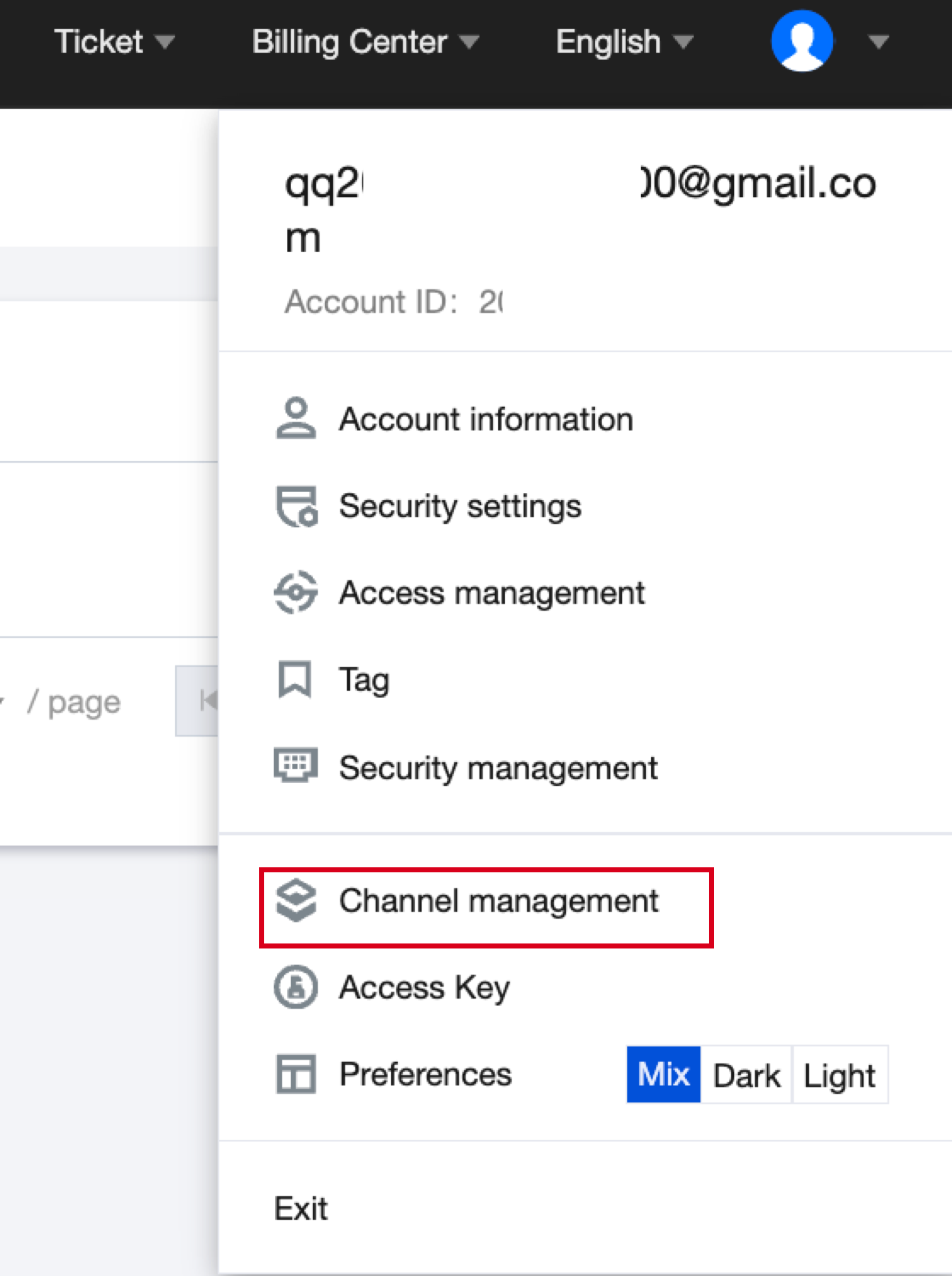
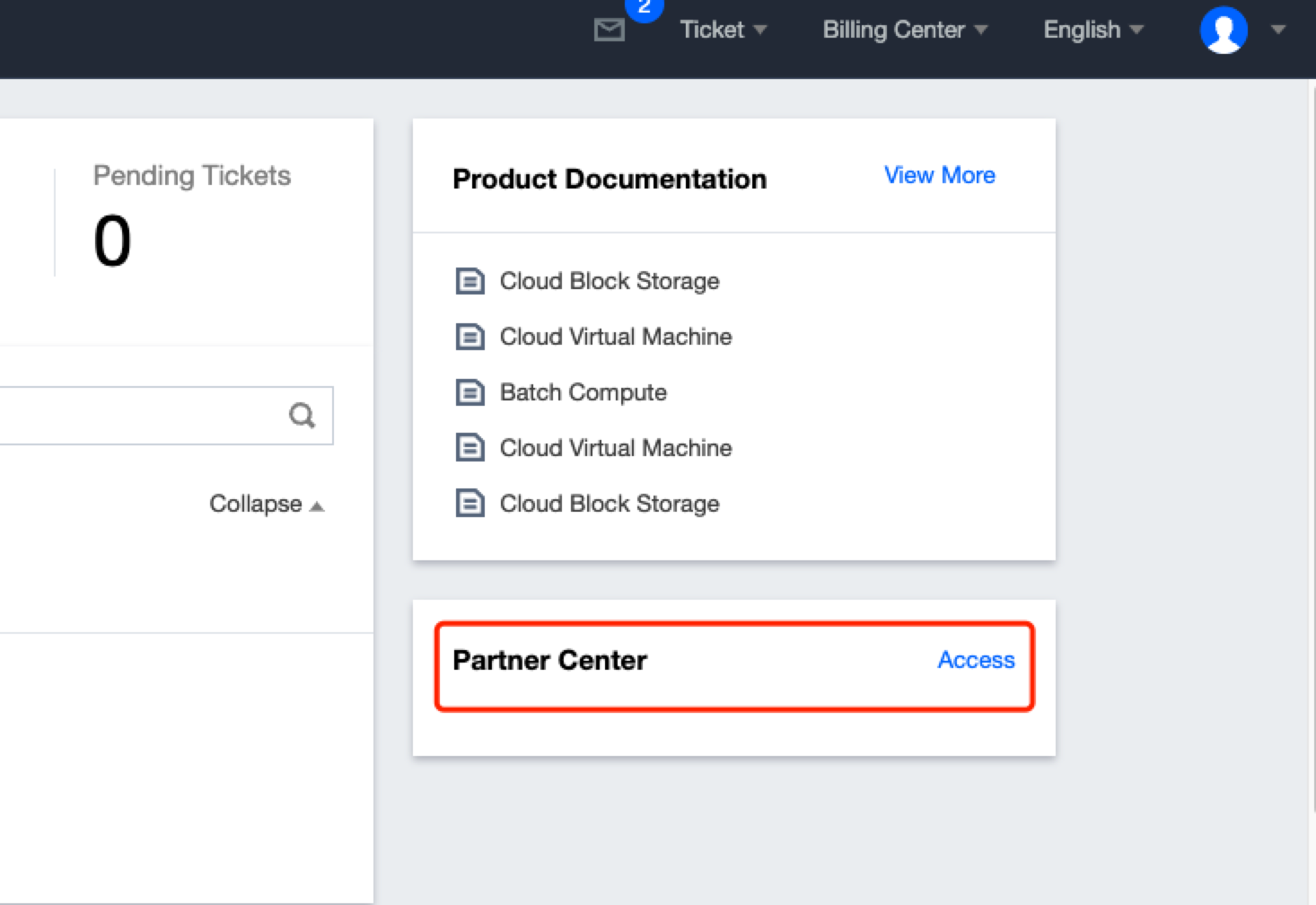
5. Log in and enter the console homepage. The login entry may vary based on reseller identity.
If you are a distributor or reseller, hover over the account name and click Channel Management to enter the Partner Center console.
If you are a second-level reseller, click Access under Partner Center to enter the Partner Center console.
Bantuan dan Dukungan
Apakah halaman ini membantu?
Anda juga dapat Menghubungi Penjualan atau Mengirimkan Tiket untuk meminta bantuan.
masukan