Overview
This document describes how to log in to a container via WebShell in the TEM console.
Directions
2. In the left sidebar, click Application Management to go to the application list page and select a deployment region for your application.
3. Click the ID of the target application to go to the application details page.
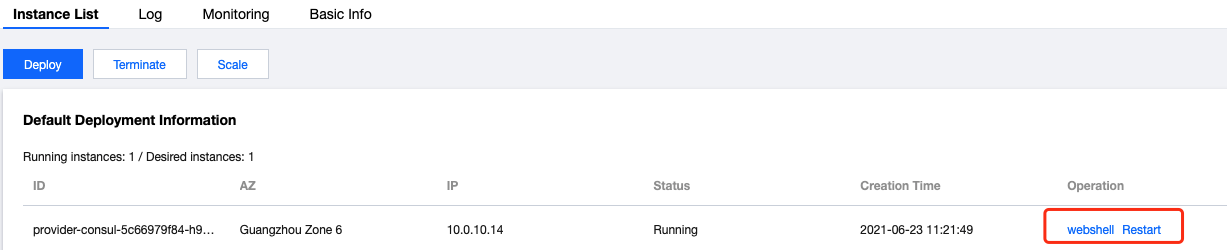
4. Select the Application List tab, click WebShell in the Operation column of the target instance, and log in to the container via WebShell. sh is supported by default.
The UI after login is as follows: