tencent cloud

TDMQ for CMQ

Release Notes and Announcements
Release Notes
Announcements
Product Introduction
Overview
Features
Strengths
Use Cases
Use Limits
Basic Concepts
Purchase Guide
Billing Overview
Purchase Methods
Pricing Overview
Payment Overdue
Refund
Getting Started
Getting Started with Queue Model
Getting Started with Topic Model
Operation Guide
Queue Service
Topic Subscription
Access Management (CAM)
Tag Management
Alarm Configuration
Message Query and Trace
Practical Tutorial
Message Deduplication
Push/Pull Selection
Success Stories
Online Image Processing
Qidian.com
Development Guide
HTTP Endpoint Subscription
General References
API Documentation
API Documentation
API 2.0 to 3.0 Switch Guide
SDK Documentation
HTTP Data Flow SDK
HTTP Control Flow SDK
SDK Parameter Configuration Description
FAQs
Features
Operations
Service Level Agreement
Contact Us
Glossary

Viewing Monitoring Data

PDF
Mode fokus
Ukuran font
Terakhir diperbarui: 2024-01-03 10:17:36

Overview

This document describes how to view the monitoring data of a created queue in the TDMQ for CMQ console.

Directions

1. Log in to the TDMQ for CMQ console.
2. Select Queue Service on the left sidebar, select a Region, and click the ID of the target queue to enter the queue details page.
3. On the queue details page, select the Monitoring tab at the top and select a time range to view the monitoring data of the queue.


Monitoring metric description

Monitoring Metric
Description
Heaped messages
Activemessages, which indicates the total number of messages that are in “Active” status in the queue in the selected time range. The metric value is approximate.
Invisible messages
A message will be made invisible (in “Inactive” status) after being fetched by the consumer. It will become visible (in “Active” status) again if it is not consumed after the VisibilityTimeout.
Production rate (messages/sec)
The number of messages produced by all producers in the queue per second in the selected time range.
Production rate (messages/sec)
The number of messages consumed by all consumers in the queue per second in the selected time range.
Production traffic (bytes/sec)
The size of messages produced by all producers in the queue per second in the selected time range.
Consumption traffic (bytes/sec)
The size of messages consumed by all consumers in the queue per second in the selected time range.
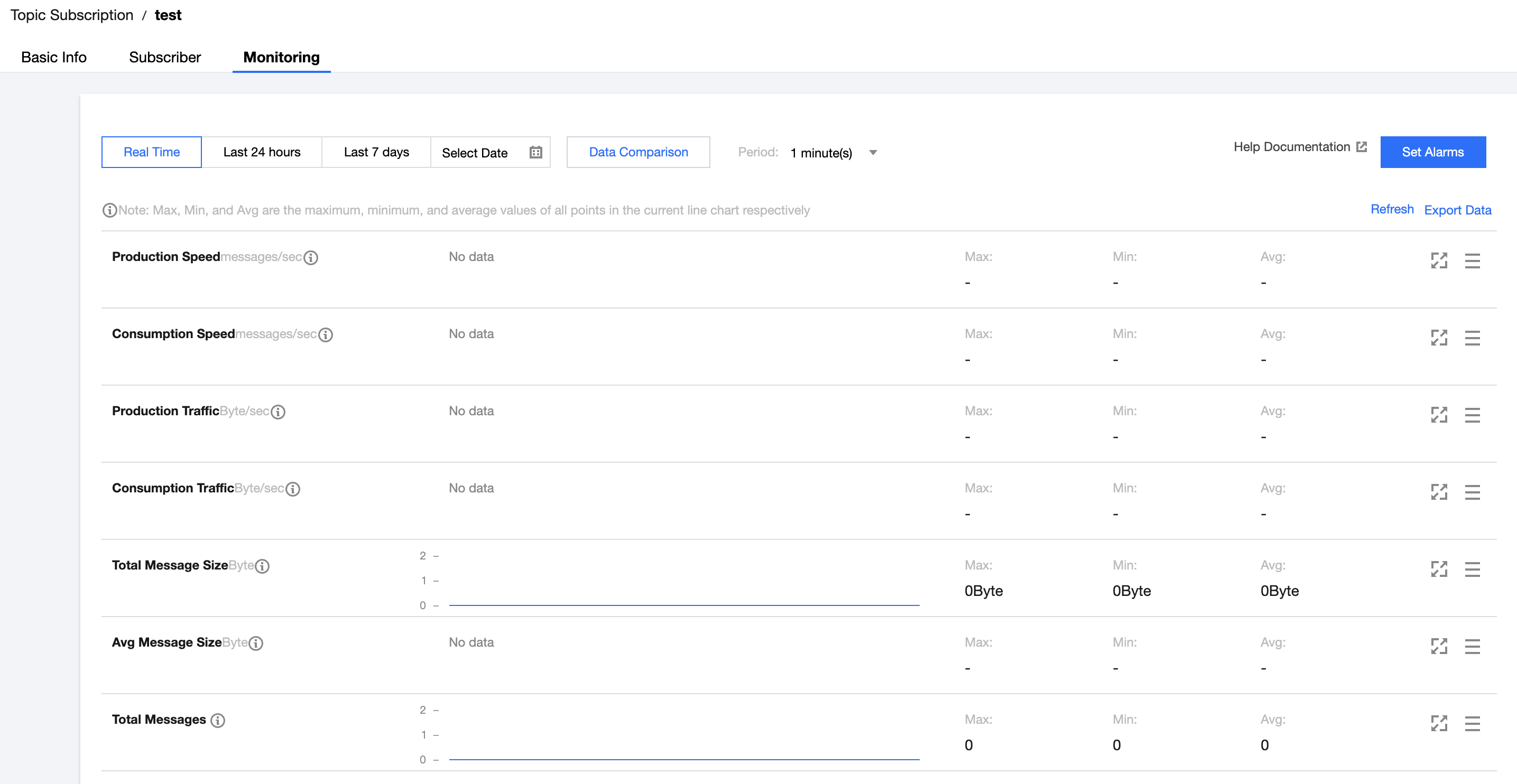
Total message size (bytes)
The total data size of current messages
Average message size (bytes)
The average data size of current messages
Total number of messages
The total number of current messages


Bantuan dan Dukungan

Apakah halaman ini membantu?

masukan