Configure RabbitMQ TTL
Time To Live (TTL) in RabbitMQ refers to the maximum survival time of a message in a queue. When the survival time of a message in a queue exceeds the set TTL threshold:
If a dead letter queue (dead letter exchange) is configured for the queue, messages will be automatically routed to that queue.
If no dead letter queue is configured for the queue, messages will be automatically discarded by the system.
Message TTL can be configured by configuring queue properties and setting messages individually.
Setting queue properties: All messages in the queue share the same TTL.
Setting messages individually: Each message can be configured with a different TTL via the client.
Constraints and Limitations
If both queue TTL and message TTL are set, the smaller one prevails.
Configuring Queue TTL
When creating a queue, configure Message TTL in Common Parameters. For specific steps, see Creating a Queue.
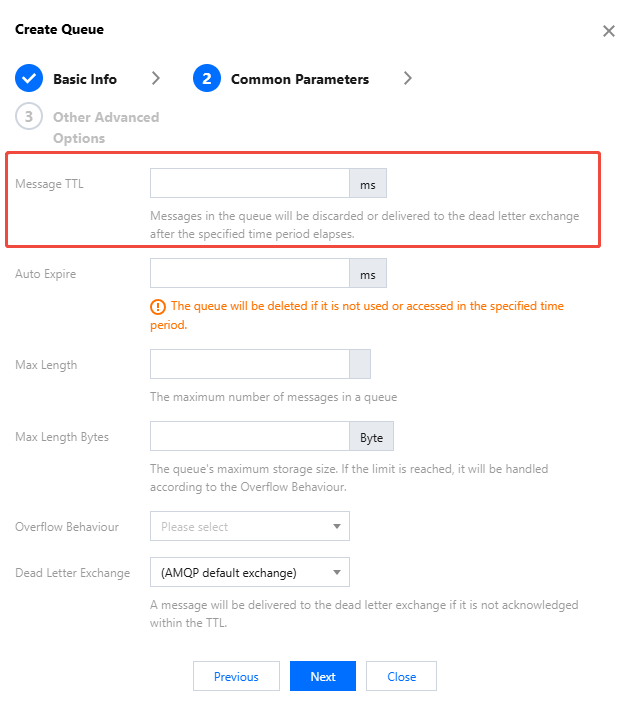
Configuring Message TTL
Below is a Java client sample in which TTL is set by adding the
expiration parameter in the channel.basicPublish method, in milliseconds.byte[] messageBodyBytes = "Hello, world!".getBytes();AMQP.BasicProperties properties = new AMQP.BasicProperties.Builder().expiration("80000") //Set message TTL to 80000 ms..build();channel.basicPublish("test-exchange", "routing-key", properties, messageBodyBytes);
Bantuan dan Dukungan
Apakah halaman ini membantu?
Anda juga dapat Menghubungi Penjualan atau Mengirimkan Tiket untuk meminta bantuan.
masukan