Tencent Cloud TCHouse-P provides a performance monitoring dashboard where you can observe the historical and current status of the operational metrics of each node in the cluster. It also offers the alarm notification feature to keep you informed of sensitive metrics that exceed thresholds, such as the node disk usage.
Performance Monitoring
Log in to the Tencent Cloud TCHouse-P console and click a cluster name in the cluster list to enter the cluster details page. On the Performance Monitoring tab, you can view cluster metrics. If there are multiple nodes, you can select the target node in Node Dimension.
Currently, Tencent Cloud TCHouse-P metrics include the number of connections, CPU utilization, memory utilization, inbound network throughput, outbound network throughput, write IOPS, read IOPS, disk utilization, read throughput, write throughput, read latency, and write latency.
Alarm Access
Tencent Cloud TCHouse-P has three types of alarms, namely cluster monitoring, primary node monitoring, and compute node monitoring. These monitoring alarms are sent to users in three dimensions.
Creating alarm policy
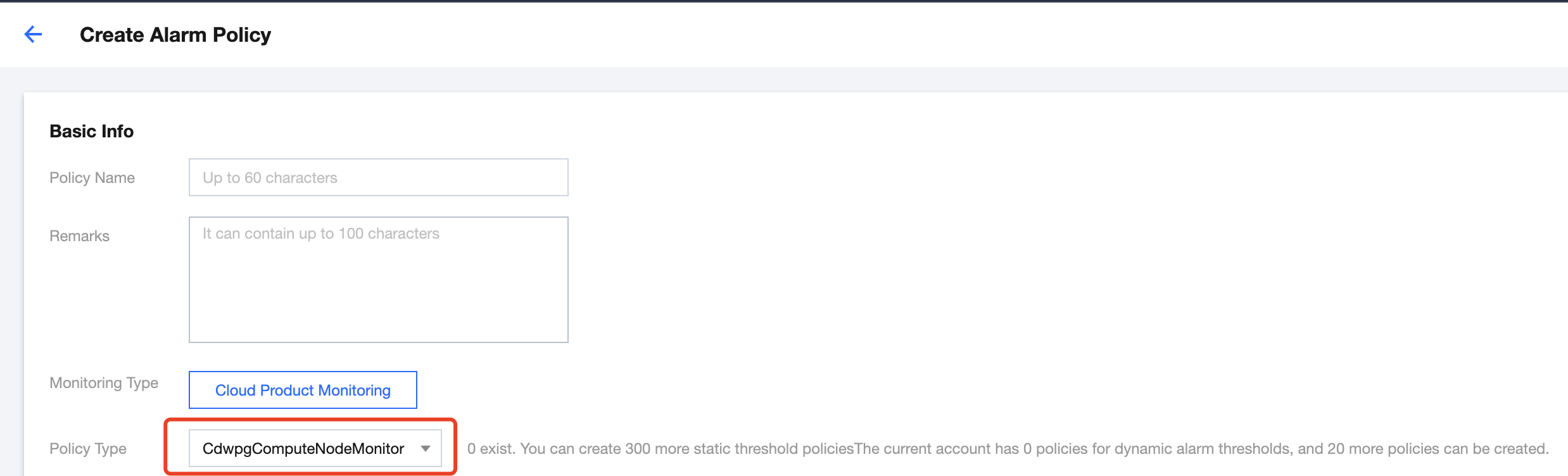
Log in to the TCOP console, select Alarm Management > Alarm Configuration > Alarm Policy, and click Create to create an alarm policy. When creating the alarm policy, you can select CdwpgClusterMonitoring, CdwpgMasterNodeMonitoring, or CdwpgComputeNodeMonitoring as the Policy Type. This document takes compute node monitoring as an example.
1. Select CdwpgComputeNodeMonitoring in the Policy Type drop-down list.
1.
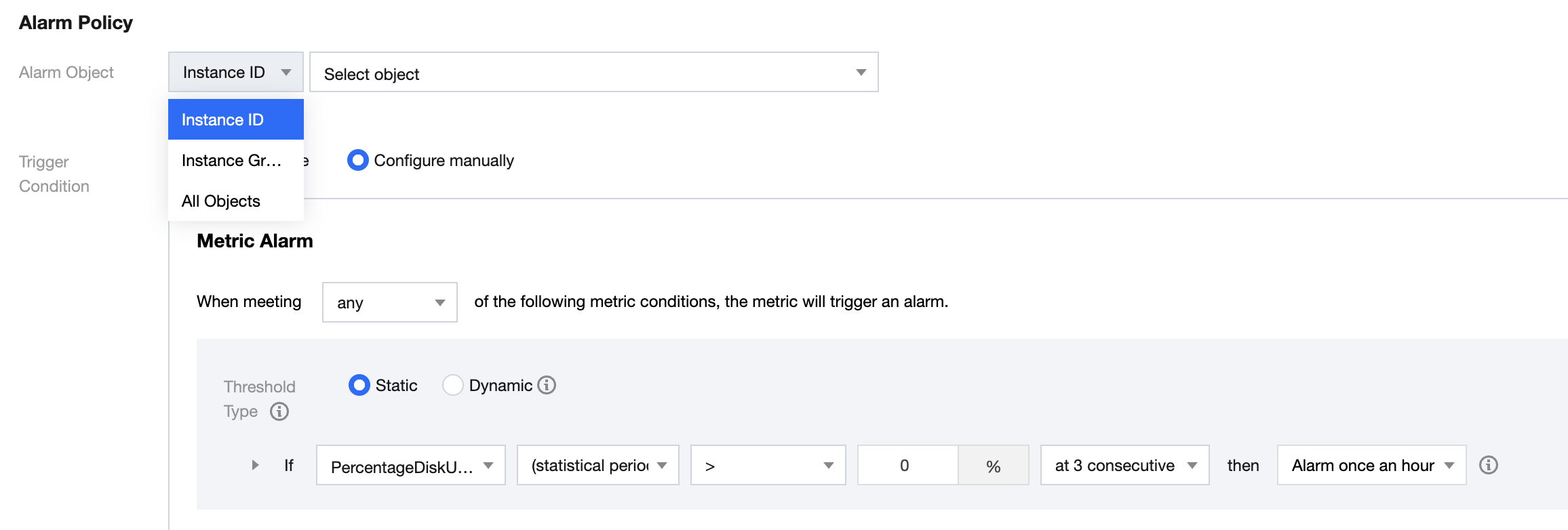
2. Set Alarm Object and select different groups of compute nodes in the drop-down list.
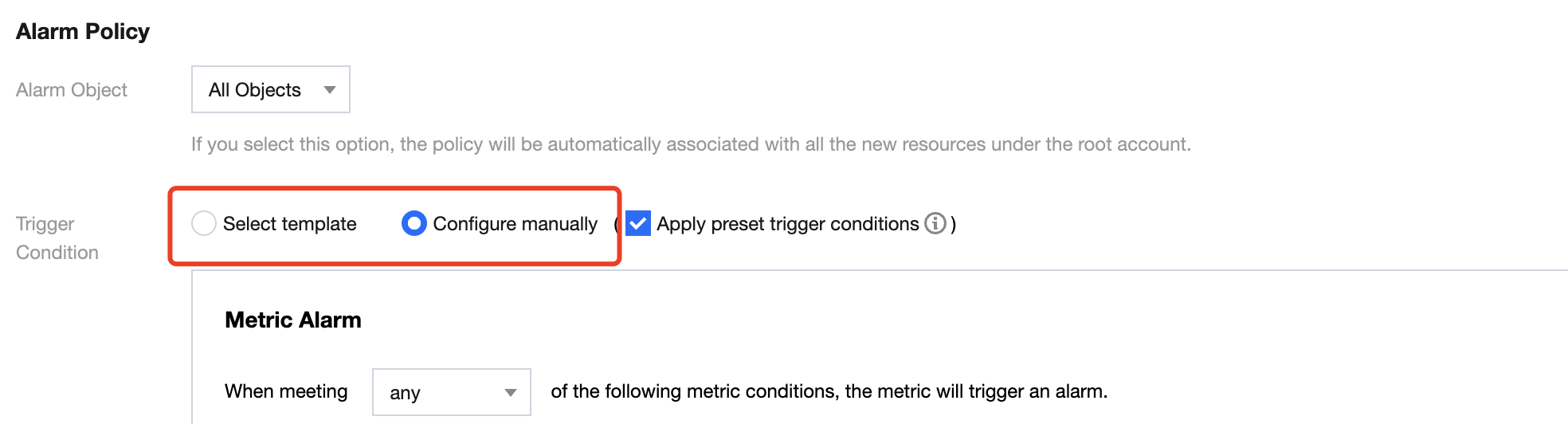
3. Configure Trigger Condition, which can be Select template or Configure manually.
If you select Select template, you can click Add Trigger Conditions to configure an alarm threshold for each metric. Once a metric exceeds the threshold, the system will send you an alarm message. You can also click Modify Template to modify an existing template.
If you select Configure manually, you can add other metrics that you care about. Set thresholds for such metrics to configure their alarming thresholds and notification periods.
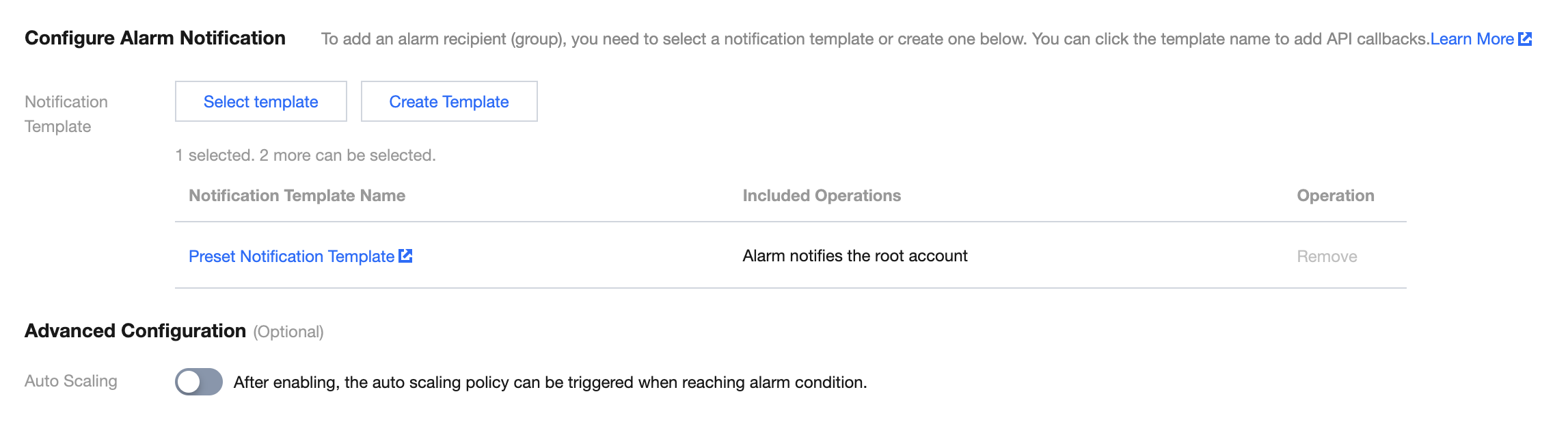
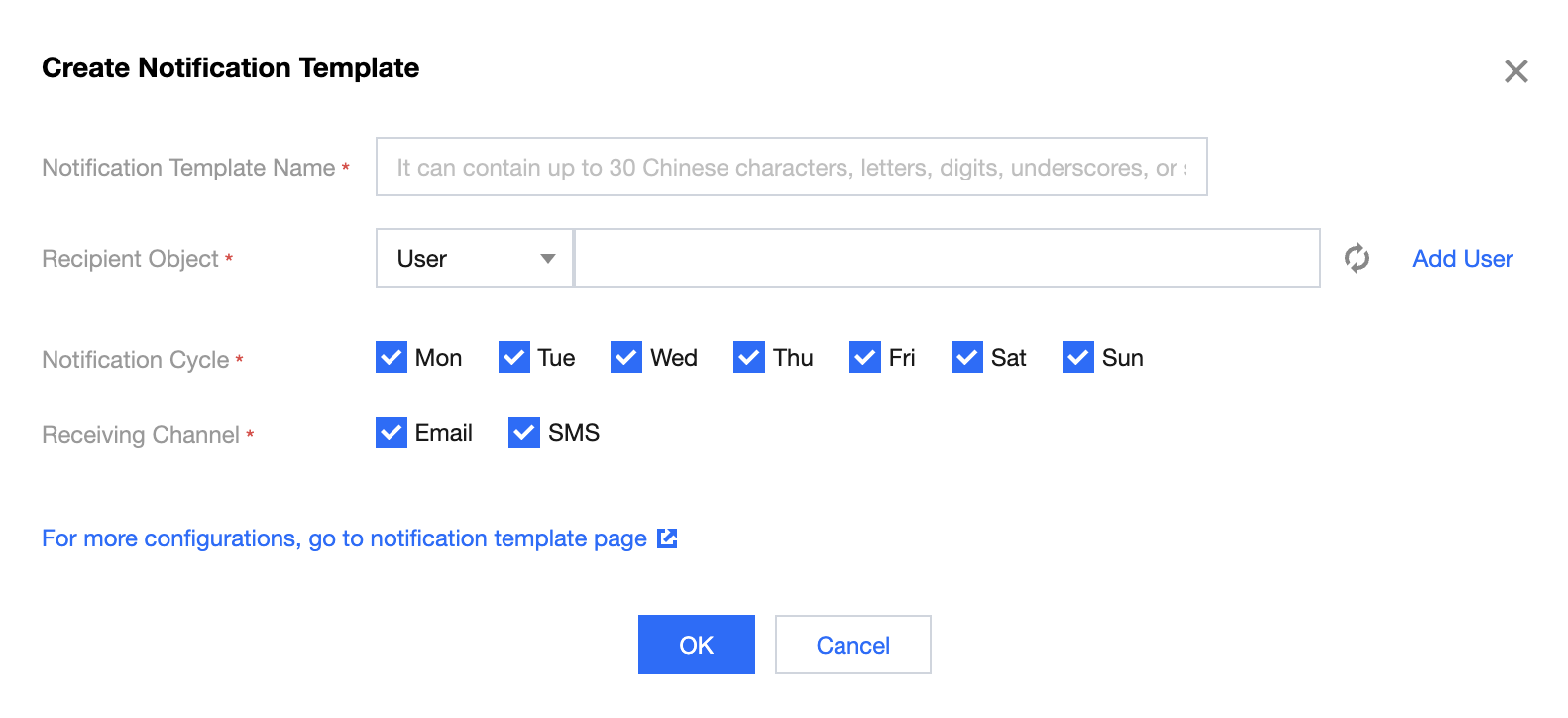
4. To configure Notification Template, click Select template and select an existing template, or click Create template to create a notification template.
When creating a notification template, set Recipient to the development and operations personnel who are interested in alarming or need to handle the alarms. You can choose to notify them by email, SMS, or WeChat.