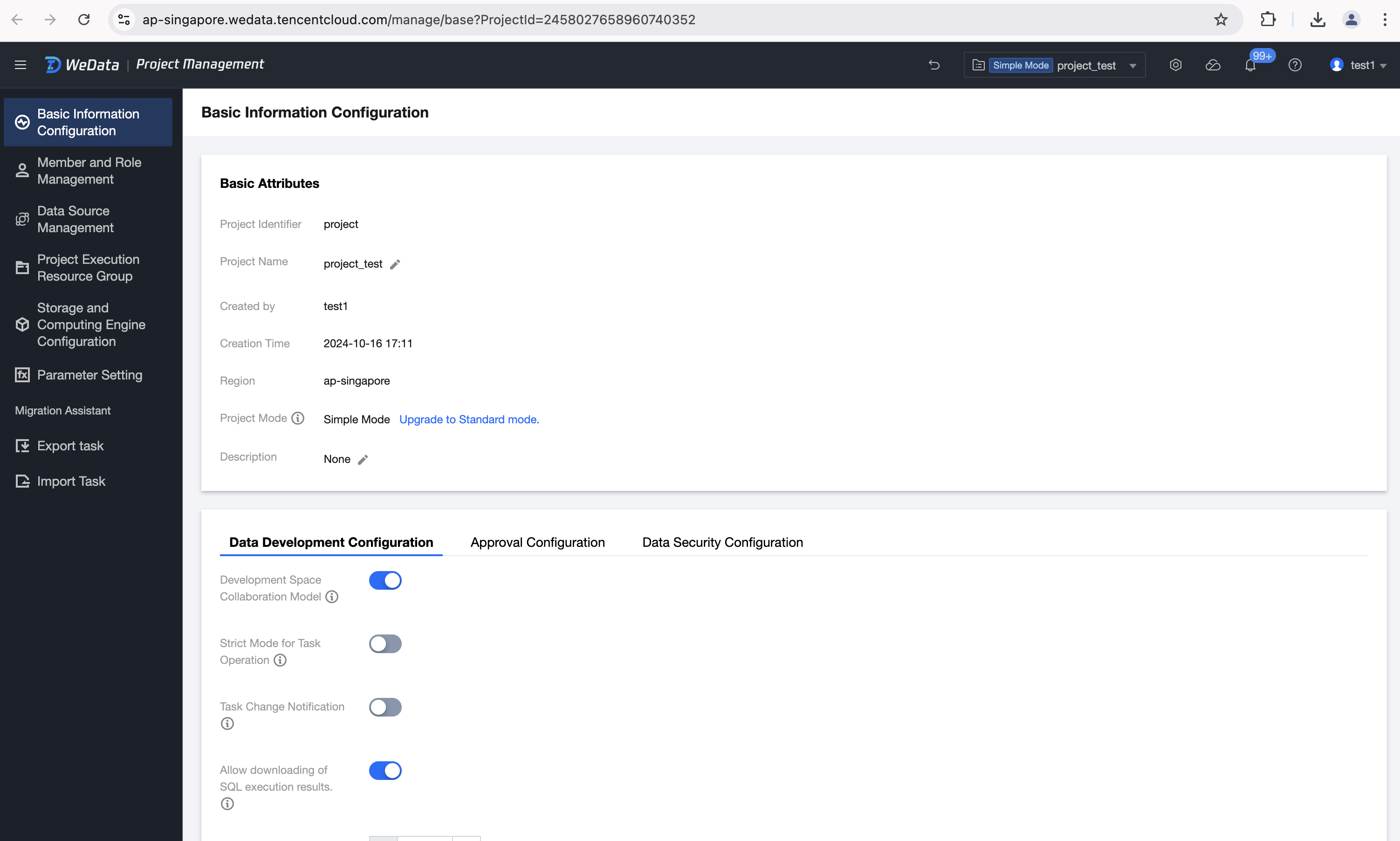
Click Basic Information Configuration in the left directory tree to view the basic attributes of the current project, as well as the switch for permission management related to data development scheduling and approval.
Basic information
Basic Attributes allow viewing the current project's Project Identifier, Project Name, Creator, Creation Time, Region, and Description information. Among them, the Project Name and Project Description support editing and modification.
Data Development Configuration
Basic Configuration
1. Development Space Collaboration Mode: When enabled, the development space can edit and run scripts referenced by tasks created in the orchestration space.
2. Strict Task Operation Mode: When enabled, tasks that are depended on by downstream tasks cannot be paused, stopped, or deleted.
3. Task Change Notification: When enabled, if a task is changed and submitted by someone other than the responsible person, the system supports notifying the task's responsible person and the project administrator.
4. Allow Download of SQL Execution Results: When enabled, it allows downloading of SQL execution results from data exploration and development space in the development space.
5. Workflow Test Run Concurrency: The number of tasks that can run concurrently during workflow test runs. (Note: Workflow test runs also consume resources from the task scheduling resource group)
6. Task Application Parameter Configuration:
Task Configuration Priority: When selected, the application parameters configured by the project will automatically be added in front of the task application parameters for the next instance run.
Project Configuration Priority: When selected, the application parameters configured by the project will automatically be appended to the task application parameters for the next instance run.
Advanced Configuration
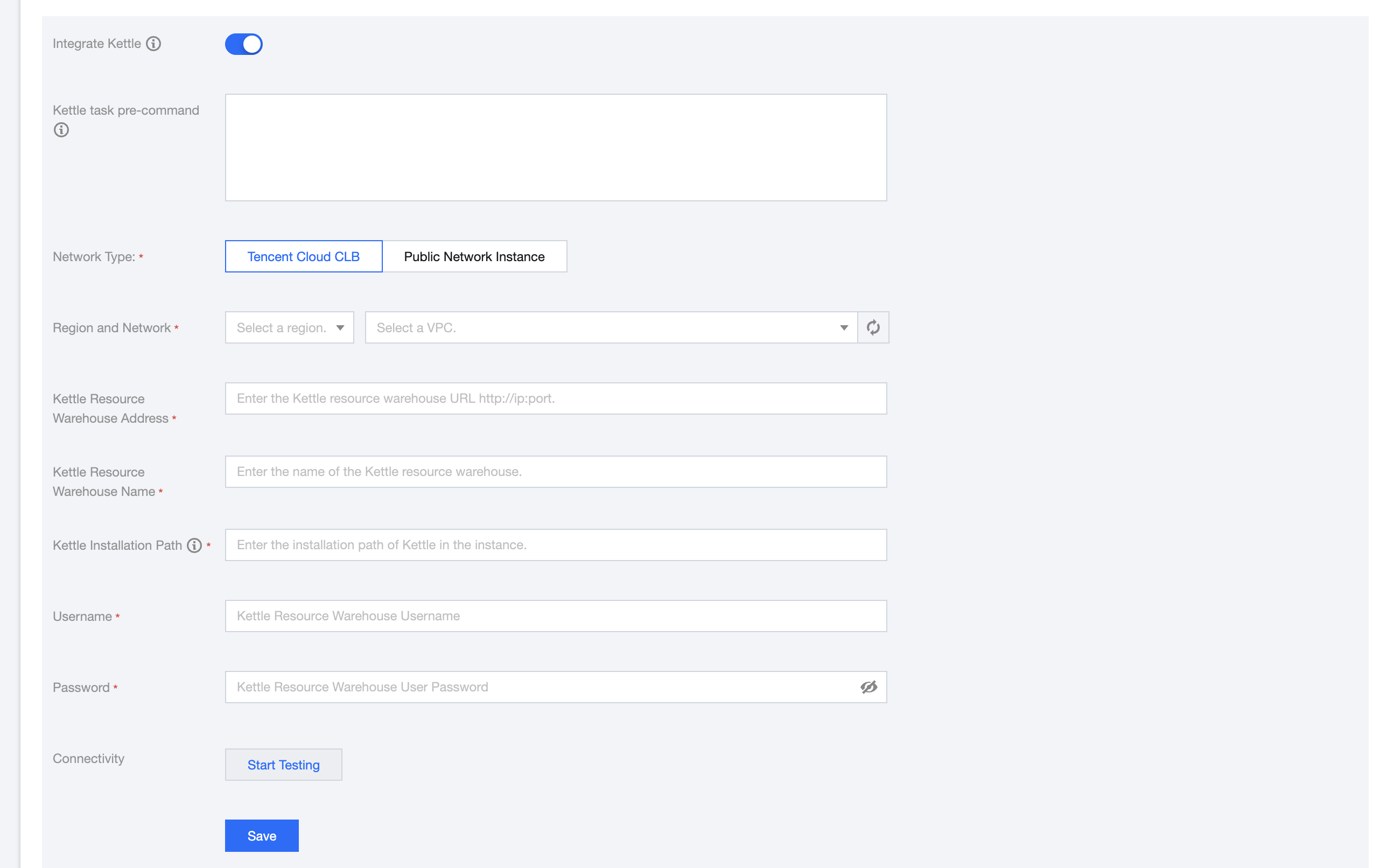
Integrated Kettle: Once enabled, a Kettle task node will be added in the orchestration space. You can select Kettle resource files in WeData's data development and execute Kettle tasks.
When enabled, you need to configure the Kettle Resource Repository Address. You can use Tencent Cloud CLB or public network instances, ensuring that WeData can access the Kettle resource repository through the configured VPC.
Approval Configuration
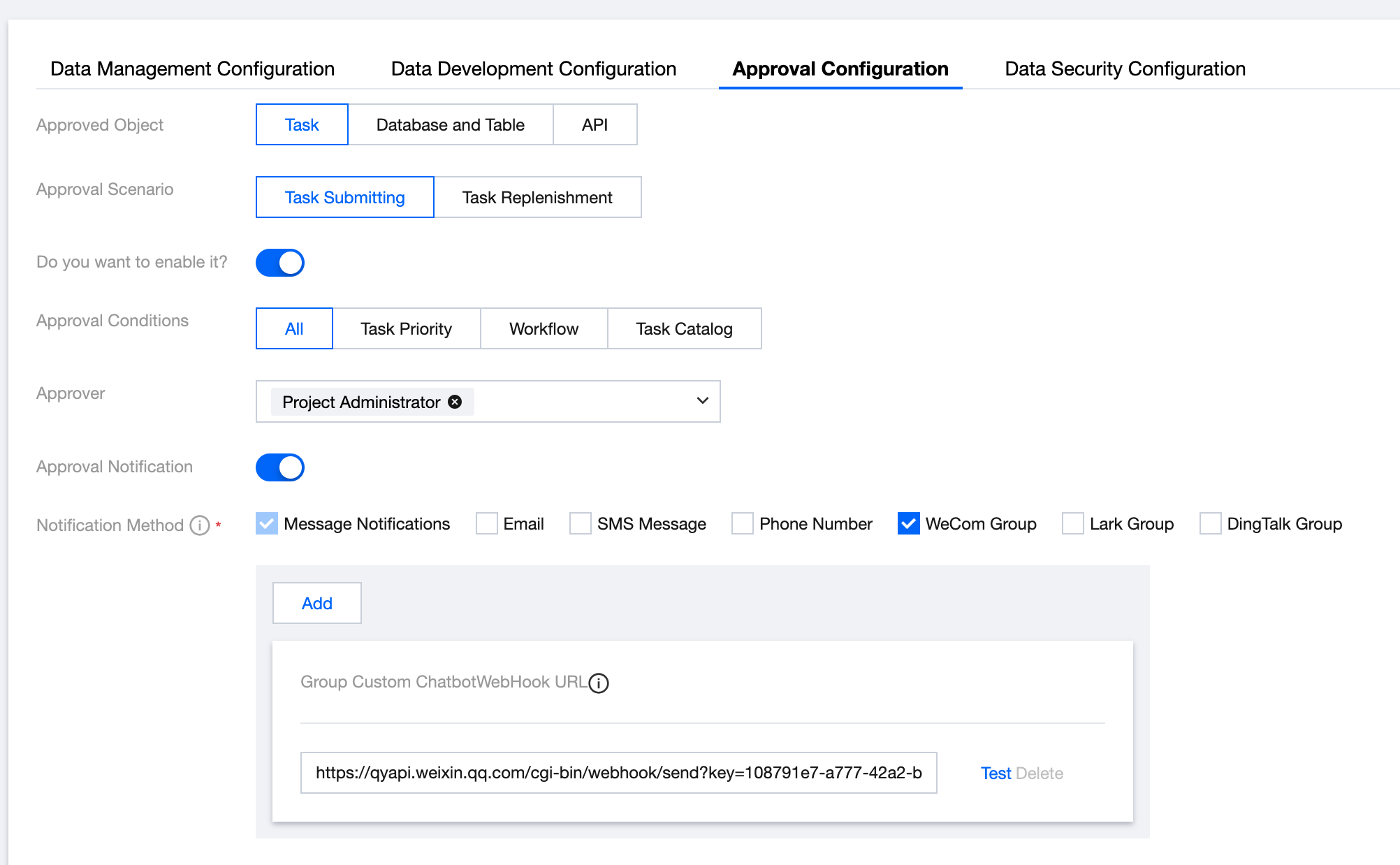
Supports setting up approval processes for data development tasks, database tables, and Data Service APIs within a project. The approval scenarios are task submission scheduling, application for database table permissions, and application for Data Service API permissions, respectively.
Property Name
Attribute Item Description
Approval Object
The supported approval subjects include tasks, database tables, and APIs
Approval Scenario
When the approval object is a task, the approval scenario is data development task submission scheduling/task submission backfill plan, requiring approval from the approver
When the approval subject is a database table, the scenario is applying for related permissions for the database and data table
When the approval subject is an API, the scenario is applying for related permissions for the Data Service API
Do you want to enable it?
Once enabled, the approval process will commence as per the conditions, approvers, and notification settings detailed below
Approval Conditions
When the approval subject is a task, it supports configuring approval criteria.
Task Priority: Supports specifying approval for a certain task priority (high, medium, low)
Workflow: Supports specifying one or multiple workflows for approval
Task Directory: Supports specifying one or multiple task directories for approval
Approver
Supports selecting the Approval Subject Responsible Person, Project Administrator, or Other Project Members as approvers
Approval Notification
Once enabled, approval notifications will be sent according to the notification methods below
Notification Method
Message Notification is selected by default, with options to notify via Email, SMS, Telephone, Enterprise WeChat, Enterprise WeChat Group, and FeiShu Group