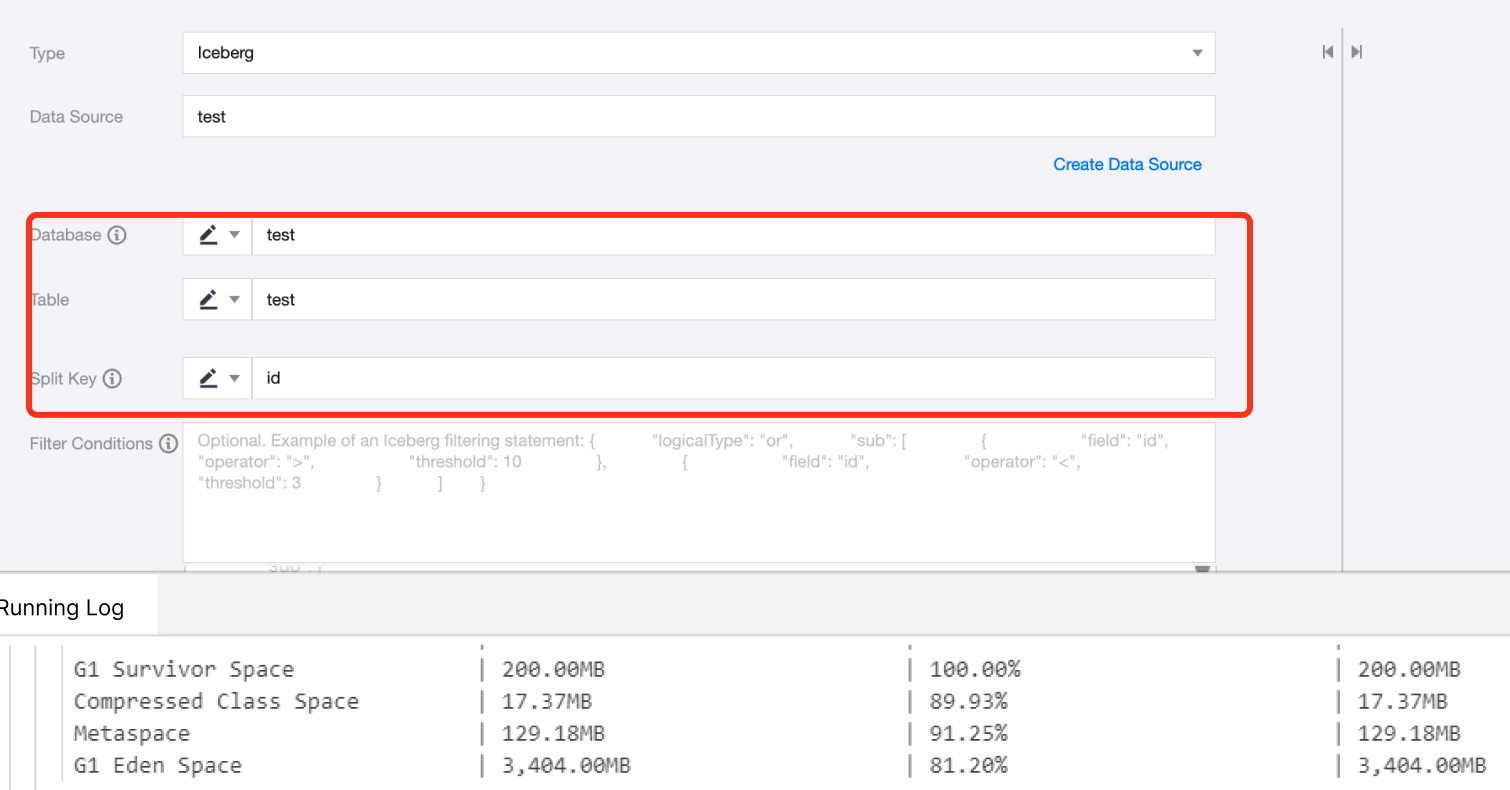
1. Requires connection to Hive Metastore service. Please configure the IP and port of the Metastore Thrift protocol correctly in the data source. If it's a self-defined Iceberg data source, you also need to upload hive-site.xml, core-site.xml, and hdfs-site.xml.
2. Currently supports only Hive catalog, not Hadoop catalog.
3. The WHERE conditions for data source reading currently only support Iceberg Java API, and do not support Spark SQL syntax. For details, please refer to Iceberg JavaAPI Expressions.
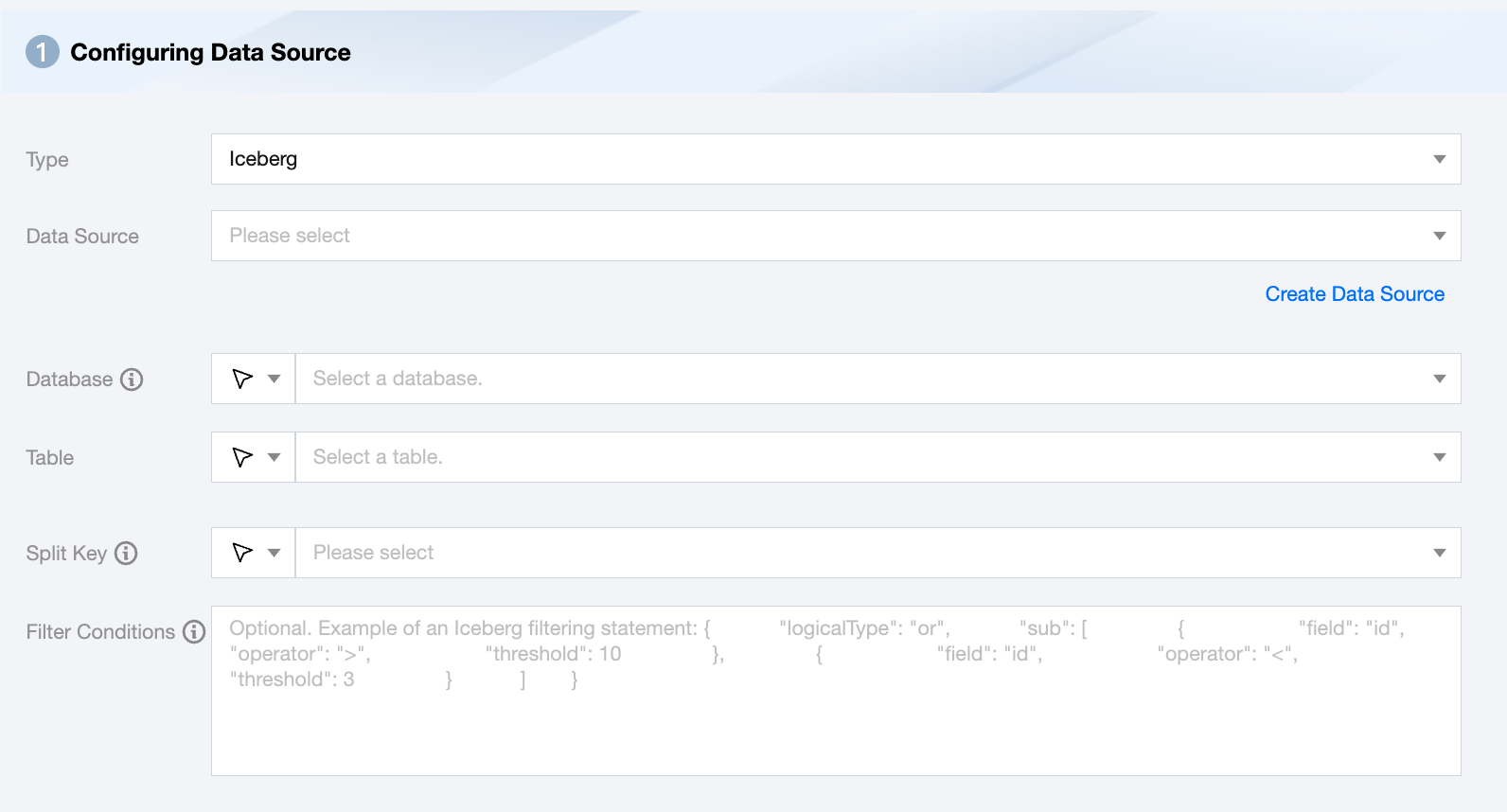
Iceberg Offline Single Table Read Node Configuration
Parameters
Description
Data Source
Available Iceberg Data Source.
Database
Supports selection or manual input of the library name to read from.
By default, the database bound to the data source is used as the default database. Other databases need to be manually entered.
If the data source network is not connected and the database information cannot be fetched directly, you can manually enter the database name. Data synchronization can still be performed when the Data Integration network is connected.
Table
Supports selecting or manually entering the table name to be read.
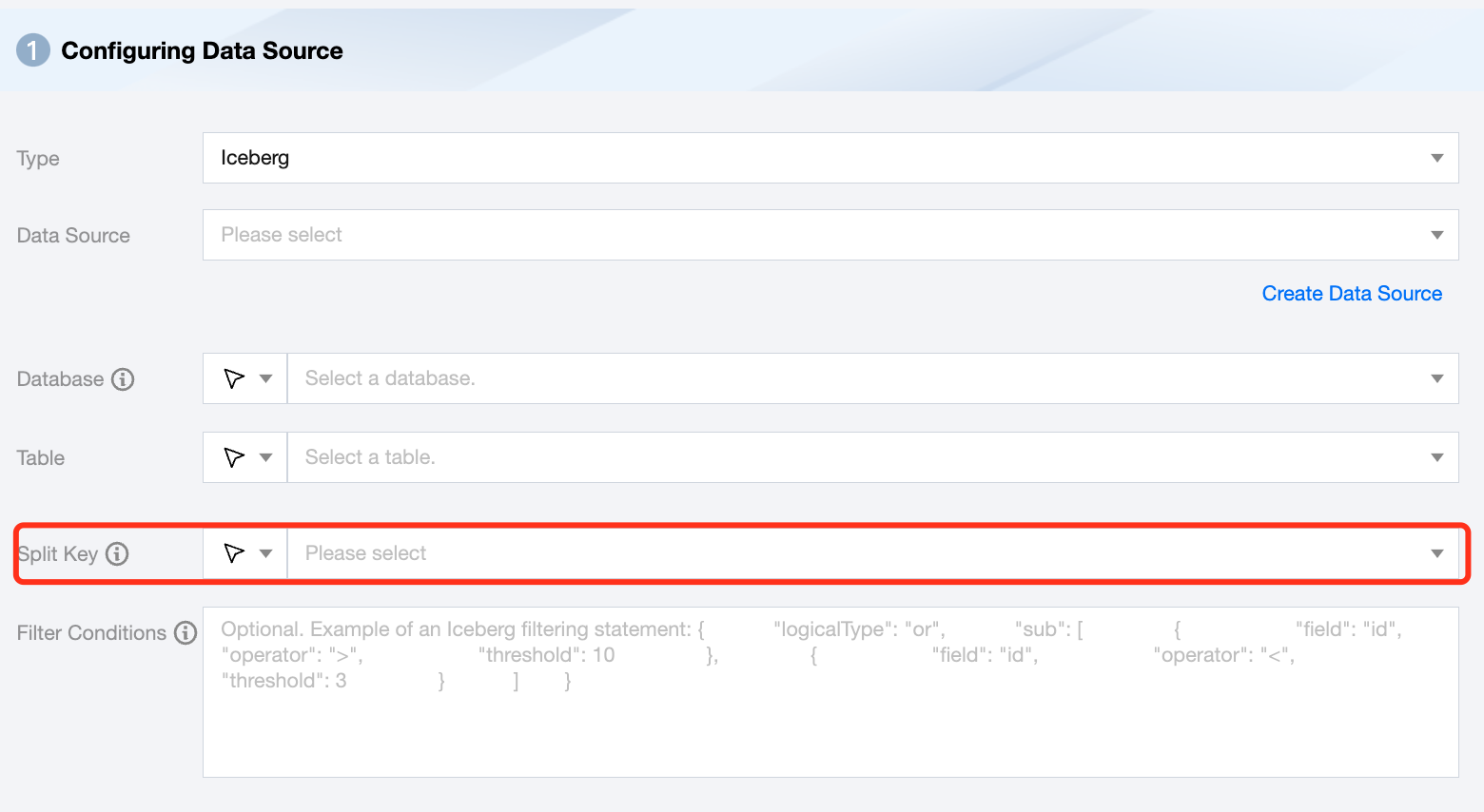
Split Key
Specify the field for data sharding. After specifying, concurrent tasks will be launched for data synchronization. You can use a column in the source data table as the partition key. It is recommended to use the primary key or indexed column as the partition key.
Note:
If you want to start concurrent tasks for data synchronization, you must specify the split key, otherwise, it cannot be started.
Filter Condition (Optional)
In actual business scenarios, you would typically select the current day's data for synchronization and specify the where condition as gmt_create>$bizdate. The where condition effectively handles incremental business synchronization. If the where clause is not provided, including missing the where key or value, the data synchronization will be considered as full data synchronization.
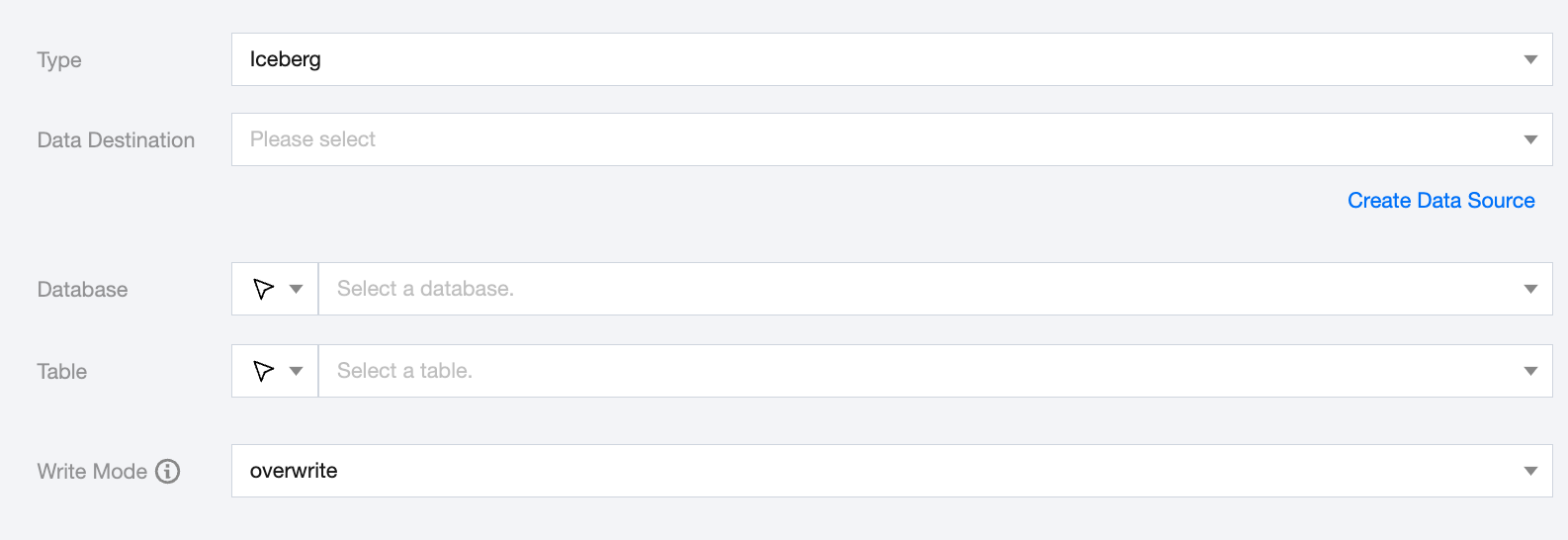
Iceberg Offline Single Table Write Node Configuration
Parameters
Description
Data Destination
Iceberg Data Source to be written to.
Database
Supports selection or manual input of the database name to write to
By default, the database bound to the data source is used as the default database. Other databases need to be manually entered.
If the data source network is not connected and the database information cannot be fetched directly, you can manually enter the database name. Data synchronization can still be performed when the Data Integration network is connected.
Table
Supports selection or manual input of the table name to write to
If the data source network is not connected and the table information cannot be fetched directly, you can manually enter the table name. Data synchronization can still be performed when the Data Integration network is connected.
Write Mode
Iceberg write supports three modes:
overwrite: Overwrite write.
append: Append write.
upsert: Data update and write based on the primary key field.
Data type conversion support
Read
Iceberg Data Type
Internal Types
int,long
Long
float,double,decimal
Double
string,fixed,binary,struct,list,map
String
date,time,timestamp,timestamptz
Date
boolean
Boolean
Write
Internal Types
Iceberg Data Type
Long
int,long(bigint)
Double
float,double,decimal
String
string,struct,list,map
Date
date,time,timestamp,timestamptz
Bytes
binary
Boolean
boolean
Practical Tutorial
Optimized Iceberg table read rate
1. Currently, Iceberg supports sharded concurrent reading. The split key can be of types string, long, int, decimal, or timestamp.
2. In practice, to achieve optimal read efficiency, it is best to set the Iceberg table as a partition table and choose the partition field as the split key.
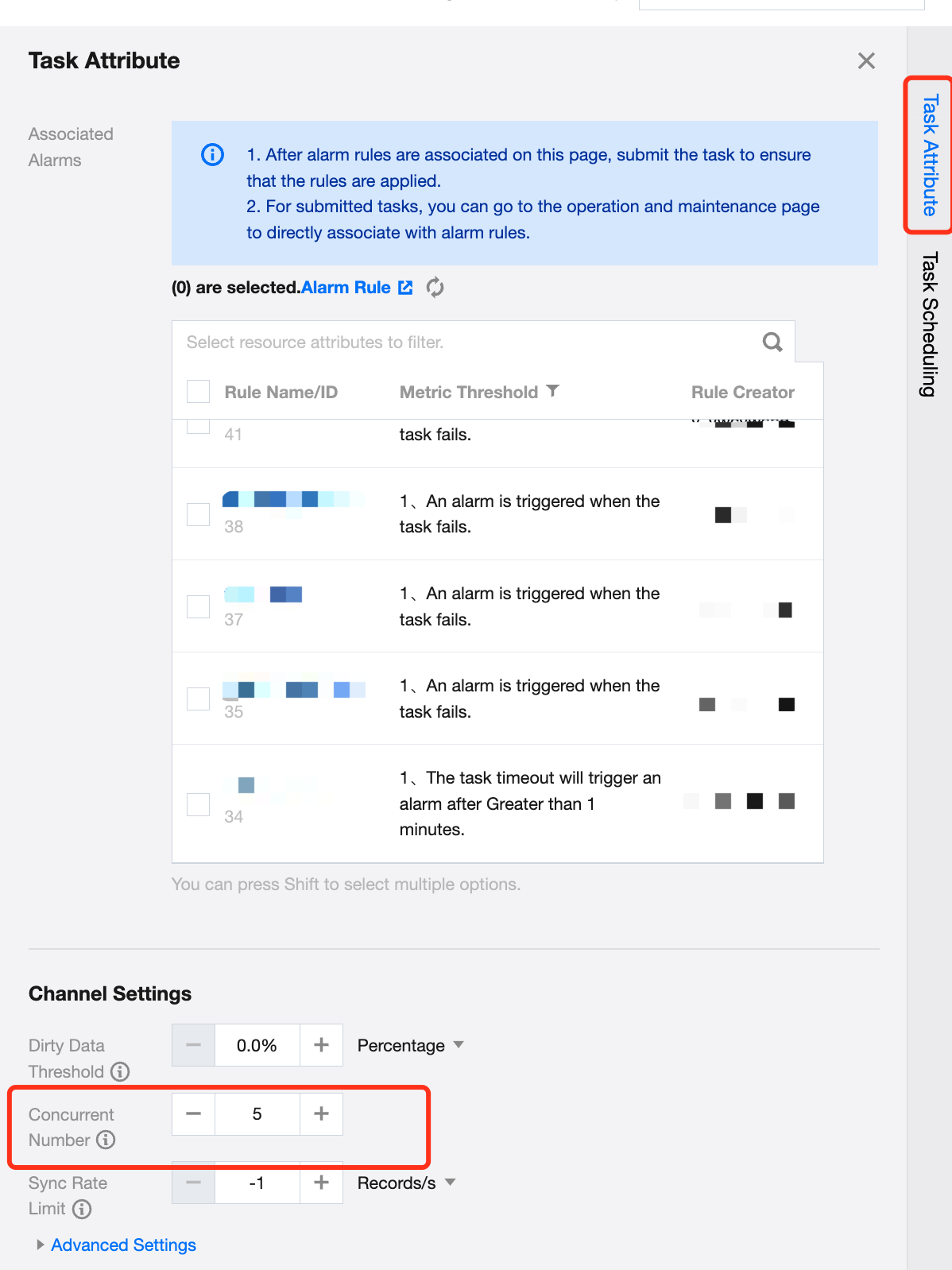
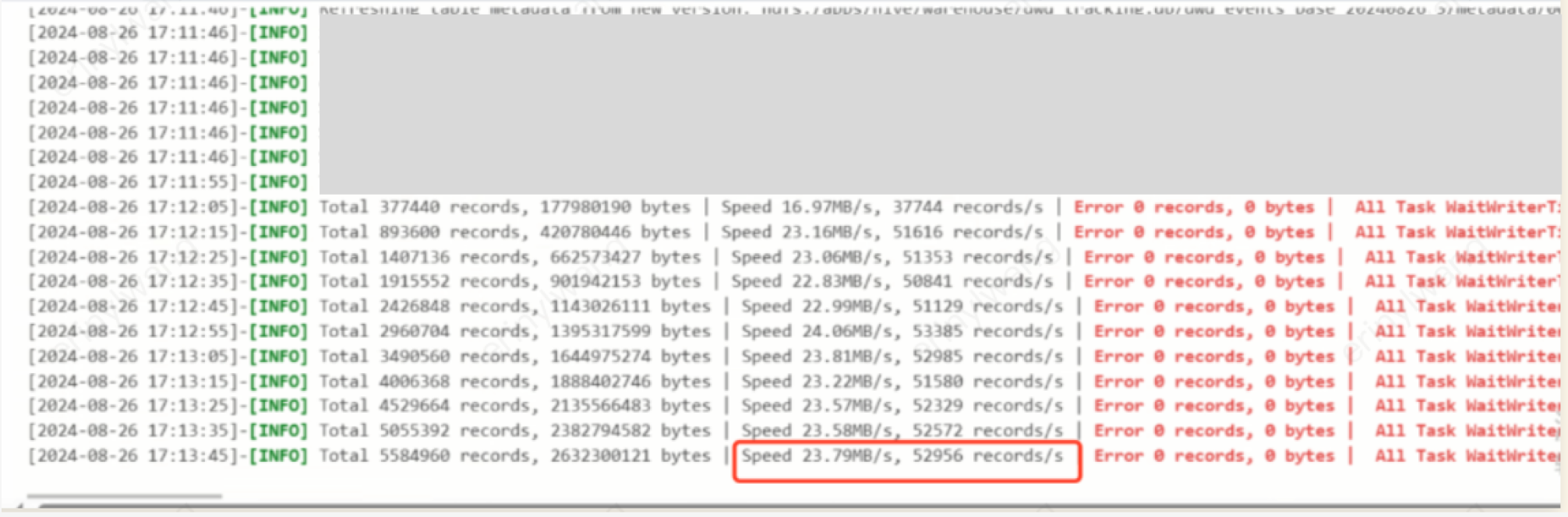
3. Example: Configuring an offline task for full data reading of an Iceberg table. The original table is non-partitioned with 74 columns and 200 million records. By choosing a field id as the split key and setting 8 concurrent tasks, the synchronization rate is only about 4M/s.
4. After adjusting the original table to a partitioned table, using 'year-month' as the partition key and creating 28 partitions, with the same 8 concurrent tasks and choosing the partition field event_time_yearmonthtest as the split key, the rate increased to 24M/s, improving performance by 6 times.