1. Currently, only TextFile, ORCFile, and ParquetFile formats are supported for reading files. It is recommended to use ORC or Parquet.
2. Hive reads data via JDBC connection to HiveServer2. Ensure the data source is correctly configured with the HiveServer2 JDBC URL.
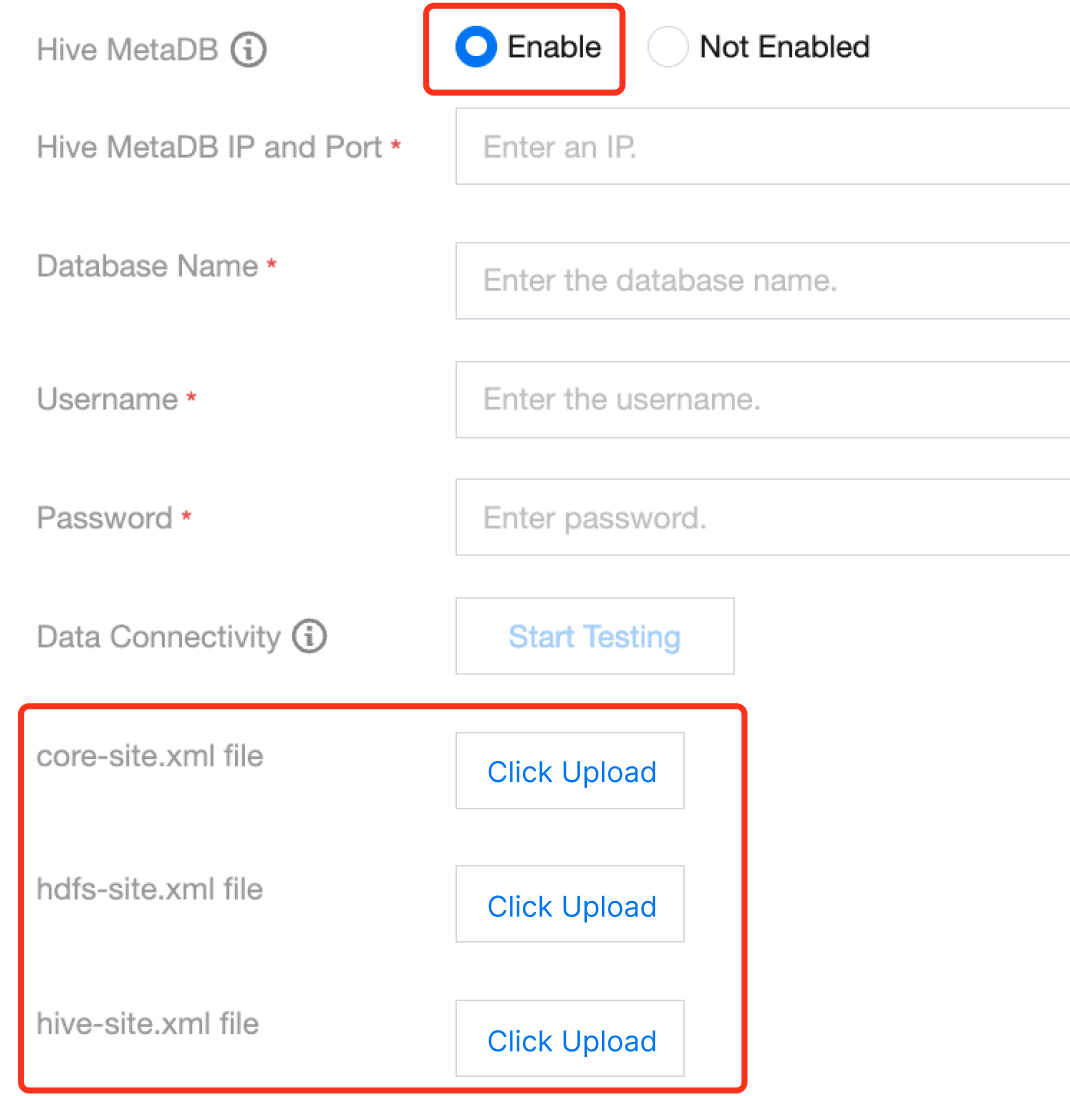
3. Hive writing requires connection to the Hive Metastore service. Please correctly configure the Metastore Thrift protocol's IP and port in the data source. If it is a custom Hive data source, you also need to upload hive-site.xml, core-site.xml, and hdfs-site.xml.
4. When adding columns while rebuilding the Hive table, include the cascade keyword to prevent Partition Metadata from not updating, which affects data queries.
5. During the offline synchronization to the Hive cluster using Data Integration, temporary files will be generated on the server side. These files will be automatically deleted upon task completion. Be mindful of the file count limit in the server-side HDFS directory to avoid the file count reaching the limit and making the HDFS filesystem unavailable, ensuring the file count is within the allowable range of the HDFS directory.
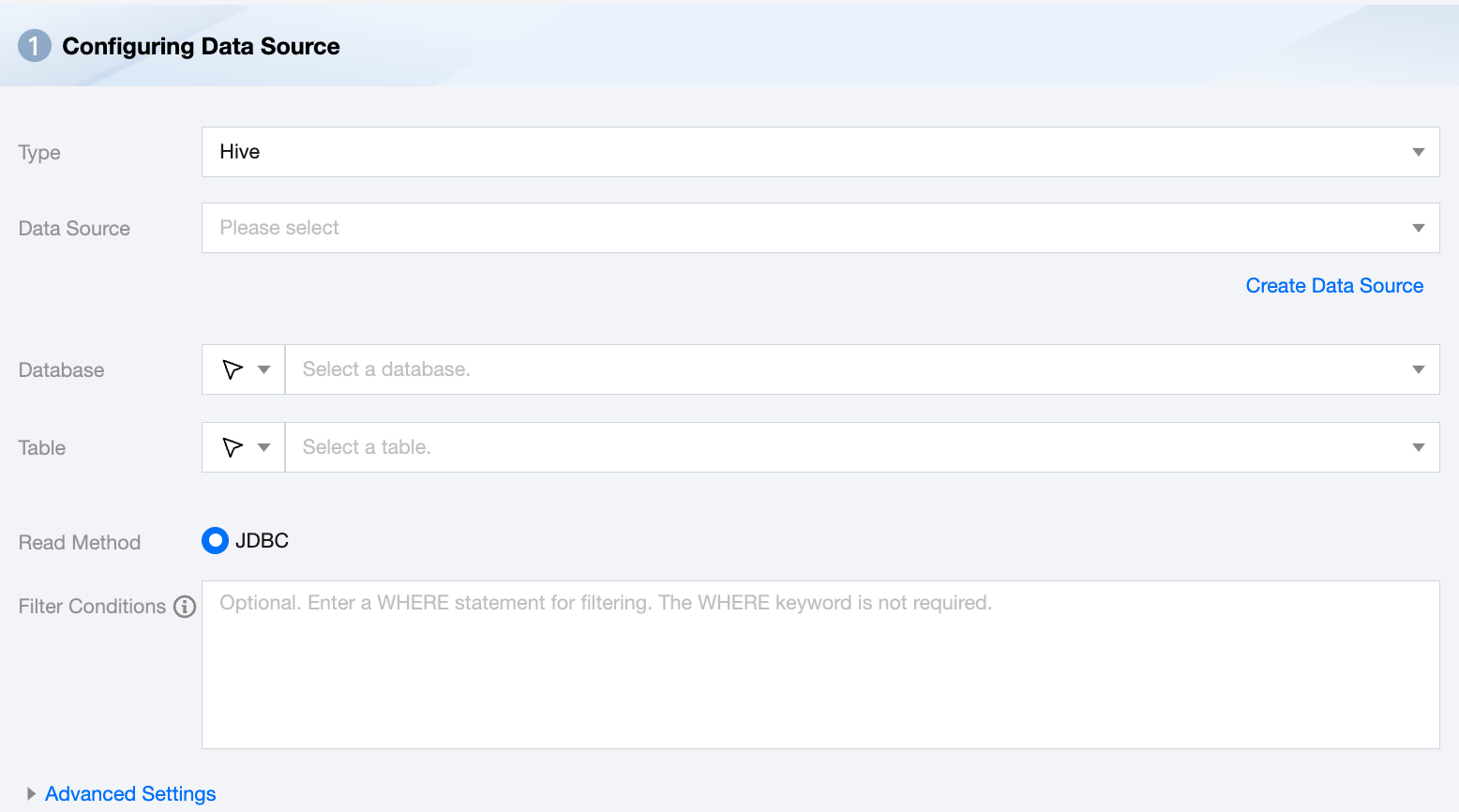
Hive Offline Single Table Read Node Configuration
Parameters
Description
Data Source
Available Hive data source
Database
Supports selecting or manually entering the database name to be read
By default, the database bound to the data source is used as the default database. Other databases need to be manually entered
If the data source network is not connected and the database information cannot be fetched directly, you can manually enter the database name. Data synchronization can still be performed when the Data Integration network is connected.
Table
Supports selecting or manually entering the table name to be read
Read Method
Only JDBC reading method is supported
Filter Conditions (Optional)
When reading data based on Hive JDBC, it supports using WHERE conditions for data filtering. However, in this scenario, the Hive engine may generate MapReduce tasks at the backend, resulting in lower efficiency
Advanced Settings (Optional)
You can configure parameters according to business needs.
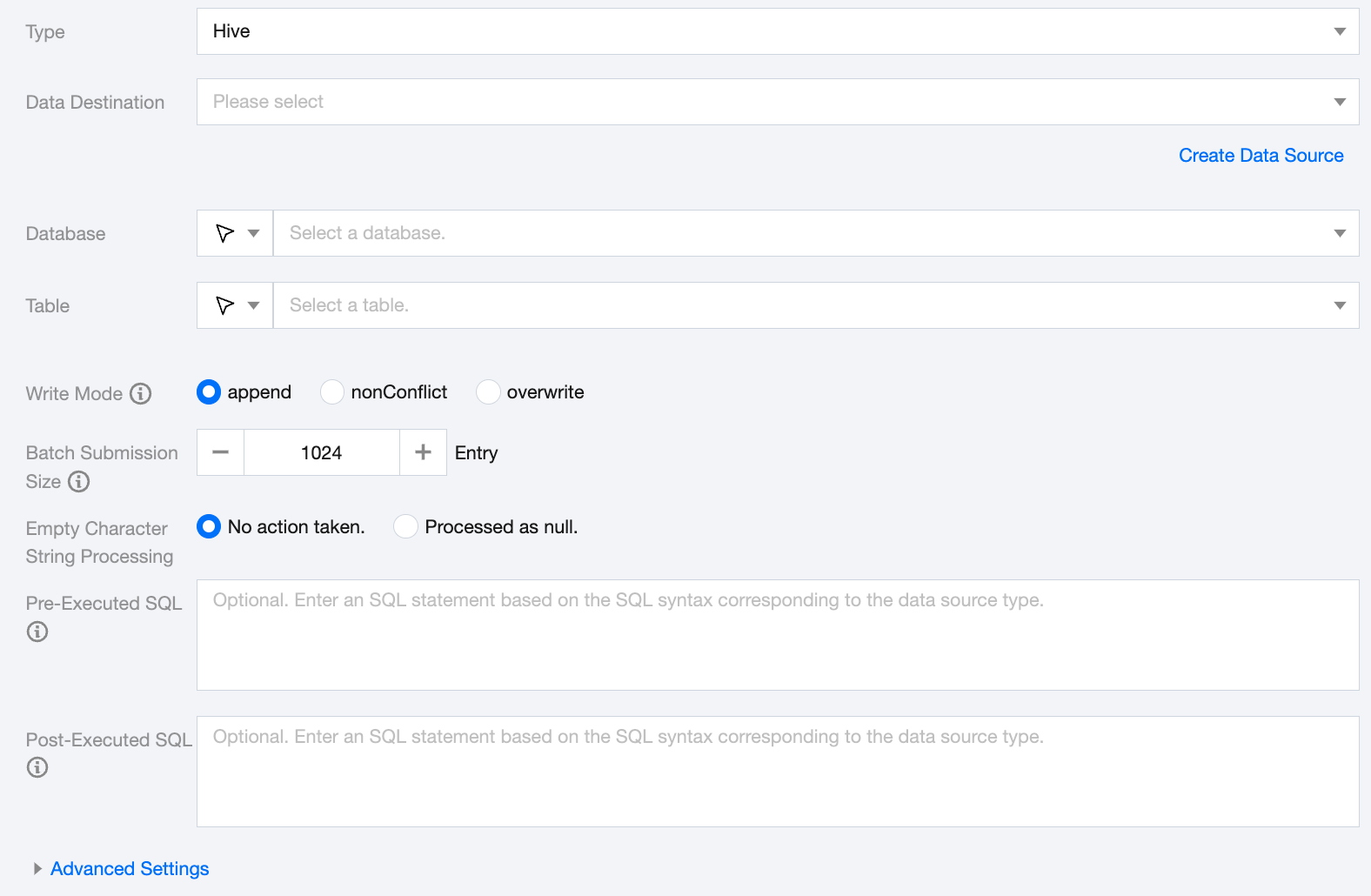
Hive Offline Single Table Write Node Configuration
Parameters
Description
Data Destination
Specify the Hive data source to write to.
Database
Supports selection or manual input of the database name to write to
By default, the database bound to the data source is used as the default database. Other databases need to be manually entered.
If the data source network is not connected and the database information cannot be fetched directly, you can manually enter the database name. Data synchronization can still be performed when the Data Integration network is connected.
Table
Supports selection or manual input of the table name to write to
If the data source network is not connected and the table information cannot be fetched directly, you can manually enter the table name. Data synchronization can still be performed when the Data Integration network is connected.
Write Mode
Hive writing supports three modes:
Append: Retain original data, append new rows
nonConflict: Report an error when data conflicts occur
Overwrite: Delete the existing data and rewrite it
writeMode is a high-risk parameter. Please pay attention to the data output directory and write mode to avoid accidental data deletion. The data loading behavior needs to be used with hiveConfig. Please check your configuration.
Batch Submission Size
The record size of one-time batch submission, this value can greatly reduce the number of network interactions between the data synchronization system and Hive, and improve the overall throughput. If this value is set too large, it may cause OOM exceptions in the data synchronization process.
Empty Character String Processing
No action taken: Do not process empty strings when writing.
Processed as null: Process empty strings as null when writing.
Pre-Executed SQL (Optional)
The SQL statement executed before the synchronization task. Fill in the correct SQL syntax according to the data source type, such as clearing the old data in the table before execution (truncate table tablename).
Post-Executed SQL (Optional)
The SQL statement executed after the synchronization task. Fill in the correct SQL syntax according to the data source type, such as adding a timestamp (alter table tablename add colname timestamp DEFAULT CURRENT_TIMESTAMP ON UPDATE CURRENT_TIMESTAMP).
Advanced Settings (Optional)
You can configure parameters according to business needs.
Data Type Conversion Support
Read
Supported data types and conversion relationships for Hive reading are as follows (when processing Hive, the data types of the Hive data source will first be mapped to the data types of the data processing engine):
Hive Data Types
Internal Types
TINYINT,SMALLINT,INT,BIGINT
Long
FLOAT,DOUBLE
Double
String,CHAR,VARCHAR,STRUCT,MAP,ARRAY,UNION,BINARY
String
BOOLEAN
Boolean
Date,TIMESTAMP
Date
Write
Supported data types and conversion relationships for Hive reading are as follows:
Internal Types
Hive Data Types
Long
TINYINT,SMALLINT,INT,BIGINT
Double
FLOAT,DOUBLE
String
String,CHAR,VARCHAR,STRUCT,MAP,ARRAY,UNION,BINARY
Boolean
BOOLEAN
Date
Date,TIMESTAMP
FAQs
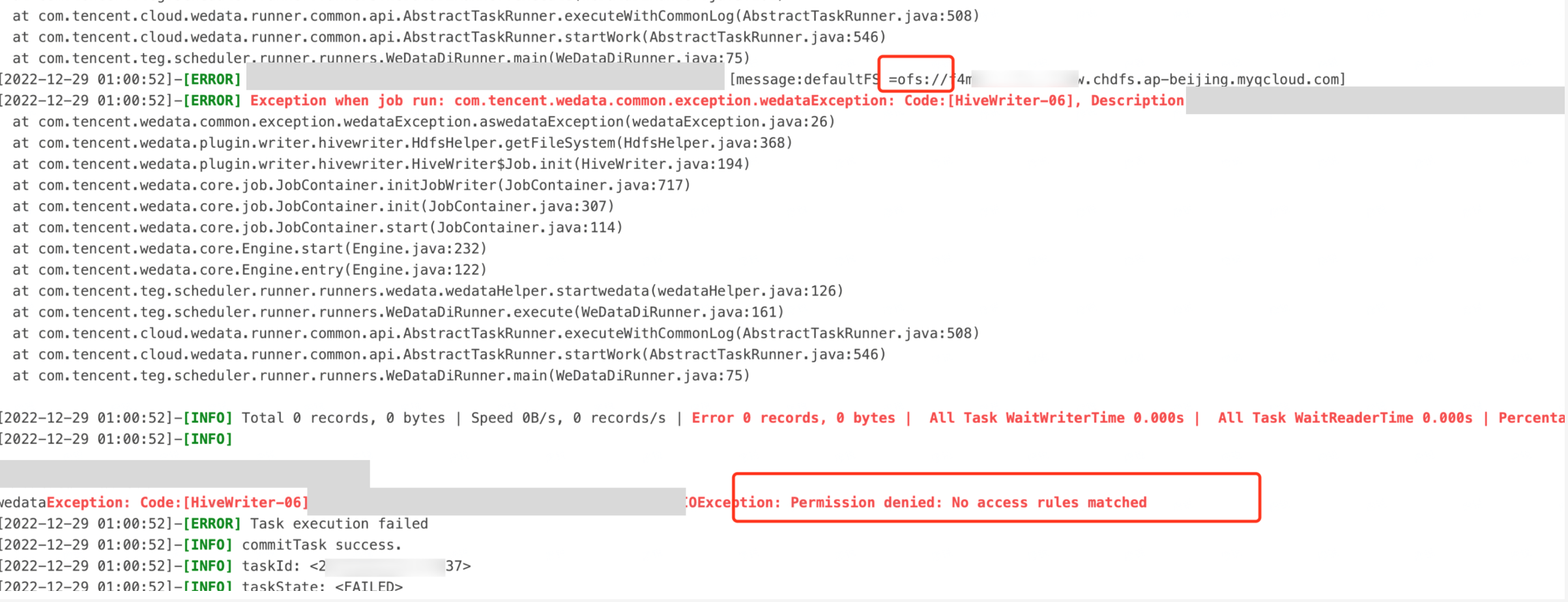
1.Hive on CHDFS Table Write Error: Permission Denied: No Access Rules Matched
Problem information:
Cause:
Data Integration resource group is a fully managed resource group, and its outbound network segment is not within the customer's VPC intranet. It is necessary to open the security group for the Data Integration resource group.
Please authorize the CHDFS permission ID of the integrated resource group at the CHDFS mount point.
Solutions:
Open the page: API 3.0 Explorer, fill in the parameters, where MountPointId is the customer's CHDFS mount point, and AccessGroupIds.N is the CHDFS permission ID of the Data Integration resource group (note, permission IDs vary by region).
CHDFS permission ID and region comparison table for Data Integration resource group:
Region
CHDFS Permission ID for Data Integration Resource Group
Beijing
ag-wgbku4no
Guangzhou
ag-x1bhppnr
Shanghai
ag-xnjfr9d3
Singapore
ag-phxtv0ah
USA Silicon Valley
ag-tgwl8bca
Virginia
ag-esxpwxjn
2.Some Fields Are Queried As NULL during Synchronization
Cause:
After creating the Hive partition table, subsequent ALTER operations to add new fields without the cascade keyword cause the Partition Metadata not to update, affecting data queries.