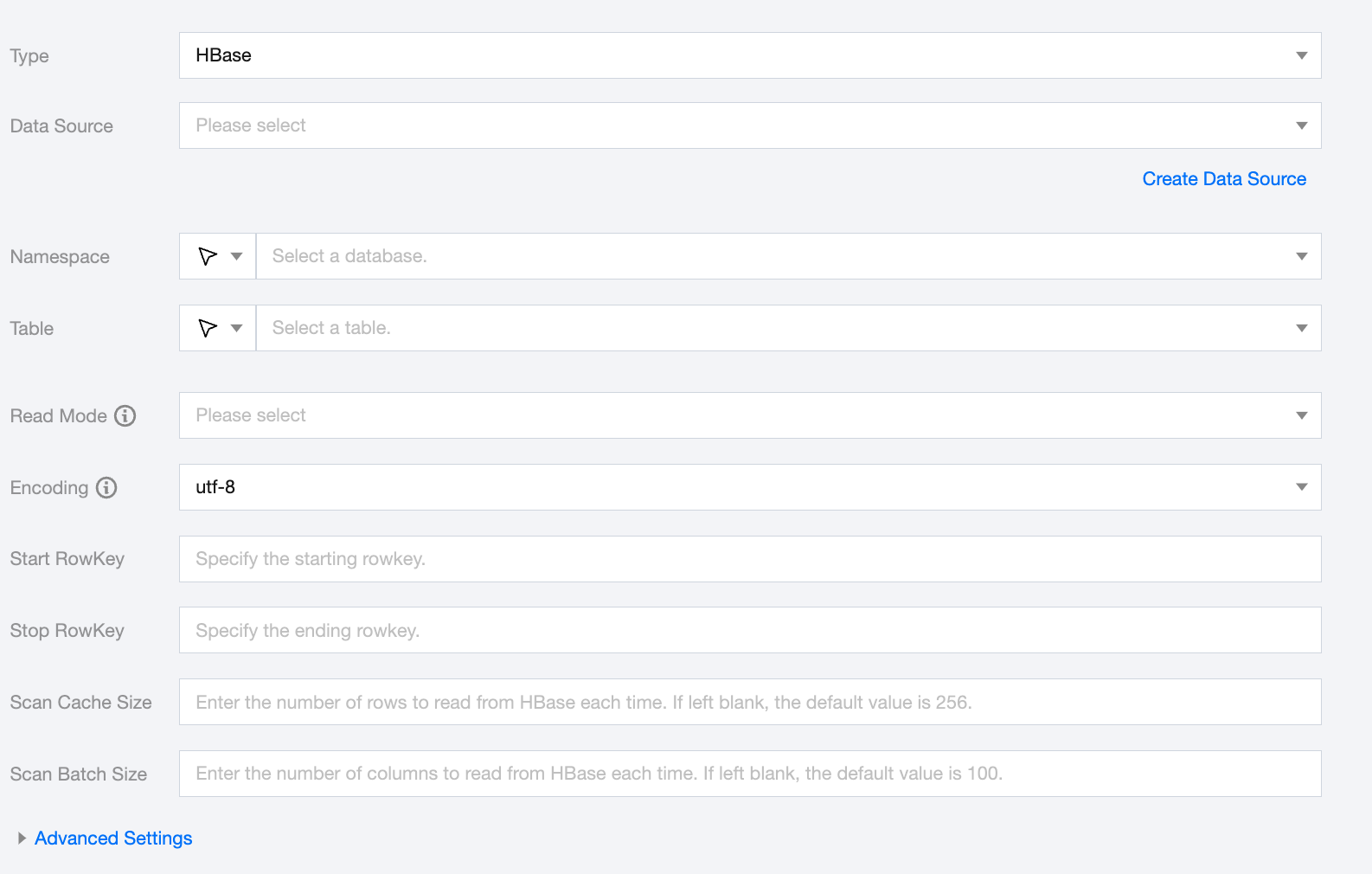
Specify the number of versions to read. The value can only be -1 or a number greater than 1. -1 means read all versions. The default is -1 if not specified
Note:
When the reading mode is Vertical Table, it is necessary to configure maxVersion.
Encoding
Configuration for reading file encoding. Supports UTF-8 and GBK encoding.
Start RowKey
Specify the start RowKey.
Stop RowKey
Specify the end RowKey.
Scan Cache Size
Supports input of the number of rows to read from HBase each time. The default is 256 if not specified.
Scan Batch Size
Supports input of the number of columns to read from HBase each time. The default is 100 if not specified.
HBase Offline Single Table Write Node Configuration
Parameters
Description
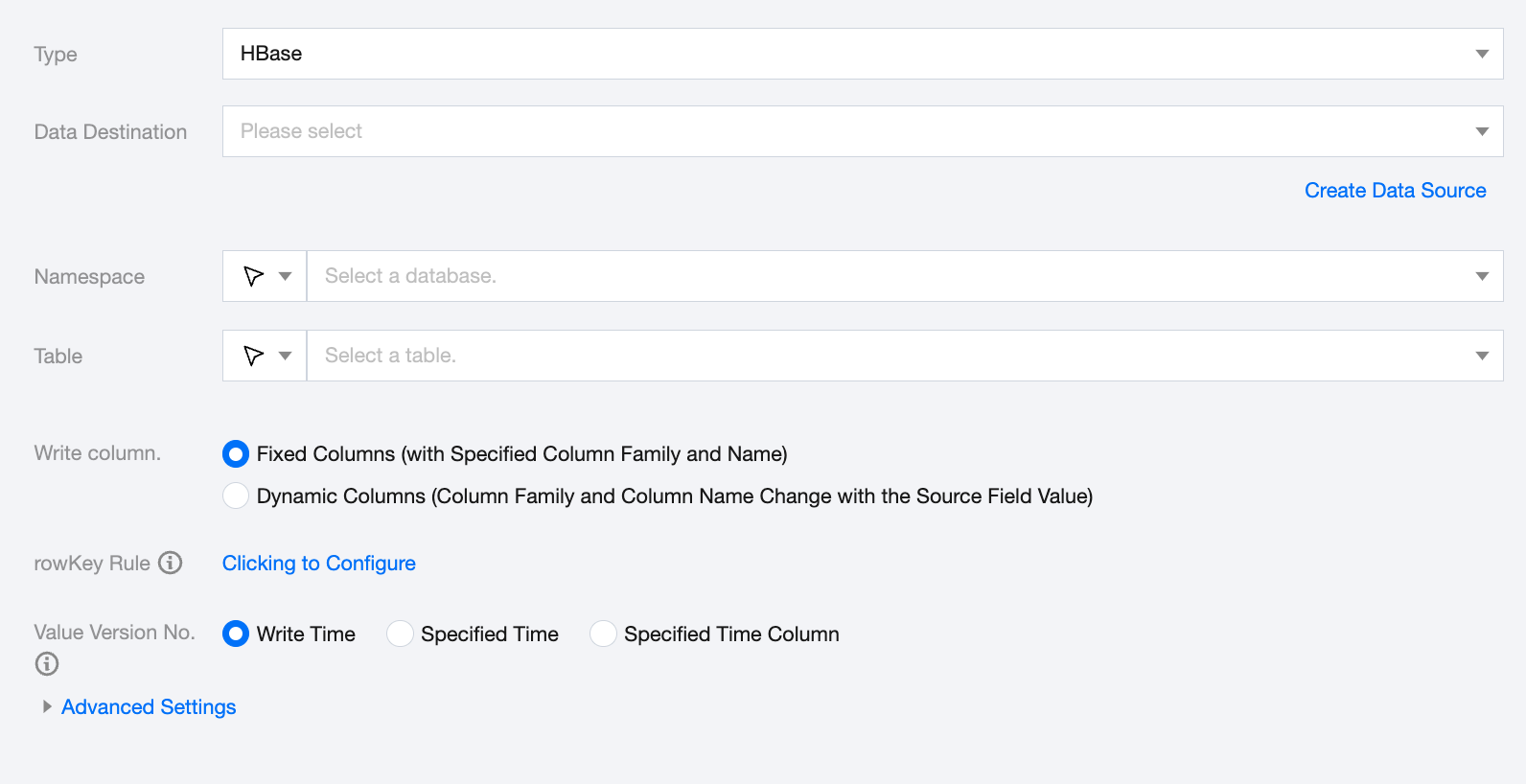
Data Destination
Specify the HBase data source to write to.
Namespace
Supports selecting or manually entering the space to write to.
Table
Supports selecting or manually entering the table name to write to:
If the data source network is not connected and the table information cannot be fetched directly, you can manually enter the table name. Data synchronization can still be performed when the Data Integration network is connected.
Write Column
HBase supports two methods for writing columns:
Fixed columns (specify column family and column name).
Dynamic columns (column family and column name vary with the source field value); you need to manually configure the column contents, column family connector, column name connector, and value connector (options: '\\u001', '|', ':', ',').
rowKey Rule
Configure the HBase table RowKey generation rules
Write Column Contents
When selecting dynamic columns (column family and column name vary with the source field value), you need to manually configure the column contents, column family connector, column name connector, and value connector (options: '\\u001', '|', ':', ',').
Value Version No.
Specify the timestamp to write to HBase. Supports the Write Time, Specified Time , or Specified Time Column (choose one). If not configured, the current time is used:
index: Specify the index of the corresponding Reader endpoint column, starting from 0. Ensure it can be converted to LONG.
type: If it is of type Date, it will attempt to parse with 'yyyy-MM-dd HH:mm:ss' and 'yyyy-MM-dd HH:mm:ssSss'. If a specific time is specified, the index is -1.
value: The value of the specified time, of type LONG.
Data type conversion support
Read
The data types and conversion relationships supported for HBase reading are as follows (when processing HBase, the data type of the HBase data source and the data type of the data processing engine are mapped):
HBase Data Types
Internal Types
int, short ,long
Long
float, double
Double
string,binary string
String
date
Date
boolean
Boolean
Write
The data types and conversion relationships supported for HBase reading are as follows: