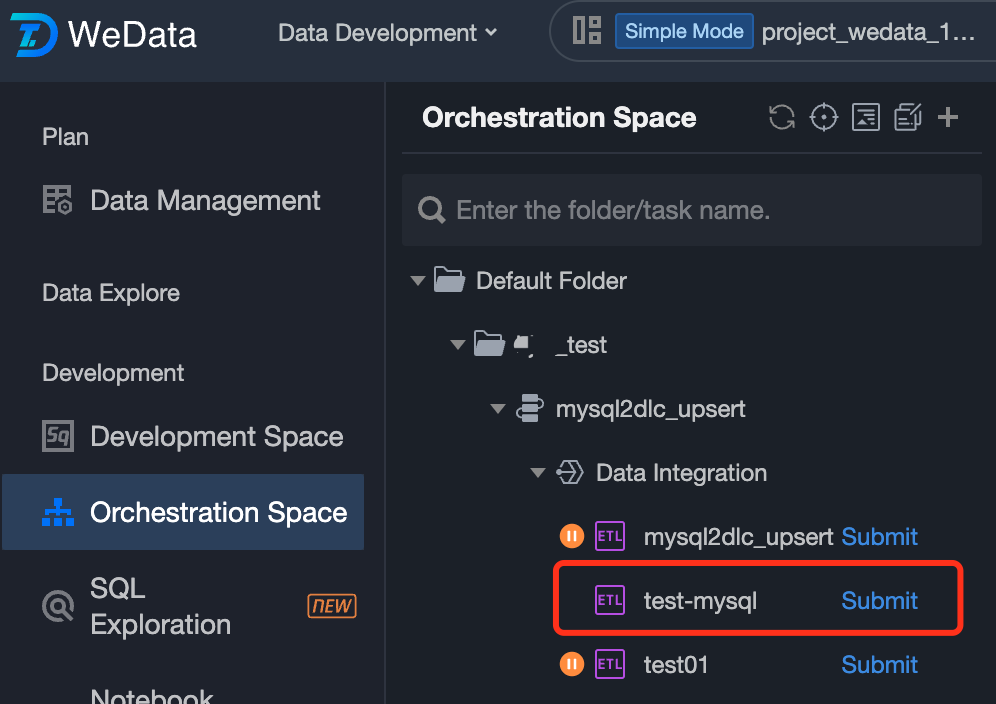
If offline synchronization tasks created in Data Integration need to be orchestrated with other tasks or configured for task dependencies, you can import unsubmitted offline synchronization tasks from DataInLong to Data Development > Orchestration Space. Subsequently, you can configure scheduling in Data Development > Orchestration Space and submit the tasks to the Operations Center of Data Development.
Note:
Tasks already submitted in DataInLong cannot be imported into the data development orchestration space,Only unsubmitted offline synchronization tasks are supported for import.
Step 1: Click Import Tasks
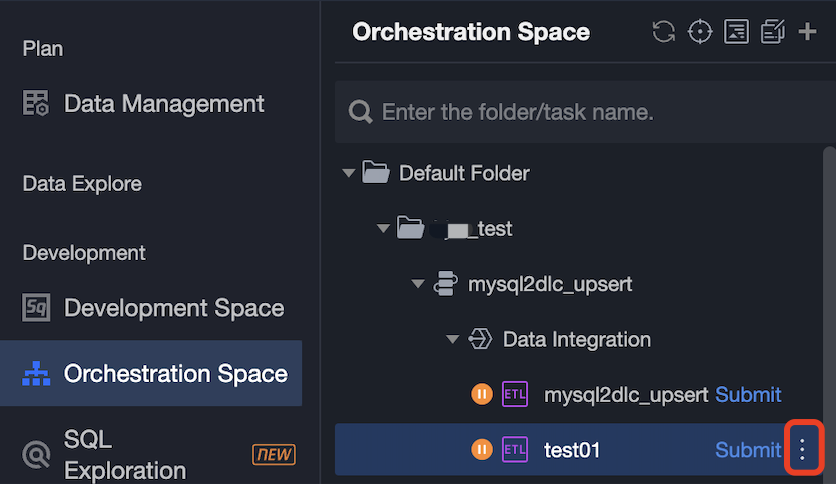
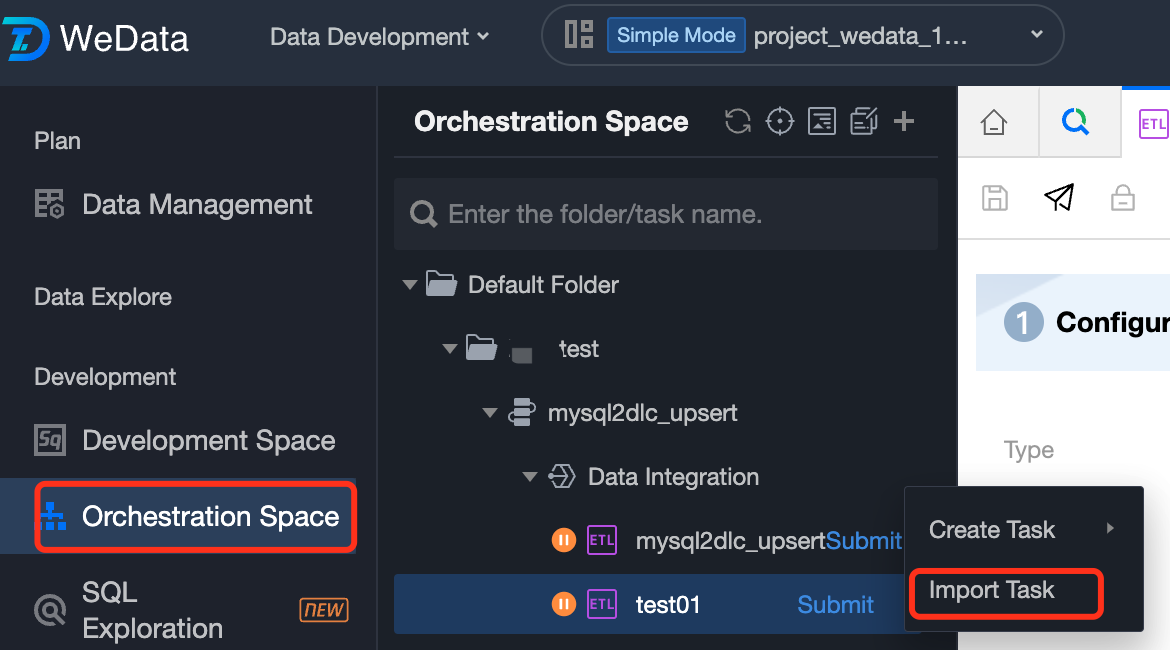
Open the folder/workflow in Data Development > Orchestration Space where you want to import offline synchronization tasks. On the right side of DataInLong, click the
icon and select Import Tasks.
Step 2: Select Offline Synchronization Tasks from DataInLong
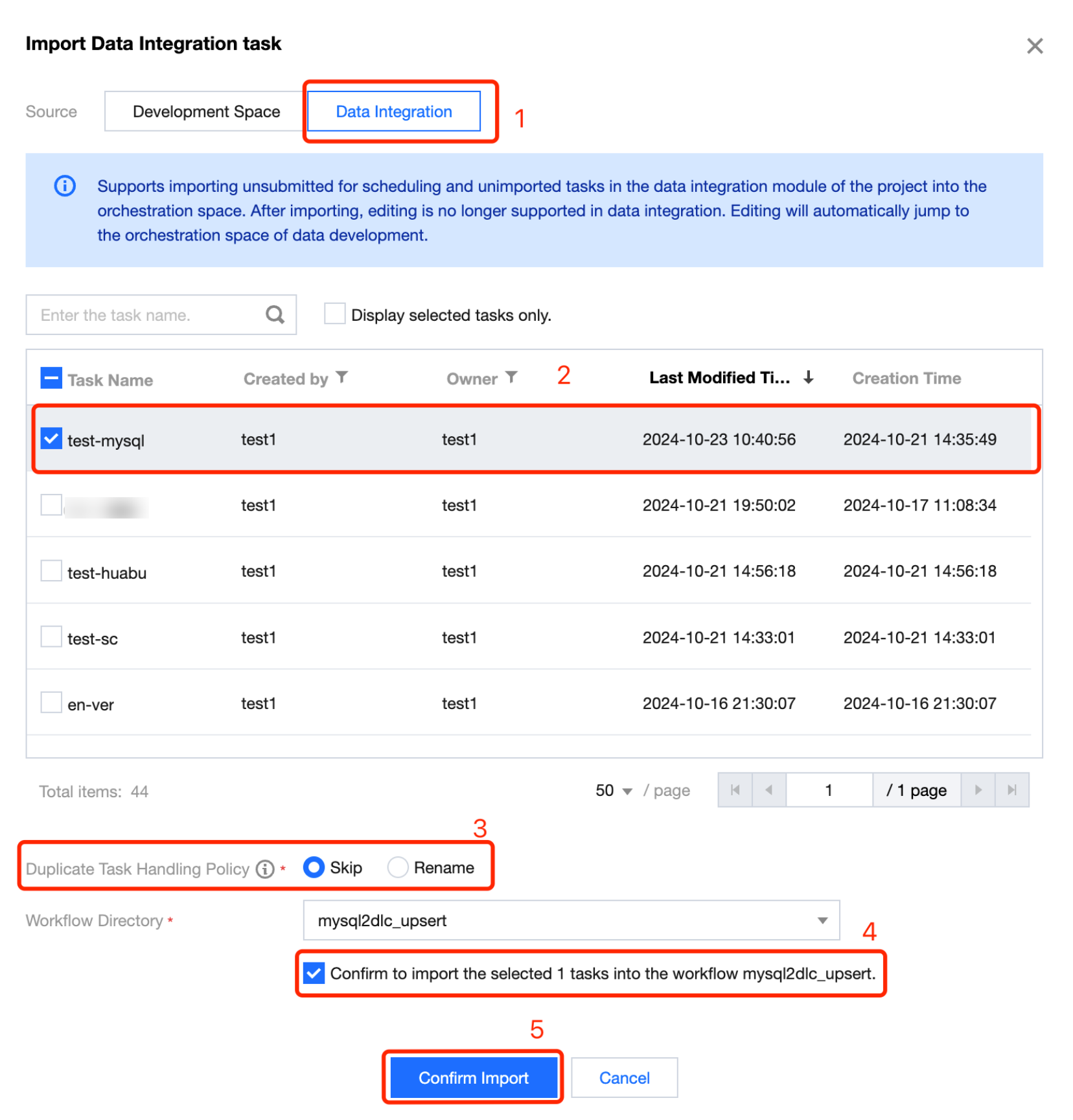
1. Select DataInLong as the source. The list will display all unsubmitted and not yet imported offline synchronization tasks created in DataInLong.
2. Select the offline synchronization tasks you wish to import. Multiple tasks can be selected at once.
3. Support renaming of tasks with duplicate names:
Skip: If a task with the same name exists in the project and the development space, the script import will be skipped.
Rename: If a task with the same name exists in the project and the development space, a timestamp will be added to the script name to generate a new task name.
4. Confirm the selected tasks to be imported into the selected workflow
5. Click Confirm Import to start importing offline synchronization tasks to Data Development > Orchestration Space.
Step 3: Confirm Import Results
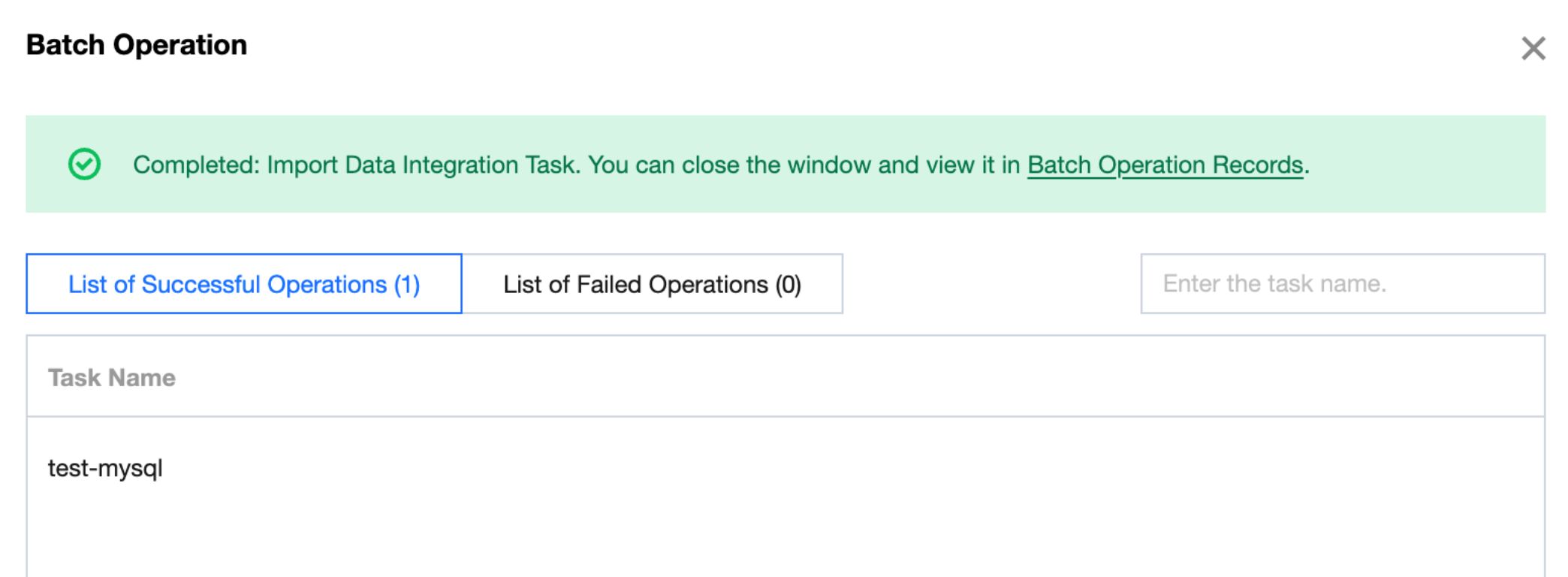
1. You can confirm the import results of offline synchronization tasks on the batch operation page.
2. After a task is successfully imported, it will be displayed in Data Development > Orchestration Space. You can orchestrate or configure dependencies for the task in the Orchestration Space.