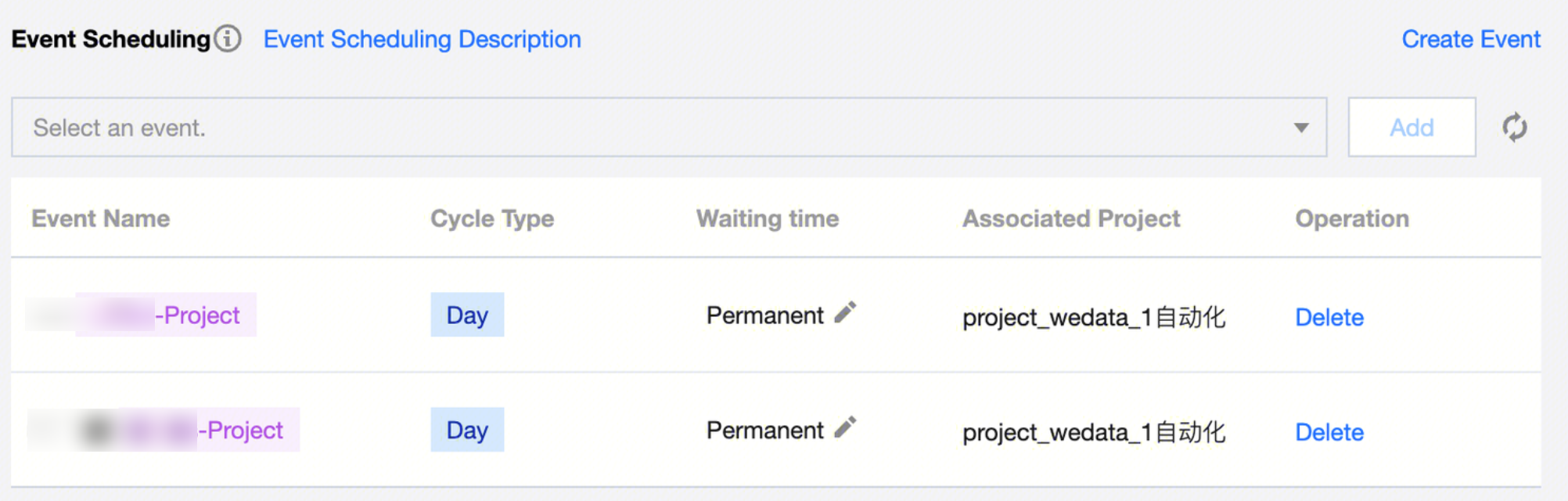
Data Development supports the Event-Triggered Scheduling feature, suitable for scenarios where a task depends on an event to execute. It consists of the trigger program, trigger event, and listening task. First, an event needs to be triggered based on business definition under the project. Then, write a trigger program to send the event. The task will run once it listens to the event.
Supports cross-project events selection. The current user must have permissions for the projects, and events can depend across projects. For example, after completing a task in Project A and triggering Event 1, tasks in Project B can listen for Event 1 and run accordingly.
Parameter description:
Parameter
Description
Create Event
Navigate to Event Management Interface.
Add Event
Select the listening events that the computing task needs to depend on. Supports adding multiple listening events to a single task.
Event Waiting Time
The task's waiting time for listening events. If the waiting time is exceeded, the task instance will be automatically killed.
Configure Event-Driven Hooks
The event configuration of Shell Tasks can use Event-Driven Hooks. This is only valid for Shell Task types. Once enabled, events can be triggered within the Shell script using the echo command. The trigger command format: echo [Event Variable]="[Event Name],[Data Timestamp];[Event Name],[Data Timestamp];". Multiple events are separated by ";"
Event Variable
Effective when Event-Driven Hook configuration is enabled. Defines the variable name for the trigger command. For example, if set to 'events', then within the shell script, input echo events="EventA,20220713;EventB,20220713;". After the task successfully runs, EventA and EventB can be triggered.
Note:
When a task depends on multiple events simultaneously, the task instance must wait for all dependent events to be triggered before it passes the status judgment for waiting events.