Dynamic Release Record (2026)
Advanced Settings
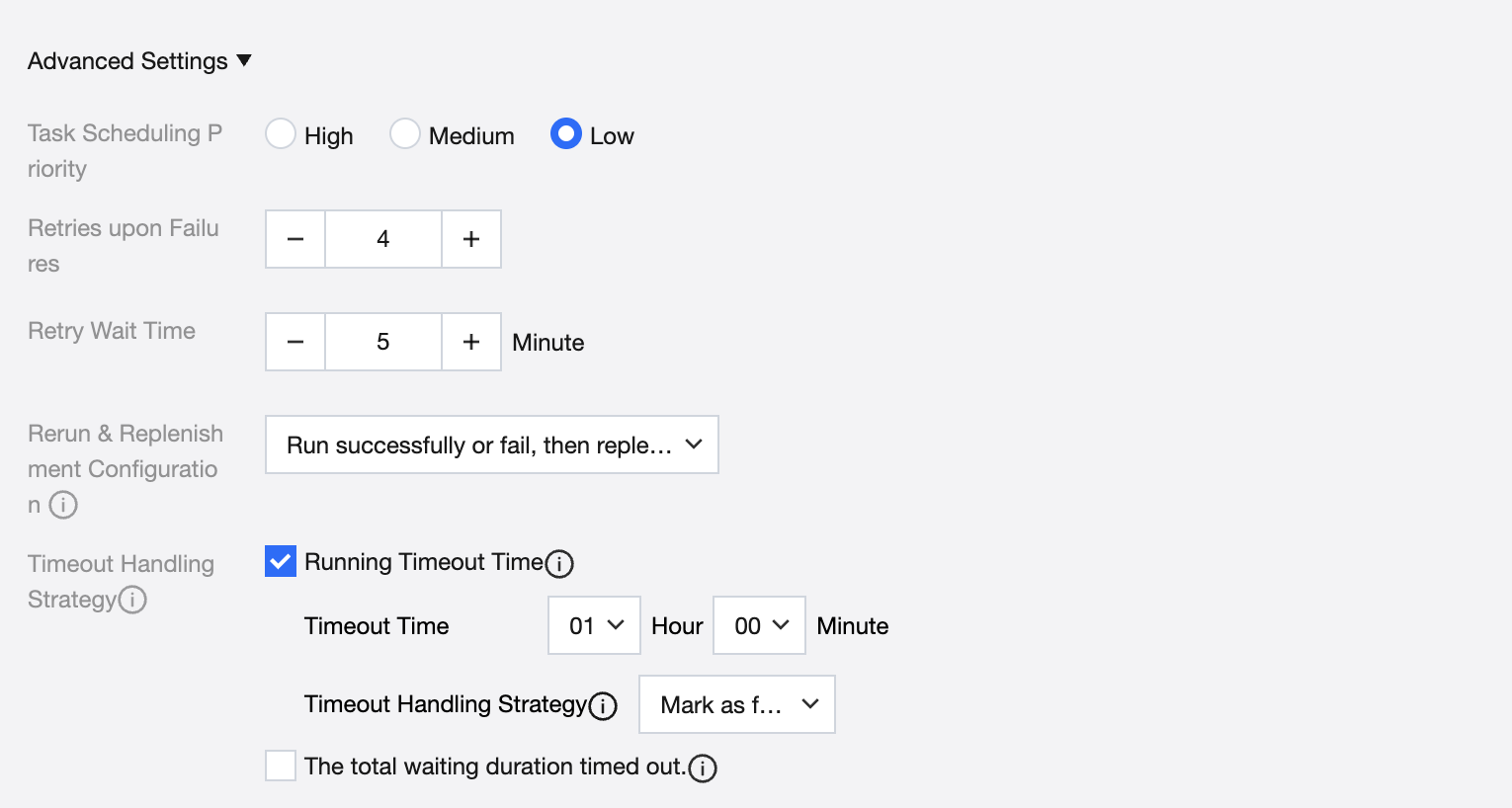
Advanced settings information, see the table below.
Information | Description |
Task Scheduling Priority | Single selection. When multiple tasks exist, the execution order is determined by priority, defaulting to low priority. |
Retries | Maximum retry attempts after a task instance run failed. Max retries: 5. |
retry wait time | Retry wait time after a task instance run failed. |
Rerun & replenishment configuration | Instance status generated by task scheduling. When performing rerun or data replenishment on the instance, judge whether rerun or replenishment is possible. Options include: Rerun or replenish after successful or failed execution. Cannot rerun or replenish after successful execution, but can rerun or replenish after failed execution. Cannot rerun or replenish after successful or failed execution. Manual workflow task does not take effect. |
Timeout handling strategy | The action to execute when the runtime duration or waiting duration exceeds the set time. Optional timeout types include: Runtime timeout: calculate from the start time of the task instance running, trigger the timeout handling strategy if exceed the time limit. Wait timeout: trigger the timeout handling strategy if the total duration of waiting for event, waiting for upstream, or waiting for running status (wait for scheduling resource/concurrency quota) exceeds the set duration. Select it, then configure timeout period and processing policy. Processing policy includes: Timeout to failed: mark the instance as failed. Timeout retry: rerun the instance based on the number of retry attempts on failure and retry wait time at the top. |
Bantuan dan Dukungan
Apakah halaman ini membantu?
Anda juga dapat Menghubungi Penjualan atau Mengirimkan Tiket untuk meminta bantuan.
masukan