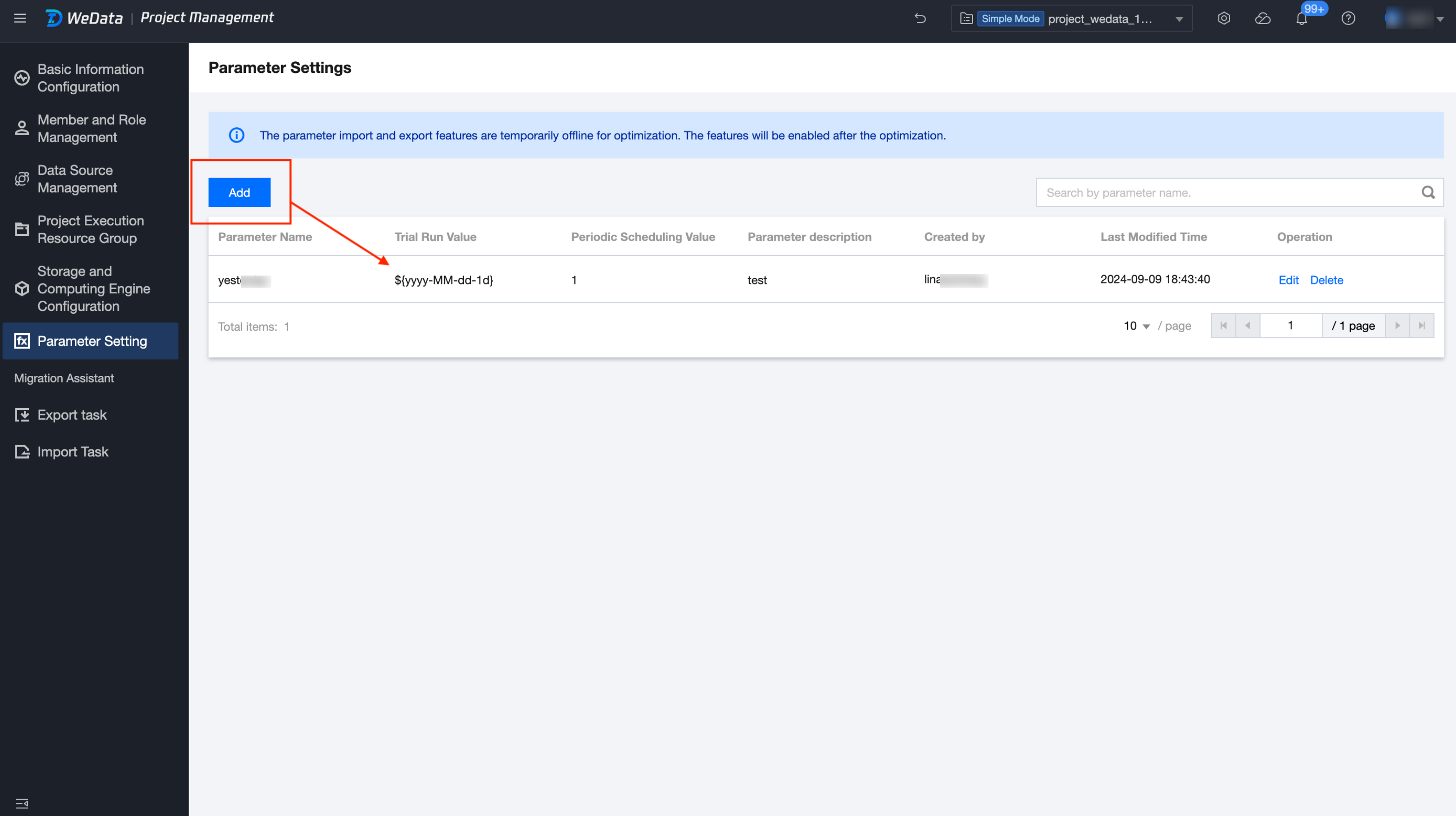
Provides a project-level global variables creation and management feature, allowing users to pre-create global variables for subsequent use in script and workflow development. Note that variable naming conflicts and unintended modifications should be avoided to prevent adverse effects on the data processing.
The main purposes of variable settings are as follows:
Data Transfer: Facilitate data sharing between different nodes in the data processing task flow, making workflow node actions more flexible and enabling more complex operations.
Improve Readability: Defining commonly used variables as global variables can make the code more readable and allow the use of these variables across multiple development nodes. This also makes the code more concise, maintainable, and easier to debug.
Reduce Code Complexity: In some cases, several related variables with certain logical relationships are needed. Defining these variables as global variables can reduce code complexity and simplify the program's logical structure.
3. Select the corresponding project and click to enter the Project Management module.
4. Click Variable Settings in the left directory.
Variable Operations
Add Variable
Provides the feature to add custom-defined project-level variables. Click the Add button in the upper left corner, enter the parameter name and parameter value in the list below, and click the Save button to complete the creation of the project variable.
For example: Add a parameter variable to get the date of the previous day.
Parameter Name: T-1
Parameter Value: ${yyyy-MM-dd -1d}
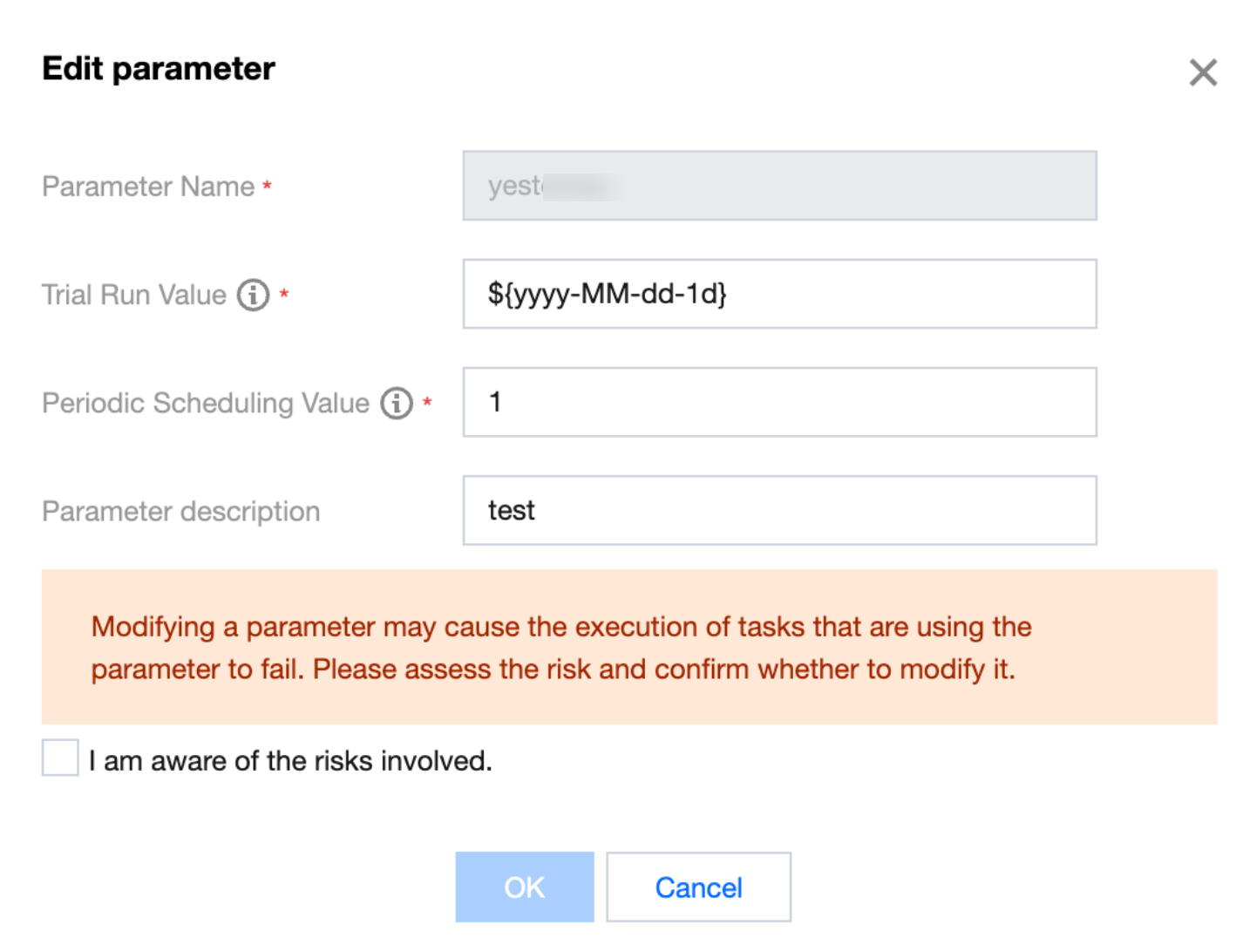
Editing Variable
Provides an edit feature to modify variable parameters in the list. Select the variable you want to modify, click the Edit button in the operation column to change the parameter value, and after editing, click the Save button to complete the variable editing.
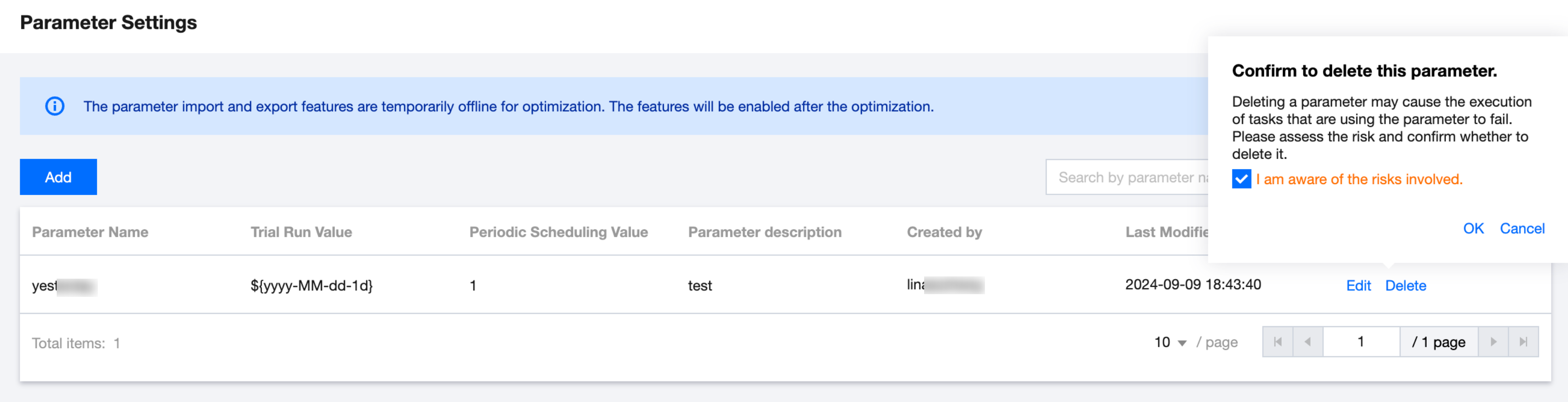
Delete Variable
Provides a delete feature to remove variable parameters from the list. Select the variable you want to delete, click the Delete button in the operation column, and confirm in the pop-up to delete the parameter.