AI Diagnostics
Unduh
Mode fokus
Ukuran font
The WeData platform provides an AI-powered intelligent diagnosis feature. When a task fails, users can trigger AI diagnosis with one click. It automatically analyzes failure logs, locates root causes, and provides repair suggestions, helping users quickly resolve task execution issues and reduce Ops troubleshooting costs.
Prerequisites
1. Complete task development on the WeData platform and submit the task for scheduling and execution.
2. If there are task instances that have failed to run, the current AI diagnosis can only be triggered when the task instances are in a failed state.
Use Limits
1. Currently, only diagnosis of failed instances in task scheduling mode is supported. Diagnosis for workflow scheduling mode is not yet supported, but will be extended in a future version.
2. For a failed task that has been executed multiple times, AI diagnosis is supported only for the last execution.
3. The Guangzhou region is not currently supported (available soon).
Operation Steps
AI Diagnosis Entry
1. Log in to the WeData Data Development and Governance Platform Console.
2. Click Project List in the left-side menu to locate the target project that requires Ops.
3. After a project is selected, click to go to the Ops center module.
4. For instances in a failed state from periodic tasks, backfill tasks, or manual tasks, go to the instance details page. Then, switch to the Execution Log tab and click AI Diagnosis in the most recent execution record to invoke the AI diagnosis feature.
Note
When using DataBuddy for the first time, you need to confirm the service terms.
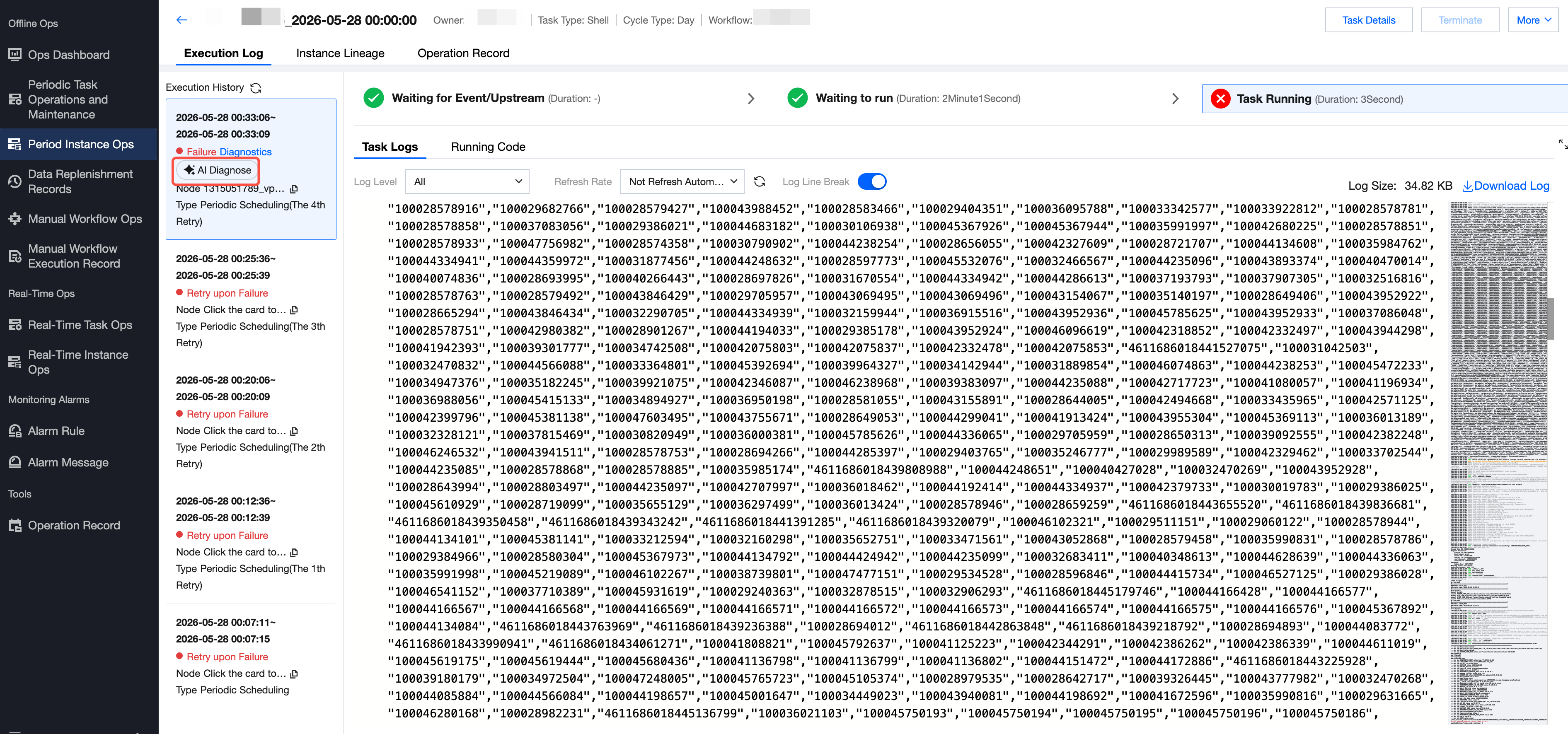
AI Diagnosis Trigger
1. On the log page of the failed instance, click AI Diagnosis.
2. The system automatically invokes the DataBuddy panel, and the AI diagnosis results are displayed within it.
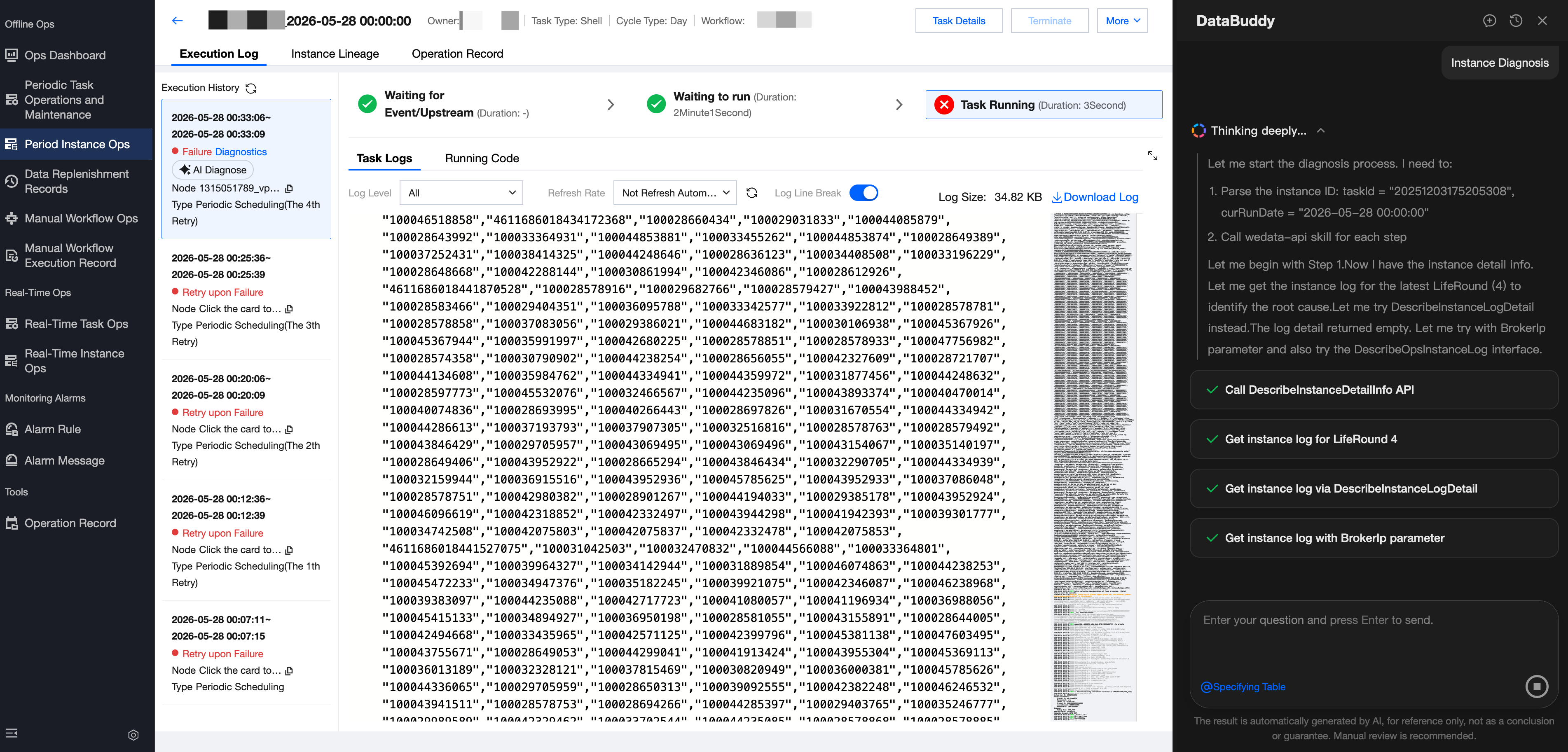
AI Diagnosis Results
Issue Summary: Automatically categorizes and describes error information to quickly understand the failure overview.
Root Cause Analysis: Identifies the root cause of the issue by combining logs, task information, and contextual information.
Impact Scope Assessment: Analyzes the impact scope of failed tasks on downstream tasks.
Repair Recommendations and Actions: Provides repair recommendations and next steps.
Bantuan dan Dukungan
Apakah halaman ini membantu?
Anda juga dapat Menghubungi Penjualan atau Mengirimkan Tiket untuk meminta bantuan.
masukan