Does Cloud Contact Center support viewing phone, text, image, and other historical records?
Cloud Contact Center supports online playback and download of phone recordings, as well as interface pulling. Text and image records can be viewed online.
Why is there no incoming call ringtone when Google Chrome is used?
First, check whether there is an issue with the audio device and whether the volume is set to zero.
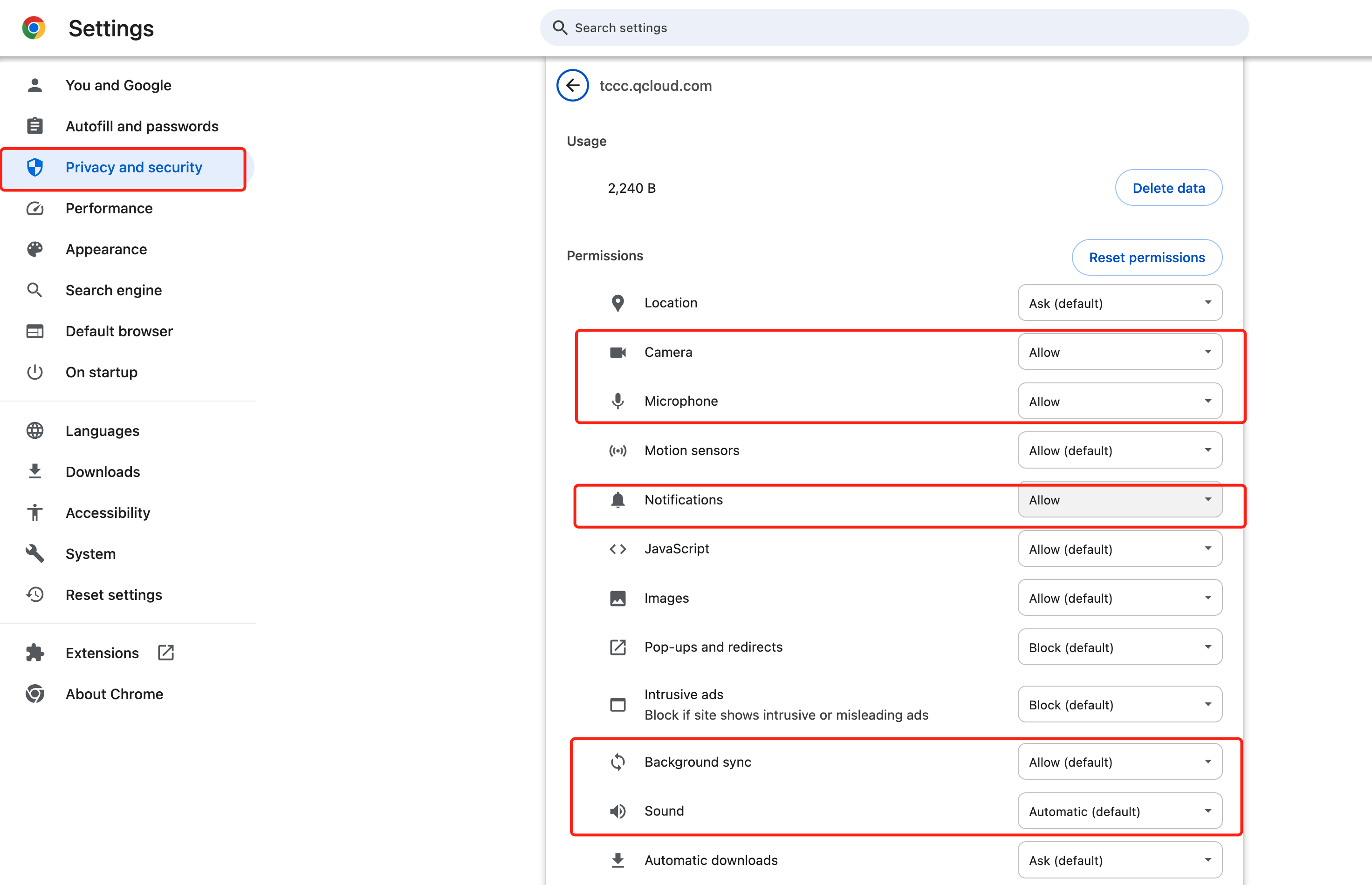
Check browser settings. Enter chrome://settings/content/siteDetails?site=https%3A%2F%2Ftccc.qcloud.com in the browser's address bar. Set Camera, Mic, Notifications, Background Sync, and Sound to 'Allow'.
If no exception is found after the above checks, the browser prevents webpages from automatically playing audio or video to avoid disturbing users, and limits the autoplay feature for audio or video. In this case, follow the steps below:
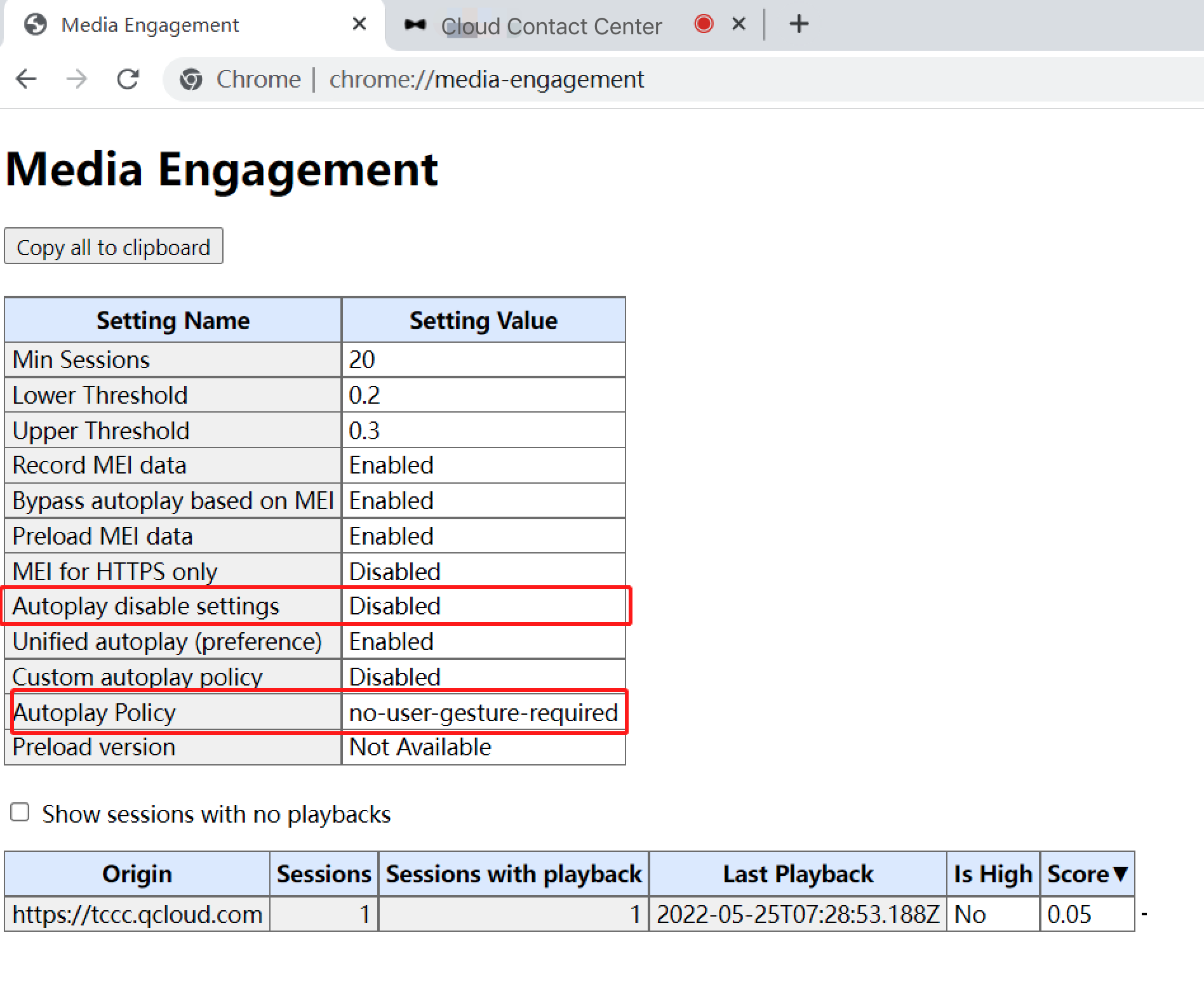
Close and re-open the Google Chrome browser. In the address bar, enter chrome://media-engagement/.
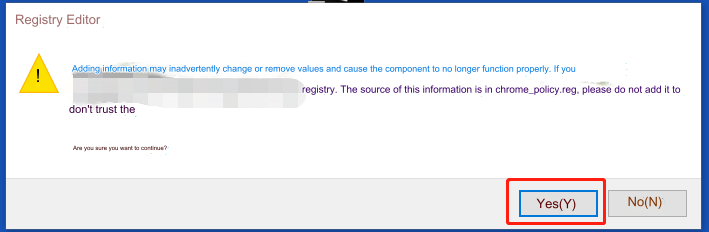
Check whether the value of Autoplay disable settings is Disabled, and whether the value of Autoplay Policy is no-user-gesture-required. If not, disable the antivirus software and double-click the file downloaded earlier.
Re-open the browser, go to Cloud Contact Center, and check whether the incoming call ringtone is normal.
FAQs About Billing
How many agents can be added to a Cloud Contact Center account?
There are no restrictions. If you need to add more, please go to the Tencent Cloud Console to purchase.
FAQs About Auditing
What is the approval procedure timeline for corporate qualifications in Cloud Contact Center?
We will complete the review within 1 working day.
Audit Time: 9:00 to 23:00 from Monday to Sunday (postponed on legal holidays).
FAQs About Login
Why does registration to the IM backend fail?
Please go to the Tencent Cloud console to confirm whether your Tencent Cloud account is in arrears.
The number of agents online at the same time cannot exceed the number of valid agents purchased
An agent account can only log in at one location at a time, and the maximum number of logins equals the number of seats purchased. If you need to log in to more accounts, please purchase at the Tencent Cloud Console.