The instance name is mainly used to distinguish and manage instances. By default, the instance name is consistent with the instance ID. You can modify the instance name through the console, but the instance ID cannot be modified by default.
Must-Knows
Modifying the instance name takes effect immediately with no need to reboot the instance.
Modifying the instance name will not change the database's private IP address and will not affect database connection.
Use meaningful names for easy identification and management.
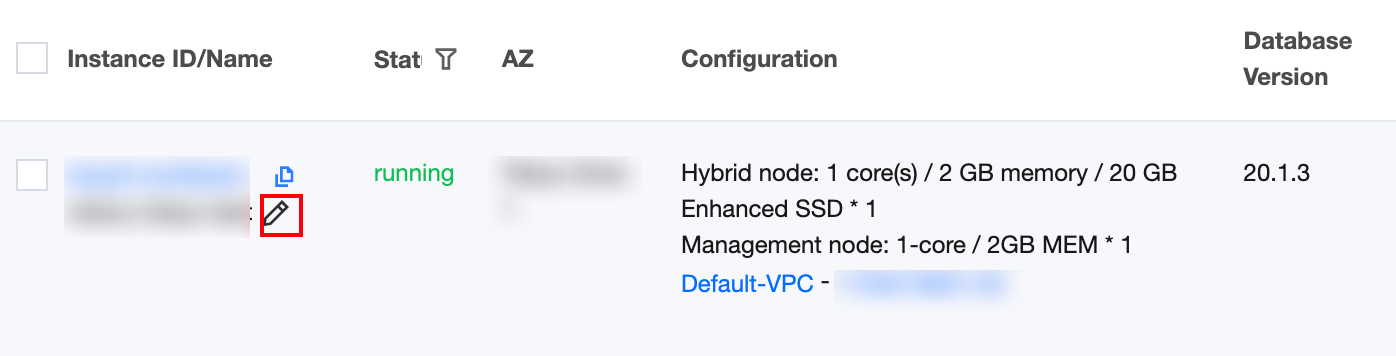
Renaming Instance in the Instance List
1. Log in to the TDSQL Boundless console, find the instance to modify in Instance List, and click the instance name followed by
.
2. In the pop-up dialog box, manually input the instance name to modify, then click OK.
The instance name only supports Chinese characters, English letters, digits, - (middle hyphen), _ (underscore), and . (English punctuation) with a length of up to 60.
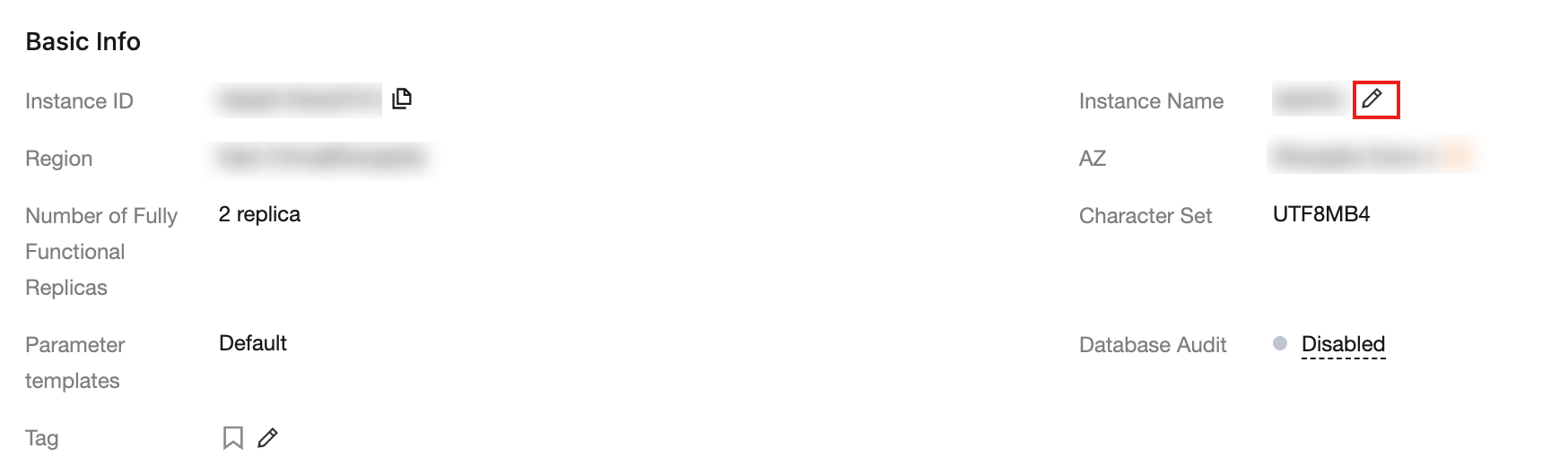
Renaming Instance on the Instance Details Page
1. Log in to the TDSQL Boundless console. In the Instance List, click the Instance ID to go to the Instance Management page.
2. Go to the Instance Information tab. In the Basic Info section, click the
icon after Instance Name.
3. In the pop-up dialog box, manually input the instance name to modify, then click OK.
The instance name only supports Chinese characters, English letters, digits, - (middle hyphen), _ (underscore), and . (English punctuation) with a length of up to 60.