Restarting an Instance
Unduh
Mode fokus
Ukuran font
When routine maintenance is required for the instance, such as clearing the database buffer, applying configuration changes, or addressing performance issues, the instance can be manually restarted.
TDSQL Boundless supports restart operations through the following two entry points:
Instance List: It supports restarting multiple instances in batches and also supports restarting a single instance via the More menu in the operation column.
Instance Details: It supports restarting the current instance individually.
Must-Knows
Business Impact: After the instance is restarted, current connections will be interrupted, uncommitted transactions will be rolled back, and service interruption may occur. Exercise caution when performing this operation. The restart process may take several minutes; perform it during off-peak business hours.
Operation Method: To ensure the stability and reliability of the restart operation, it is recommended to use the feature for restarting instances officially provided by Tencent Cloud.
Network Unchanged: After a restart, the instance's private IP address remains unchanged.
Operation Steps
Method 1: Batch Restart Instances from the Instance List
1. Log in to the TDSQL Boundless console. In Instance List, select one or multiple instances that need to be restarted, and click More > Restart.
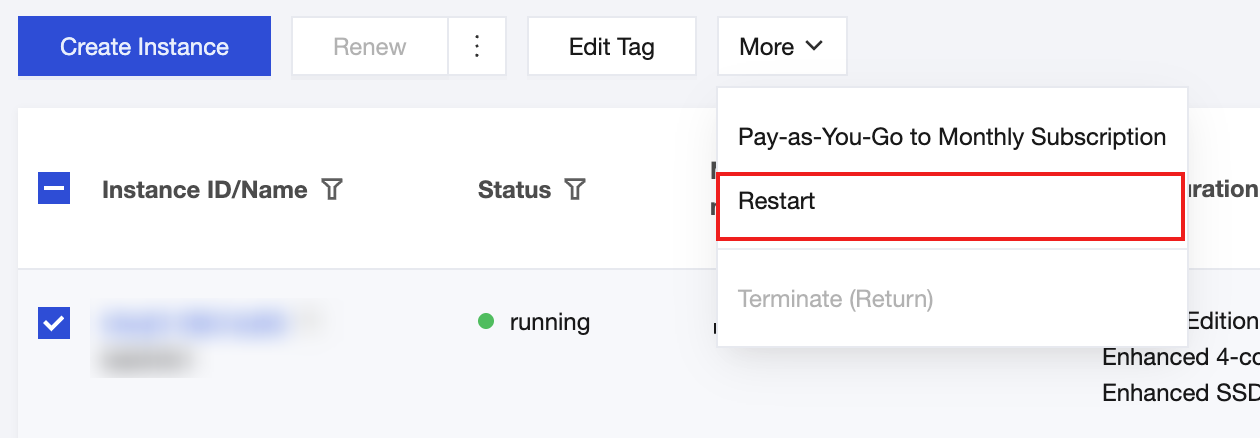
2. In the pop-up dialog box, confirm the information of the instance(s) to be restarted and click OK to restart a single instance or restart instances in batches.
When the instance status changes from restarting to running, it indicates that the restart is complete.
Method 2: Single Restart from the Instance List
This is suitable for scenarios where only a single instance needs to be restarted and a quick operation is desired.
1. Log in to the TDSQL Boundless console. In Instance List, locate the row of the target instance and click More > Restart in the operation column.
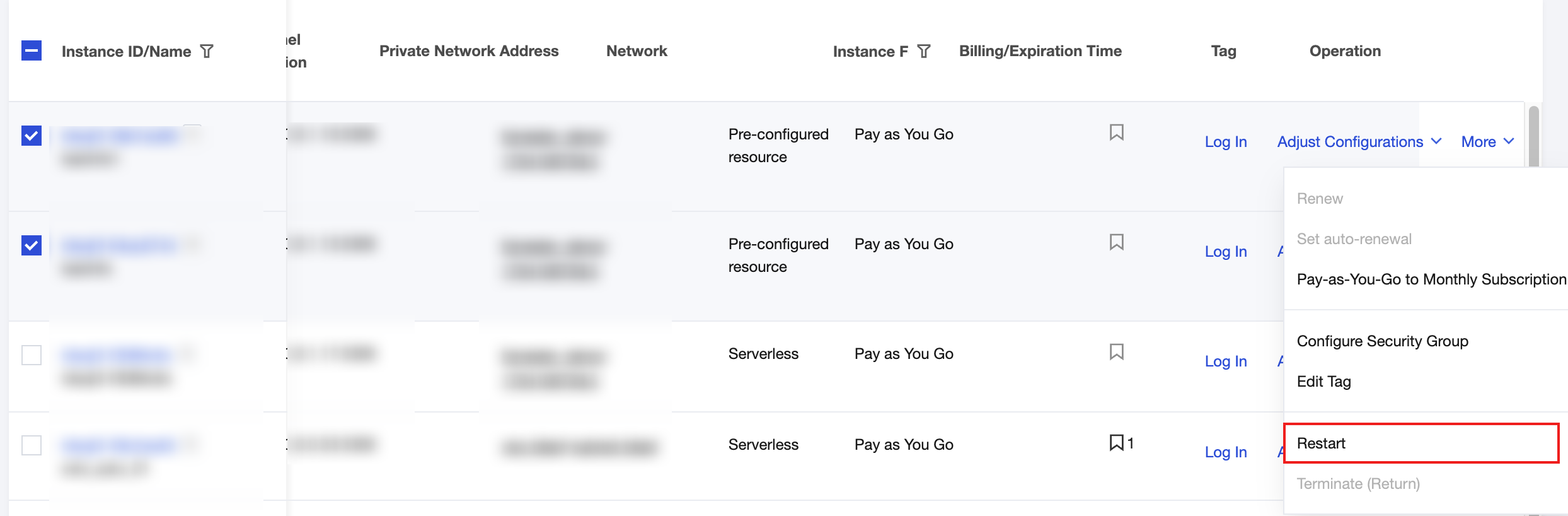
2. In the pop-up dialog box, confirm the information of the instance to be restarted and click OK to restart the current instance.
When the instance status changes from restarting to running, it indicates that the restart is complete.
Method 3: Restart an Instance from Its Details Page
This applies to scenarios where you have already entered the instance details page for viewing or operations and need to restart the current instance directly.
1. Log in to the TDSQL Boundless console. In Instance List, click the Instance ID/Name of the target instance to go to the Instance Details page.
2. In the upper-right corner of the instance details page, click More > Restart.

3. In the pop-up dialog box, confirm the information of the instance to be restarted and click OK to restart the current instance.
When the instance status changes from restarting to running, it indicates that the restart is complete.
Bantuan dan Dukungan
Apakah halaman ini membantu?
Anda juga dapat Menghubungi Penjualan atau Mengirimkan Tiket untuk meminta bantuan.
masukan